
 15
15presentation
Indie Magazine Startup Pitch Deck
Shape your publishing concept with an indie magazine startup pitch deck featuring pastel gradients, bold collage layouts, and editable planning slides.
Google SlidesPowerPoint
document · English
Turn discussions into assigned actions with a workplace safety minutes template designed for clear records, follow-up, and audit-ready reporting in…

Design notes
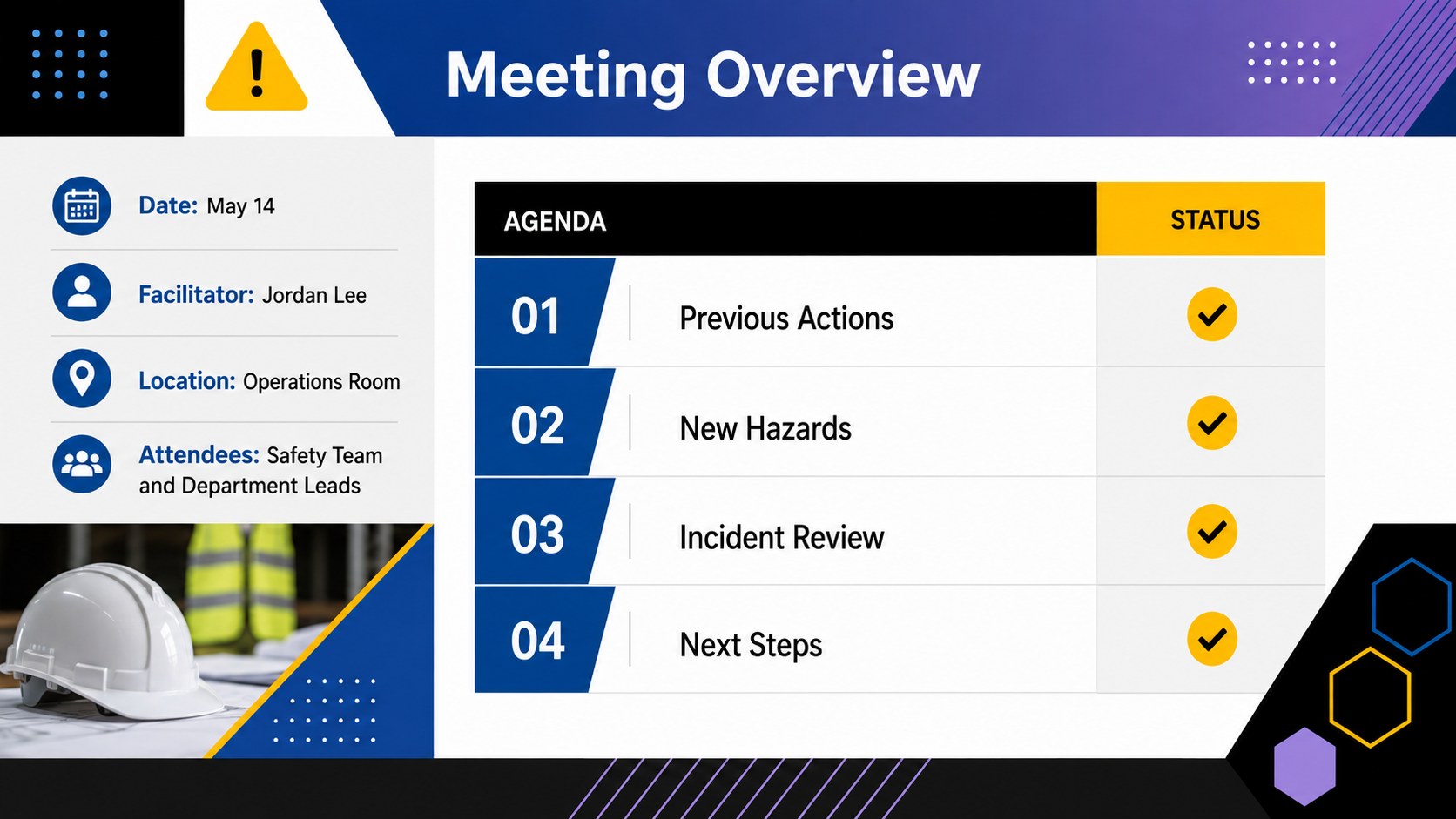
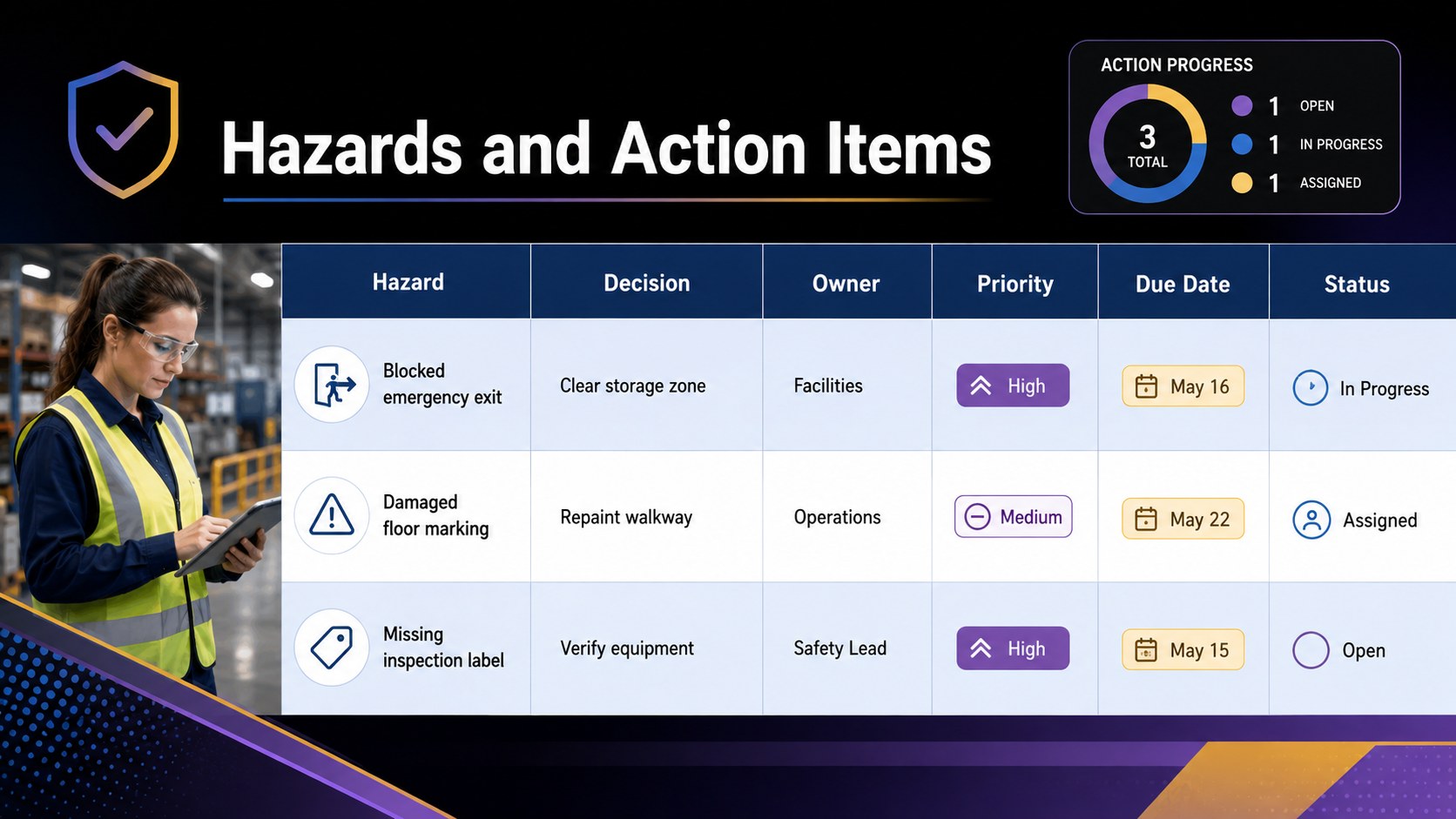
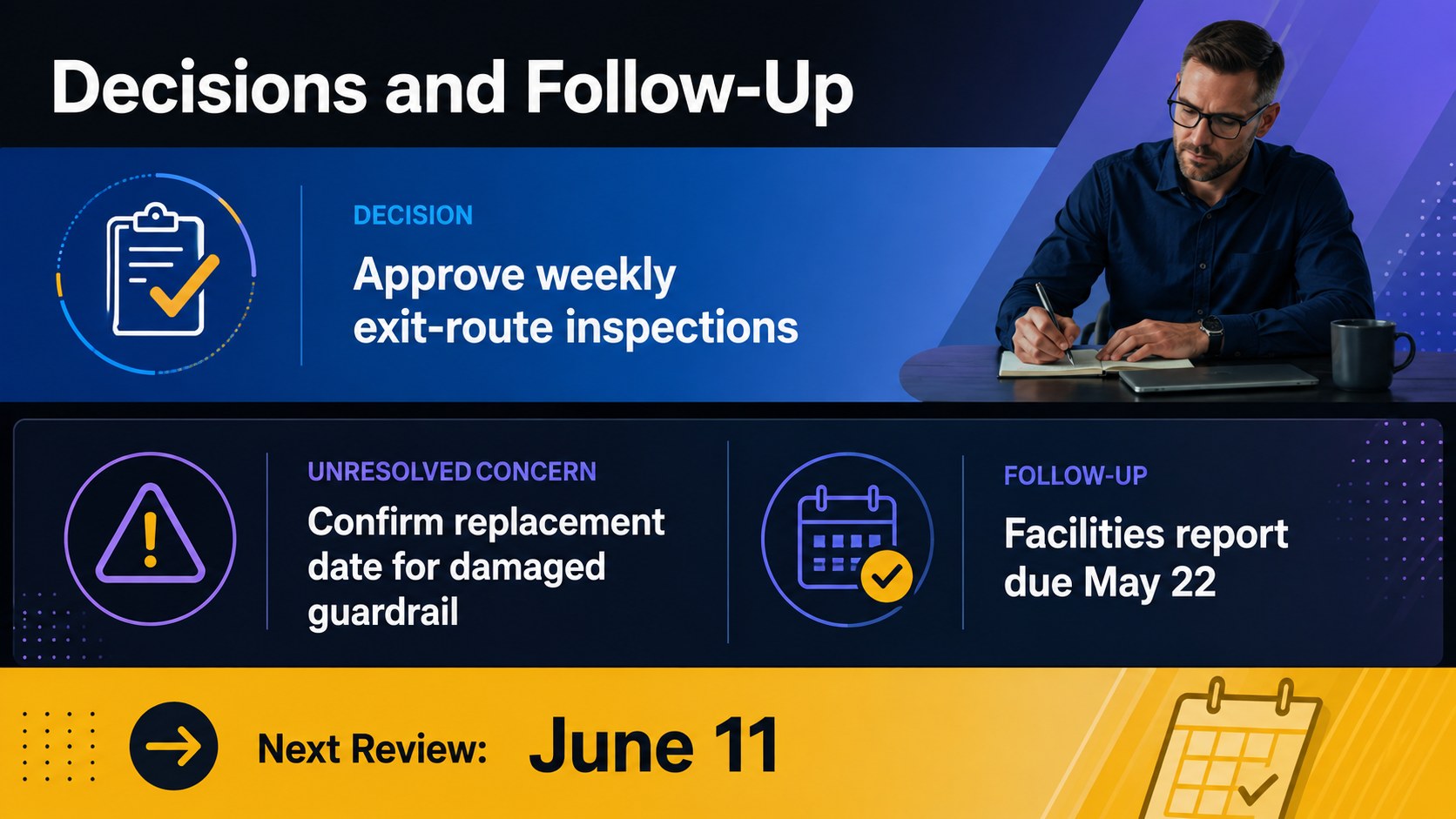
Make every safety discussion easier to document and act on with this workplace safety minutes template. Designed for PowerPoint and Google Slides, it gives teams a consistent way to capture attendance, agenda topics, reported hazards, decisions, and next steps without building a meeting record from scratch. The bold gradient styling combines black, blue, purple, and yellow for a professional look that keeps essential details easy to scan.
Inside, you will find a meeting overview, an occupational health and safety meeting notes layout, a workplace hazard action item tracker, and a safety committee decision log. Clearly defined fields help users assign owners, set due dates, record priority levels, and review unresolved concerns at the next session. Each section can be edited to match internal terminology, reporting procedures, or regulatory requirements.
This template is suitable for safety officers, operations managers, facilities teams, HR professionals, supervisors, and employee safety representatives. Use it for recurring committee sessions, warehouse inspections, construction briefings, incident-prevention reviews, or office health and safety meetings. The slides can also be exported or printed when a formal record is needed for management reviews, compliance files, or audit preparation. Update the colors, type, tables, and labels while retaining a practical structure that supports accountability and timely follow-through.
Perfect for: monthly EHS committee meeting; warehouse hazard review; construction safety briefing; incident prevention follow-up; compliance audit preparation.
Frequently asked questions
Can I edit this template in PowerPoint and Google Slides? Yes. All headings, tables, colors, and action fields can be edited in PowerPoint or Google Slides. You can duplicate or remove layouts to suit the length of each meeting.
Practical details
Yes. All headings, tables, colors, and action fields can be edited in PowerPoint or Google Slides. You can duplicate or remove layouts to suit the length of each meeting.
Replace the sample labels with your department names, reporting categories, risk ratings, and approval process. You can also add a company logo, although the supplied template itself contains no branding.
Yes. Export the finished slides as a PDF for distribution or print them as full-page records. Check page scaling and table content before printing to ensure every field remains legible.
Document attendees, agenda items, hazards discussed, decisions, assigned owners, deadlines, and unresolved concerns. Review previous action items as well so overdue work remains visible.
Keep exploring
15Shape your publishing concept with an indie magazine startup pitch deck featuring pastel gradients, bold collage layouts, and editable planning slides.
 16
16Build clear project stories with the Icon Grid Teamwork Theme, a flexible blue illustrated deck for proposals, strategy updates, and team meetings.
 3
3Turn priorities into an actionable plan with an annual goals roadmap infographic, featuring editable orange and teal layouts for PowerPoint and Google Slides.
 15
15Create an Annual Achievement Report Presentation with colorful geometric layouts for milestones, results, lessons, and priorities in PowerPoint or Google Slides.
 15
15Turn results into a focused annual performance evaluation report with dark 3D slides for KPIs, achievements, feedback, and next-step goals for teams.
 15
15Guide a focused annual recap with Business Results Retrospective Slides, a muted brown-and-blue template for PowerPoint and Google Slides.
 6
6Turn complex plans into clear visual stories with Color-Coded Workflow Path Slides, an editable set for project updates, roadmaps, and team briefings.
 6
6Compare regional performance at a glance with Global Data Heatmap Slides, a clean multicolor deck designed for editable PowerPoint and Google Slides.