
 15
15presentation
Indie Magazine Startup Pitch Deck
Shape your publishing concept with an indie magazine startup pitch deck featuring pastel gradients, bold collage layouts, and editable planning slides.
Google SlidesPowerPoint
spreadsheet · English
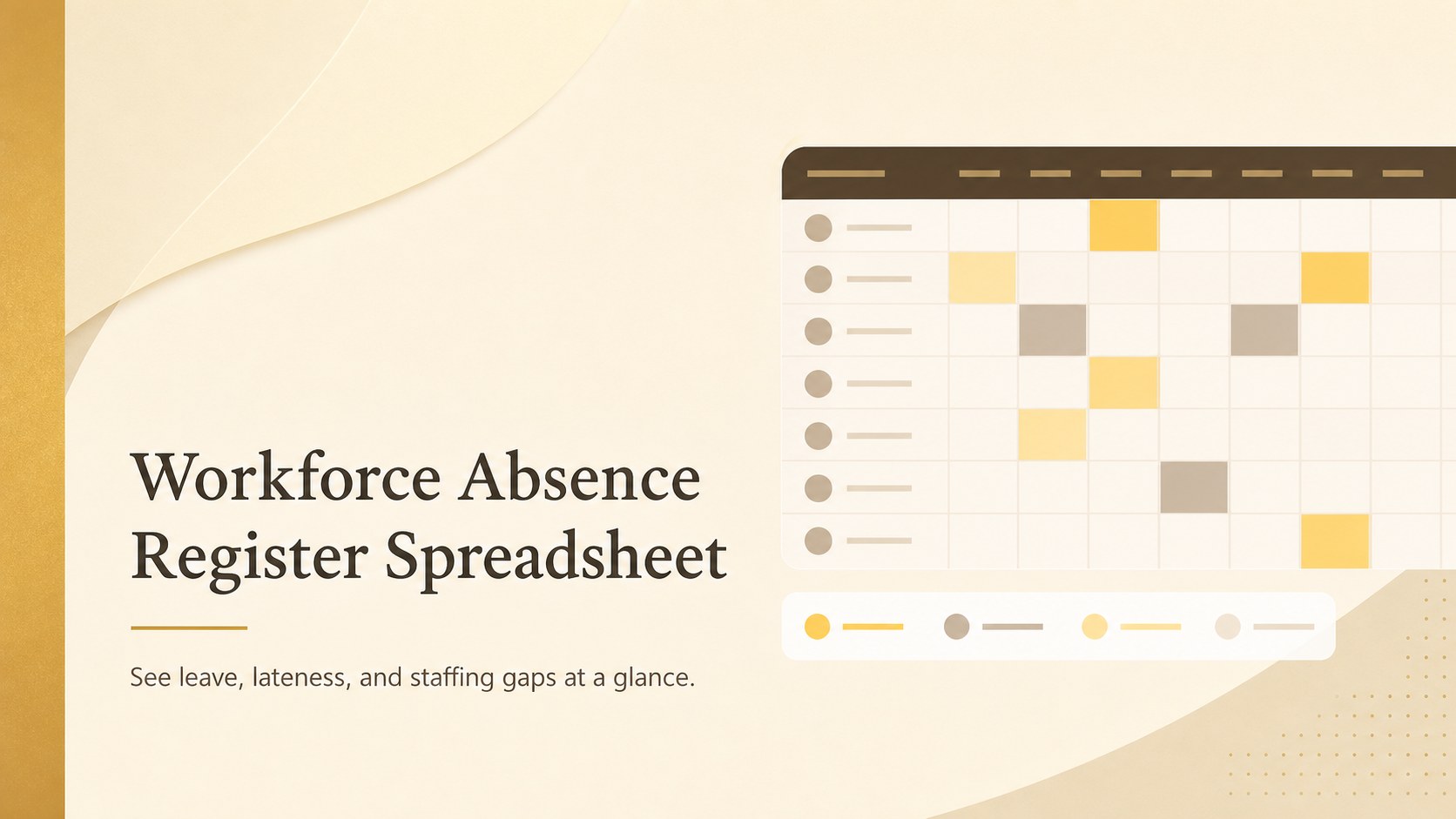
Spot leave, lateness, and staffing gaps quickly with a Workforce Absence Register Spreadsheet designed for clear HR records in Excel and Google Sheets.
Design notes
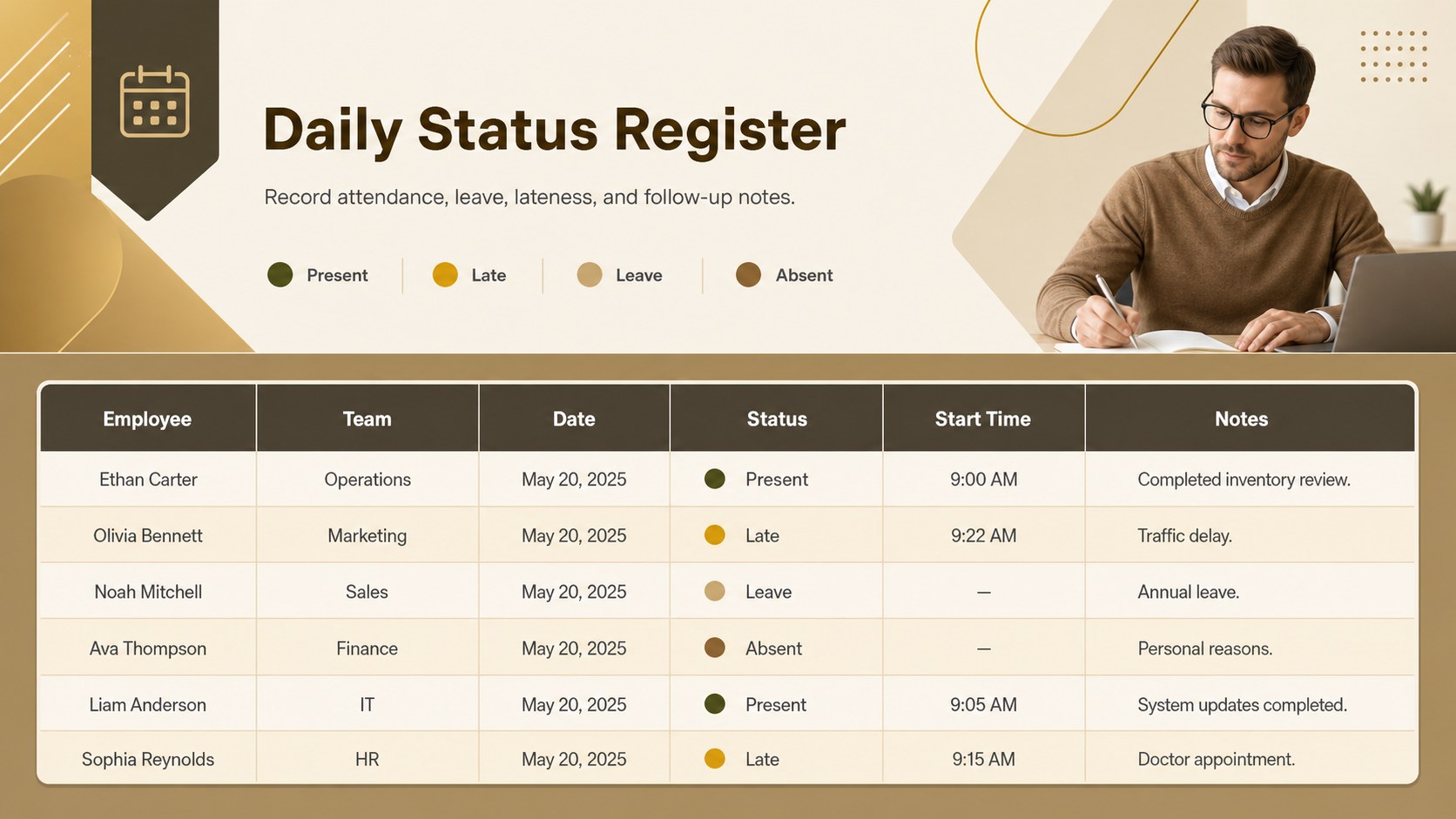
Bring everyday staffing records into one clear view with this Workforce Absence Register Spreadsheet. Its structured layout helps HR teams and managers record attendance status, approved leave, late arrivals, and unplanned absences without clutter. Warm brown, beige, yellow, and gold accents give the minimalist design a polished corporate feel while keeping important entries easy to scan.
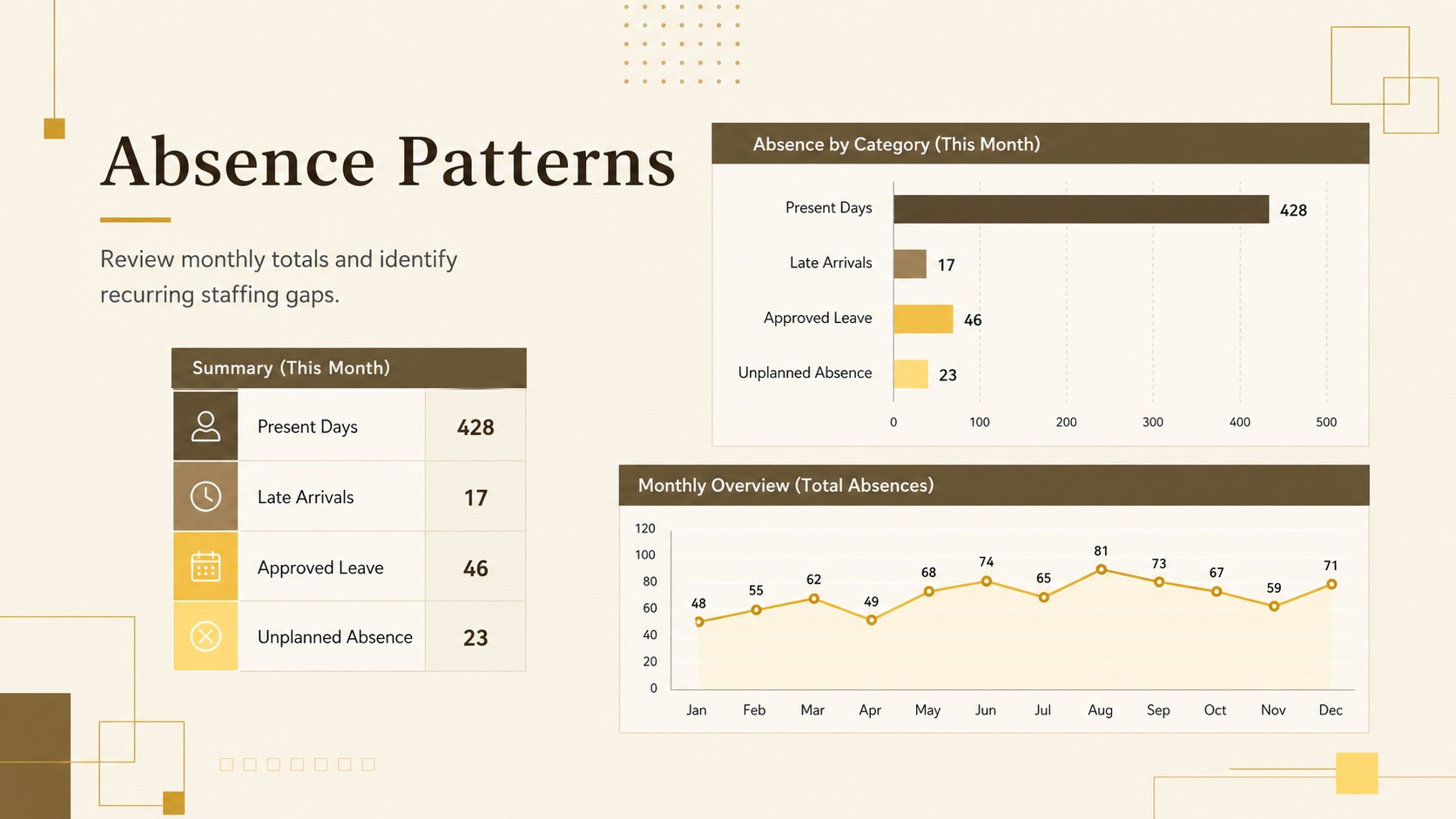
Inside, you will find organized fields for employee names, departments, dates, status categories, start times, and follow-up notes. Use it as an employee leave and lateness log for daily updates or adapt it into a monthly staff absence tracking sheet for recurring HR reviews. Summary areas make it easier to identify attendance patterns, recurring gaps, and days that may require additional staffing. Every label, color, category, and data field can be adjusted to match your workplace policies.
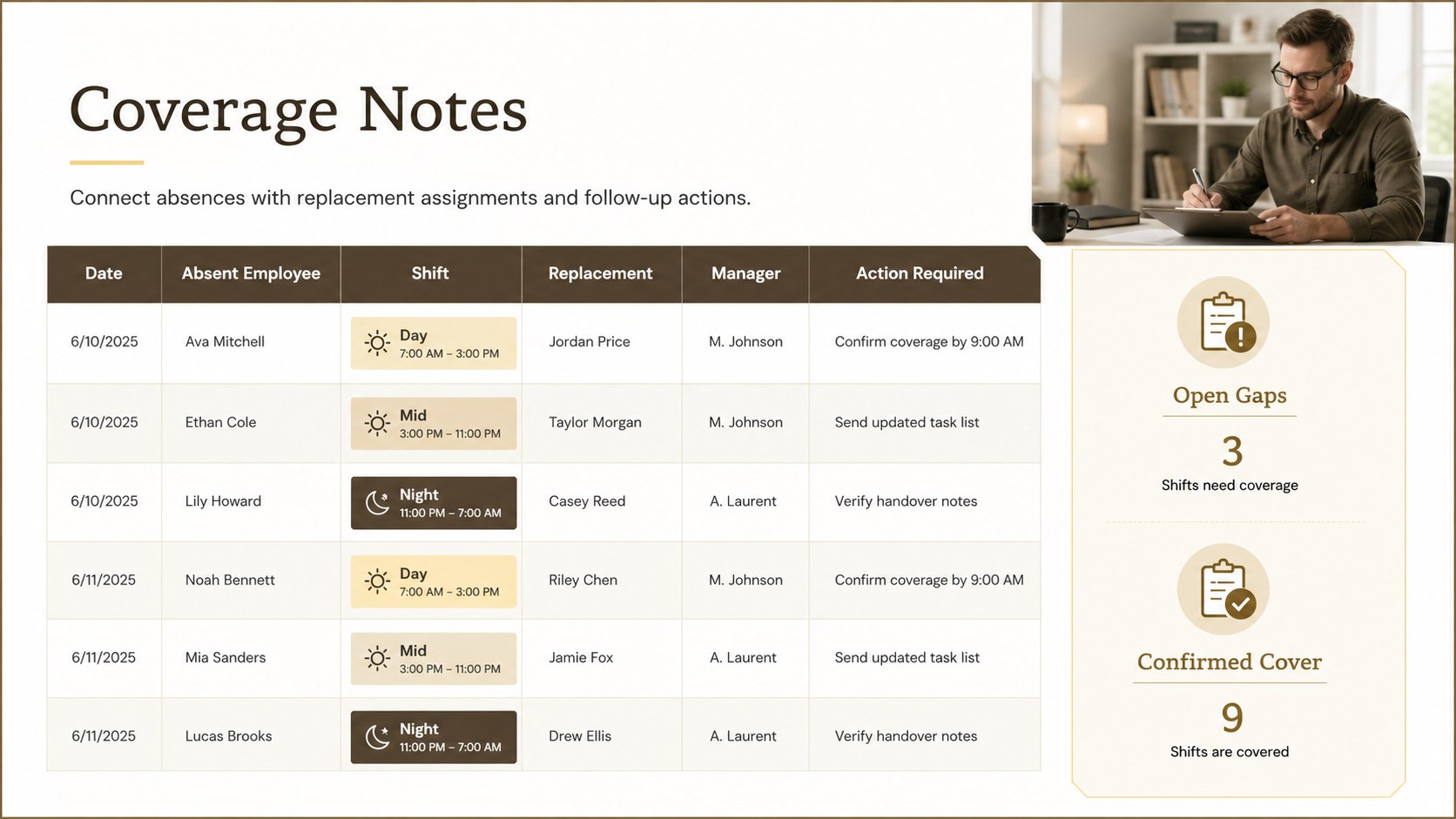
The template is suited to HR coordinators, operations managers, supervisors, office administrators, and small business owners. It also works as a shift coverage planning worksheet when managers need to connect absences with replacement assignments. Edit the register in Excel or Google Sheets, duplicate tabs for different teams or months, and apply formulas or filters for more detailed reporting. The result is a practical workforce record that supports consistent documentation, payroll preparation, and informed staffing decisions.
Perfect for: daily employee status recording; monthly absence reporting; leave and lateness monitoring; shift coverage planning; payroll attendance checks.
Frequently asked questions
Which spreadsheet platforms support this template? The template is designed for Microsoft Excel and Google Sheets. Import the workbook into your preferred platform, then review formulas and formatting before entering live employee data.
Practical details
The template is designed for Microsoft Excel and Google Sheets. Import the workbook into your preferred platform, then review formulas and formatting before entering live employee data.
Yes. Rename, add, or remove categories such as Present, Late, Leave, Remote, and Absent to reflect your workplace policy. You can also update the associated colors and filtering options.
Yes. Duplicate the worksheet tab for each department, location, or reporting month. Keep the same column structure across tabs if you plan to combine the data into a summary report.
Limit file access to authorized staff and use the sharing permissions available in Excel or Google Sheets. Avoid placing medical details or other sensitive information in general notes fields.
Keep exploring
15Shape your publishing concept with an indie magazine startup pitch deck featuring pastel gradients, bold collage layouts, and editable planning slides.
 16
16Build clear project stories with the Icon Grid Teamwork Theme, a flexible blue illustrated deck for proposals, strategy updates, and team meetings.
 3
3Turn priorities into an actionable plan with an annual goals roadmap infographic, featuring editable orange and teal layouts for PowerPoint and Google Slides.
 15
15Create an Annual Achievement Report Presentation with colorful geometric layouts for milestones, results, lessons, and priorities in PowerPoint or Google Slides.
 15
15Turn results into a focused annual performance evaluation report with dark 3D slides for KPIs, achievements, feedback, and next-step goals for teams.
 15
15Guide a focused annual recap with Business Results Retrospective Slides, a muted brown-and-blue template for PowerPoint and Google Slides.
 6
6Turn complex plans into clear visual stories with Color-Coded Workflow Path Slides, an editable set for project updates, roadmaps, and team briefings.
 6
6Compare regional performance at a glance with Global Data Heatmap Slides, a clean multicolor deck designed for editable PowerPoint and Google Slides.