
 15
15presentation
Indie Magazine Startup Pitch Deck
Shape your publishing concept with an indie magazine startup pitch deck featuring pastel gradients, bold collage layouts, and editable planning slides.
Google SlidesPowerPoint
spreadsheet · English
Align tasks, owners, and due dates with a team project timeline workbook built for clear scheduling and updates in Excel or Google Sheets across every phase.
Design notes
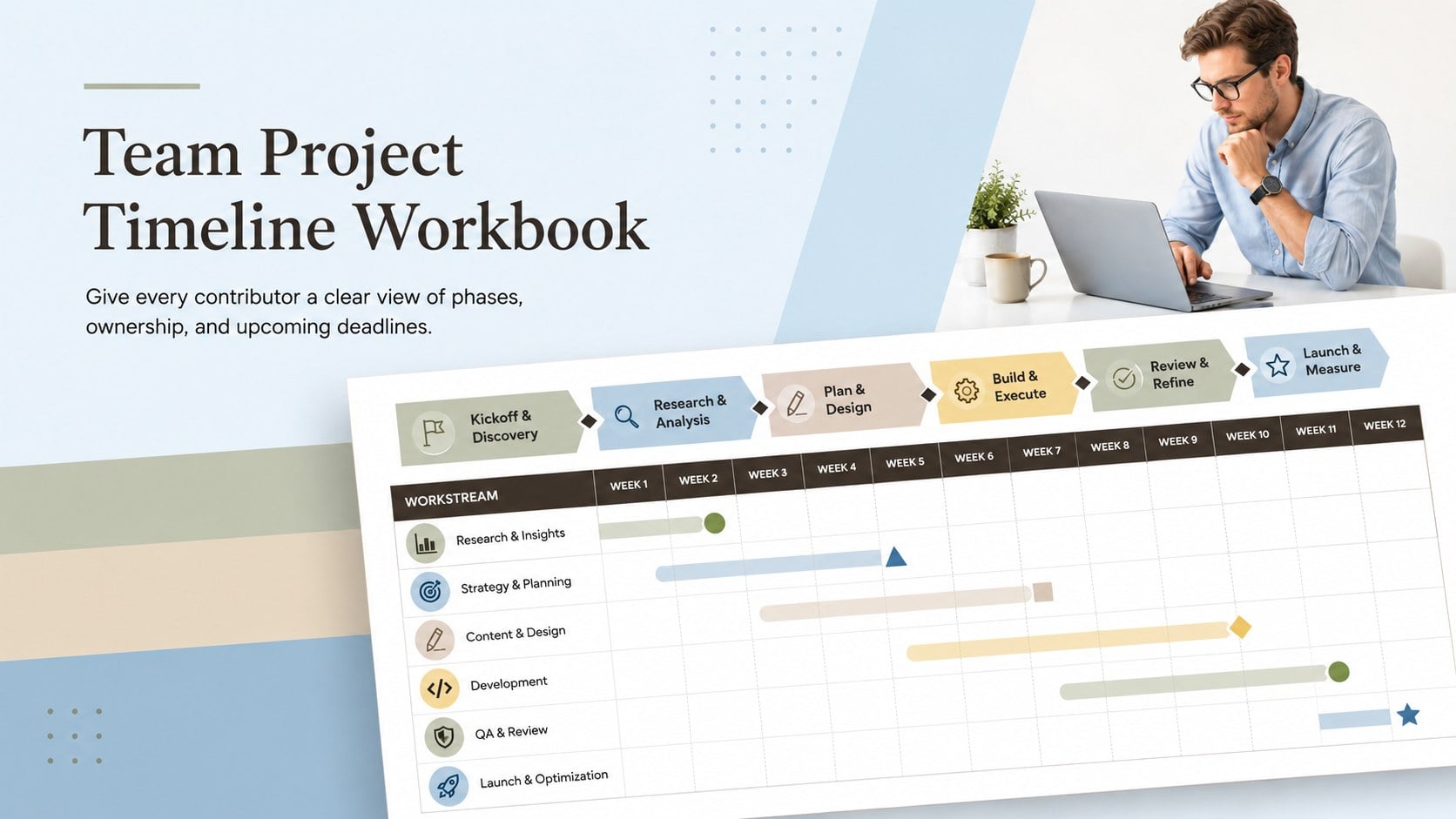
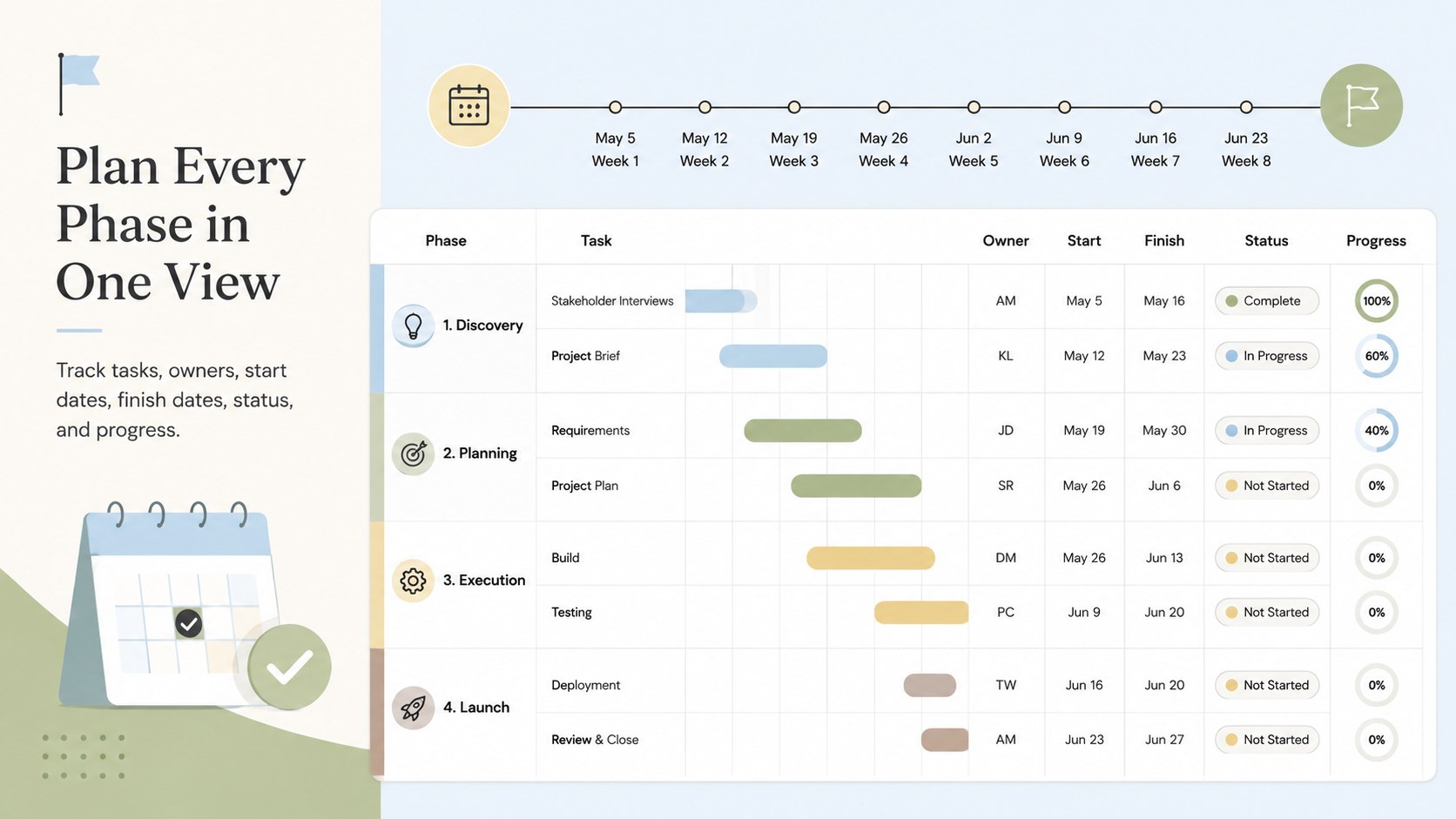
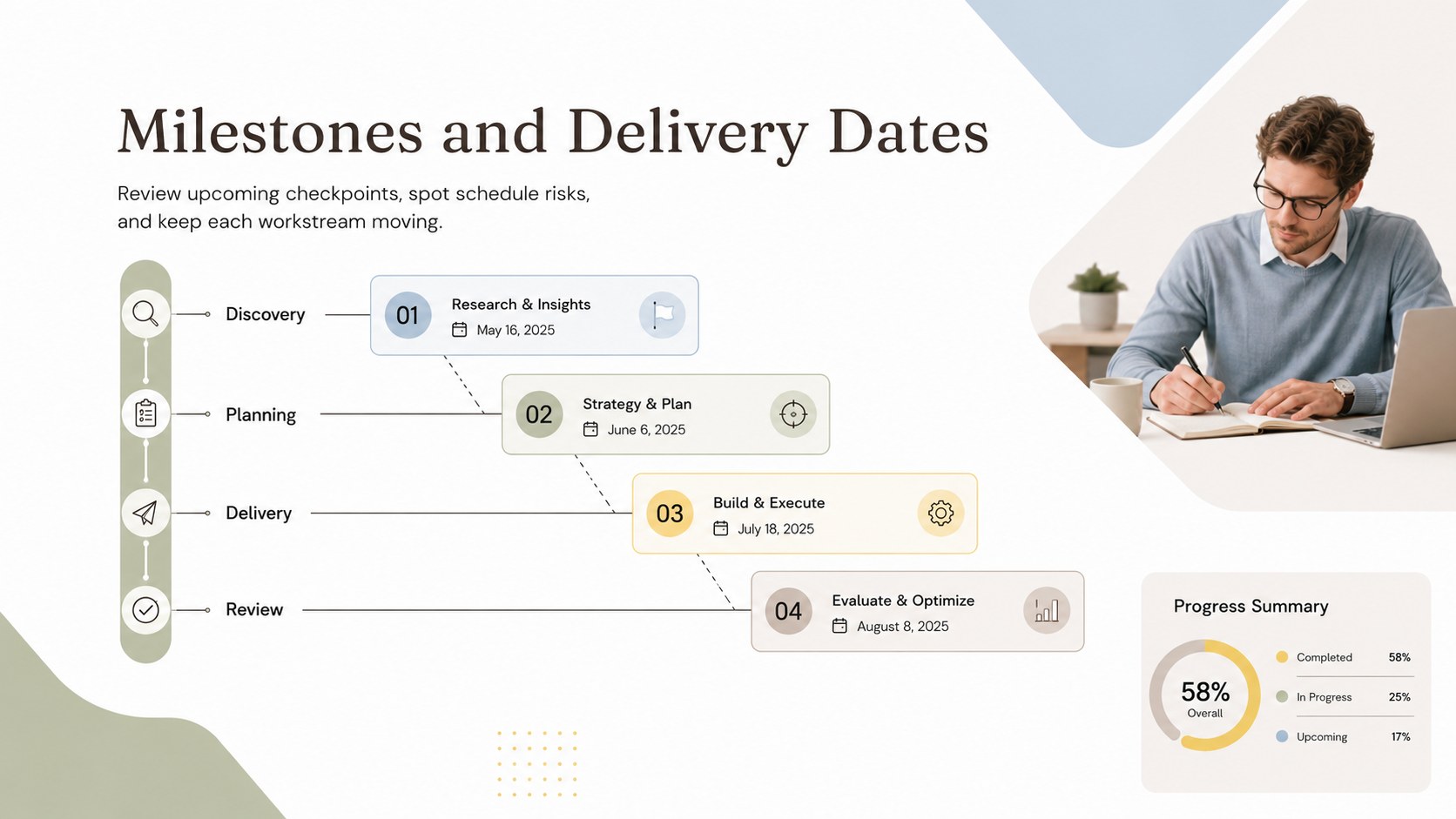
The Team Project Timeline Workbook brings tasks, owners, milestones, and deadlines into one clear planning view. Its elegant landscape layout uses soft blue, green, beige, brown, and yellow accents against crisp white and black details, making complex schedules easier to scan without sacrificing a polished, professional appearance.
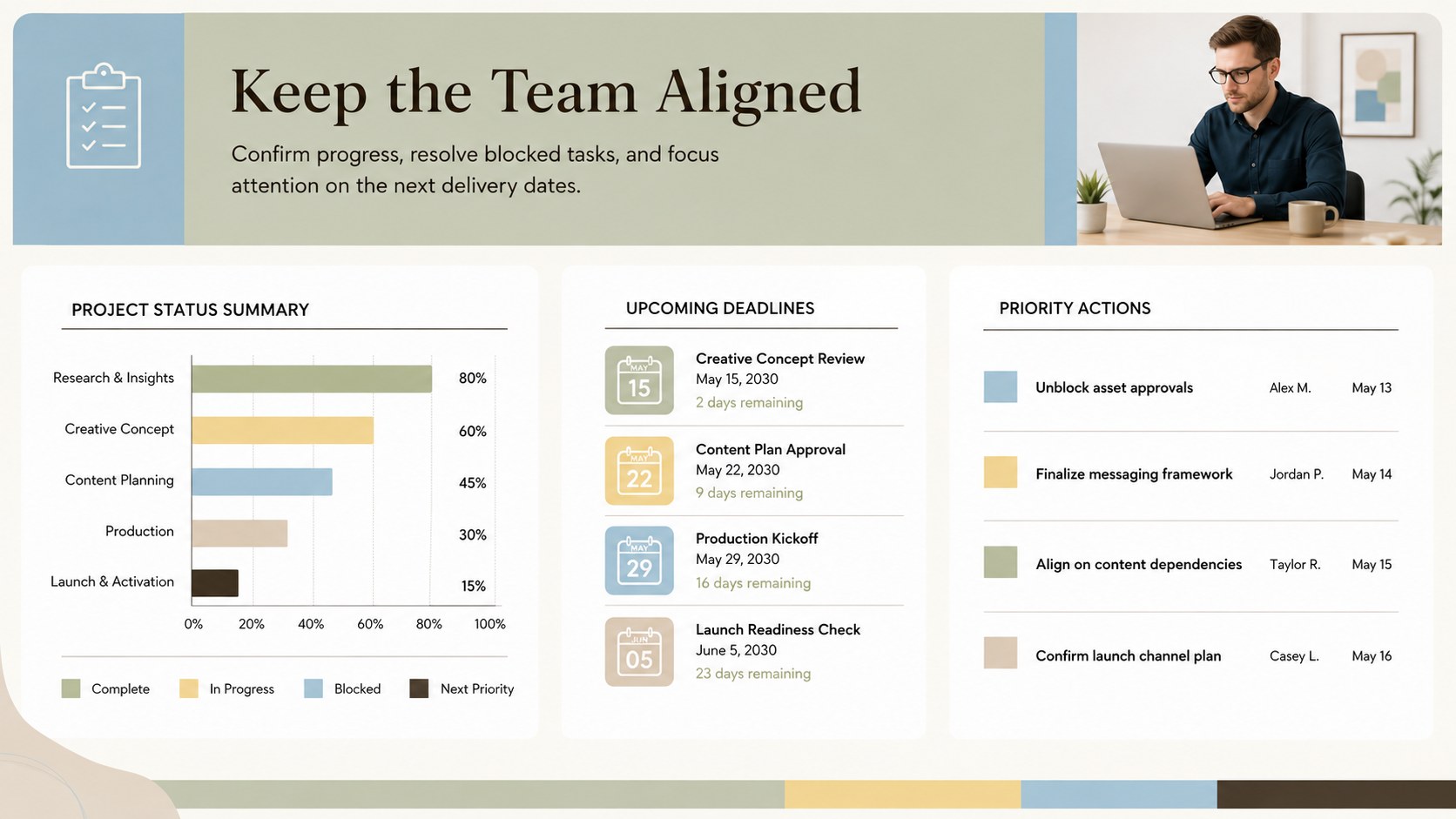
Inside, you will find structured areas for project phases, task descriptions, responsible team members, start and finish dates, current status, and progress notes. The format works as an editable project timeline template for Excel or as a Google Sheets project scheduling tracker, so teams can update plans as priorities shift. Color-coded sections help distinguish phases and highlight important delivery dates, while the spacious grid supports both high-level roadmaps and detailed weekly scheduling.
This workbook is designed for project managers, operations leads, agency teams, consultants, educators, and small businesses coordinating shared work. Use it to prepare a product launch, organize a client engagement, schedule an internal initiative, or maintain a team deadline planning workbook for recurring programs. Every element can be customized to match your workflow, including labels, time periods, colors, task categories, and status indicators. The template is compatible with Excel and Google Sheets, while its visual schedule layouts can also support project updates prepared in PowerPoint or Google Slides.
Perfect for: product launch scheduling; client project coordination; internal initiative planning; agency delivery tracking; course project management; cross-team milestone reviews.
Frequently asked questions
Can I edit the dates, tasks, and project phases? Yes. You can replace every label, date, task, owner, status, and milestone with information from your own project. The colors and section structure can also be adjusted to match your reporting process.
Practical details
Yes. You can replace every label, date, task, owner, status, and milestone with information from your own project. The colors and section structure can also be adjusted to match your reporting process.
The spreadsheet can be edited in Microsoft Excel and Google Sheets. Its visual layouts can also be used when preparing schedule updates in PowerPoint or Google Slides.
Yes. Add rows, duplicate planning sections, or change the date intervals to cover weekly, monthly, quarterly, or multi-phase work. You can also create separate tabs for departments or workstreams.
Assign a consistent label such as Not Started, In Progress, Blocked, or Complete to each task. Pair those labels with color coding so stakeholders can quickly identify delays and upcoming priorities.
Keep exploring
15Shape your publishing concept with an indie magazine startup pitch deck featuring pastel gradients, bold collage layouts, and editable planning slides.
 16
16Build clear project stories with the Icon Grid Teamwork Theme, a flexible blue illustrated deck for proposals, strategy updates, and team meetings.
 3
3Turn priorities into an actionable plan with an annual goals roadmap infographic, featuring editable orange and teal layouts for PowerPoint and Google Slides.
 15
15Create an Annual Achievement Report Presentation with colorful geometric layouts for milestones, results, lessons, and priorities in PowerPoint or Google Slides.
 15
15Turn results into a focused annual performance evaluation report with dark 3D slides for KPIs, achievements, feedback, and next-step goals for teams.
 15
15Guide a focused annual recap with Business Results Retrospective Slides, a muted brown-and-blue template for PowerPoint and Google Slides.
 6
6Turn complex plans into clear visual stories with Color-Coded Workflow Path Slides, an editable set for project updates, roadmaps, and team briefings.
 6
6Compare regional performance at a glance with Global Data Heatmap Slides, a clean multicolor deck designed for editable PowerPoint and Google Slides.