
 15
15presentation
Indie Magazine Startup Pitch Deck
Shape your publishing concept with an indie magazine startup pitch deck featuring pastel gradients, bold collage layouts, and editable planning slides.
Google SlidesPowerPoint
spreadsheet · English
Coordinate schedules, regular hours, and overtime in a team hours and overtime workbook built for fast weekly reviews in Excel or Google Sheets.

Design notes
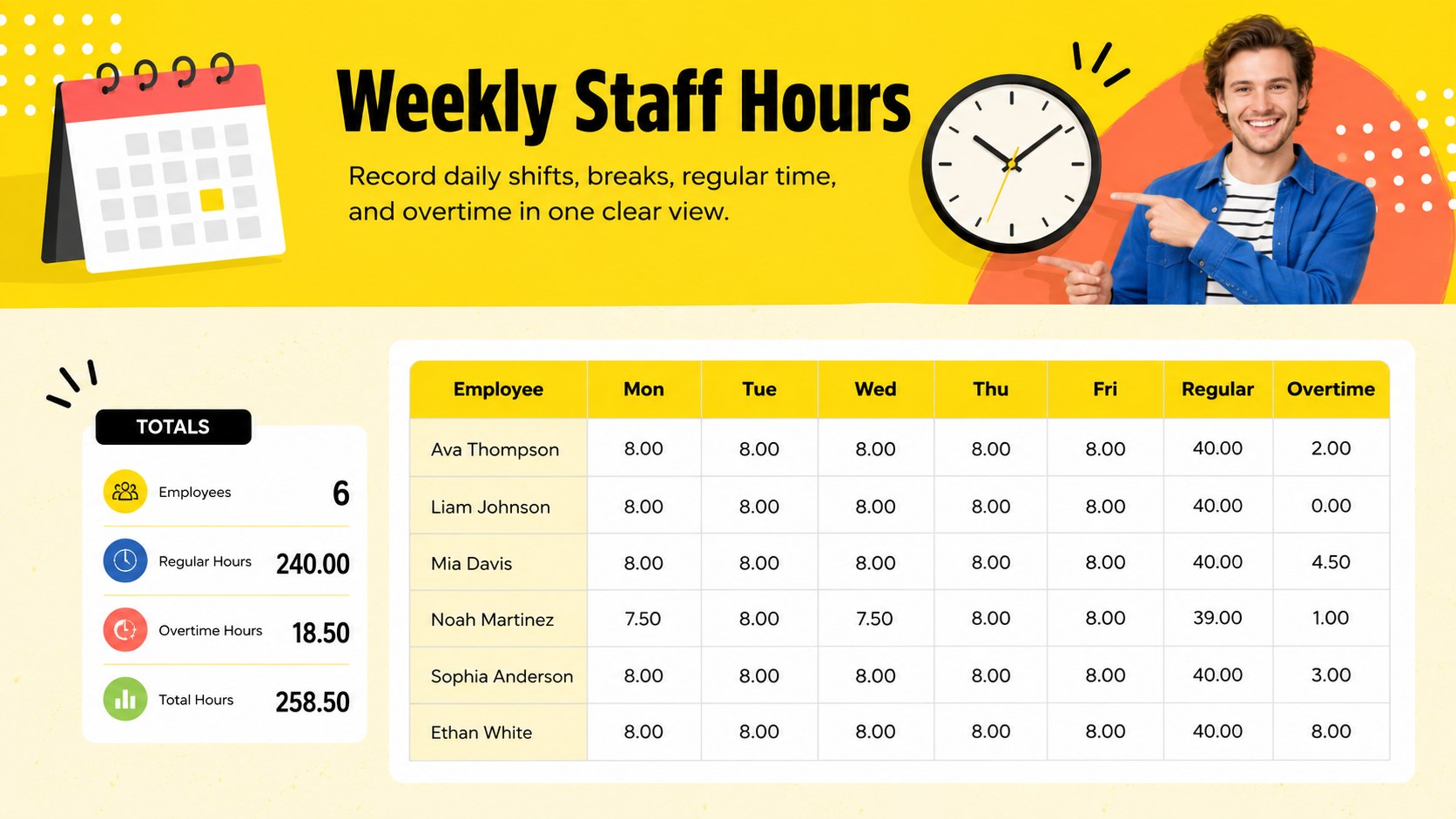
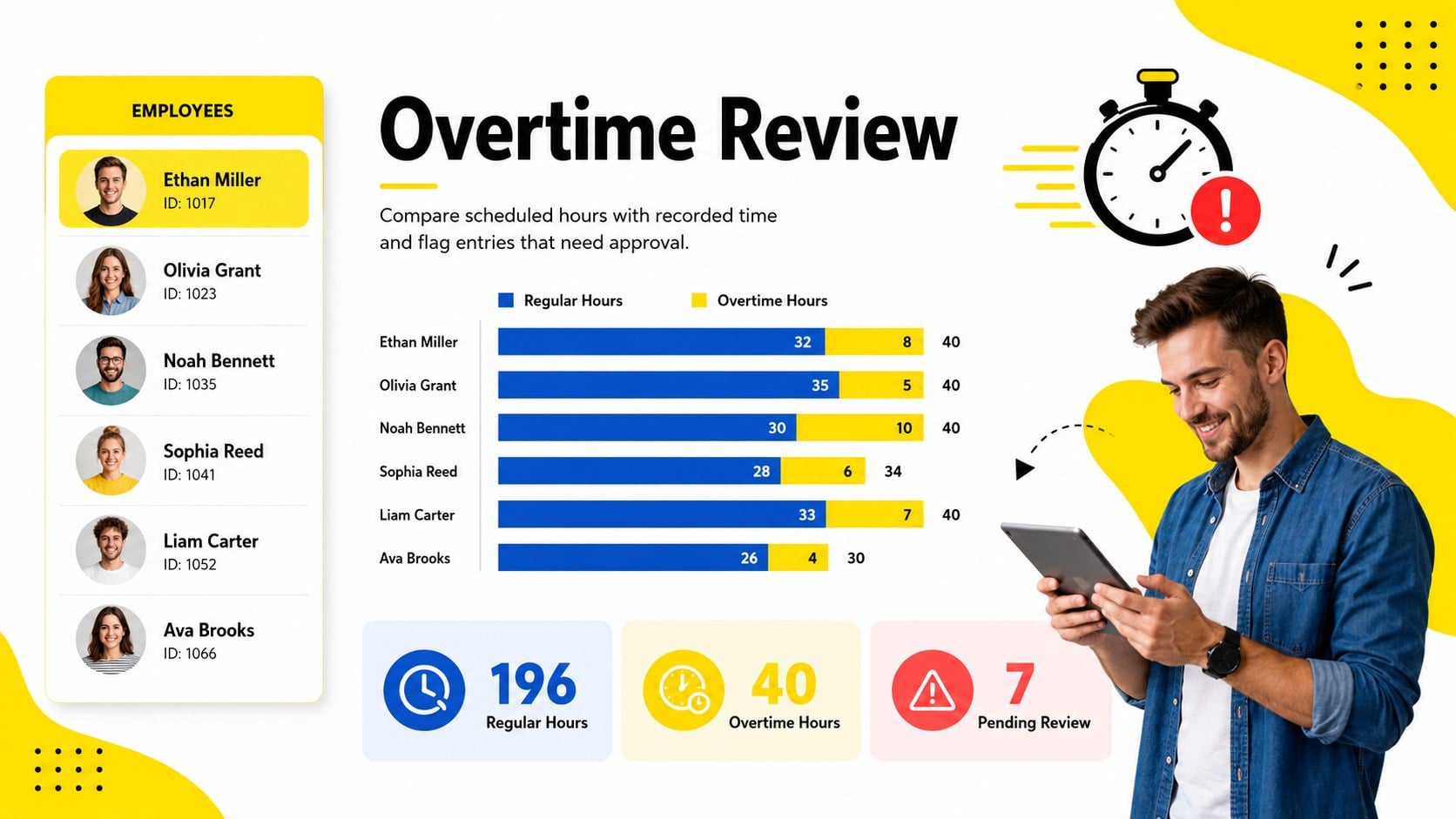
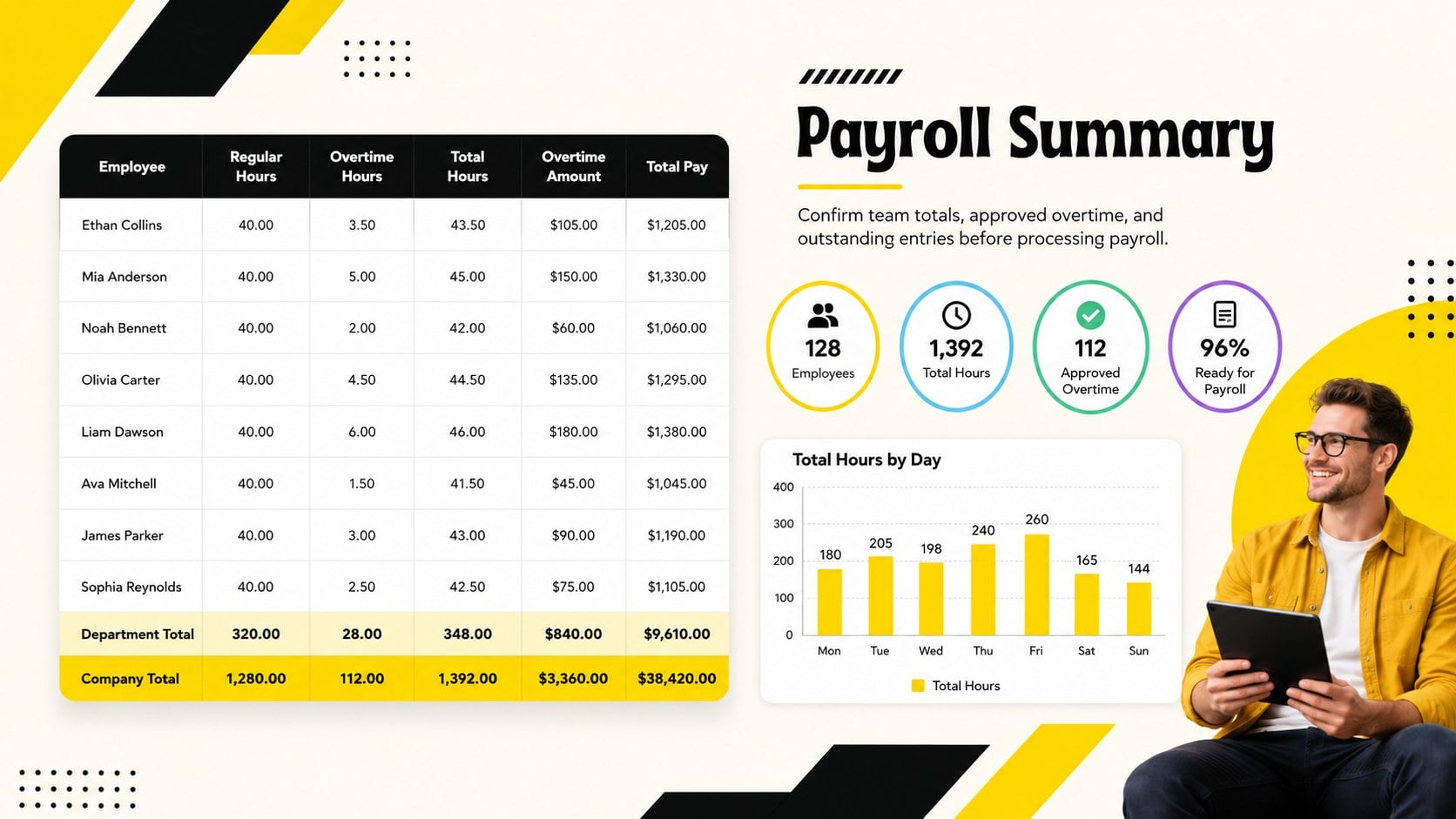
The Team Hours and Overtime Workbook gives managers a clear place to record attendance, working hours, breaks, and extra time across an entire team. Its bold yellow palette and modern landscape layout make weekly records easy to scan, helping you spot missing entries or unexpected totals before they reach payroll.
Inside, you will find structured employee rows, daily hour fields, regular-time totals, overtime calculations, and a concise payroll summary. Use it as a weekly staff hours tracker for recurring schedules or adapt it into a multi employee overtime calculator for busy periods. Clearly separated sections keep names, dates, shifts, and approval details organized without making the workbook feel crowded.
This template is suited to HR coordinators, payroll administrators, operations managers, shift supervisors, and small business owners. It can support retail rosters, hospitality teams, office attendance, contract labor, and project-based staffing. Customize employee names, working days, hour limits, pay periods, and department labels in Excel or Google Sheets. The workbook can also become a Google Sheets payroll hours log for teams that collect updates collaboratively. Whether you review hours every Friday or prepare records at the end of each pay cycle, the layout keeps essential labor information visible and ready for verification.
Perfect for: weekly employee hour collection; overtime approval review; shift team attendance tracking; payroll period preparation; project labor monitoring.
Frequently asked questions
Can I edit the employee list and working days? Yes. Replace the sample names, dates, departments, and day columns with details that match your team and pay cycle. You can also add or remove employee rows as staffing changes.
Practical details
Yes. Replace the sample names, dates, departments, and day columns with details that match your team and pay cycle. You can also add or remove employee rows as staffing changes.
The workbook is designed for Microsoft Excel and Google Sheets. Check imported formulas and formatting after opening it in Google Sheets, especially if you have added custom calculations.
Yes, the total fields can be configured to separate regular hours from time above your chosen threshold. Adjust the formulas to reflect local policies, contracts, and payroll rules.
Yes. Change the colors, fonts, borders, labels, and table emphasis without altering the workbook structure. Keep strong contrast between input cells and calculated totals so the sheet remains easy to review.
Keep exploring
15Shape your publishing concept with an indie magazine startup pitch deck featuring pastel gradients, bold collage layouts, and editable planning slides.
 16
16Build clear project stories with the Icon Grid Teamwork Theme, a flexible blue illustrated deck for proposals, strategy updates, and team meetings.
 3
3Turn priorities into an actionable plan with an annual goals roadmap infographic, featuring editable orange and teal layouts for PowerPoint and Google Slides.
 15
15Create an Annual Achievement Report Presentation with colorful geometric layouts for milestones, results, lessons, and priorities in PowerPoint or Google Slides.
 15
15Turn results into a focused annual performance evaluation report with dark 3D slides for KPIs, achievements, feedback, and next-step goals for teams.
 15
15Guide a focused annual recap with Business Results Retrospective Slides, a muted brown-and-blue template for PowerPoint and Google Slides.
 6
6Turn complex plans into clear visual stories with Color-Coded Workflow Path Slides, an editable set for project updates, roadmaps, and team briefings.
 6
6Compare regional performance at a glance with Global Data Heatmap Slides, a clean multicolor deck designed for editable PowerPoint and Google Slides.