
 15
15presentation
Indie Magazine Startup Pitch Deck
Shape your publishing concept with an indie magazine startup pitch deck featuring pastel gradients, bold collage layouts, and editable planning slides.
Google SlidesPowerPoint
document · English
Align targets, market focus, and next steps with a sales planning roadmap deck built for polished team reviews in PowerPoint and Google Slides.

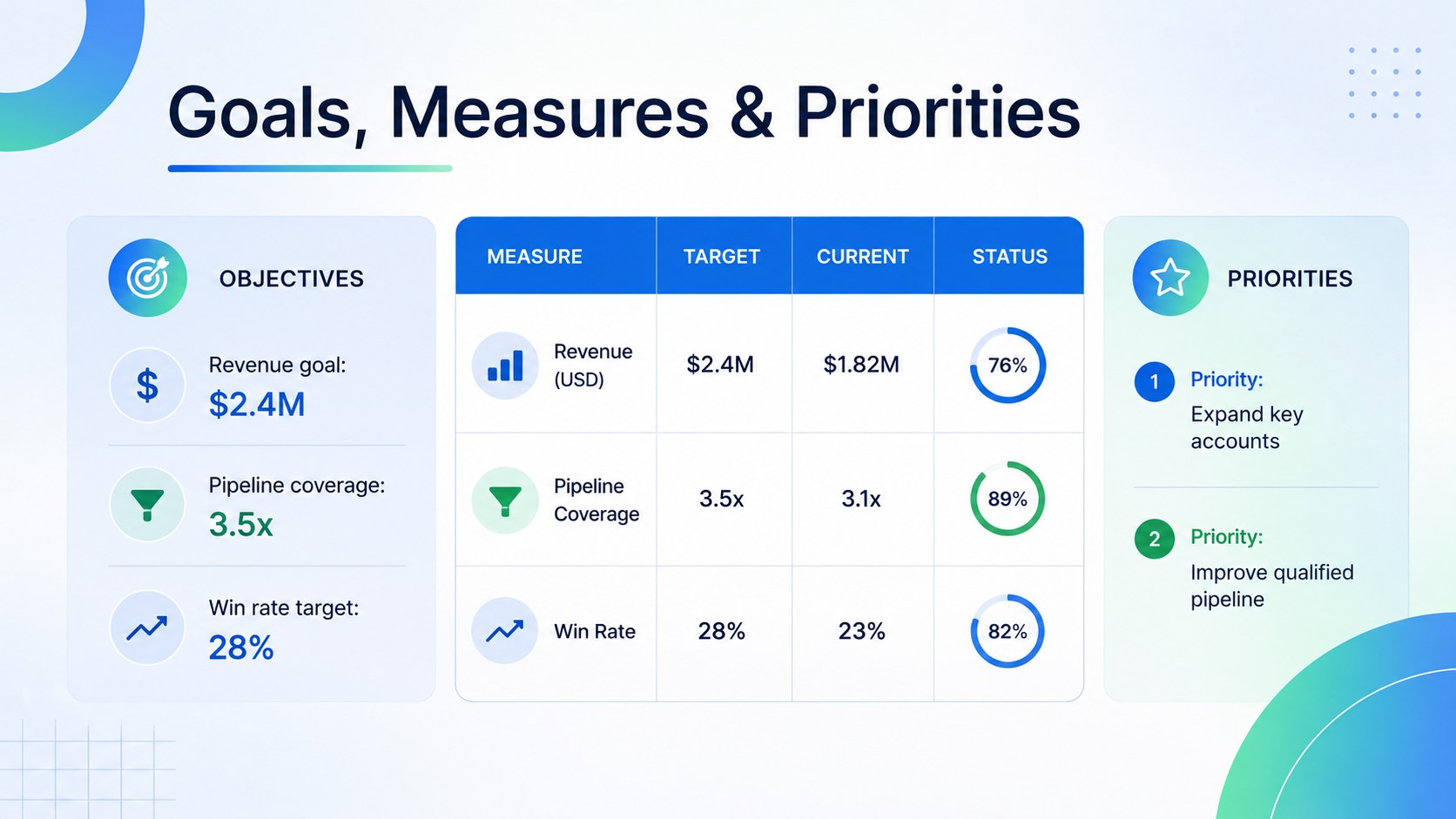
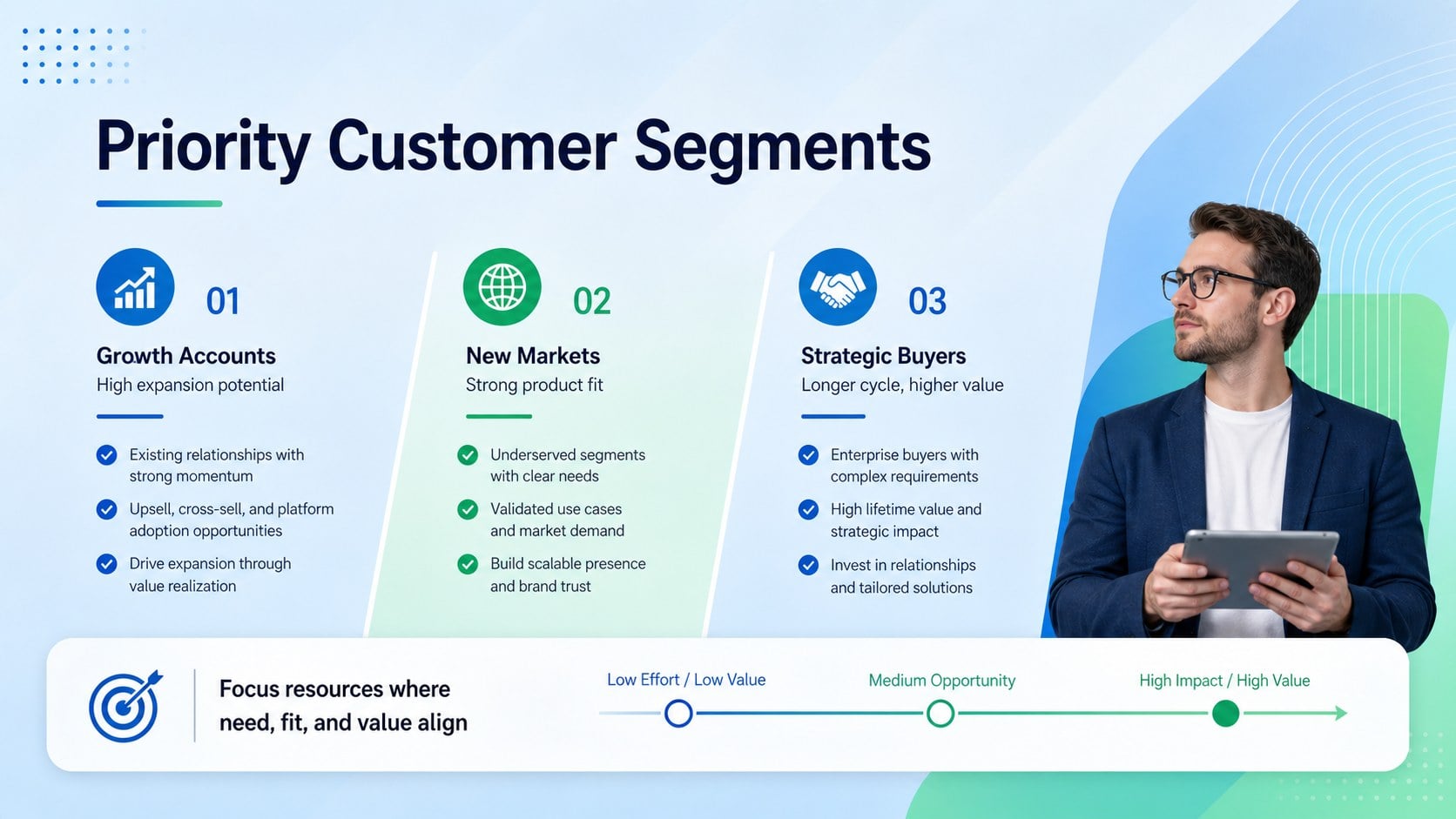
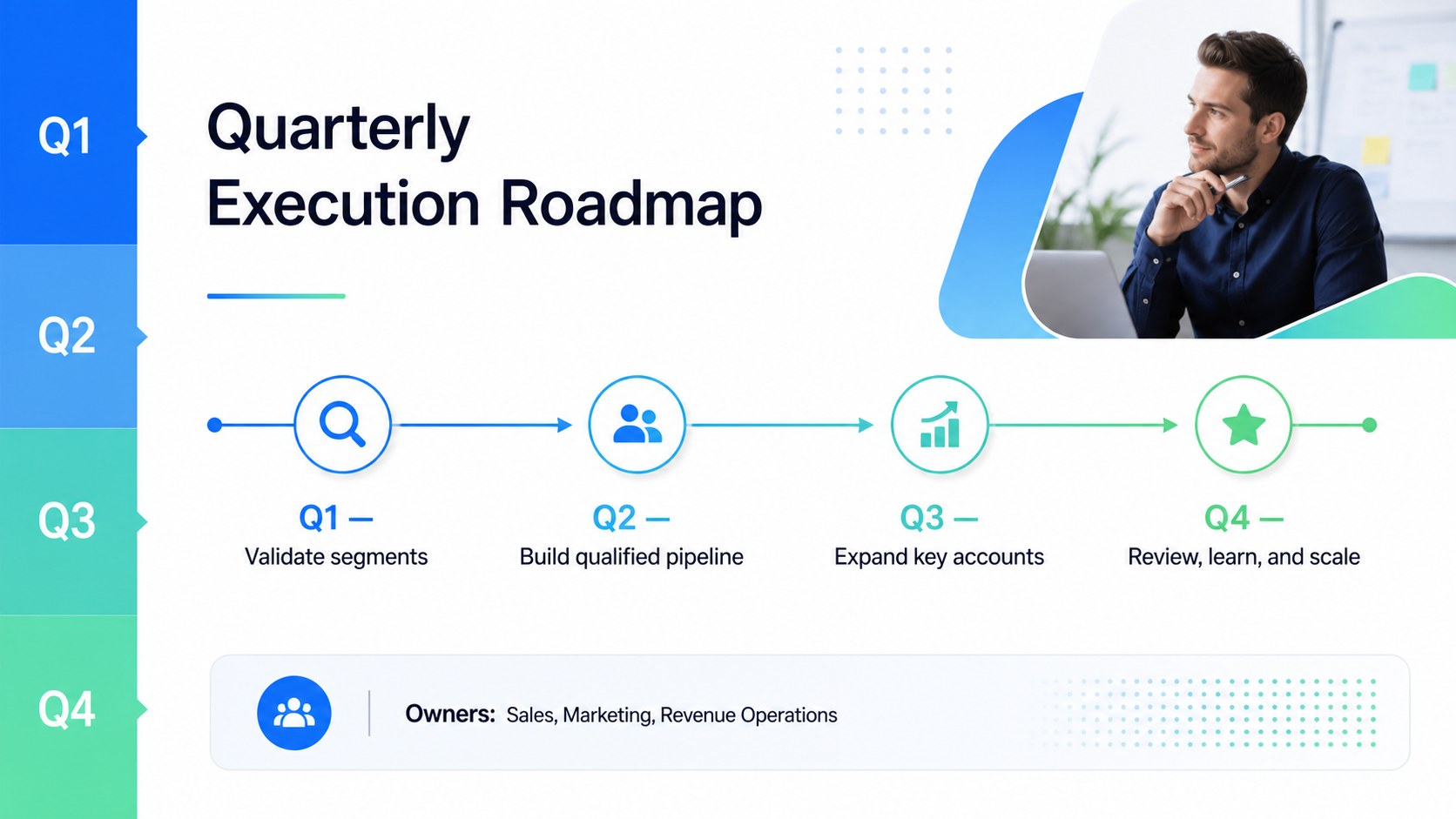
Design notes
Build alignment around revenue priorities with the Sales Planning Roadmap Deck, a structured presentation for turning commercial goals into practical initiatives. Its modern blue, green, and white palette uses restrained gradients, clean typography, and organized layouts to keep strategic discussions focused and professional.
The deck includes space for sales objectives, market context, customer segments, performance indicators, strategic priorities, channel decisions, and team responsibilities. A visual roadmap helps connect actions with deadlines, while dedicated review sections make it easier to track progress and adjust plans. Use the quarterly sales execution slides to present milestones, compare results, and clarify what must happen next. The target market planning presentation layout also helps teams summarize buyer needs, opportunities, and positioning without overwhelming the audience.
Designed for sales leaders, account managers, revenue operations teams, founders, and marketing partners, this sales action plan deck works well for annual planning, quarterly business reviews, territory meetings, and leadership workshops. Every slide can be edited in PowerPoint or Google Slides, allowing teams to update colors, type, charts, tables, and written content. Add company metrics, product imagery, customer insights, and ownership details to create a roadmap that reflects your organization while preserving a consistent, polished design.
Perfect for: annual sales planning; quarterly business review; territory strategy meeting; revenue leadership workshop; new market planning.
Frequently asked questions
Can I edit this deck in PowerPoint and Google Slides? Yes. The layouts, text, colors, charts, and shapes can be customized in both PowerPoint and Google Slides. Some font substitutions may occur if a typeface is not installed or available on your platform.
Practical details
Yes. The layouts, text, colors, charts, and shapes can be customized in both PowerPoint and Google Slides. Some font substitutions may occur if a typeface is not installed or available on your platform.
Replace the sample phases with your pipeline stages, planning periods, or campaign milestones. You can duplicate, remove, or reorder roadmap items to match monthly, quarterly, or annual cycles.
Yes. Update the KPI fields, tables, and chart labels with your own revenue targets, conversion rates, pipeline values, and activity measures. Keep units and reporting periods consistent so results remain easy to compare.
Apply your brand colors, preferred fonts, logo, and approved imagery using PowerPoint or Google Slides. Preserve the layout hierarchy and contrast when changing the blue-and-green palette to maintain readability.
Keep exploring
15Shape your publishing concept with an indie magazine startup pitch deck featuring pastel gradients, bold collage layouts, and editable planning slides.
 16
16Build clear project stories with the Icon Grid Teamwork Theme, a flexible blue illustrated deck for proposals, strategy updates, and team meetings.
 3
3Turn priorities into an actionable plan with an annual goals roadmap infographic, featuring editable orange and teal layouts for PowerPoint and Google Slides.
 15
15Create an Annual Achievement Report Presentation with colorful geometric layouts for milestones, results, lessons, and priorities in PowerPoint or Google Slides.
 15
15Turn results into a focused annual performance evaluation report with dark 3D slides for KPIs, achievements, feedback, and next-step goals for teams.
 15
15Guide a focused annual recap with Business Results Retrospective Slides, a muted brown-and-blue template for PowerPoint and Google Slides.
 6
6Turn complex plans into clear visual stories with Color-Coded Workflow Path Slides, an editable set for project updates, roadmaps, and team briefings.
 6
6Compare regional performance at a glance with Global Data Heatmap Slides, a clean multicolor deck designed for editable PowerPoint and Google Slides.