
 15
15presentation
Indie Magazine Startup Pitch Deck
Shape your publishing concept with an indie magazine startup pitch deck featuring pastel gradients, bold collage layouts, and editable planning slides.
Google SlidesPowerPoint
spreadsheet · English
Build realistic forecasts with a Sales Income Projection Workbook that tracks units, pricing, and expected revenue in Excel or Google Sheets.
Design notes
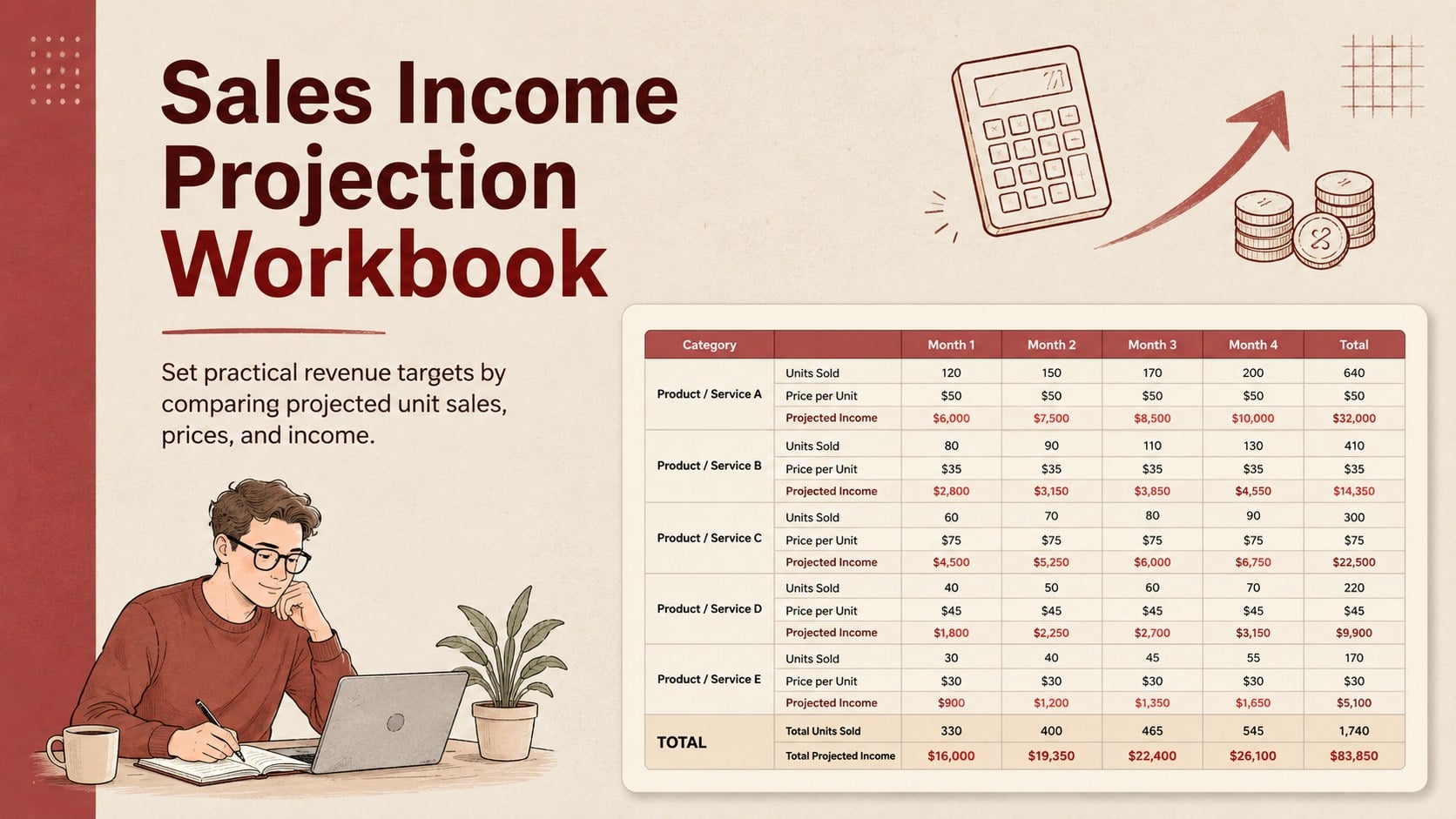
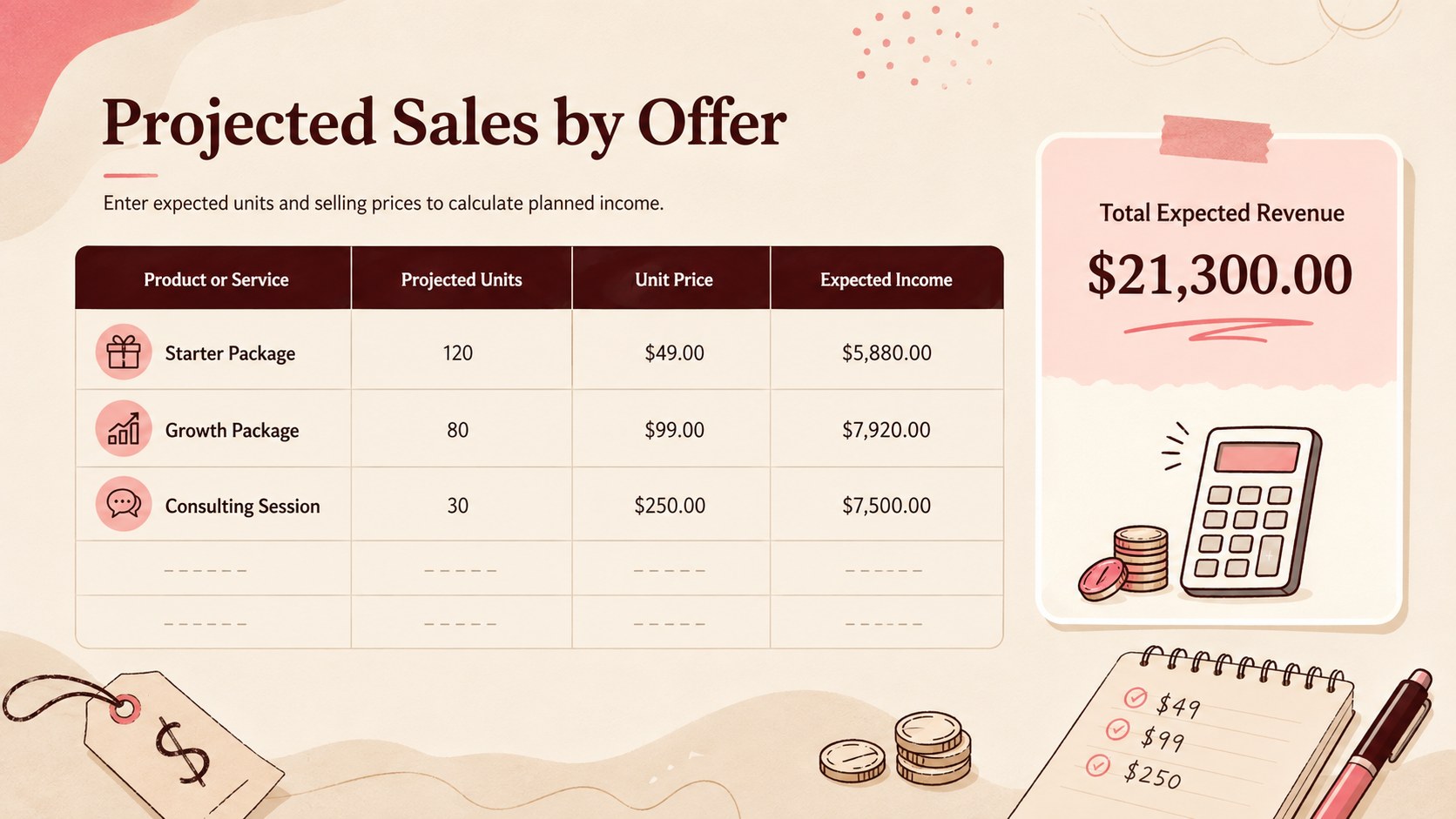
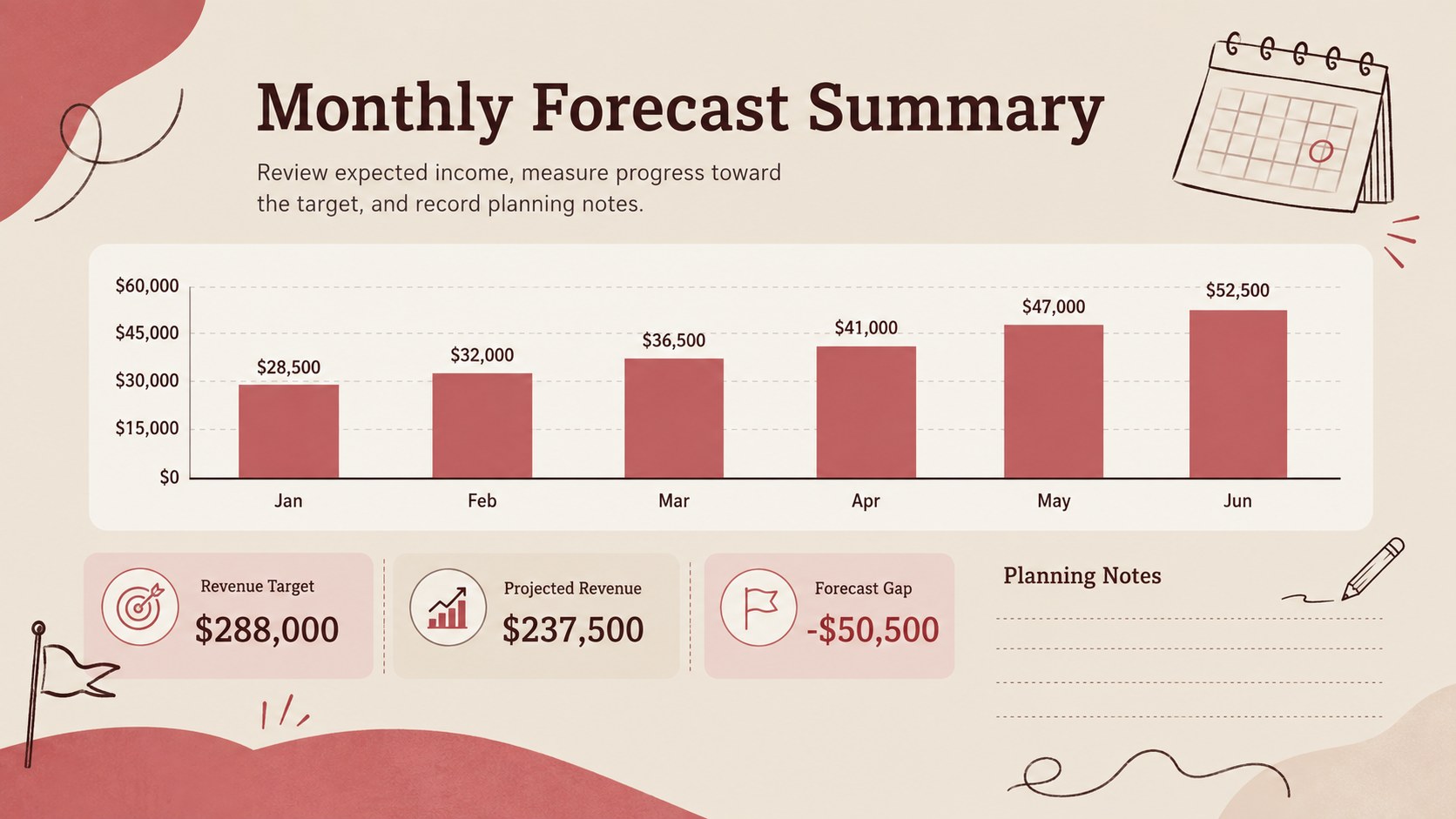
Turn sales assumptions into useful financial targets with the Sales Income Projection Workbook. Its clean beige-and-red design combines minimalist tables with light doodle accents, giving sales planning a friendly look without distracting from the numbers. Enter projected quantities and selling prices to estimate income across products, services, or reporting periods.
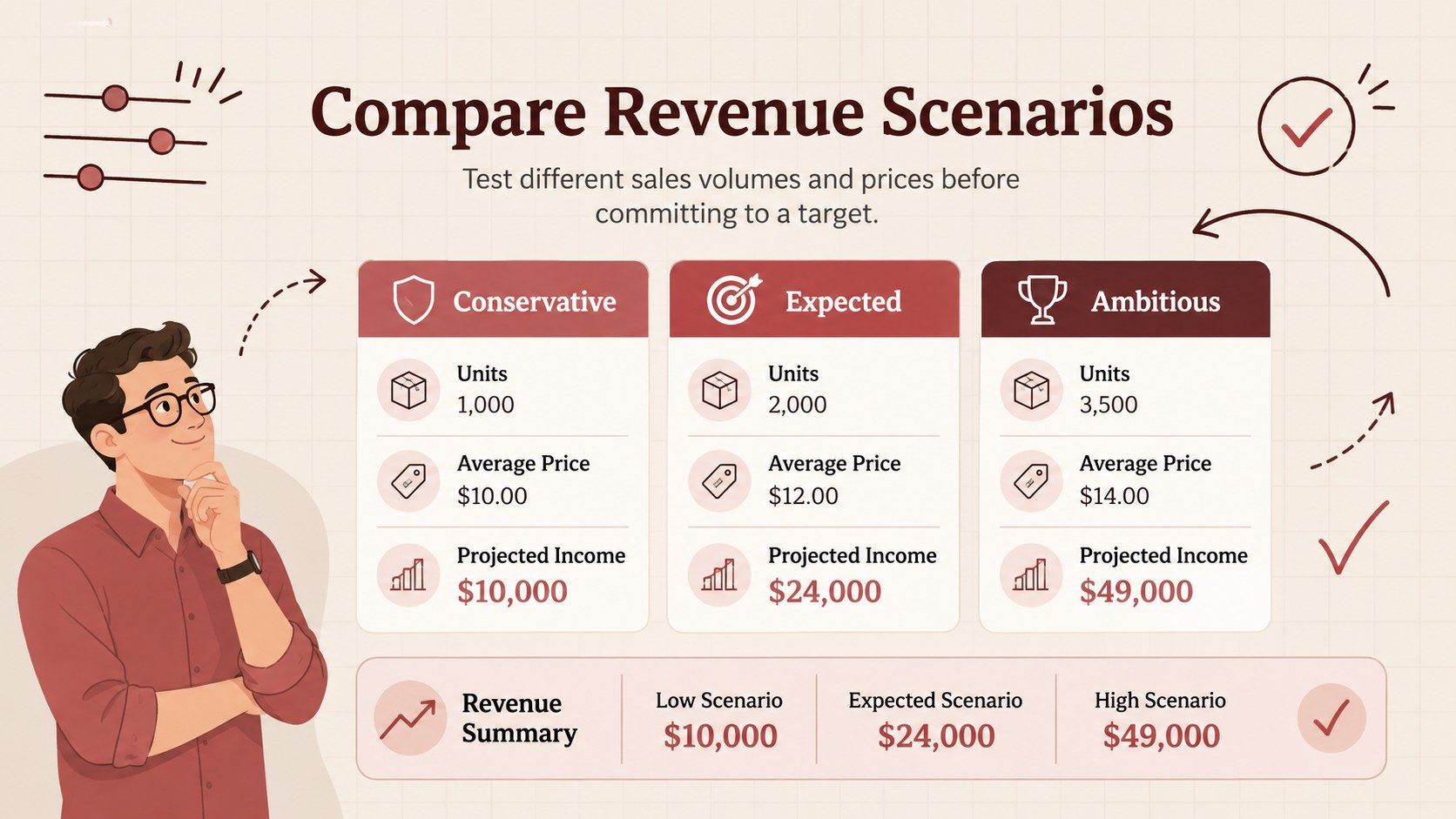
The workbook includes organized fields for product or service names, expected unit sales, pricing, and calculated revenue. Use it as a monthly sales forecast spreadsheet, a unit price revenue calculator, or a simple foundation for comparing conservative, expected, and ambitious scenarios. The flexible structure makes it easy to add rows, revise formulas, apply your own categories, and adapt the reporting period to suit monthly, quarterly, or annual planning.
This product revenue projection template is designed for sales representatives, small business owners, finance teams, consultants, and startup operators who need a straightforward view of expected earnings. It works in Excel and Google Sheets, allowing teams to update assumptions, share current projections, and review totals together. Whether you are preparing a budget, evaluating a new offer, planning inventory, or discussing targets with stakeholders, the workbook keeps the underlying sales estimates visible and easy to revise.
Perfect for: monthly sales forecasting; new product revenue planning; quarterly target setting; pricing scenario comparison; small business budgeting.
Frequently asked questions
Can I edit the formulas and sales categories? Yes. You can revise formulas, rename categories, insert additional products or services, and change the forecasting periods to match your sales process.
Practical details
Yes. You can revise formulas, rename categories, insert additional products or services, and change the forecasting periods to match your sales process.
The spreadsheet is designed for Microsoft Excel and Google Sheets. Some formatting or formula behavior may vary slightly between the two applications.
Yes. The beige-and-red palette, fonts, borders, and doodle accents can be adjusted while keeping the underlying forecast structure intact.
Yes. Replace product units with billable packages, contracts, sessions, or projects, then enter the expected volume and price for each service.
Keep exploring
15Shape your publishing concept with an indie magazine startup pitch deck featuring pastel gradients, bold collage layouts, and editable planning slides.
 16
16Build clear project stories with the Icon Grid Teamwork Theme, a flexible blue illustrated deck for proposals, strategy updates, and team meetings.
 3
3Turn priorities into an actionable plan with an annual goals roadmap infographic, featuring editable orange and teal layouts for PowerPoint and Google Slides.
 15
15Create an Annual Achievement Report Presentation with colorful geometric layouts for milestones, results, lessons, and priorities in PowerPoint or Google Slides.
 15
15Turn results into a focused annual performance evaluation report with dark 3D slides for KPIs, achievements, feedback, and next-step goals for teams.
 15
15Guide a focused annual recap with Business Results Retrospective Slides, a muted brown-and-blue template for PowerPoint and Google Slides.
 6
6Turn complex plans into clear visual stories with Color-Coded Workflow Path Slides, an editable set for project updates, roadmaps, and team briefings.
 6
6Compare regional performance at a glance with Global Data Heatmap Slides, a clean multicolor deck designed for editable PowerPoint and Google Slides.