
 15
15presentation
Indie Magazine Startup Pitch Deck
Shape your publishing concept with an indie magazine startup pitch deck featuring pastel gradients, bold collage layouts, and editable planning slides.
Google SlidesPowerPoint
spreadsheet · English
Turn rep results into clear weekly insights with a Sales Goal Achievement Dashboard built for target reviews, rankings, coaching, and team focus.

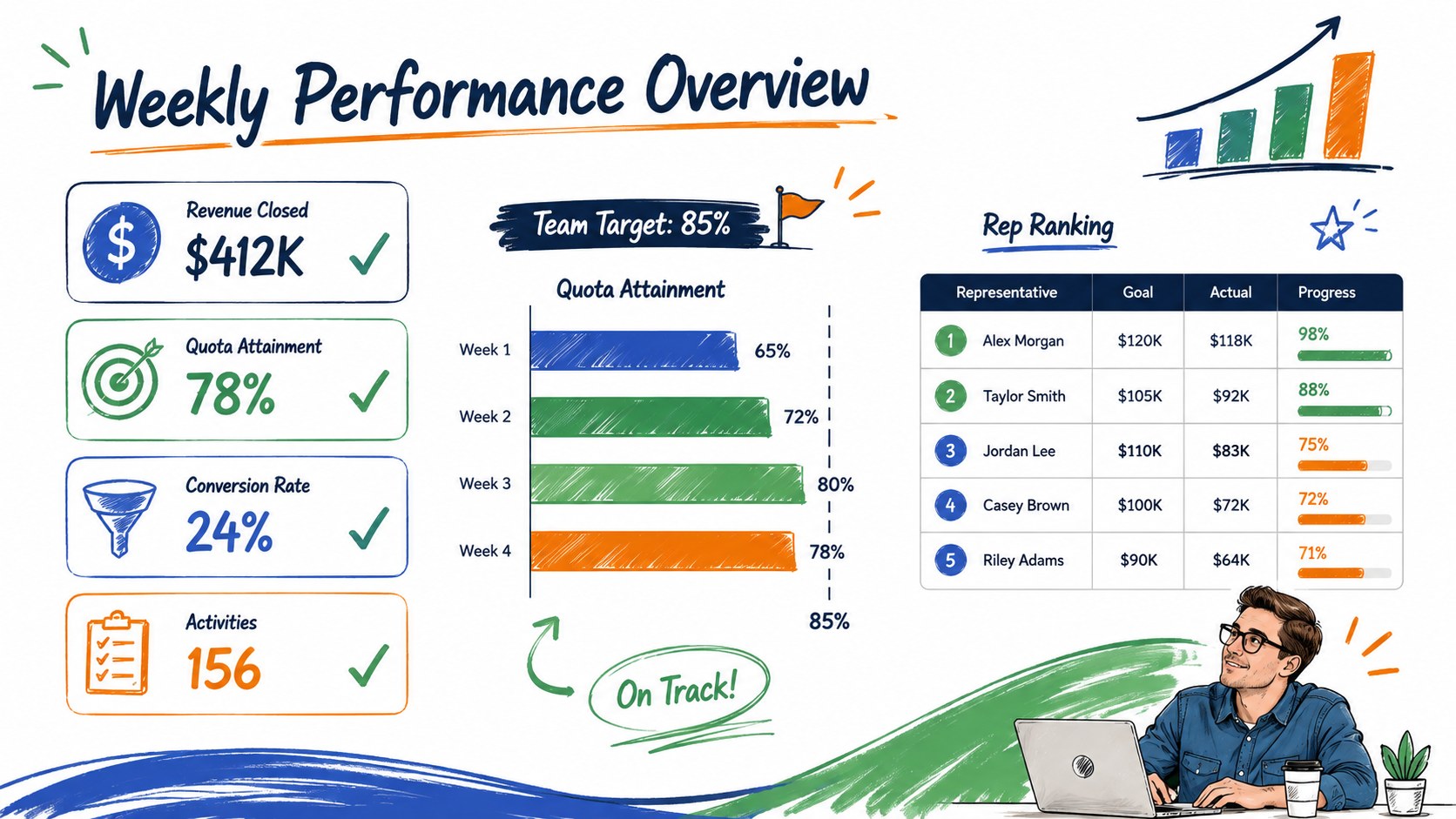
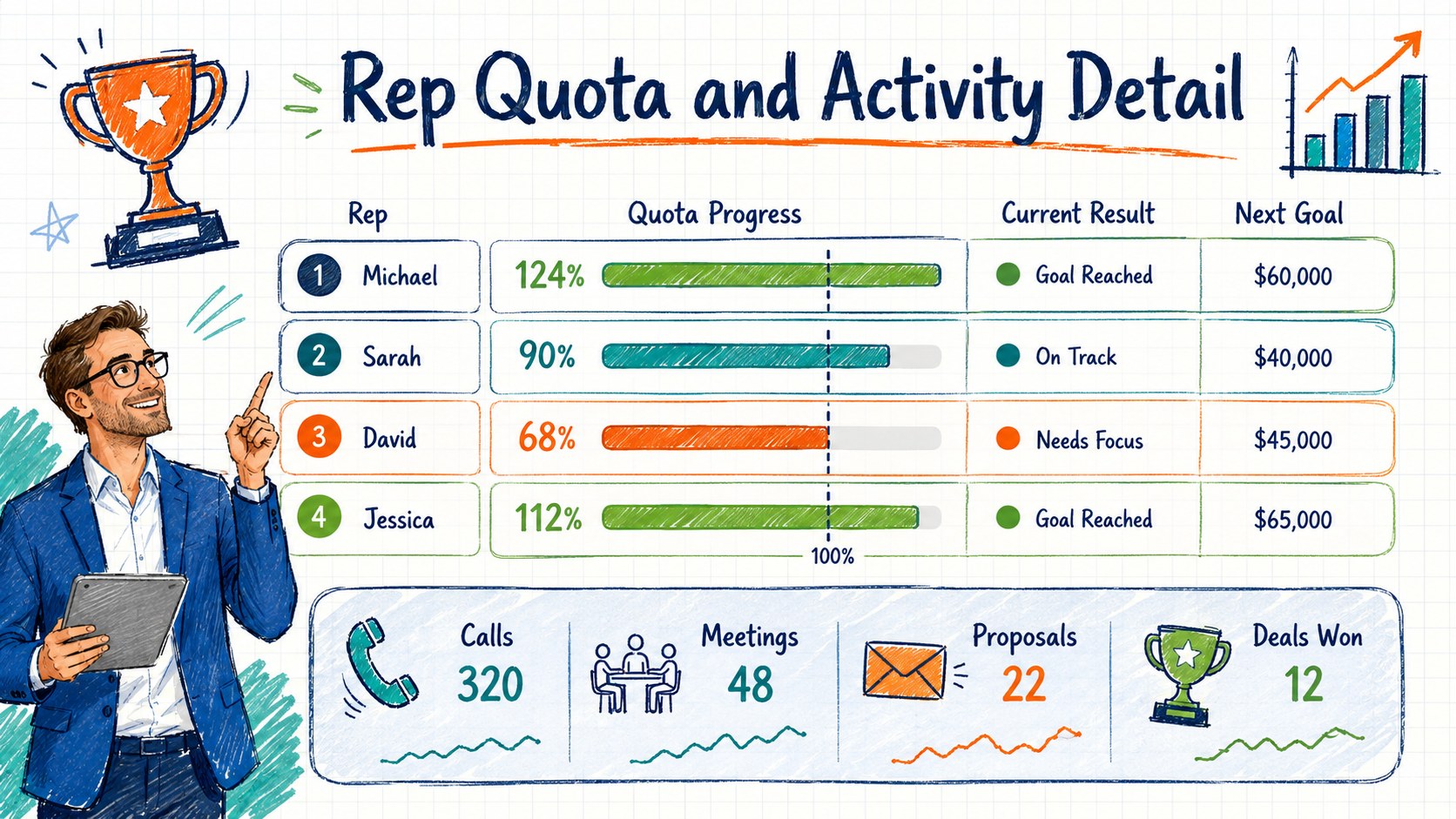
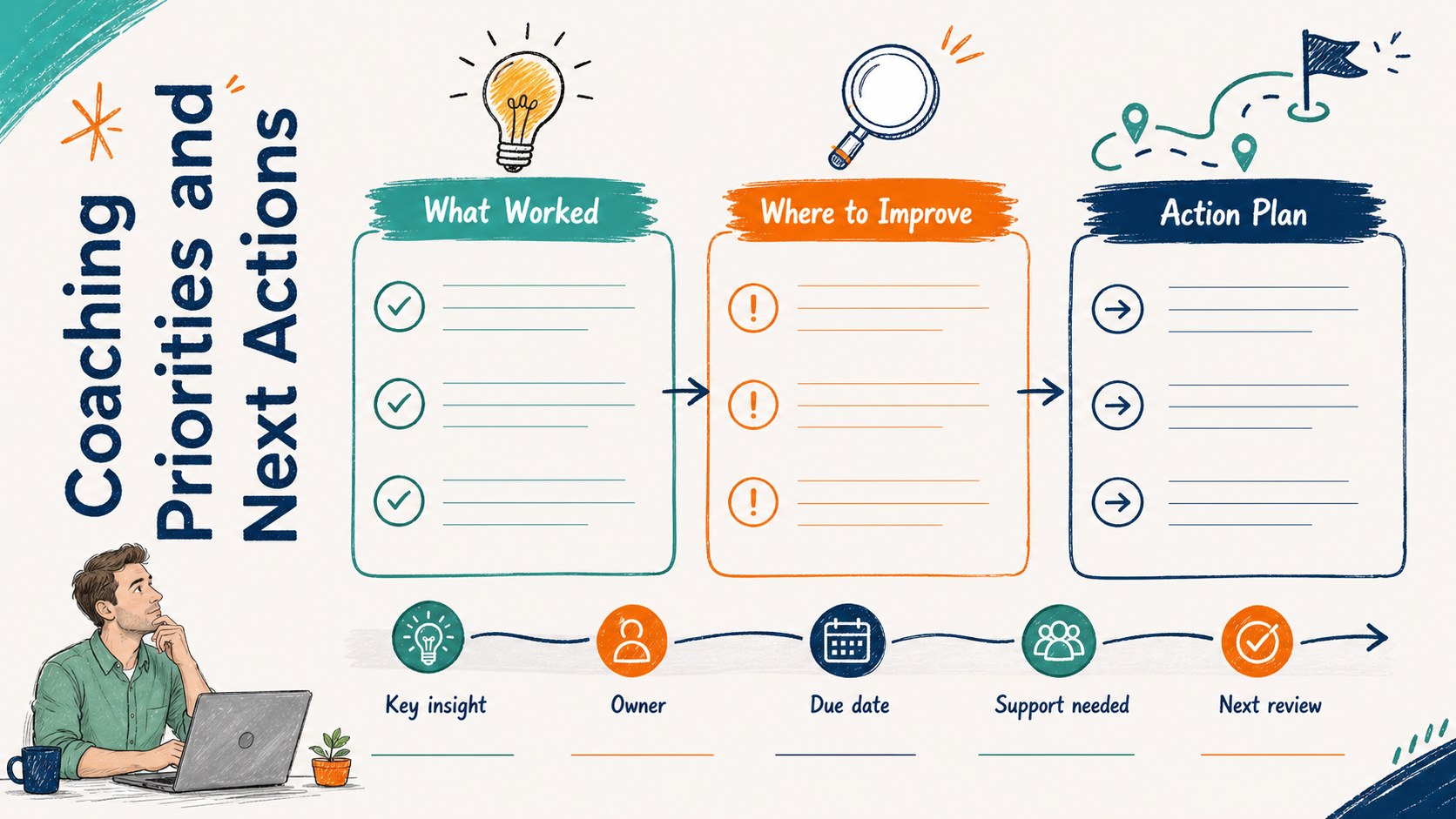
Design notes
The Sales Goal Achievement Dashboard gives managers a focused way to review targets, results, and team standings without building a reporting layout from scratch. Its energetic blue, green, and orange palette combines with sketch-inspired details to make routine performance discussions feel clear and approachable.
Inside, you will find structured areas for quota progress, closed revenue, activity totals, conversion rates, and rep rankings. Use it as a weekly sales target tracking spreadsheet, a visual team sales leaderboard template, or a concise summary for monthly leadership meetings. Editable tables, charts, score indicators, and callout areas help you highlight strong results while making performance gaps easy to identify. The flexible layout can support individual representatives, regional groups, or an entire sales department.
This template is suited to sales managers, revenue operations teams, small business owners, account executives, and team leads who need a consistent review format. It also works as a monthly sales coaching review sheet, providing space to record priorities, obstacles, and next-step commitments alongside the numbers. Customize the labels, goals, reporting periods, colors, and data categories in PowerPoint or Google Slides. For spreadsheet-based tracking and calculations, adapt the tables in Excel or Google Sheets. Whether used during a stand-up, one-to-one coaching session, or quarterly review, the dashboard keeps progress visible and conversations grounded in measurable outcomes.
Perfect for: weekly sales performance review; individual rep coaching session; monthly quota attainment meeting; regional sales team comparison; quarterly revenue planning.
Frequently asked questions
Which platforms can I use to edit this template? You can edit and present the dashboard in PowerPoint or Google Slides. Its tracking tables can also be adapted for ongoing data entry and calculations in Excel or Google Sheets.
Practical details
You can edit and present the dashboard in PowerPoint or Google Slides. Its tracking tables can also be adapted for ongoing data entry and calculations in Excel or Google Sheets.
Yes. Replace the sample labels and values with your own quotas, revenue figures, conversion rates, activity metrics, or reporting periods, then adjust the colors and chart ranges to fit your process.
Yes. The ranking and quota sections are designed to show multiple representatives side by side. You can also reorganize the rows to compare territories, products, branches, or account groups.
In Excel or Google Sheets, you can add formulas for totals, attainment percentages, and rankings. Values used in PowerPoint or Google Slides should be updated manually unless they are linked to an external data source.
Keep exploring
15Shape your publishing concept with an indie magazine startup pitch deck featuring pastel gradients, bold collage layouts, and editable planning slides.
 16
16Build clear project stories with the Icon Grid Teamwork Theme, a flexible blue illustrated deck for proposals, strategy updates, and team meetings.
 3
3Turn priorities into an actionable plan with an annual goals roadmap infographic, featuring editable orange and teal layouts for PowerPoint and Google Slides.
 15
15Create an Annual Achievement Report Presentation with colorful geometric layouts for milestones, results, lessons, and priorities in PowerPoint or Google Slides.
 15
15Turn results into a focused annual performance evaluation report with dark 3D slides for KPIs, achievements, feedback, and next-step goals for teams.
 15
15Guide a focused annual recap with Business Results Retrospective Slides, a muted brown-and-blue template for PowerPoint and Google Slides.
 6
6Turn complex plans into clear visual stories with Color-Coded Workflow Path Slides, an editable set for project updates, roadmaps, and team briefings.
 6
6Compare regional performance at a glance with Global Data Heatmap Slides, a clean multicolor deck designed for editable PowerPoint and Google Slides.