
 15
15presentation
Indie Magazine Startup Pitch Deck
Shape your publishing concept with an indie magazine startup pitch deck featuring pastel gradients, bold collage layouts, and editable planning slides.
Google SlidesPowerPoint
presentation · English
Build a retro decision pathway slides deck for business analysis, with blue, red, and yellow infographics ready for PowerPoint and Google Slides.


Design notes
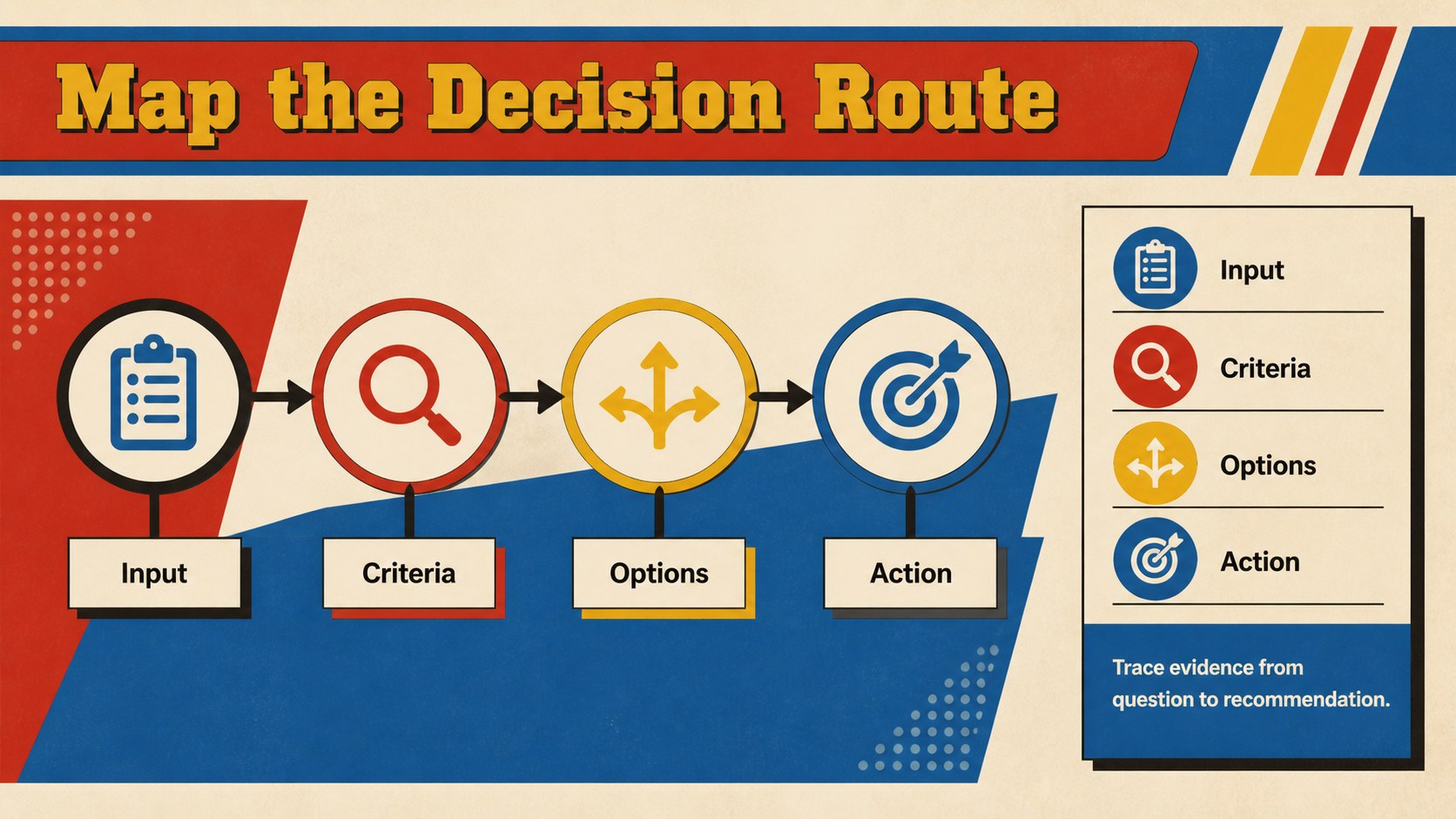
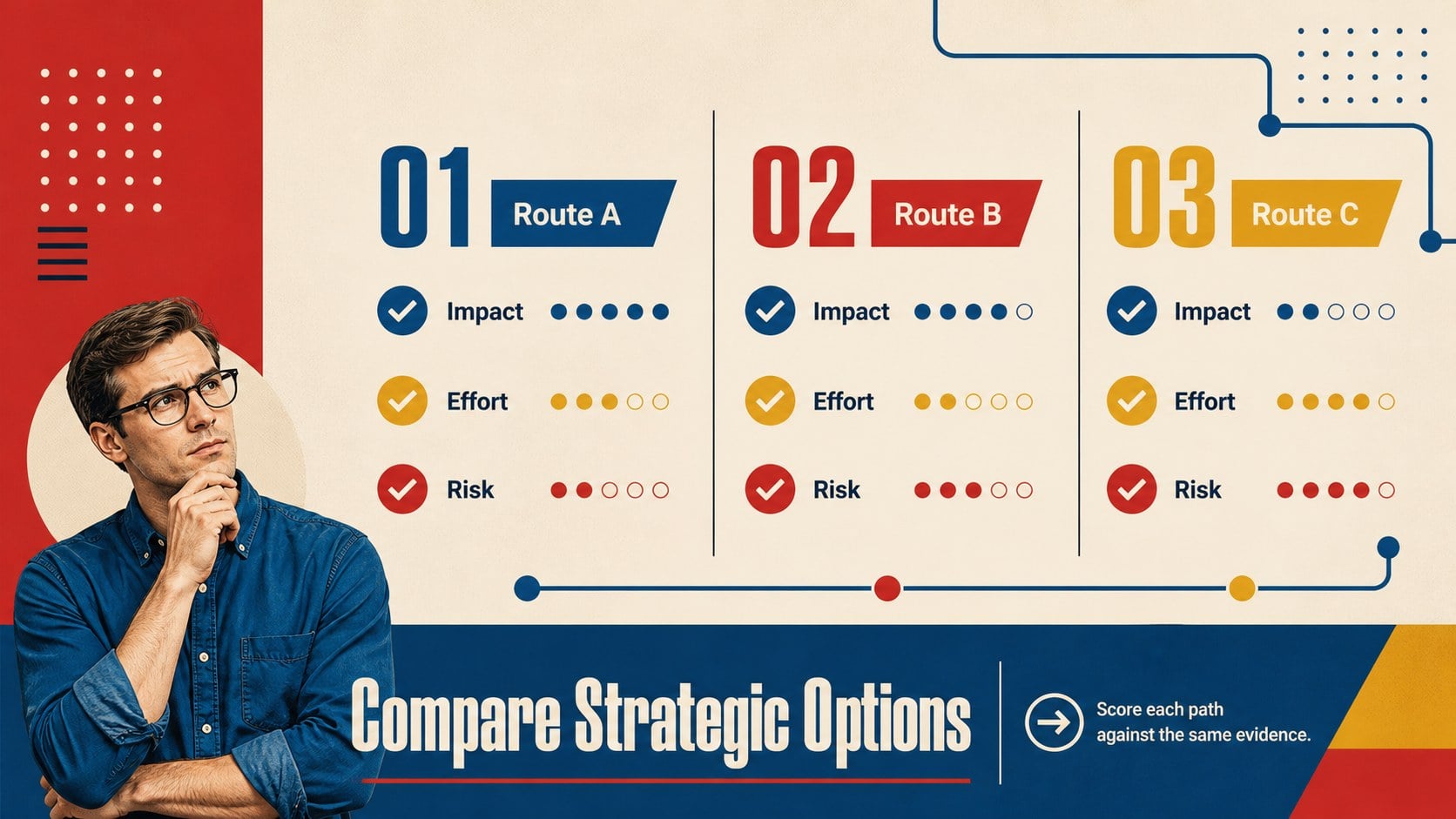
Turn complex choices into a clear visual route with this retro decision pathway slides deck. Built for business analysis, the template combines bold blue, red, and yellow accents with structured visual storytelling, making uncertain inputs and competing options easier to explain.
Inside, you’ll find four A4 infographic layouts for mapping a decision process, comparing alternatives, highlighting criteria, and presenting a final recommendation. The editable charts, connectors, labels, frames, and geometric shapes can be adapted to reports, workshops, team reviews, or executive briefings. Use the layouts as a complete sequence or select individual pages for a business decision flowchart presentation.
This collection is suited to consultants, project managers, analysts, startup teams, and department leaders who need an editable data analysis infographic deck. It can support product planning, operational reviews, risk discussions, and strategy sessions without overwhelming the audience with dense tables. The retro visual language gives analytical content more energy while preserving a clear hierarchy.
Edit the slides in PowerPoint or Google Slides, change the wording and colors, and add your own metrics, milestones, or recommendations. The result is a flexible powerpoint decision mapping template for turning complex reasoning into a presentation people can follow.
Perfect for: startup strategy review; consulting recommendation briefing; product roadmap workshop; risk assessment meeting; operations planning report.
Frequently asked questions
Practical details
Yes. The layouts are designed for PowerPoint editing, so you can replace text, adjust shapes, update charts, and add your own business data. The 16:9 slide format works well for meetings and screen sharing.
Yes, you can open and customize the deck in Google Slides. Check fonts, spacing, and animations after importing, then replace the sample content with your own decision criteria and recommendations.
Use it for strategy choices, product priorities, operational changes, risk reviews, or vendor comparisons. The flowchart and options layouts help show how evidence leads to a selected direction.
Yes. Blue, red, and yellow are used as the core visual palette, but each color can be adjusted to match your organization or project. Keep strong contrast between pathways, labels, and background elements for readability.
Keep exploring
15Shape your publishing concept with an indie magazine startup pitch deck featuring pastel gradients, bold collage layouts, and editable planning slides.
 16
16Build clear project stories with the Icon Grid Teamwork Theme, a flexible blue illustrated deck for proposals, strategy updates, and team meetings.
 3
3Turn priorities into an actionable plan with an annual goals roadmap infographic, featuring editable orange and teal layouts for PowerPoint and Google Slides.
 15
15Create an Annual Achievement Report Presentation with colorful geometric layouts for milestones, results, lessons, and priorities in PowerPoint or Google Slides.
 15
15Turn results into a focused annual performance evaluation report with dark 3D slides for KPIs, achievements, feedback, and next-step goals for teams.
 15
15Guide a focused annual recap with Business Results Retrospective Slides, a muted brown-and-blue template for PowerPoint and Google Slides.
 6
6Turn complex plans into clear visual stories with Color-Coded Workflow Path Slides, an editable set for project updates, roadmaps, and team briefings.
 6
6Compare regional performance at a glance with Global Data Heatmap Slides, a clean multicolor deck designed for editable PowerPoint and Google Slides.