
 15
15presentation
Indie Magazine Startup Pitch Deck
Shape your publishing concept with an indie magazine startup pitch deck featuring pastel gradients, bold collage layouts, and editable planning slides.
Google SlidesPowerPoint
presentation · English
Build clearer schedules with a project scheduling dependency map in grey and purple, ready to edit in PowerPoint or Google Slides for team planning.
Design notes
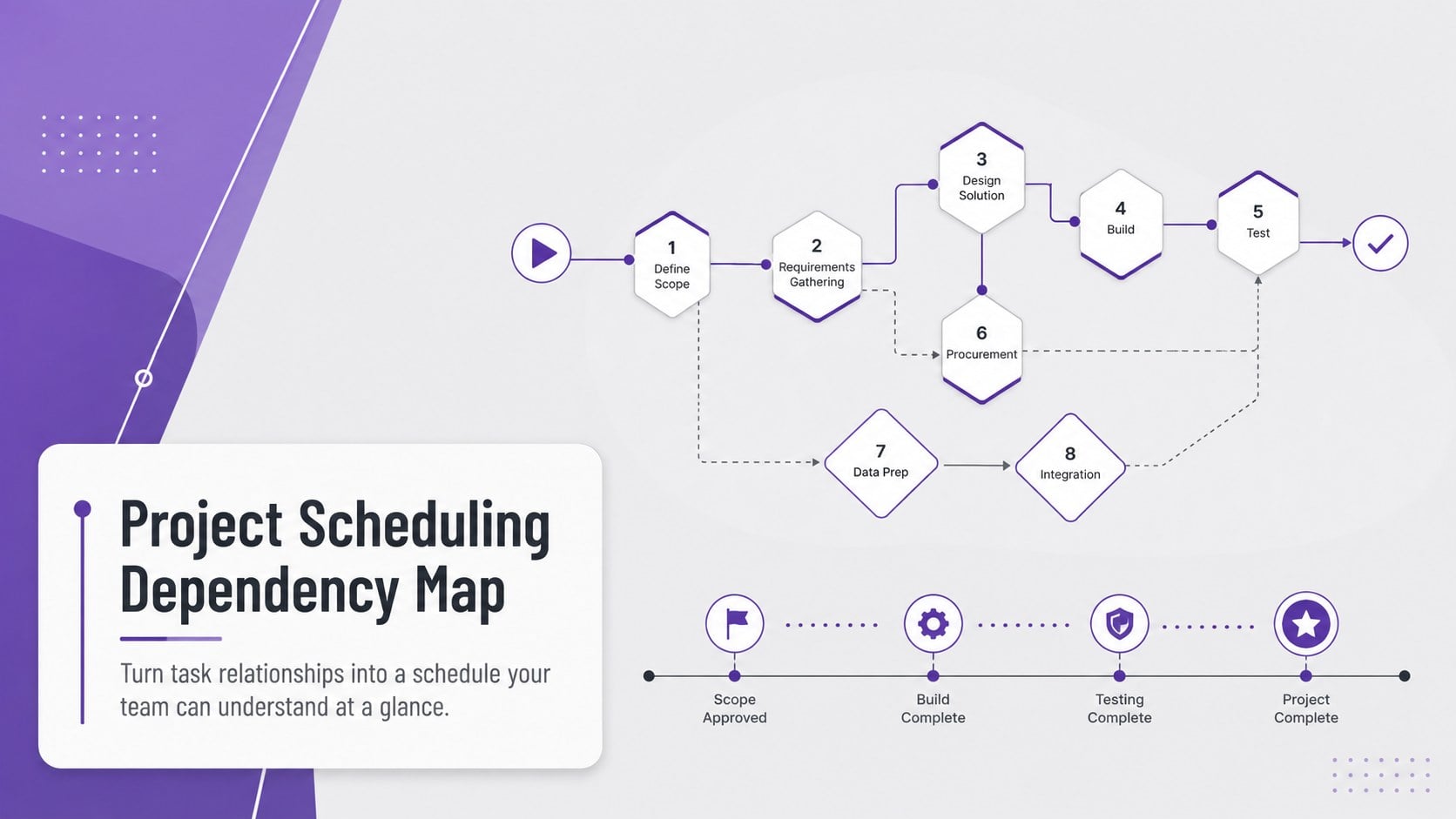
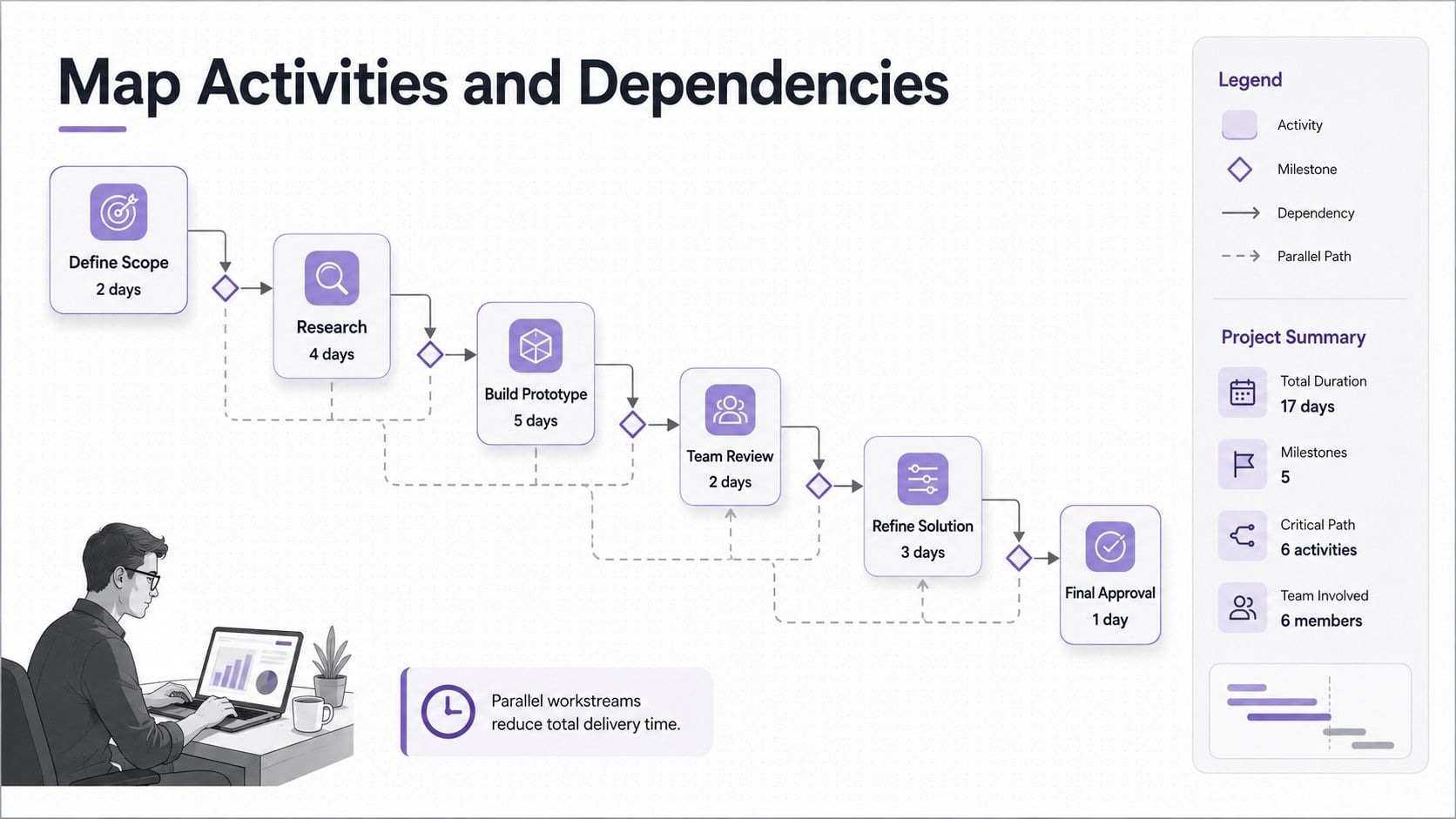
Bring structure to complex initiatives with a project scheduling dependency map designed for clear planning and confident communication. The modern grey and purple visual system helps teams explain which activities come first, where work can run in parallel, and which dependencies may affect the final delivery date.
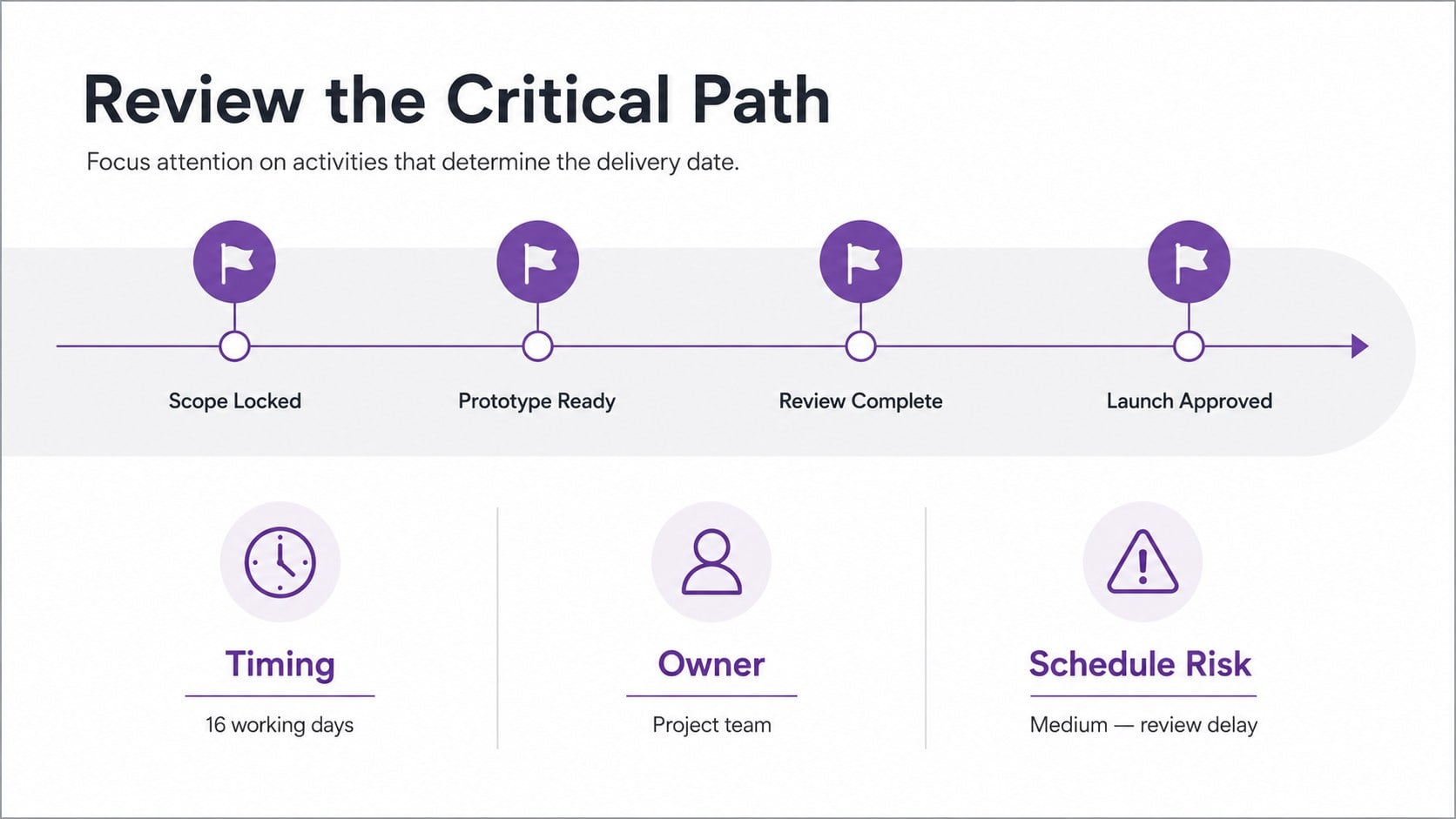
Inside are three coordinated 16:9 layouts: an introductory cover, a project dependency mapping slide with connected task nodes, and a critical path planning presentation layout for reviewing timing, ownership, and risk. Edit the labels, durations, connectors, colors, and milestones to match a product launch, construction plan, software rollout, event schedule, or operational improvement project. The organized spacing keeps dense information readable during meetings while leaving room for project-specific details.
This deck is built for project managers, operations leads, consultants, analysts, educators, and cross-functional teams that need a practical task sequence diagram template. Use it during kickoff sessions, planning workshops, schedule reviews, or stakeholder updates. Every slide can be customized in PowerPoint or Google Slides, making it straightforward to revise activities as estimates, priorities, and dependencies change.
Perfect for: project kickoff workshop; critical path review; software rollout planning; product launch scheduling; stakeholder timeline update; operations workflow analysis.
Frequently asked questions
Can I edit the task nodes and connectors? Yes. Task names, durations, milestones, arrows, and supporting notes can be changed to reflect your schedule. You can also duplicate or remove nodes as the project scope evolves.
Practical details
Yes. Task names, durations, milestones, arrows, and supporting notes can be changed to reflect your schedule. You can also duplicate or remove nodes as the project scope evolves.
Yes. The deck is designed for editing in both PowerPoint and Google Slides. Minor font or spacing adjustments may be useful after moving between platforms.
Yes. Highlight the longest dependent activity sequence with a contrasting purple treatment, then add timing and risk details in the accompanying review layout. Parallel tasks can remain grey to preserve a clear visual hierarchy.
Replace the sample text, adjust the grey and purple shades, and apply your preferred fonts. Keep the existing spacing and connector hierarchy to maintain readability when presenting a complex schedule.
Keep exploring
15Shape your publishing concept with an indie magazine startup pitch deck featuring pastel gradients, bold collage layouts, and editable planning slides.
 16
16Build clear project stories with the Icon Grid Teamwork Theme, a flexible blue illustrated deck for proposals, strategy updates, and team meetings.
 3
3Turn priorities into an actionable plan with an annual goals roadmap infographic, featuring editable orange and teal layouts for PowerPoint and Google Slides.
 15
15Create an Annual Achievement Report Presentation with colorful geometric layouts for milestones, results, lessons, and priorities in PowerPoint or Google Slides.
 15
15Turn results into a focused annual performance evaluation report with dark 3D slides for KPIs, achievements, feedback, and next-step goals for teams.
 15
15Guide a focused annual recap with Business Results Retrospective Slides, a muted brown-and-blue template for PowerPoint and Google Slides.
 6
6Turn complex plans into clear visual stories with Color-Coded Workflow Path Slides, an editable set for project updates, roadmaps, and team briefings.
 6
6Compare regional performance at a glance with Global Data Heatmap Slides, a clean multicolor deck designed for editable PowerPoint and Google Slides.