
 15
15presentation
Indie Magazine Startup Pitch Deck
Shape your publishing concept with an indie magazine startup pitch deck featuring pastel gradients, bold collage layouts, and editable planning slides.
Google SlidesPowerPoint
presentation · English
Turn scattered concerns into clear priorities with this Project Risk Matrix Toolkit, featuring editable green slides for PowerPoint and Google Slides.

Design notes
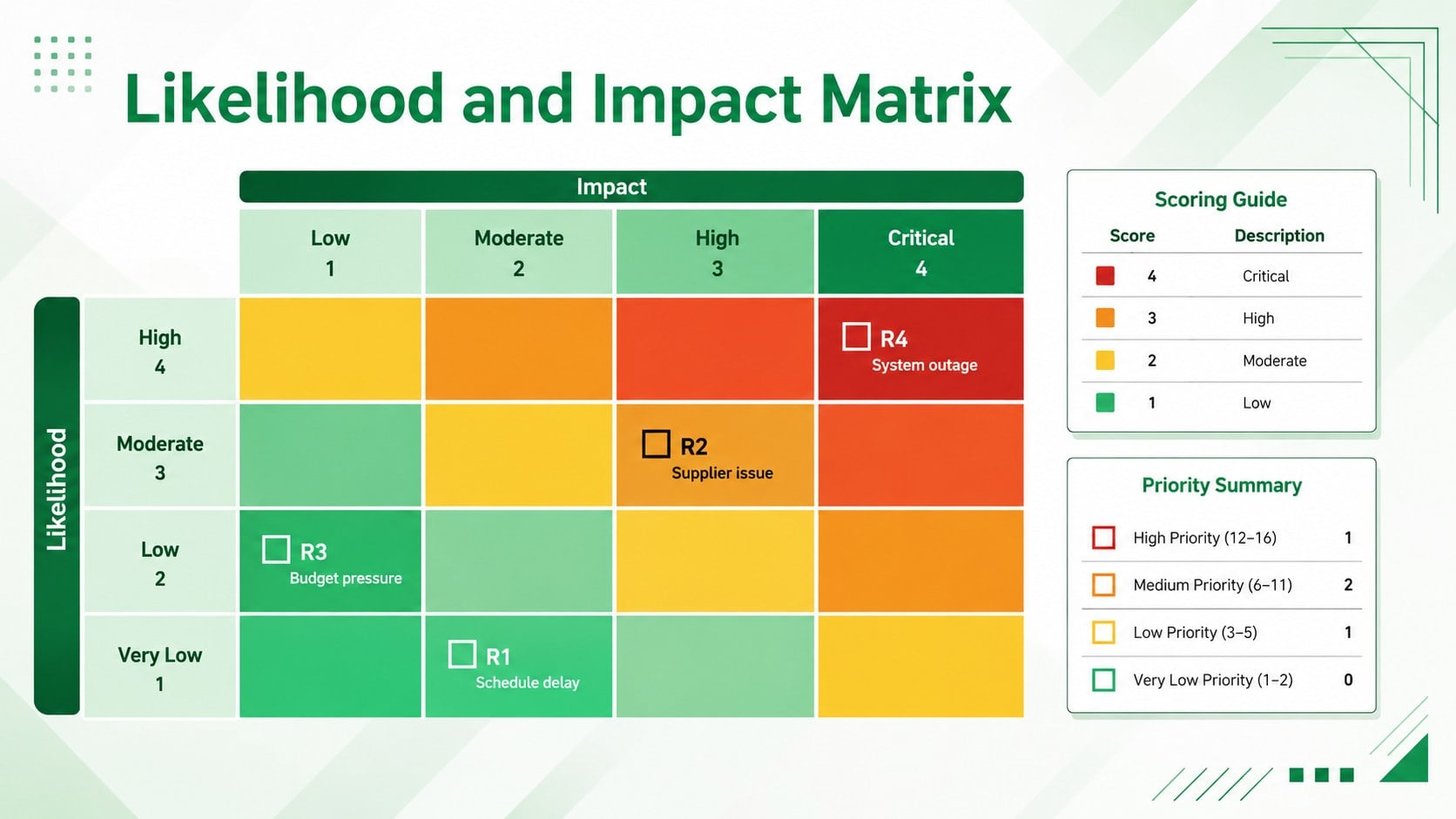
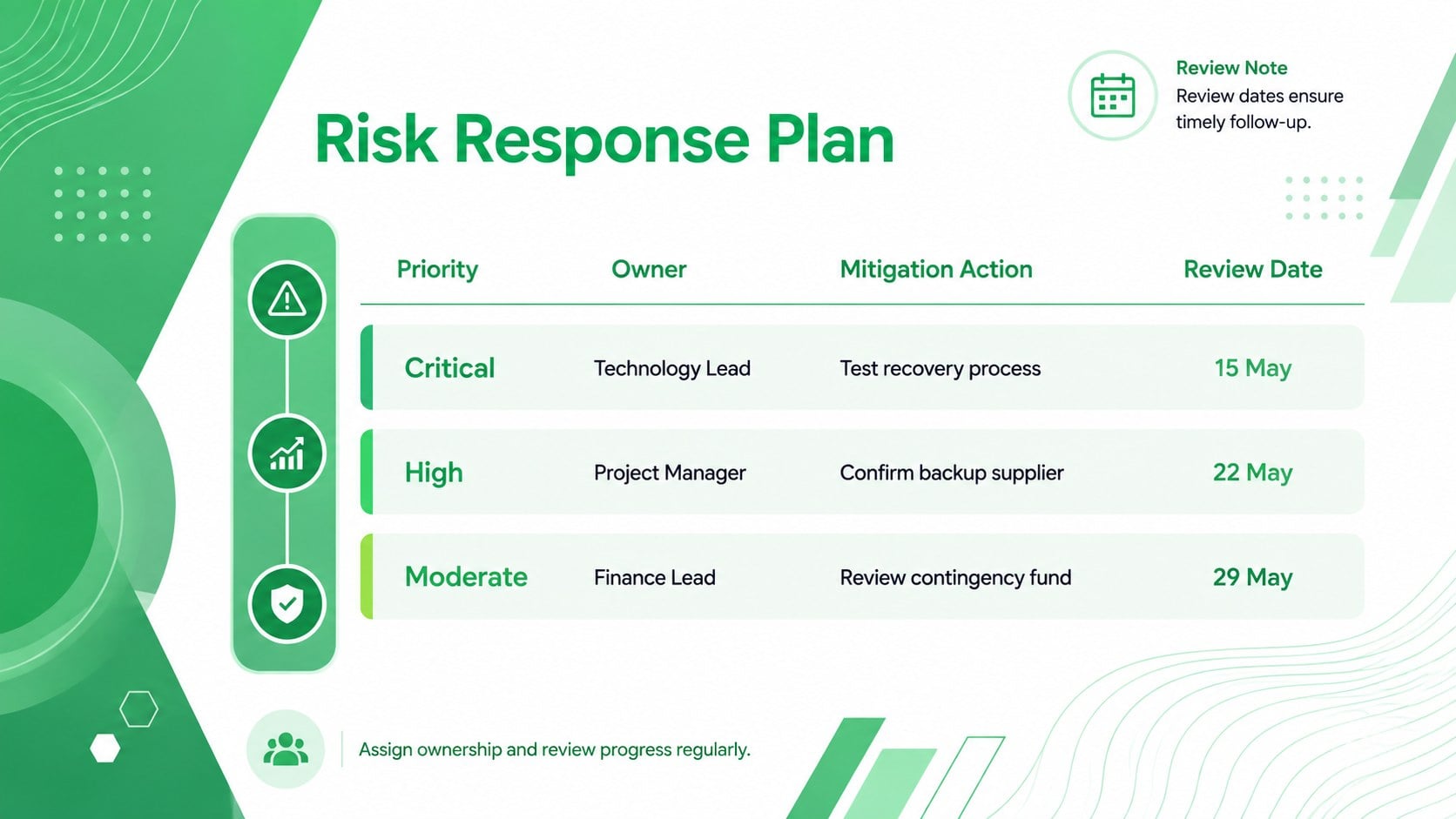
Bring structure to uncertain decisions with the Project Risk Matrix Toolkit. Designed for clear, fast-moving discussions, this green abstract slide set helps teams compare likelihood and impact, identify urgent threats, and communicate priorities without burying stakeholders in dense reports. It works as an editable project risk matrix template for planning sessions, status updates, and executive reviews.
The toolkit includes three coordinated 16:9 layouts: an introductory cover, a color-coded assessment matrix, and a response-planning summary. Use the matrix to place risks by severity, then document owners, mitigation steps, and review dates on the action slide. Geometric accents, vivid green highlights, clean typography, and restrained neon details give the deck a modern professional character while keeping the information easy to scan. Every label, shape, color, and data point can be adjusted in PowerPoint or Google Slides.
Project managers, operations teams, consultants, compliance specialists, and business leaders can adapt these likelihood impact matrix slides to fit internal processes. The layouts also work well as a green risk assessment presentation for product launches, vendor reviews, technology rollouts, safety discussions, and strategic planning. Replace the sample wording with your own scoring criteria, apply organizational colors if needed, and present a focused path from risk identification to accountable action.
Perfect for: project kickoff risk review; executive status meeting; vendor risk assessment; product launch planning; operational compliance review.
Frequently asked questions
Can I edit the risk levels and scoring criteria? Yes. You can replace every risk label, probability score, impact level, owner, and response action with your own information. The colors and matrix categories can also be adjusted to match your assessment framework.
Practical details
Yes. You can replace every risk label, probability score, impact level, owner, and response action with your own information. The colors and matrix categories can also be adjusted to match your assessment framework.
Yes. The slides are designed for editing in both PowerPoint and Google Slides. Some font spacing or effects may vary slightly between platforms, so review the final deck before presenting.
Yes. Change the fills, accents, text colors, and severity scale directly in your chosen presentation editor. Maintain strong contrast between risk levels so the matrix remains easy to interpret.
Start with each risk, its likelihood, and its potential impact, then assign a severity level. For practical follow-through, also include an owner, mitigation action, deadline, and next review date.
Keep exploring
15Shape your publishing concept with an indie magazine startup pitch deck featuring pastel gradients, bold collage layouts, and editable planning slides.
 16
16Build clear project stories with the Icon Grid Teamwork Theme, a flexible blue illustrated deck for proposals, strategy updates, and team meetings.
 3
3Turn priorities into an actionable plan with an annual goals roadmap infographic, featuring editable orange and teal layouts for PowerPoint and Google Slides.
 15
15Create an Annual Achievement Report Presentation with colorful geometric layouts for milestones, results, lessons, and priorities in PowerPoint or Google Slides.
 15
15Turn results into a focused annual performance evaluation report with dark 3D slides for KPIs, achievements, feedback, and next-step goals for teams.
 15
15Guide a focused annual recap with Business Results Retrospective Slides, a muted brown-and-blue template for PowerPoint and Google Slides.
 6
6Turn complex plans into clear visual stories with Color-Coded Workflow Path Slides, an editable set for project updates, roadmaps, and team briefings.
 6
6Compare regional performance at a glance with Global Data Heatmap Slides, a clean multicolor deck designed for editable PowerPoint and Google Slides.