
 15
15presentation
Indie Magazine Startup Pitch Deck
Shape your publishing concept with an indie magazine startup pitch deck featuring pastel gradients, bold collage layouts, and editable planning slides.
Google SlidesPowerPoint
spreadsheet · English
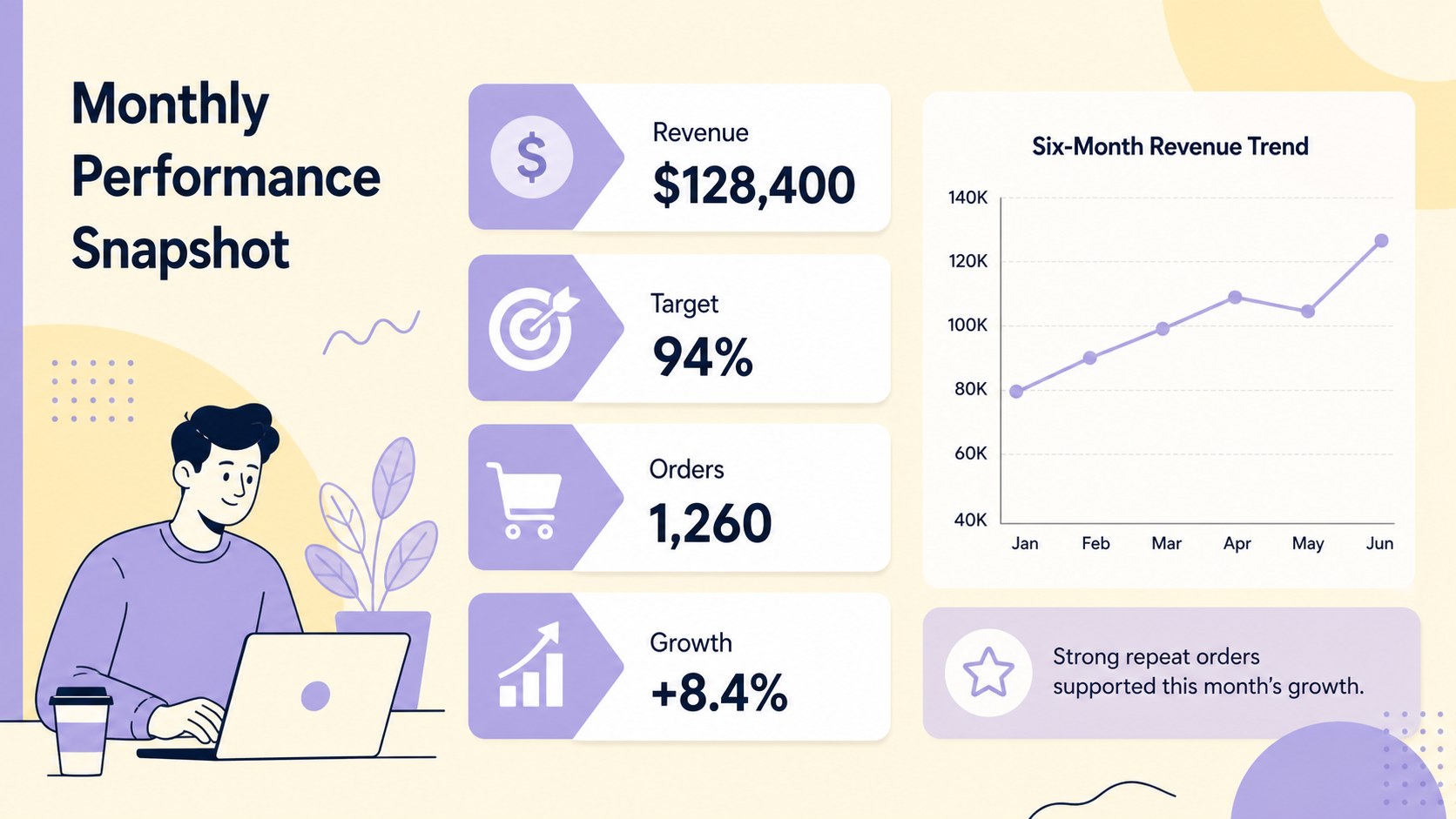
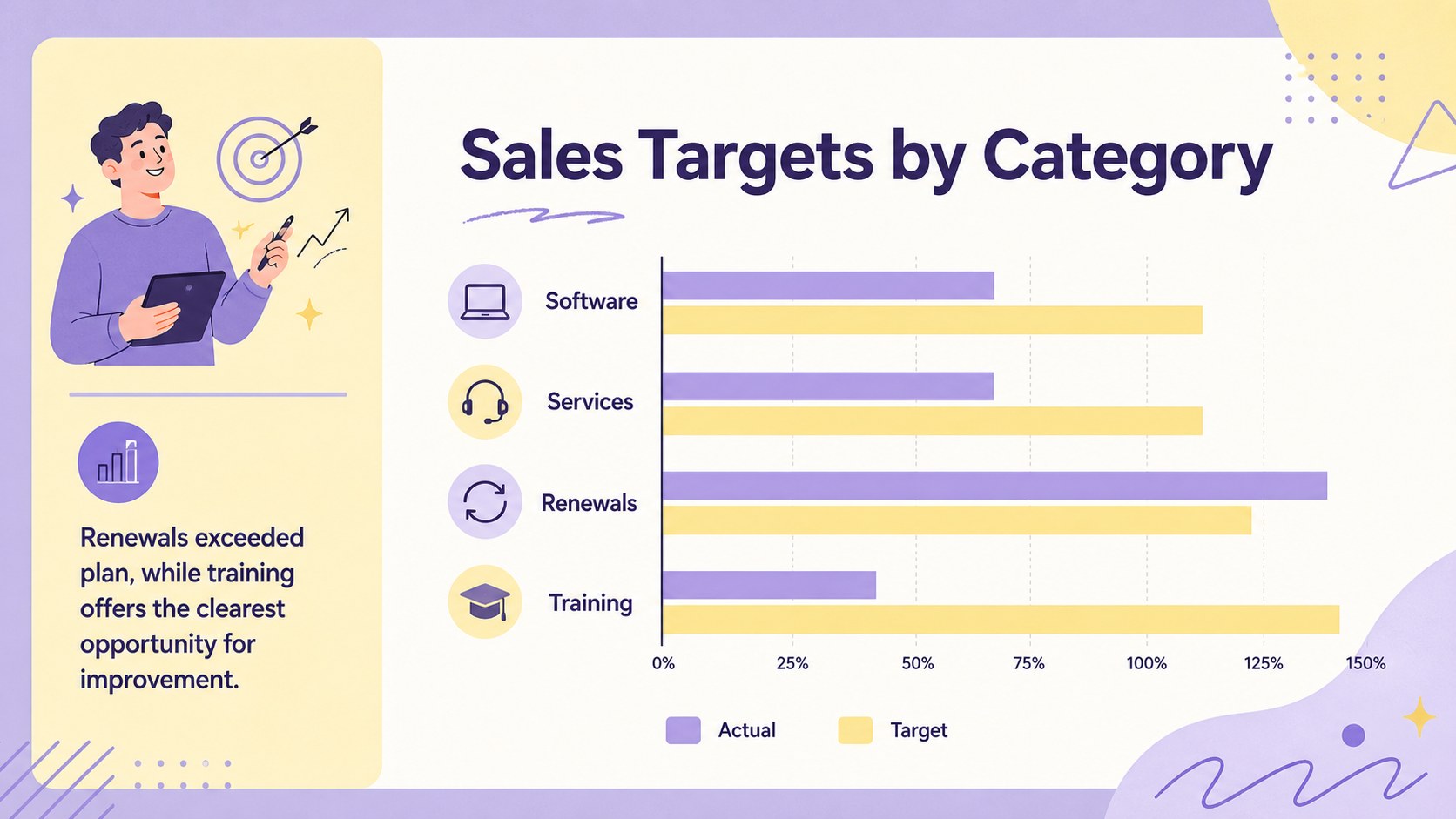
Spot trends and present results faster with a pastel monthly sales dashboard, ready to customize for recurring business reviews in Excel and Google Sheets.

Design notes
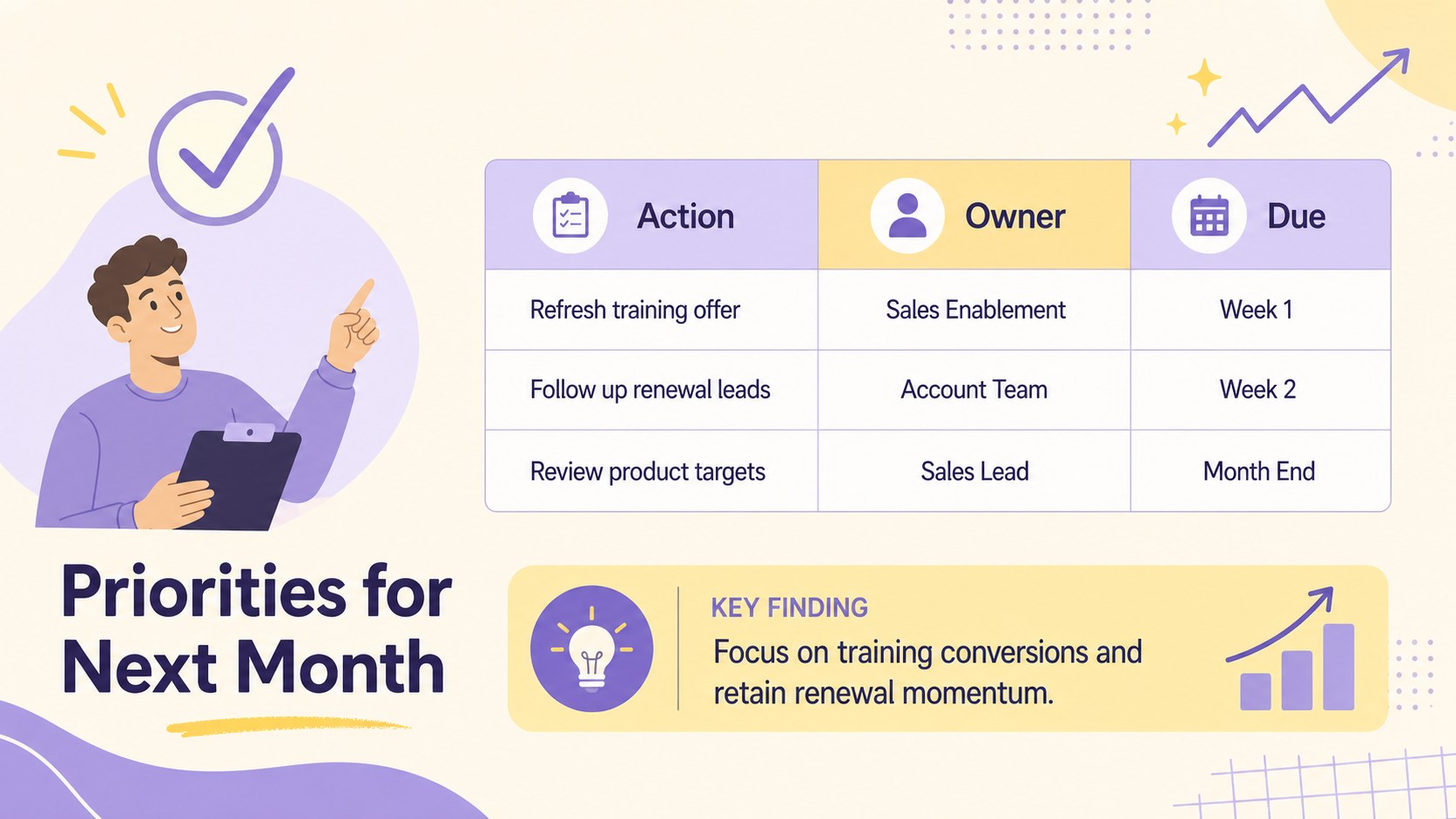
Turn recurring performance reviews into a focused visual summary with this pastel monthly sales dashboard. Designed for quick updates and straightforward analysis, it helps teams bring revenue, targets, product results, and month-over-month changes into one coordinated workspace. The cheerful purple and yellow palette, light doodle accents, and organized layout make detailed figures easier to scan without losing a professional business focus.
Inside, you will find space for headline metrics, target comparisons, revenue trends, category performance, and concise observations. Use the pastel sales dashboard spreadsheet to record results, highlight gains or shortfalls, and prepare a polished update for stakeholders. Its visual structure also works as an Excel sales reporting dashboard for internal meetings or as a Google Sheets monthly sales summary that colleagues can update together.
This template is intended for sales managers, account teams, startup founders, retail coordinators, and small business owners who need a repeatable monthly reporting system. Adjust labels, formulas, colors, tables, and chart ranges to match your sales process. It can support territory reviews, product-line analysis, campaign follow-ups, or leadership briefings while keeping the month's most important numbers easy to find. The editable format works in both Excel and Google Sheets, giving individuals and distributed teams a practical way to maintain consistent reporting.
Perfect for: monthly sales review meeting; product revenue comparison; sales target progress check; regional performance briefing; small business revenue analysis.
Frequently asked questions
Can I edit the dashboard in Excel and Google Sheets? Yes. The workbook is designed for editing in both Excel and Google Sheets, although minor formatting differences may appear after import.
Practical details
Yes. The workbook is designed for editing in both Excel and Google Sheets, although minor formatting differences may appear after import.
Yes. Update the sample values, labels, categories, and reporting period with your own information. Review chart ranges and formulas after adding or removing rows.
Change fill colors, fonts, borders, and chart series through the standard formatting controls in your spreadsheet application. Keep strong contrast between labels and backgrounds so every metric remains readable.
It can present revenue totals, target attainment, month-over-month movement, category results, and summary notes. The sections can also be renamed for territories, products, representatives, or channels.
Keep exploring
15Shape your publishing concept with an indie magazine startup pitch deck featuring pastel gradients, bold collage layouts, and editable planning slides.
 16
16Build clear project stories with the Icon Grid Teamwork Theme, a flexible blue illustrated deck for proposals, strategy updates, and team meetings.
 3
3Turn priorities into an actionable plan with an annual goals roadmap infographic, featuring editable orange and teal layouts for PowerPoint and Google Slides.
 15
15Create an Annual Achievement Report Presentation with colorful geometric layouts for milestones, results, lessons, and priorities in PowerPoint or Google Slides.
 15
15Turn results into a focused annual performance evaluation report with dark 3D slides for KPIs, achievements, feedback, and next-step goals for teams.
 15
15Guide a focused annual recap with Business Results Retrospective Slides, a muted brown-and-blue template for PowerPoint and Google Slides.
 6
6Turn complex plans into clear visual stories with Color-Coded Workflow Path Slides, an editable set for project updates, roadmaps, and team briefings.
 6
6Compare regional performance at a glance with Global Data Heatmap Slides, a clean multicolor deck designed for editable PowerPoint and Google Slides.