
 15
15presentation
Indie Magazine Startup Pitch Deck
Shape your publishing concept with an indie magazine startup pitch deck featuring pastel gradients, bold collage layouts, and editable planning slides.
Google SlidesPowerPoint
spreadsheet · English
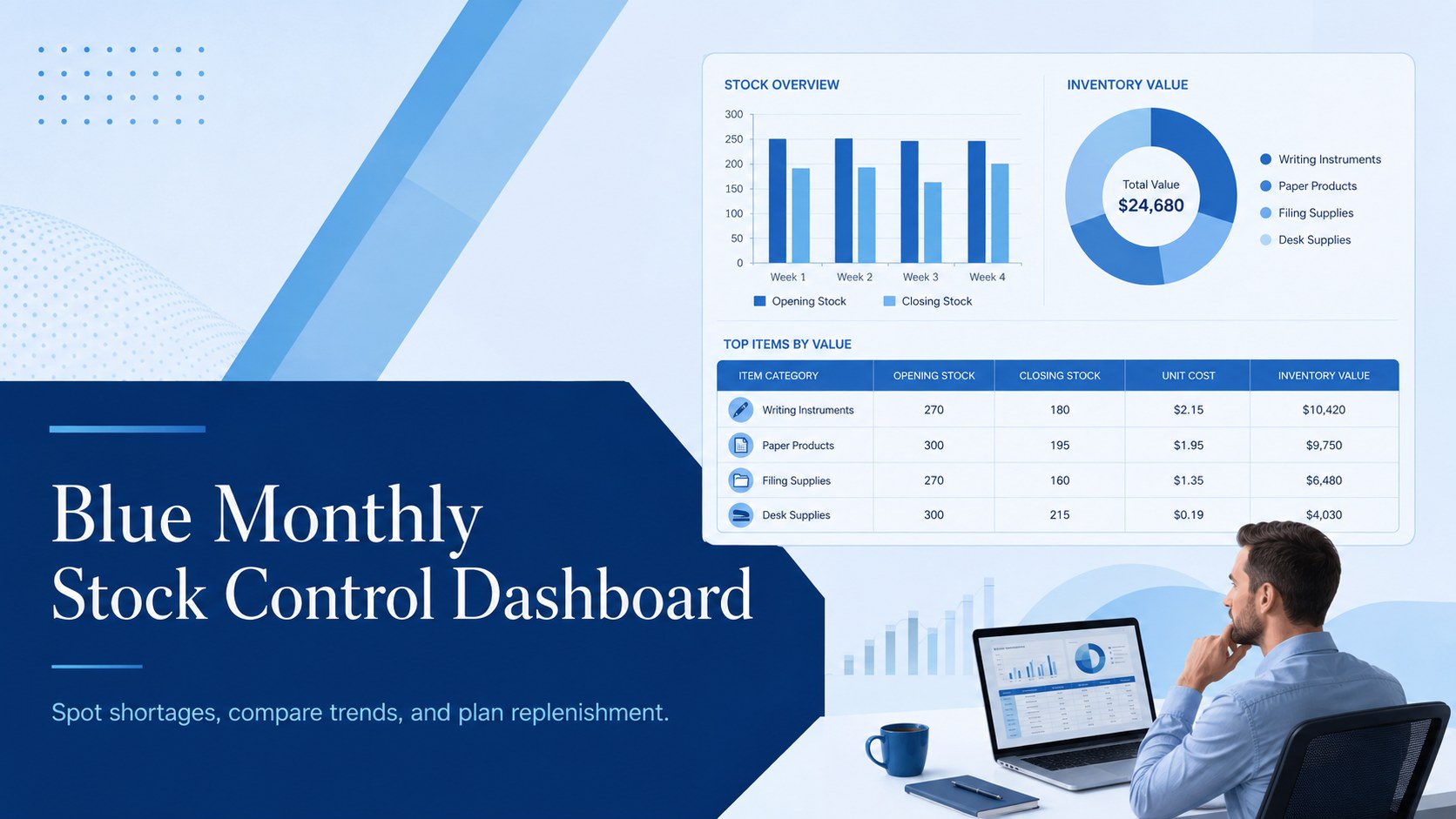
Organize monthly stock levels with a polished blue monthly stock control dashboard for Excel and Google Sheets, built to spot shortages, compare trends, and…
Design notes
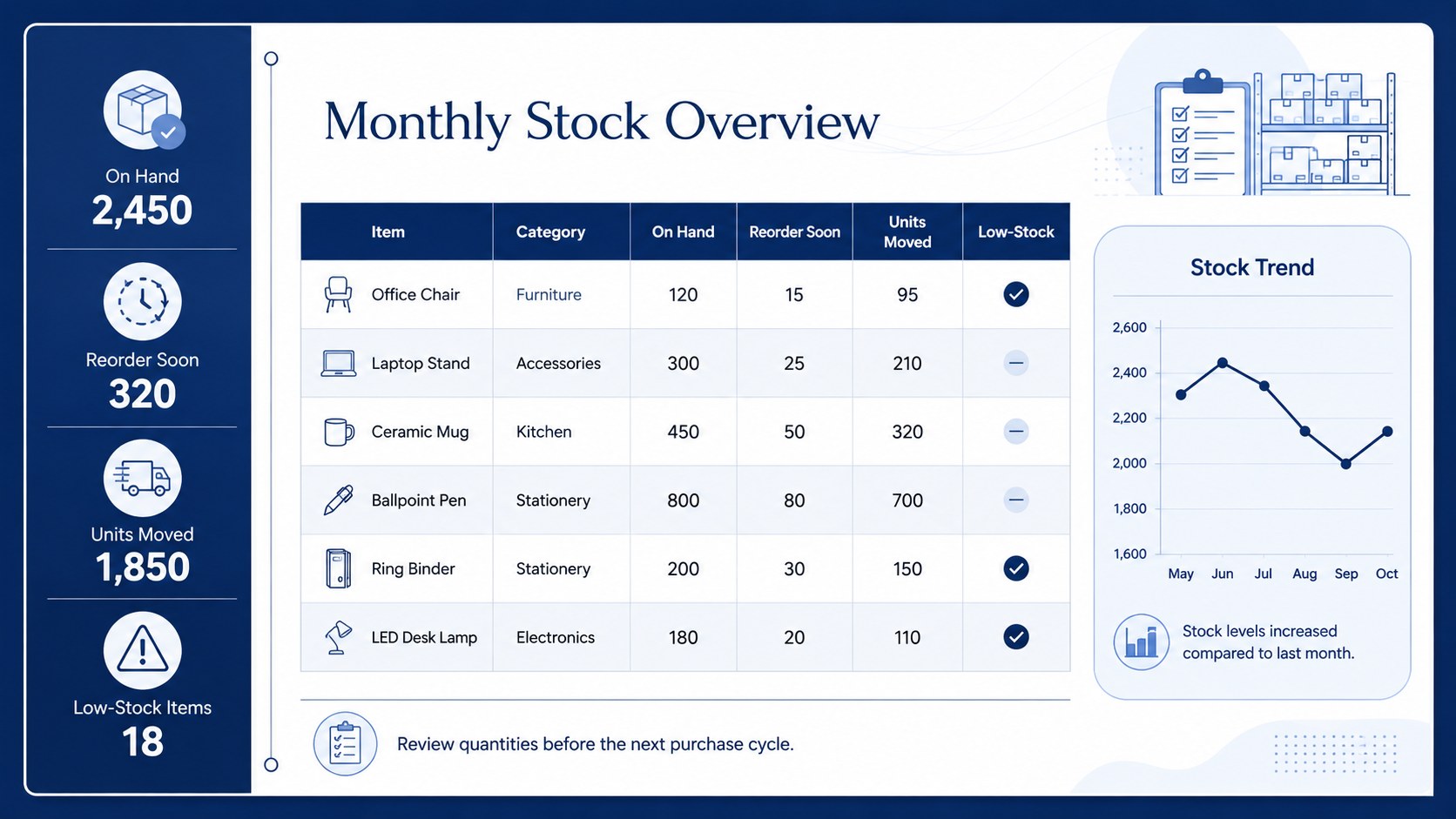
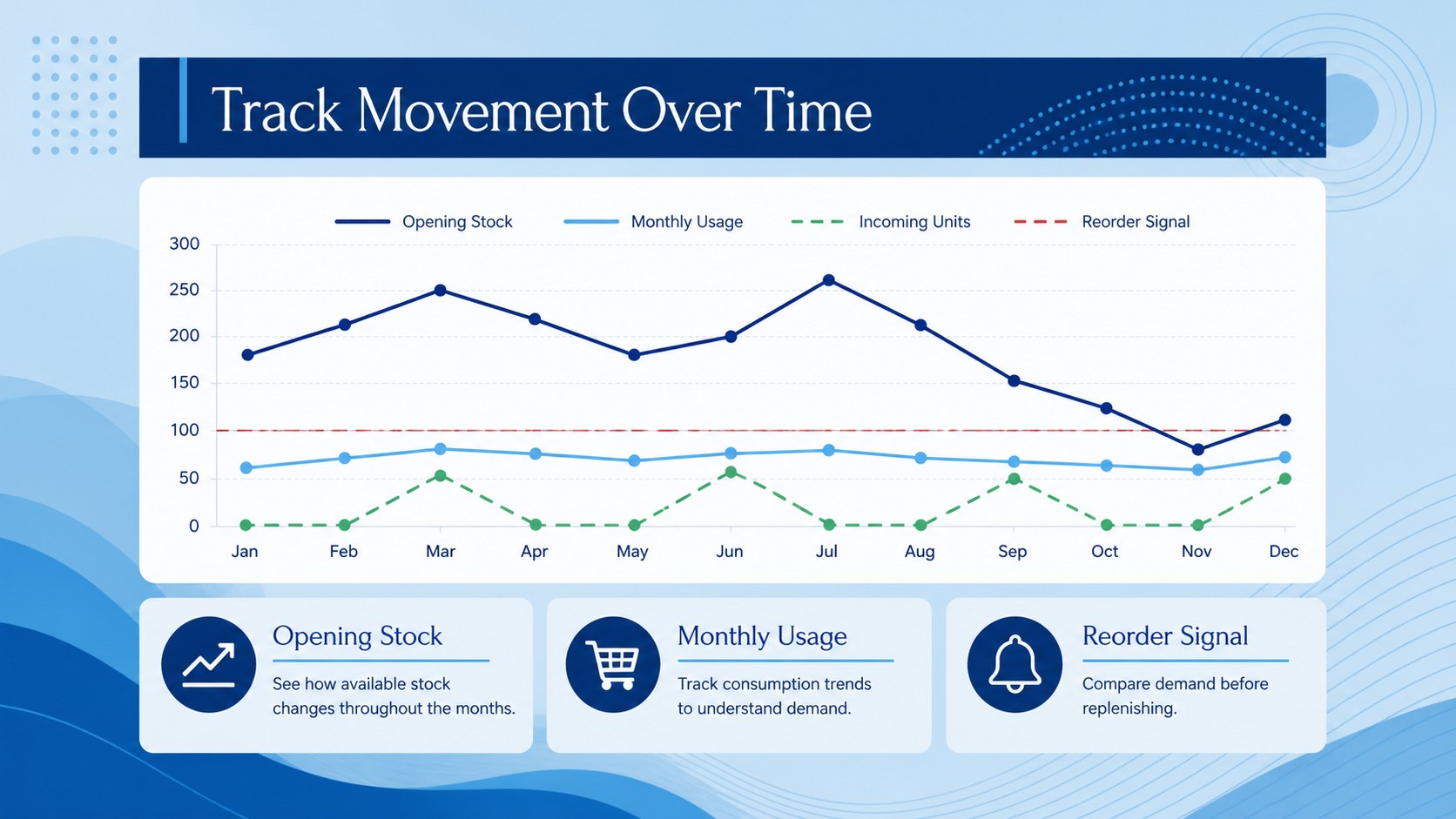
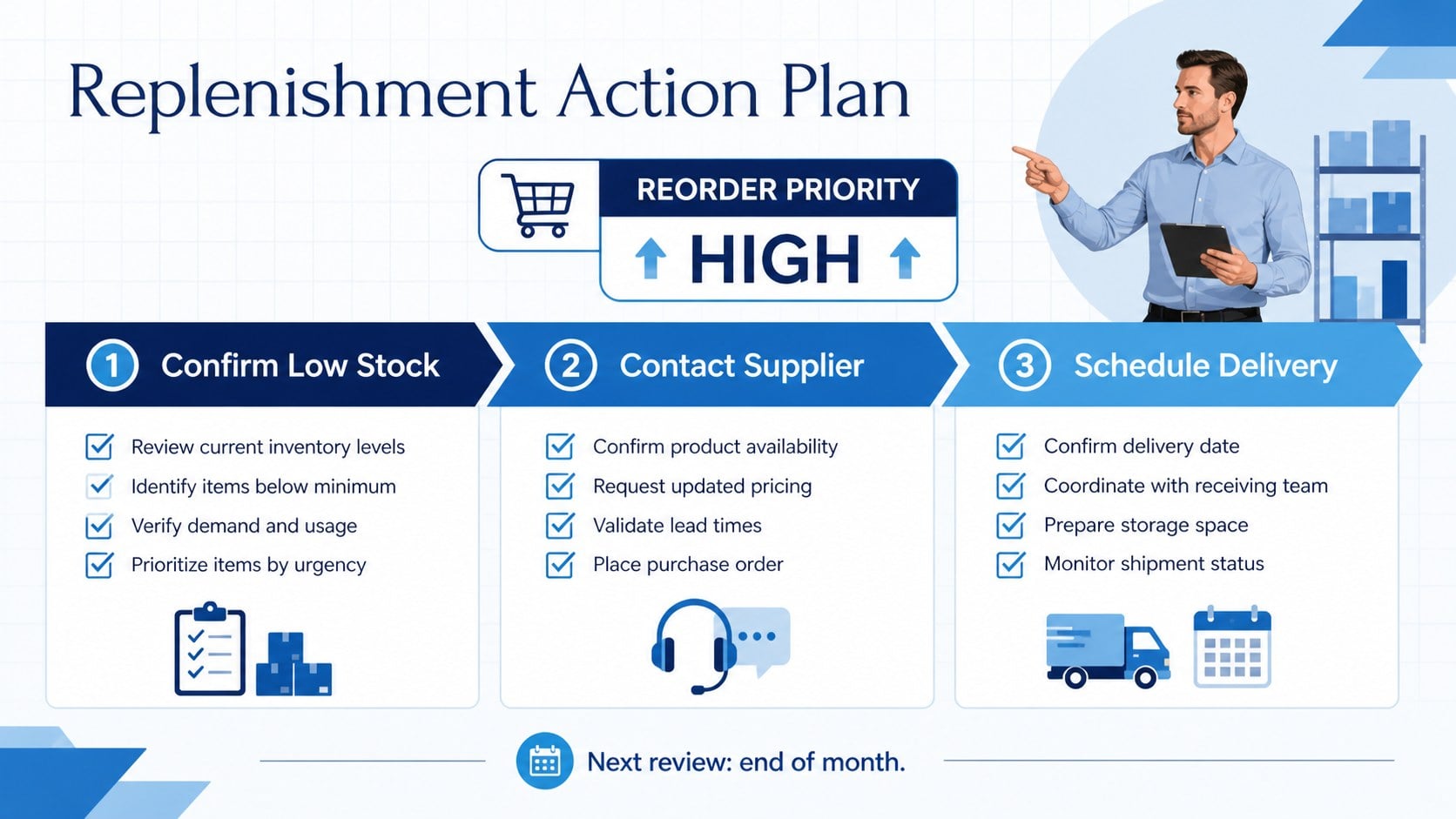
Turn recurring stock reviews into a clearer, more manageable routine with this blue monthly stock control dashboard. Its polished corporate style gives teams a practical way to review product quantities, identify movement patterns, and prepare replenishment decisions without losing important details.
The template includes a structured monthly overview, space for item-level quantities, visual comparison areas, and concise reporting sections for key inventory observations. Use the layout as a monthly stock monitoring spreadsheet, a warehouse inventory review, or a purchasing update for internal meetings. Edit labels, categories, figures, charts, and color accents to match your workflow and product range.
This resource is designed for operations coordinators, retail managers, warehouse teams, procurement specialists, and small businesses that need a consistent view of stock health. It works with Excel and Google Sheets for data management and can also support presentation-ready reporting in PowerPoint and Google Slides. Whether you are tracking fast-moving products, checking reorder points, or summarizing monthly inventory performance, the clean blue design keeps information easy to scan and share. Use it to create a repeatable reporting process, support better purchasing conversations, and reduce the risk of unnoticed shortages.
Perfect for: monthly warehouse stock review; retail replenishment planning; procurement team updates; product quantity monitoring; small business inventory reporting.
Frequently asked questions
Can I edit the dashboard in Excel? Yes. You can update item names, quantities, categories, formulas, charts, and reporting labels in Excel. The layout is designed for recurring monthly updates.
Practical details
Yes. You can update item names, quantities, categories, formulas, charts, and reporting labels in Excel. The layout is designed for recurring monthly updates.
Yes, the spreadsheet can be used in Google Sheets for collaborative inventory tracking and review. Check imported formulas and chart formatting after uploading the file.
You can change the accent colors, fonts, headings, table fields, and chart styling to fit your organization. Keep the blue palette for a consistent corporate look or adapt it to your brand colors.
Yes. The reporting sections can be adapted for PowerPoint or Google Slides when you need a presentation-ready monthly summary. Copy key figures and charts into a meeting deck while keeping the detailed data in the spreadsheet.
Keep exploring
15Shape your publishing concept with an indie magazine startup pitch deck featuring pastel gradients, bold collage layouts, and editable planning slides.
 16
16Build clear project stories with the Icon Grid Teamwork Theme, a flexible blue illustrated deck for proposals, strategy updates, and team meetings.
 3
3Turn priorities into an actionable plan with an annual goals roadmap infographic, featuring editable orange and teal layouts for PowerPoint and Google Slides.
 15
15Create an Annual Achievement Report Presentation with colorful geometric layouts for milestones, results, lessons, and priorities in PowerPoint or Google Slides.
 15
15Turn results into a focused annual performance evaluation report with dark 3D slides for KPIs, achievements, feedback, and next-step goals for teams.
 15
15Guide a focused annual recap with Business Results Retrospective Slides, a muted brown-and-blue template for PowerPoint and Google Slides.
 6
6Turn complex plans into clear visual stories with Color-Coded Workflow Path Slides, an editable set for project updates, roadmaps, and team briefings.
 6
6Compare regional performance at a glance with Global Data Heatmap Slides, a clean multicolor deck designed for editable PowerPoint and Google Slides.