
 15
15presentation
Indie Magazine Startup Pitch Deck
Shape your publishing concept with an indie magazine startup pitch deck featuring pastel gradients, bold collage layouts, and editable planning slides.
Google SlidesPowerPoint
presentation · English
Use this media strategy planning deck to align channels, budgets, audiences, and KPIs in polished purple-and-beige PowerPoint and Google Slides.
Design notes
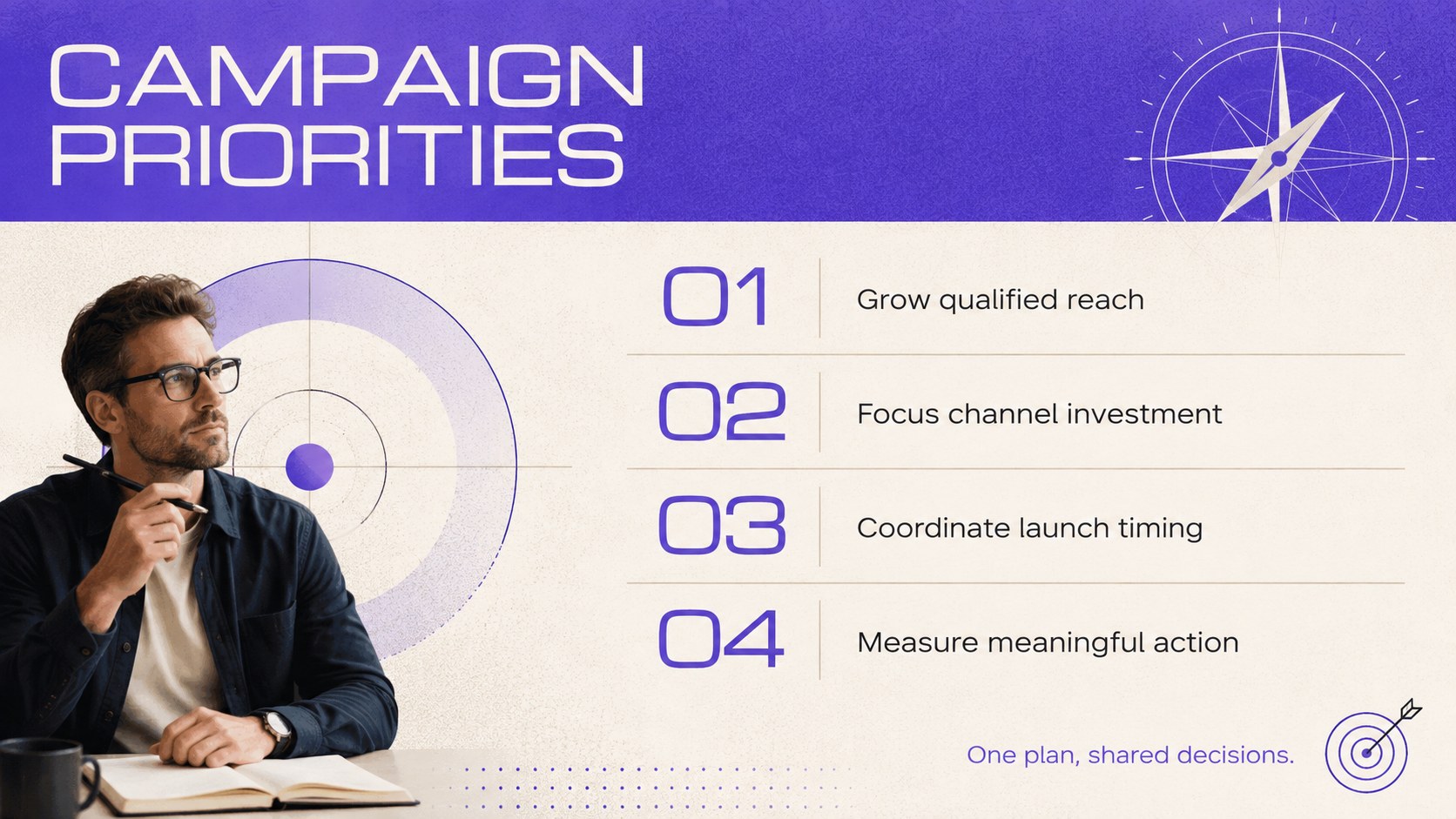
Turn complex campaign decisions into a focused narrative with this media strategy planning deck. Its minimalist purple-and-beige design gives marketing plans a polished, contemporary look while keeping budgets, channel choices, audiences, and performance goals easy to scan. Use it to guide stakeholder discussions, support recommendations, or build a media strategy presentation for clients.
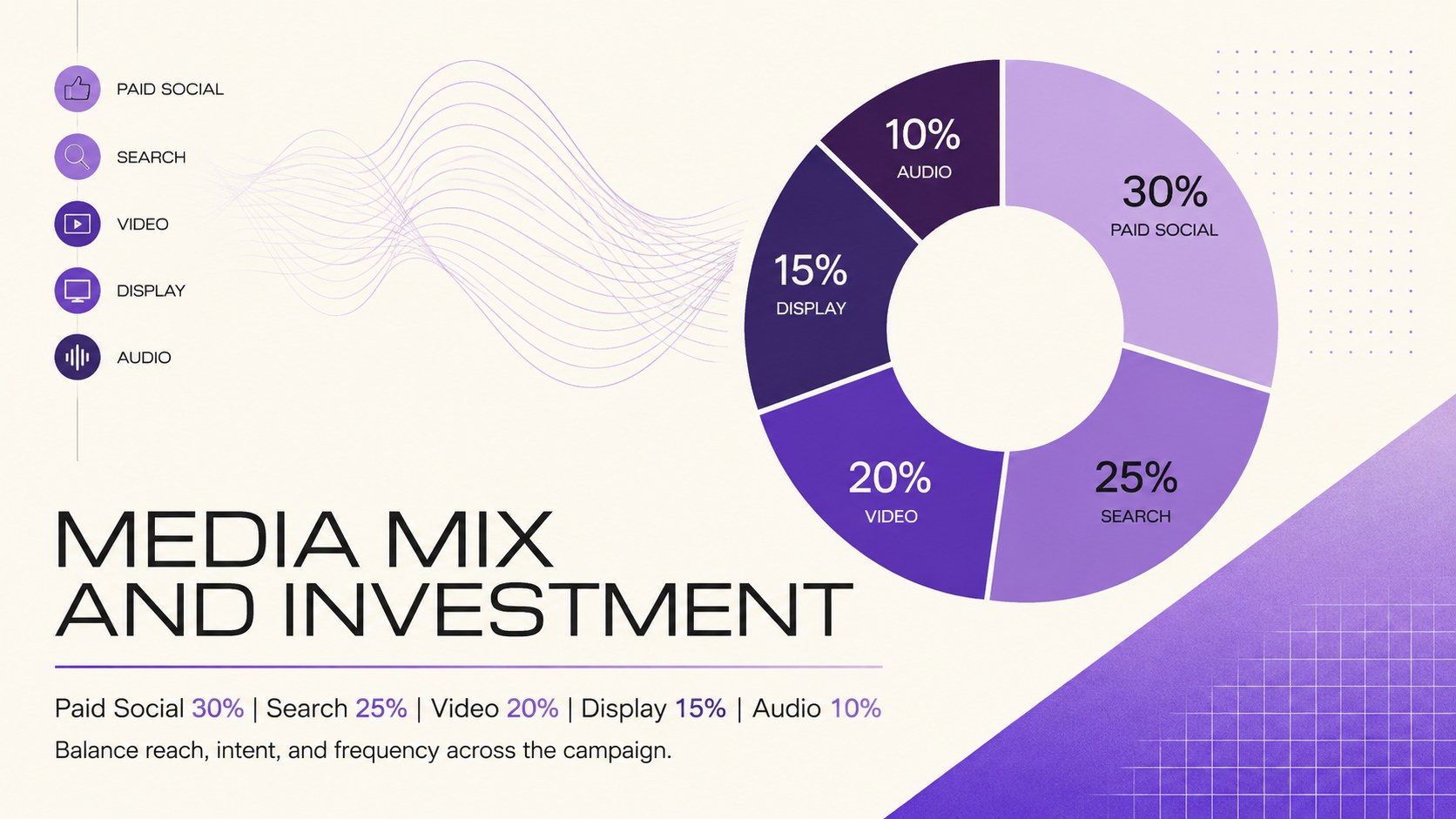
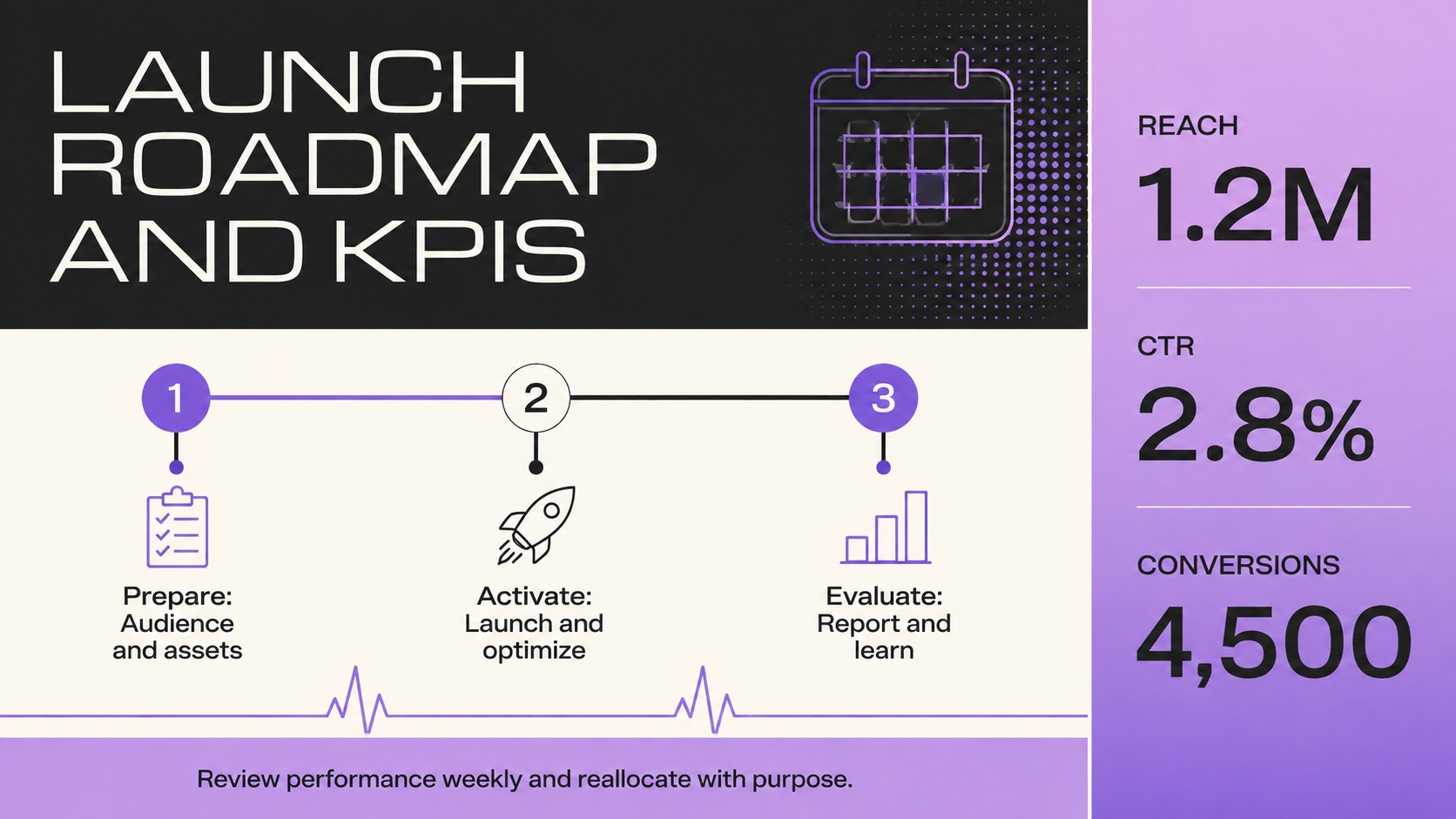
The 18-slide layout provides flexible structures for campaign objectives, audience segments, media mix recommendations, flighting schedules, investment breakdowns, creative formats, and measurement frameworks. Adapt the campaign channel budget template to compare spending across paid social, search, display, video, audio, print, or out-of-home placements. Timeline, chart, and KPI layouts help connect each planned activity to a measurable business outcome without overwhelming the audience.
Designed for agency strategists, in-house marketing teams, consultants, account managers, and business development professionals, the deck works for both initial proposals and active campaign reviews. It can also serve as a cross channel campaign deck when teams need one shared view of responsibilities, timing, and expected results. Edit the typography, colors, charts, icons, and slide order in PowerPoint or Google Slides, then add your own logo, campaign data, and brand assets. The widescreen format is suitable for client pitches, leadership meetings, planning workshops, and remote presentations.
Perfect for: client media proposal; cross-channel campaign planning; quarterly advertising review; marketing budget presentation; agency strategy pitch.
Frequently asked questions
Can I edit this deck in PowerPoint and Google Slides? Yes. The layouts, text, colors, charts, and visual elements can be customized in PowerPoint or Google Slides to match your campaign and organization.
Practical details
Yes. The layouts, text, colors, charts, and visual elements can be customized in PowerPoint or Google Slides to match your campaign and organization.
Yes. Replace the purple-and-beige palette, update the fonts, insert your logo, and add approved photography or campaign assets. Keep strong contrast between text and backgrounds for readability.
You can organize objectives, target audiences, channel roles, media budgets, schedules, creative formats, KPIs, and reporting plans. The layouts support both high-level recommendations and detailed allocation discussions.
Yes. Its structured storytelling and restrained visual style are designed for agency proposals, consultant recommendations, and leadership presentations. Replace the sample figures with validated campaign data before presenting.
Keep exploring
15Shape your publishing concept with an indie magazine startup pitch deck featuring pastel gradients, bold collage layouts, and editable planning slides.
 16
16Build clear project stories with the Icon Grid Teamwork Theme, a flexible blue illustrated deck for proposals, strategy updates, and team meetings.
 3
3Turn priorities into an actionable plan with an annual goals roadmap infographic, featuring editable orange and teal layouts for PowerPoint and Google Slides.
 15
15Create an Annual Achievement Report Presentation with colorful geometric layouts for milestones, results, lessons, and priorities in PowerPoint or Google Slides.
 15
15Turn results into a focused annual performance evaluation report with dark 3D slides for KPIs, achievements, feedback, and next-step goals for teams.
 15
15Guide a focused annual recap with Business Results Retrospective Slides, a muted brown-and-blue template for PowerPoint and Google Slides.
 6
6Turn complex plans into clear visual stories with Color-Coded Workflow Path Slides, an editable set for project updates, roadmaps, and team briefings.
 6
6Compare regional performance at a glance with Global Data Heatmap Slides, a clean multicolor deck designed for editable PowerPoint and Google Slides.