
 15
15presentation
Indie Magazine Startup Pitch Deck
Shape your publishing concept with an indie magazine startup pitch deck featuring pastel gradients, bold collage layouts, and editable planning slides.
Google SlidesPowerPoint
presentation · English
Turn prospect movement into a clear story with Lead Funnel Visualization Slides, an editable blue-and-grey deck for PowerPoint and Google Slides.

Design notes
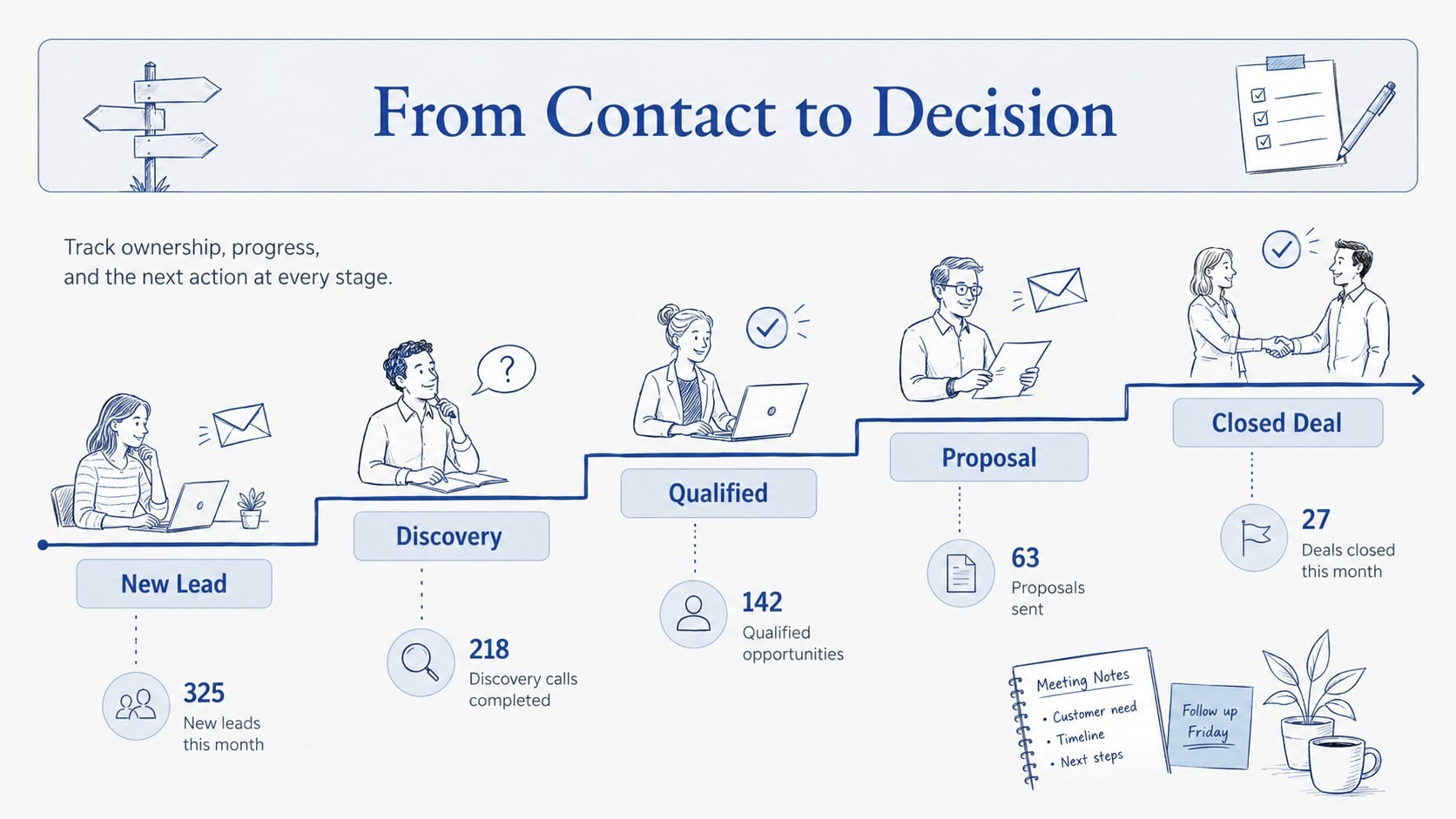
Lead Funnel Visualization Slides turn a crowded revenue process into a clear, sketch-inspired story. Soft blue and grey tones keep the page calm and professional, while hand-drawn arrows, labels, and simple illustrations show how prospects move from first contact to a qualified opportunity and final decision. Use the layouts to explain momentum, ownership, and conversion priorities without burying your audience in CRM detail.
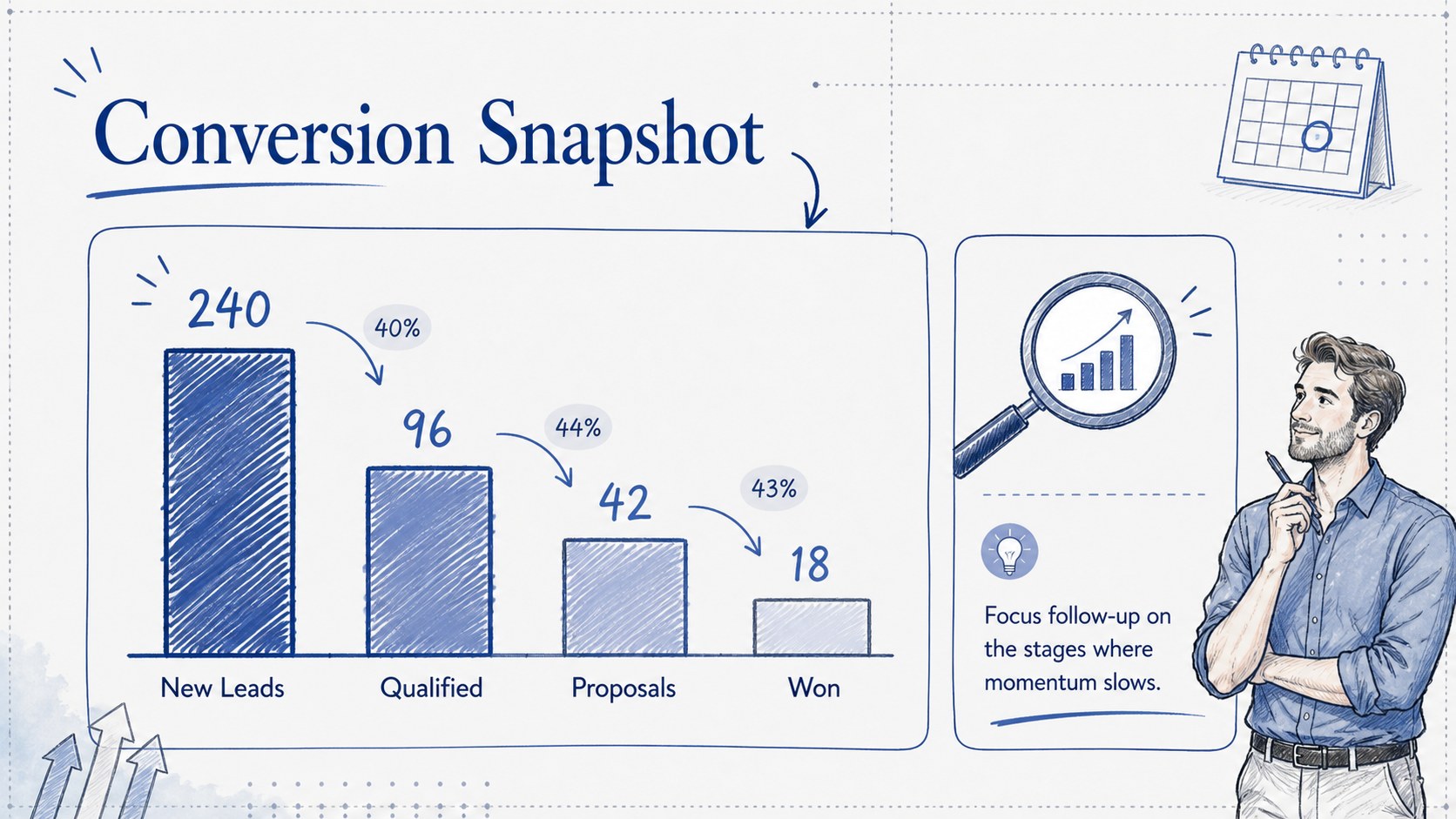
Inside, you will find a stage overview, an editable sales funnel process slide, and a performance snapshot for comparing volume and conversion rates. Each layout can be adapted with your own stage names, figures, icons, and callouts in PowerPoint or Google Slides. Together, the slides work as a lead funnel visualization template for weekly reporting, account reviews, campaign debriefs, or planning sessions.
This deck is built for sales managers, revenue operations teams, founders, consultants, and marketing leaders who need a practical sales opportunity flow diagram. Present pipeline health to executives, align representatives around next actions, or show clients where leads are advancing and where they stall. The illustrated visual language stays approachable for internal workshops while remaining polished enough for customer-facing meetings.
All elements are designed for straightforward editing, so you can adjust colors within the blue-and-grey palette, reorder stages, revise percentages, and replace supporting graphics. Add concise notes beside each step to turn live data into a focused narrative your audience can scan quickly and discuss with confidence.
Perfect for: weekly pipeline review; sales team planning; executive revenue update; lead conversion analysis; client strategy meeting.
Frequently asked questions
Practical details
Yes. Edit the stage names, lead totals, percentages, and supporting notes to match your sales process and current reporting data.
The slides are designed for PowerPoint and Google Slides. Text, shapes, colors, and visual elements can be customized in either platform.
Yes. You can update the theme colors while preserving the illustrated sketch style, or apply your organization's approved palette for internal and client-facing presentations.
Use lead volume, stage conversion rates, opportunity values, average time in stage, and win totals. Short labels and a limited set of key metrics will keep the visuals easy to scan.
Keep exploring
15Shape your publishing concept with an indie magazine startup pitch deck featuring pastel gradients, bold collage layouts, and editable planning slides.
 16
16Build clear project stories with the Icon Grid Teamwork Theme, a flexible blue illustrated deck for proposals, strategy updates, and team meetings.
 3
3Turn priorities into an actionable plan with an annual goals roadmap infographic, featuring editable orange and teal layouts for PowerPoint and Google Slides.
 15
15Create an Annual Achievement Report Presentation with colorful geometric layouts for milestones, results, lessons, and priorities in PowerPoint or Google Slides.
 15
15Turn results into a focused annual performance evaluation report with dark 3D slides for KPIs, achievements, feedback, and next-step goals for teams.
 15
15Guide a focused annual recap with Business Results Retrospective Slides, a muted brown-and-blue template for PowerPoint and Google Slides.
 6
6Turn complex plans into clear visual stories with Color-Coded Workflow Path Slides, an editable set for project updates, roadmaps, and team briefings.
 6
6Compare regional performance at a glance with Global Data Heatmap Slides, a clean multicolor deck designed for editable PowerPoint and Google Slides.