
 15
15presentation
Indie Magazine Startup Pitch Deck
Shape your publishing concept with an indie magazine startup pitch deck featuring pastel gradients, bold collage layouts, and editable planning slides.
Google SlidesPowerPoint
presentation · English
Build a clear ERP architecture mapping deck for lessons, planning sessions, and systems workshops with editable purple-blue diagrams for PowerPoint and…
Design notes
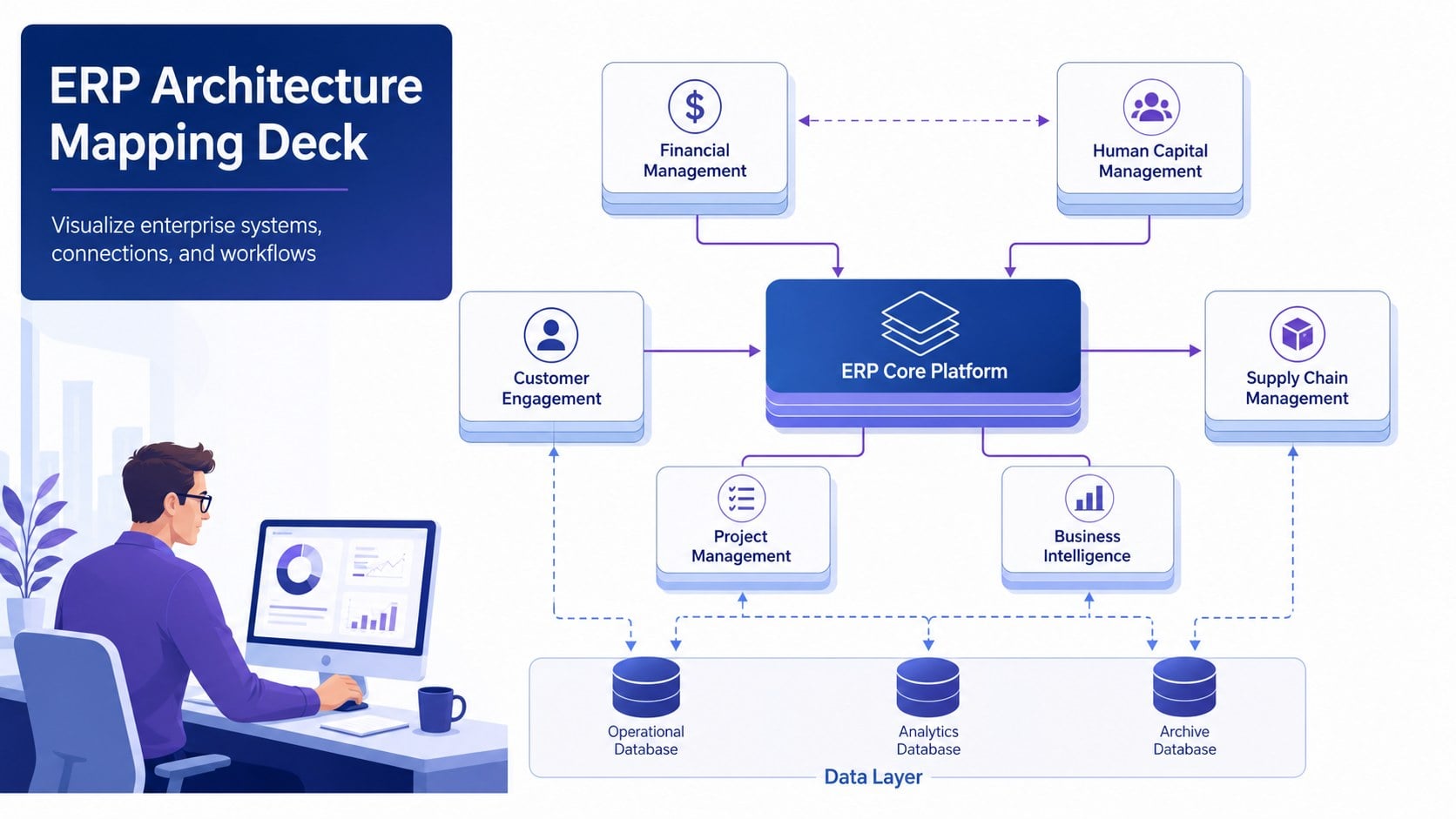
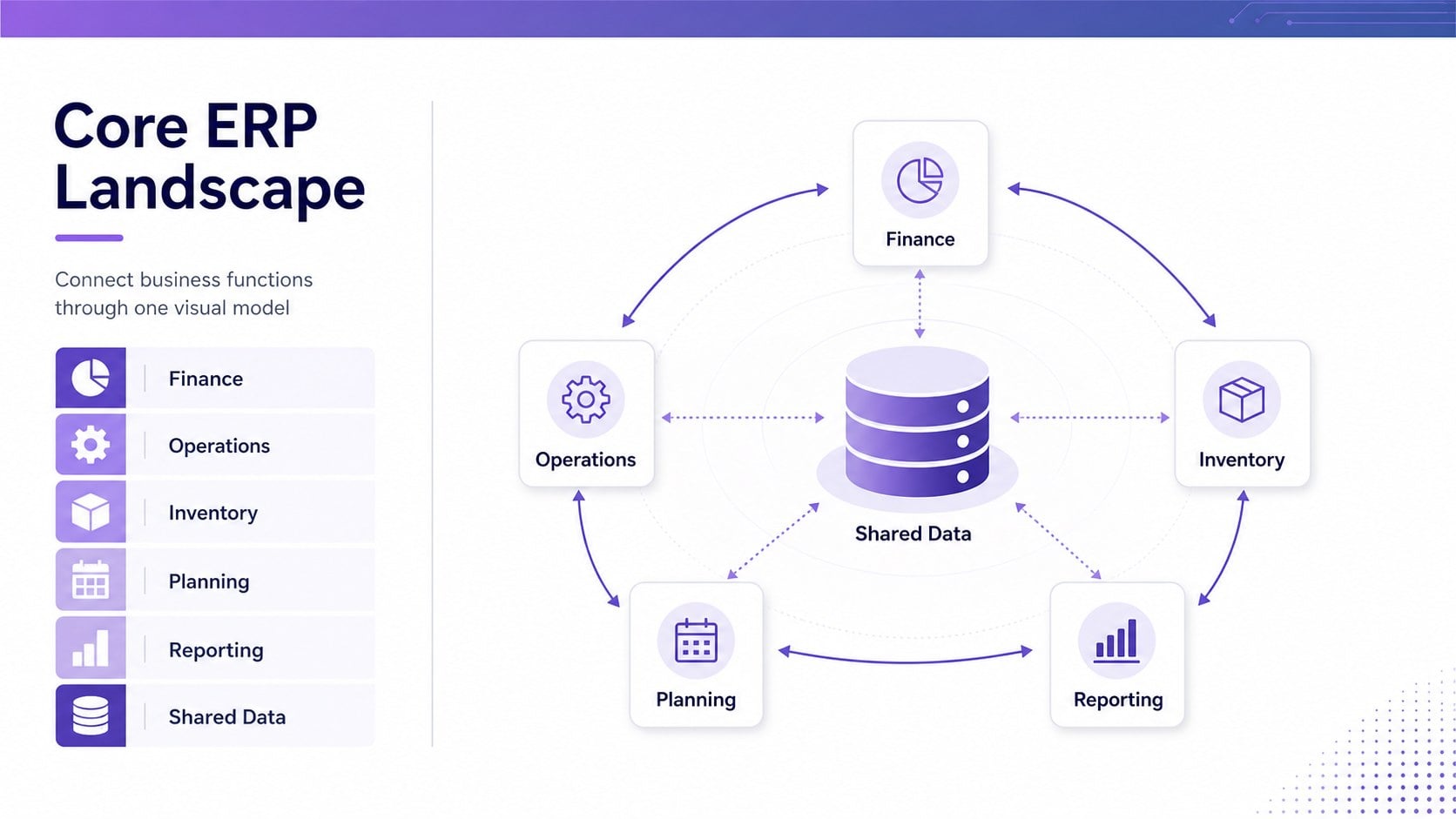
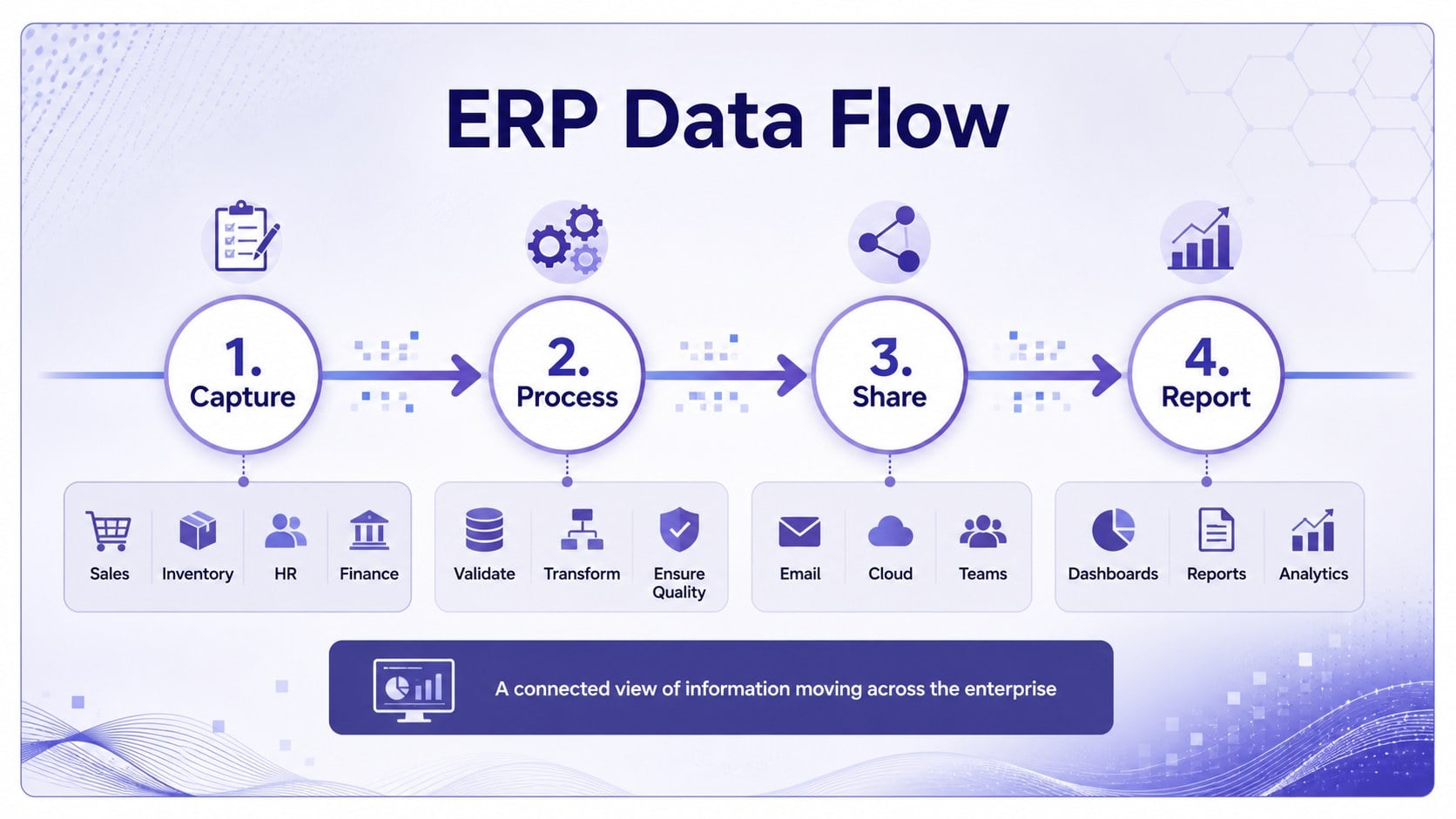
Make complex enterprise resource planning environments easier to understand with an ERP architecture mapping deck designed for structured visual communication. The professional purple-and-blue design uses connected diagrams, clean labels, and balanced white space to help viewers follow how business functions, software modules, and data flows interact.
Inside, you will find three 16:9 presentation slides for introducing an ERP landscape, organizing system components, and showing connections between planning, operations, finance, and reporting. The layouts can be adapted for an ERP implementation roadmap, a systems integration overview, or a classroom explanation of enterprise technology. Replace the sample labels, rearrange the nodes, and use the built-in shapes to reflect your own architecture.
This resource is useful for IT consultants, project managers, business analysts, educators, and operations teams. Use it for an ERP systems overview, a technology planning workshop, or a stakeholder briefing where clarity matters more than visual clutter. Edit the deck in PowerPoint or Google Slides, adjust the blue and purple accents to match your project, and export it for meetings, training sessions, or documentation.
Perfect for: ERP implementation planning workshop; IT systems stakeholder briefing; business software integration review; enterprise technology training lesson; operations architecture documentation.
Frequently asked questions
Can I edit this ERP architecture mapping deck in PowerPoint? Yes. The presentation can be downloaded as a PPTX file and edited in PowerPoint. Update the text, connectors, colors, and diagram elements to match your system landscape.
Practical details
Yes. The presentation can be downloaded as a PPTX file and edited in PowerPoint. Update the text, connectors, colors, and diagram elements to match your system landscape.
Yes, you can open or import the presentation in Google Slides and continue editing online. Check the imported fonts and connector positions before presenting.
Yes. Change the accent colors, background treatment, typography, and diagram labels to fit your organization or course. Keeping one primary accent and one secondary accent helps preserve the deck's visual hierarchy.
Use the layouts to map modules, departments, integrations, data exchanges, or reporting relationships. They can support implementation briefings, architecture reviews, classroom instruction, and process-planning discussions.
Keep exploring
15Shape your publishing concept with an indie magazine startup pitch deck featuring pastel gradients, bold collage layouts, and editable planning slides.
 16
16Build clear project stories with the Icon Grid Teamwork Theme, a flexible blue illustrated deck for proposals, strategy updates, and team meetings.
 3
3Turn priorities into an actionable plan with an annual goals roadmap infographic, featuring editable orange and teal layouts for PowerPoint and Google Slides.
 15
15Create an Annual Achievement Report Presentation with colorful geometric layouts for milestones, results, lessons, and priorities in PowerPoint or Google Slides.
 15
15Turn results into a focused annual performance evaluation report with dark 3D slides for KPIs, achievements, feedback, and next-step goals for teams.
 15
15Guide a focused annual recap with Business Results Retrospective Slides, a muted brown-and-blue template for PowerPoint and Google Slides.
 6
6Turn complex plans into clear visual stories with Color-Coded Workflow Path Slides, an editable set for project updates, roadmaps, and team briefings.
 6
6Compare regional performance at a glance with Global Data Heatmap Slides, a clean multicolor deck designed for editable PowerPoint and Google Slides.