
 15
15presentation
Indie Magazine Startup Pitch Deck
Shape your publishing concept with an indie magazine startup pitch deck featuring pastel gradients, bold collage layouts, and editable planning slides.
Google SlidesPowerPoint
presentation · English
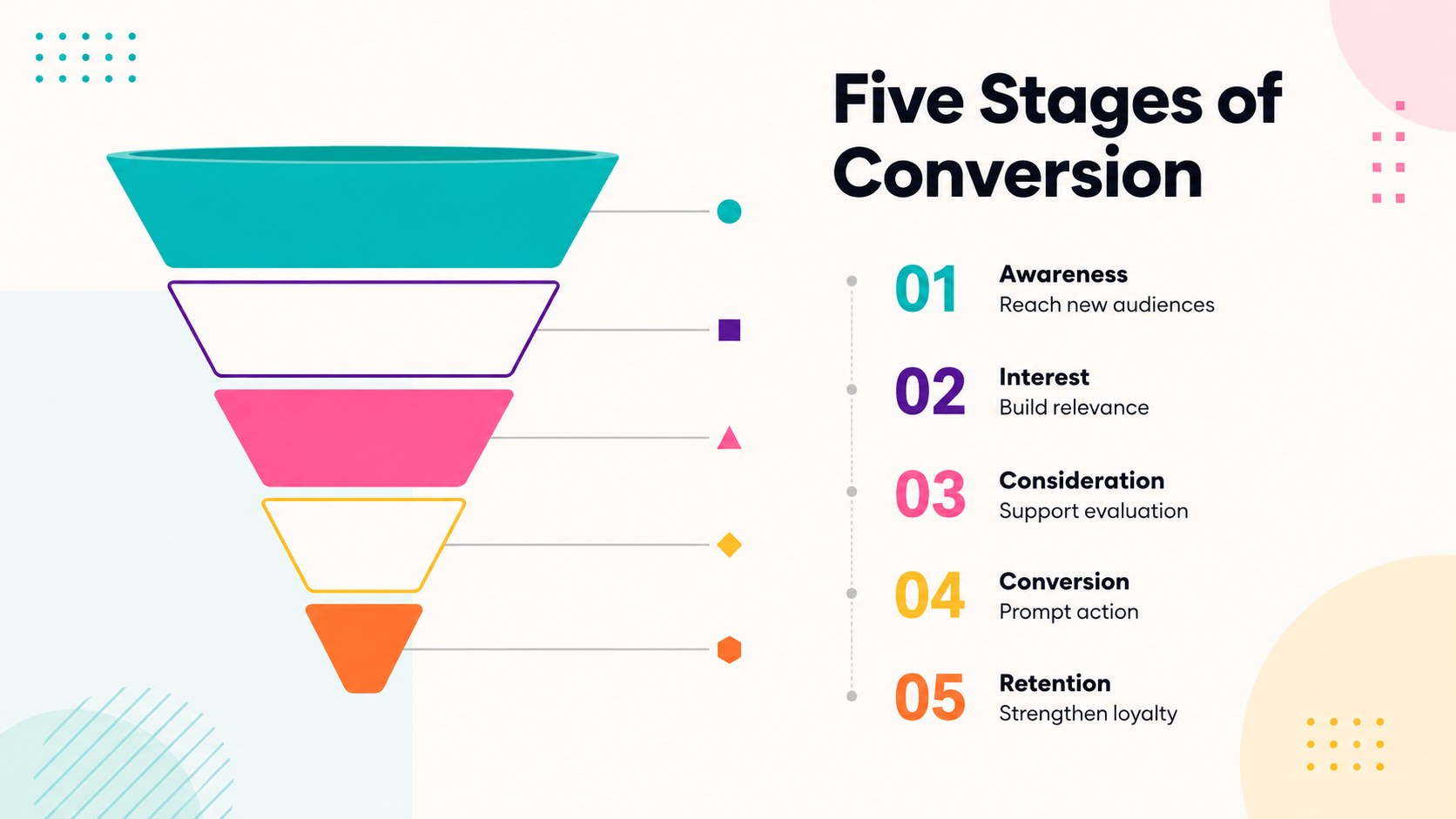
Build clearer sales and journey narratives with Conversion Funnel Diagram Slides, featuring six colorful, editable layouts for PowerPoint and Google Slides.

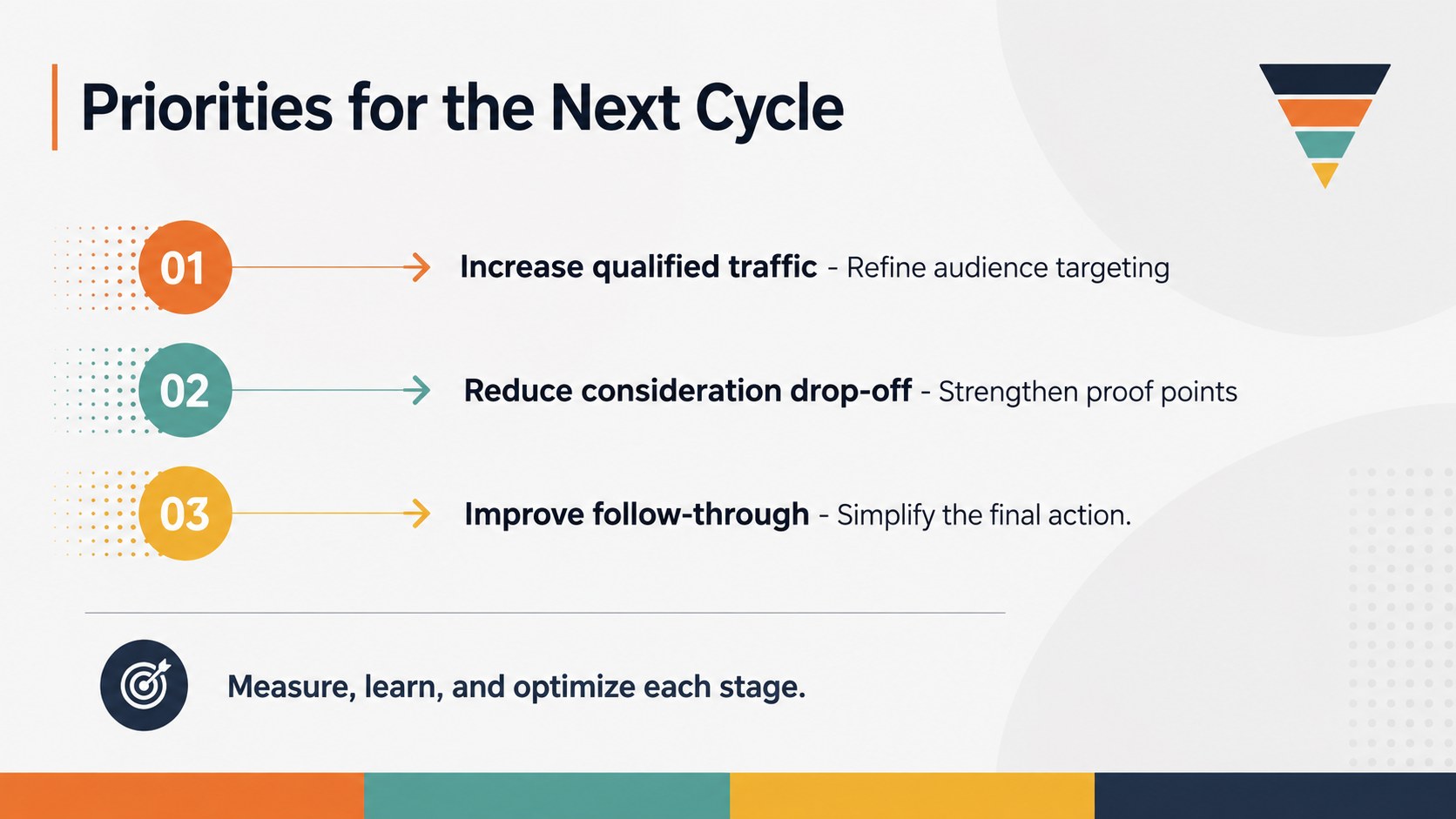
Design notes
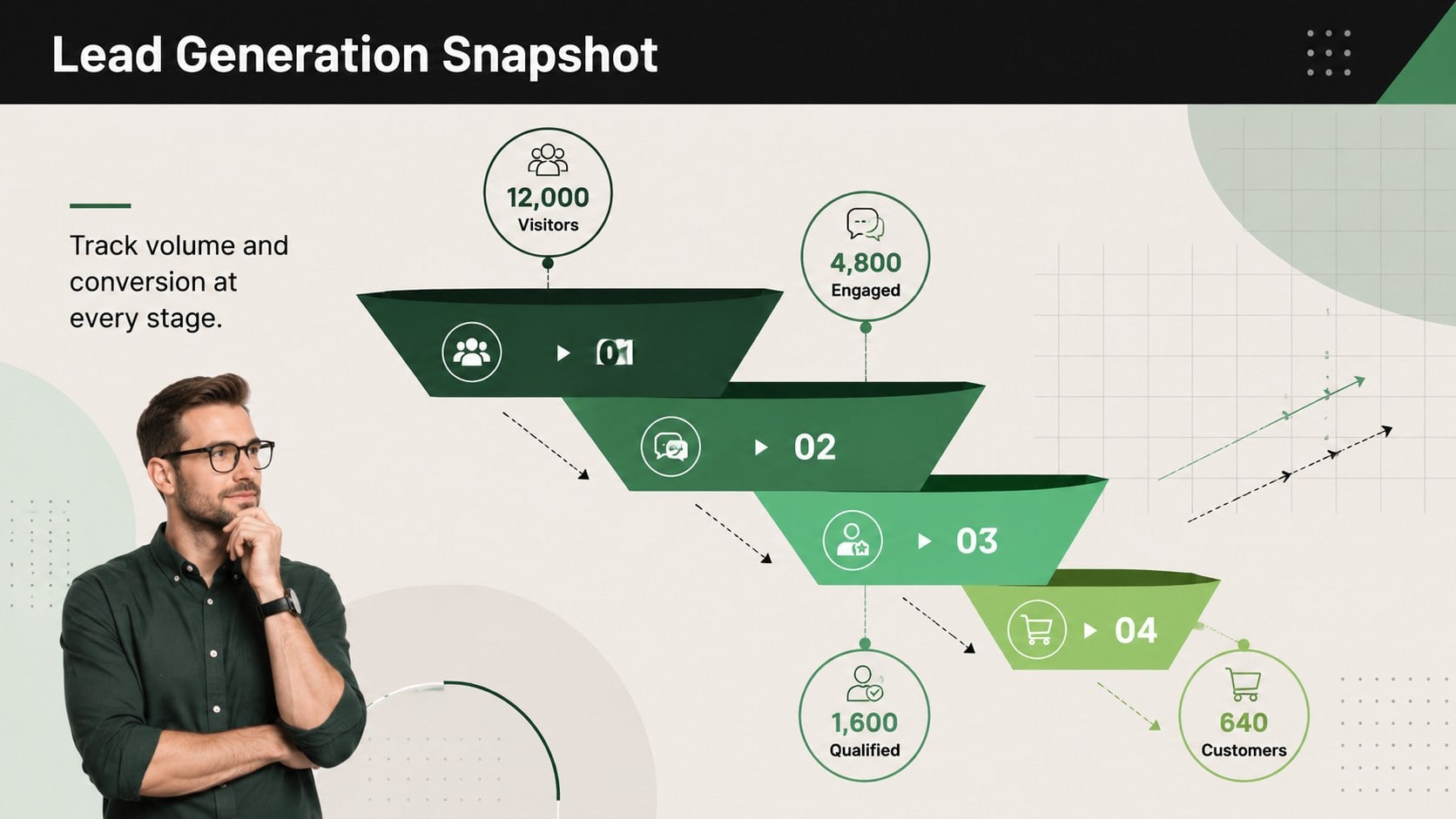
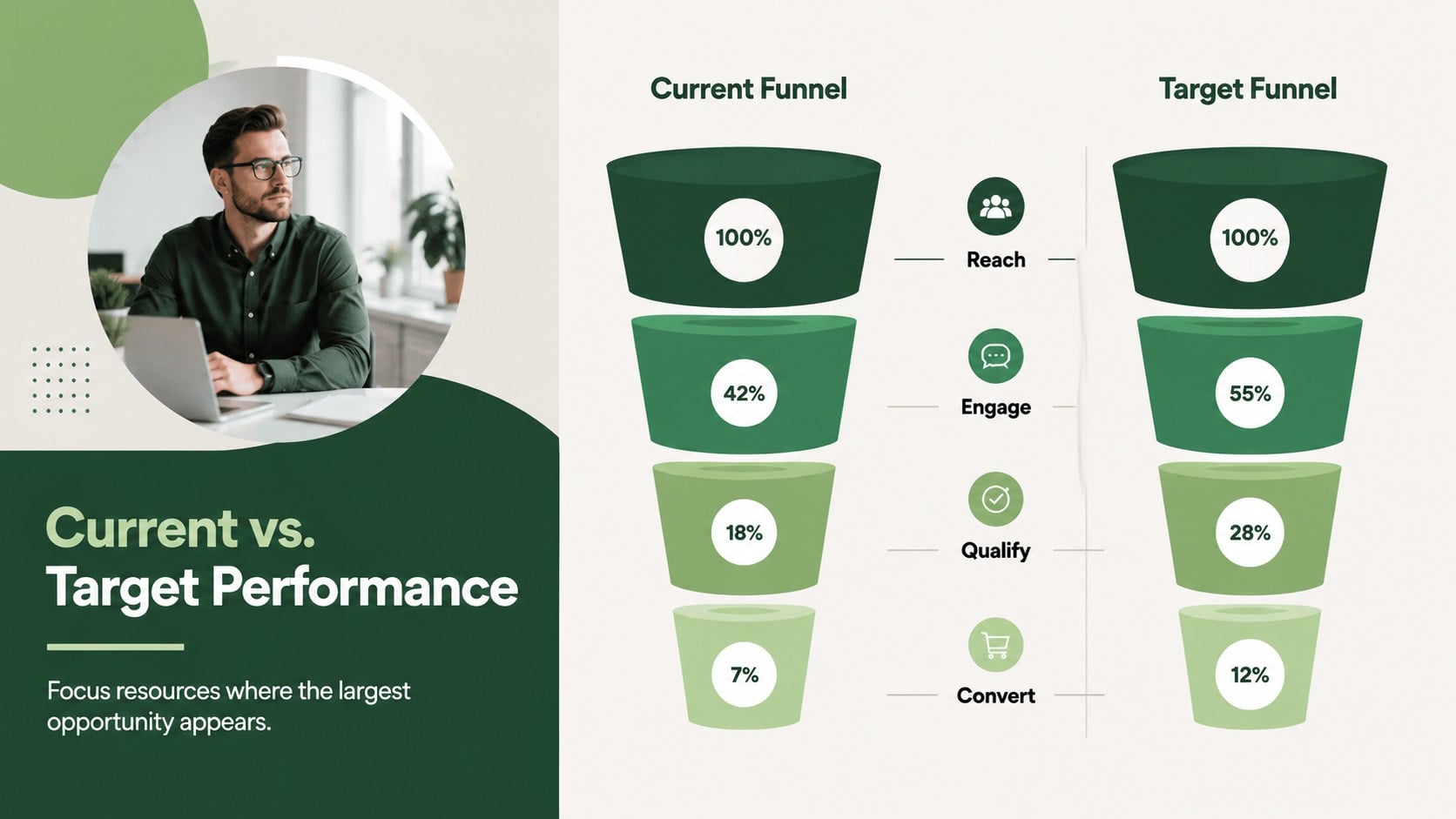
Conversion Funnel Diagram Slides help teams explain how prospects, customers, or ideas move through a sequence of stages. The modern minimalist design uses a lively multicolor palette to distinguish each level while keeping labels, metrics, and supporting notes easy to scan. Use this editable conversion funnel presentation to replace dense explanations with a clear visual narrative in PowerPoint or Google Slides.
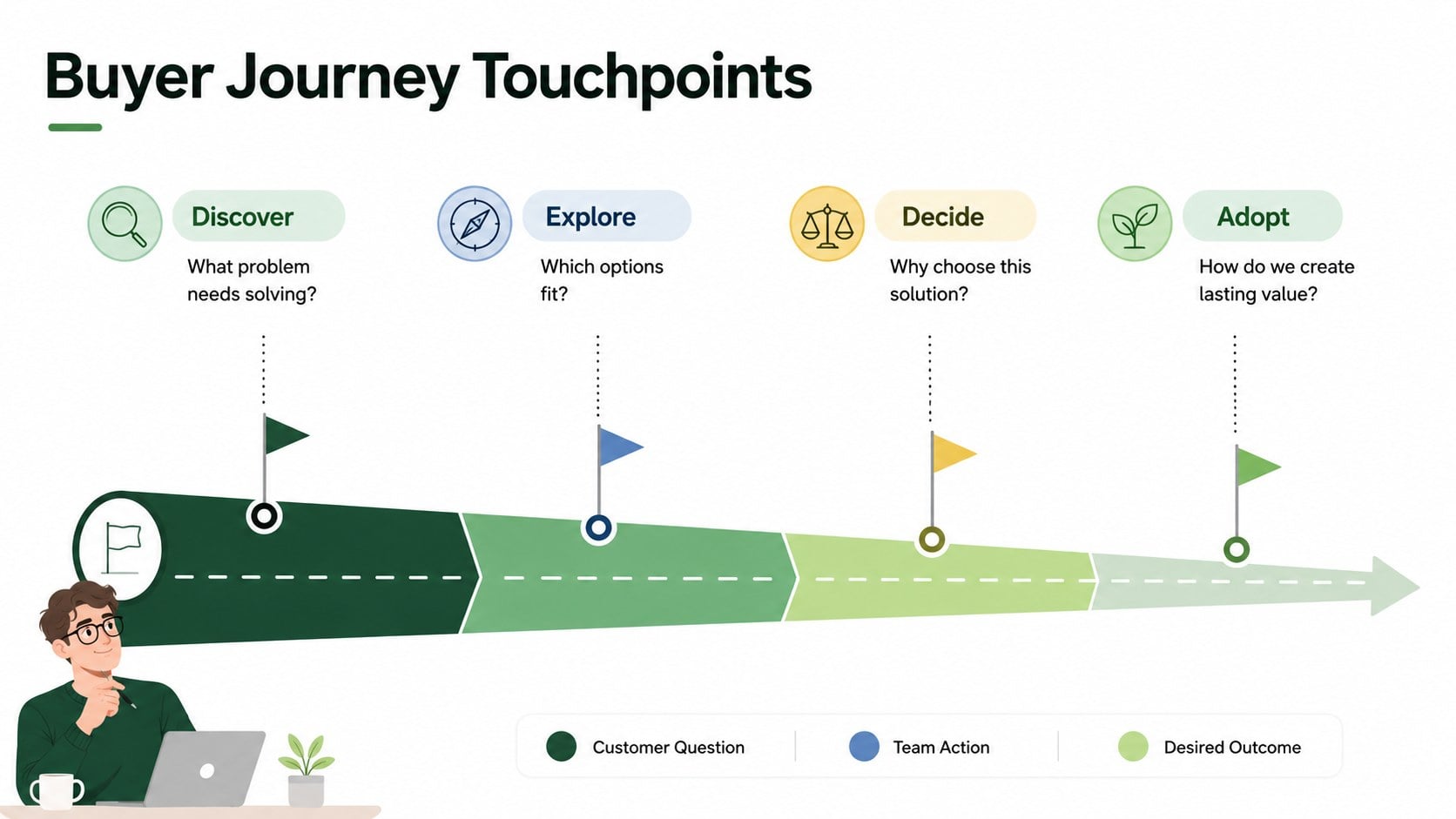
The deck includes six widescreen layouts for mapping awareness, consideration, conversion, retention, and other custom stages. Choose from stepped funnels, segmented pathways, stage comparisons, and metric-focused diagrams. Every layout can be adapted with your own wording, colors, percentages, shapes, and priorities, making the slides useful as a marketing funnel stages template or a customer acquisition funnel presentation. Consistent typography and generous spacing maintain a polished look even when the content changes.
These slides are designed for marketing managers, sales teams, consultants, educators, startup founders, and operations leaders. Apply them to campaign reviews, pipeline briefings, buyer journey workshops, process training, or executive reports. Whether you are presenting lead volume, conversion rates, qualification steps, or audience drop-off, the deck provides a flexible structure for turning multi-stage information into a focused story.
Perfect for: quarterly sales pipeline review; customer acquisition strategy; marketing campaign performance report; buyer journey workshop; lead qualification training; conversion rate briefing.
Frequently asked questions
Can I edit every funnel stage? Yes. You can change stage names, supporting text, percentages, colors, and shapes to match your process. Sections may also be duplicated or removed for shorter and longer funnels.
Practical details
Yes. You can change stage names, supporting text, percentages, colors, and shapes to match your process. Sections may also be duplicated or removed for shorter and longer funnels.
The slides are designed for PowerPoint and Google Slides. Both platforms support editing the text, layout, colors, and diagram elements.
Yes. Replace the default palette and typography with your brand colors and preferred fonts. You can also add an approved logo to your working copy.
No. The layouts also work for customer journeys, recruitment pipelines, educational processes, product adoption stages, and operational workflows.
Keep exploring
15Shape your publishing concept with an indie magazine startup pitch deck featuring pastel gradients, bold collage layouts, and editable planning slides.
 16
16Build clear project stories with the Icon Grid Teamwork Theme, a flexible blue illustrated deck for proposals, strategy updates, and team meetings.
 3
3Turn priorities into an actionable plan with an annual goals roadmap infographic, featuring editable orange and teal layouts for PowerPoint and Google Slides.
 15
15Create an Annual Achievement Report Presentation with colorful geometric layouts for milestones, results, lessons, and priorities in PowerPoint or Google Slides.
 15
15Turn results into a focused annual performance evaluation report with dark 3D slides for KPIs, achievements, feedback, and next-step goals for teams.
 15
15Guide a focused annual recap with Business Results Retrospective Slides, a muted brown-and-blue template for PowerPoint and Google Slides.
 6
6Turn complex plans into clear visual stories with Color-Coded Workflow Path Slides, an editable set for project updates, roadmaps, and team briefings.
 6
6Compare regional performance at a glance with Global Data Heatmap Slides, a clean multicolor deck designed for editable PowerPoint and Google Slides.