
 15
15presentation
Indie Magazine Startup Pitch Deck
Shape your publishing concept with an indie magazine startup pitch deck featuring pastel gradients, bold collage layouts, and editable planning slides.
Google SlidesPowerPoint
presentation · English
Build clearer process reviews with continuous improvement cycle slides for planning, analysis, and team action in PowerPoint and Google Slides.
Design notes
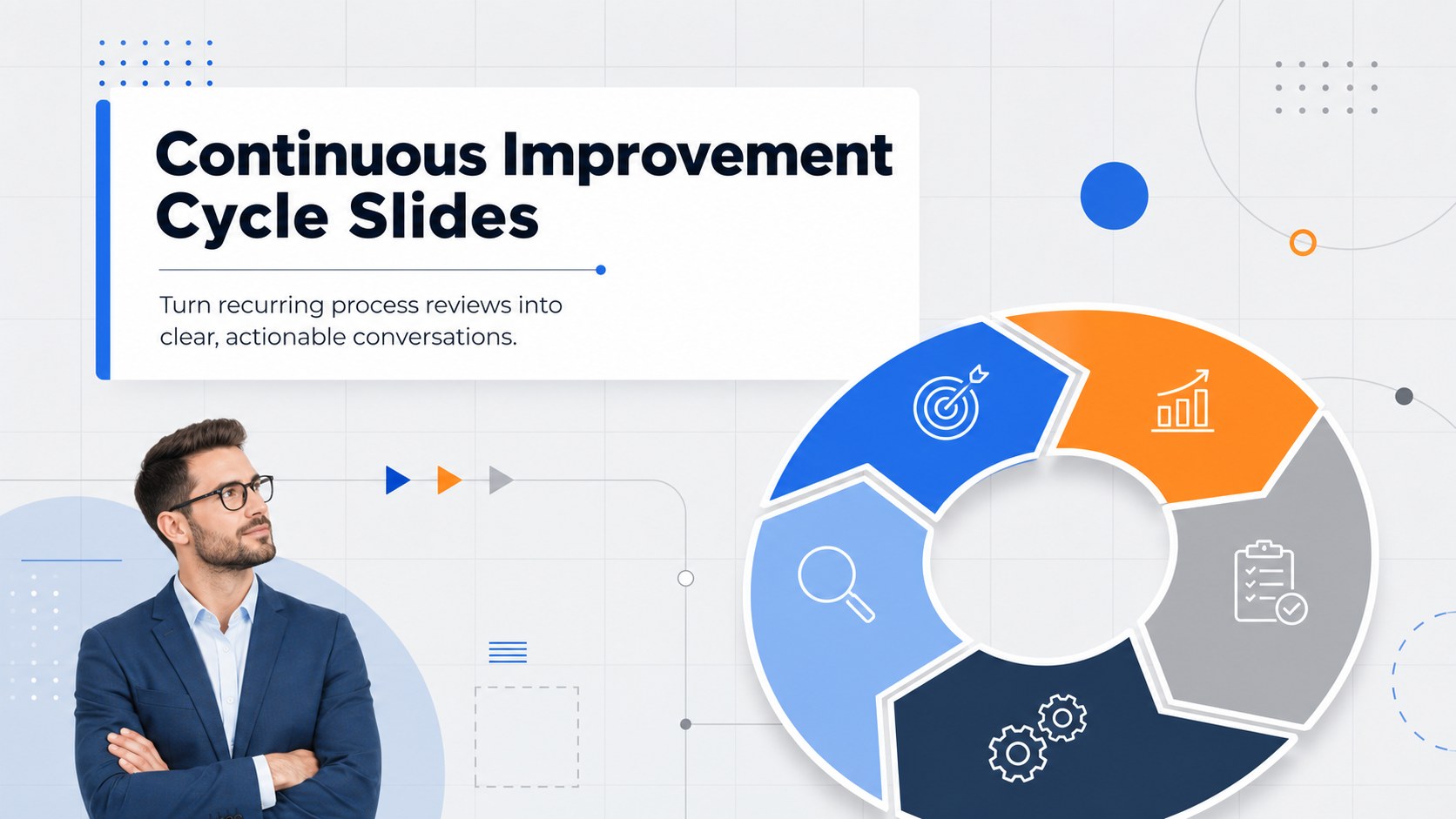
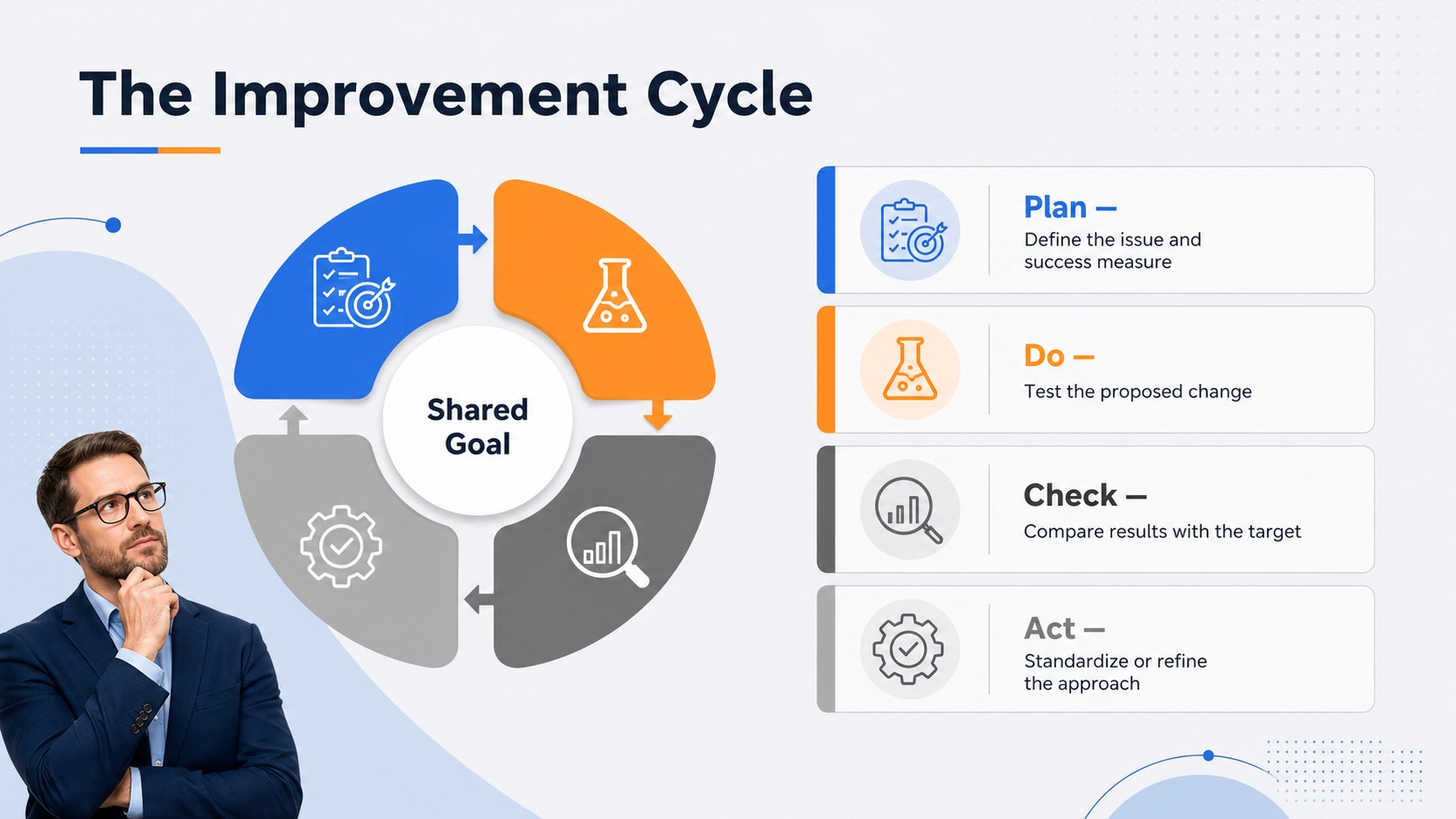
Continuous Improvement Cycle Slides help teams explain how an issue moves from observation to planning, action, evaluation, and refinement. The structured visuals make each stage easy to follow while preserving enough flexibility for different departments, projects, and performance goals. A modern combination of gray, blue, and orange gives the deck a professional, energetic look without distracting from the discussion.
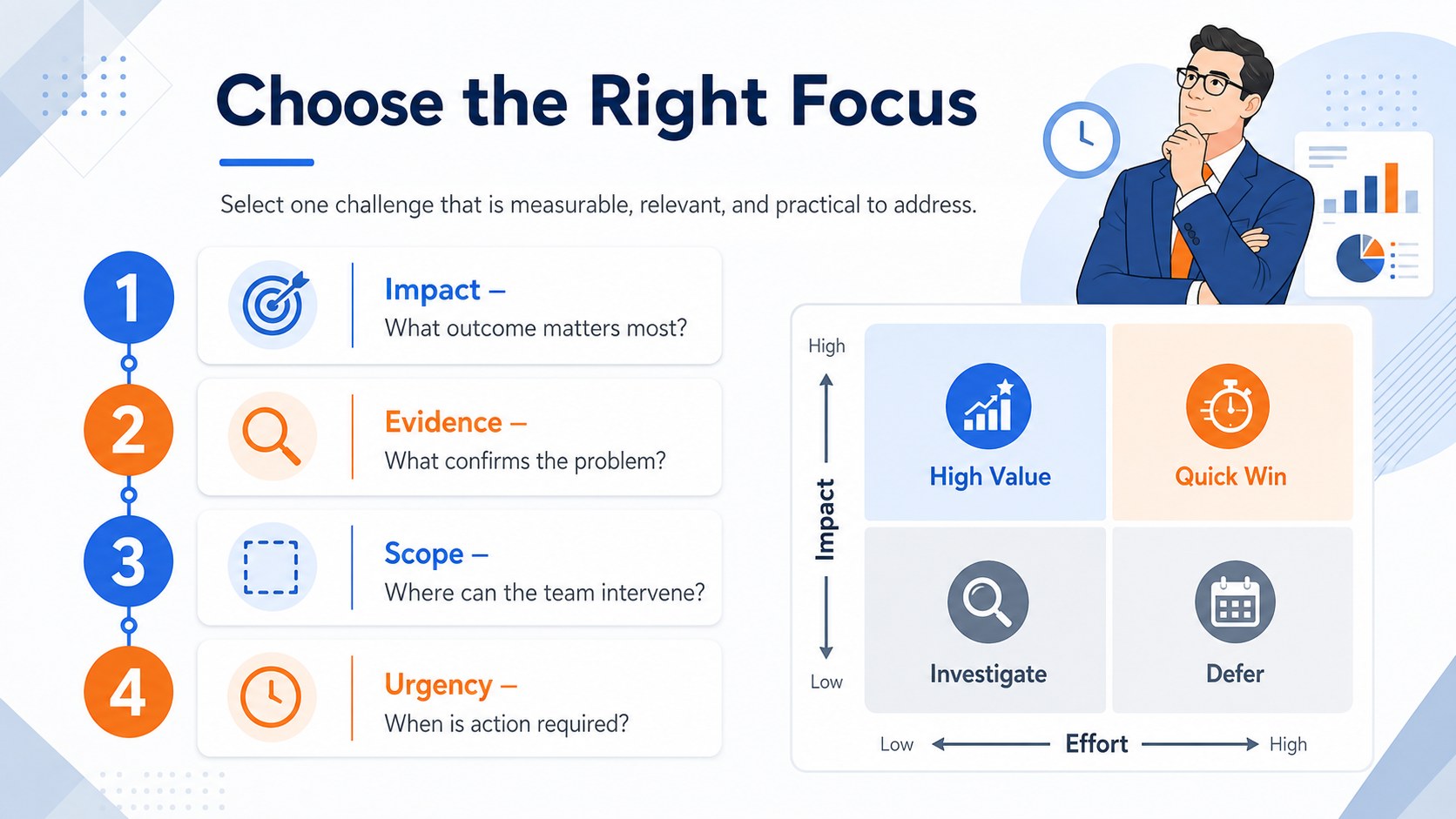
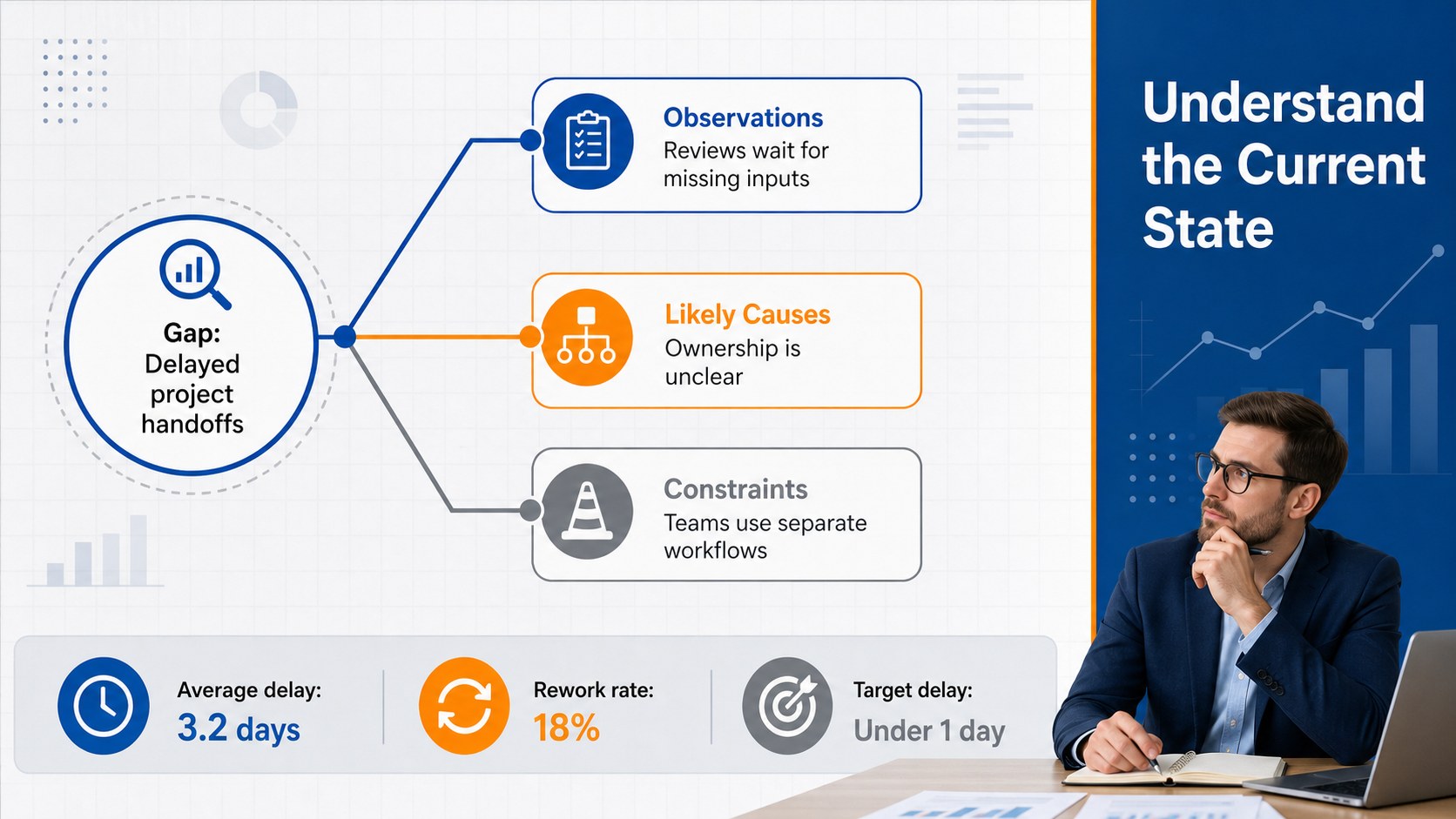
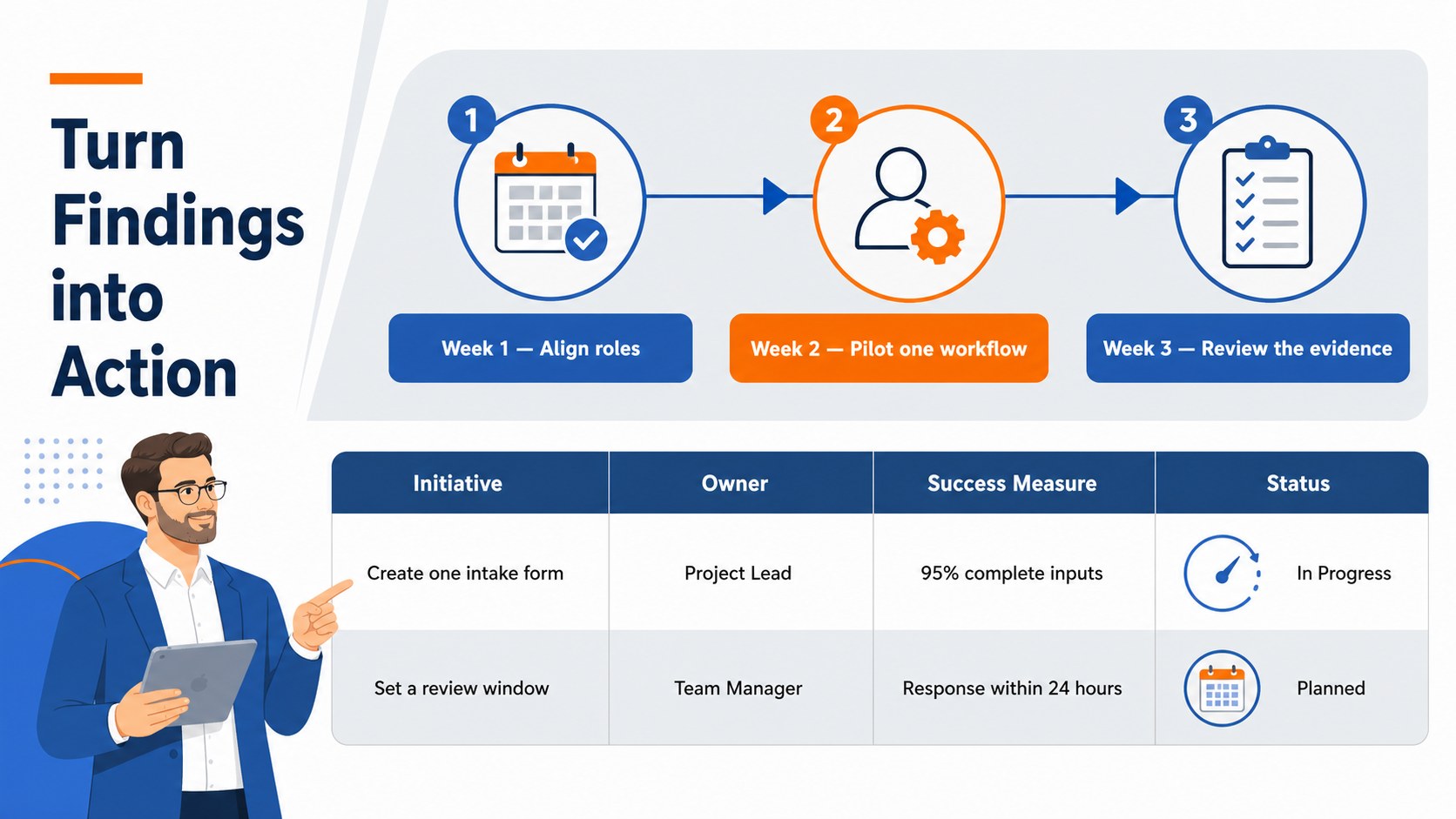
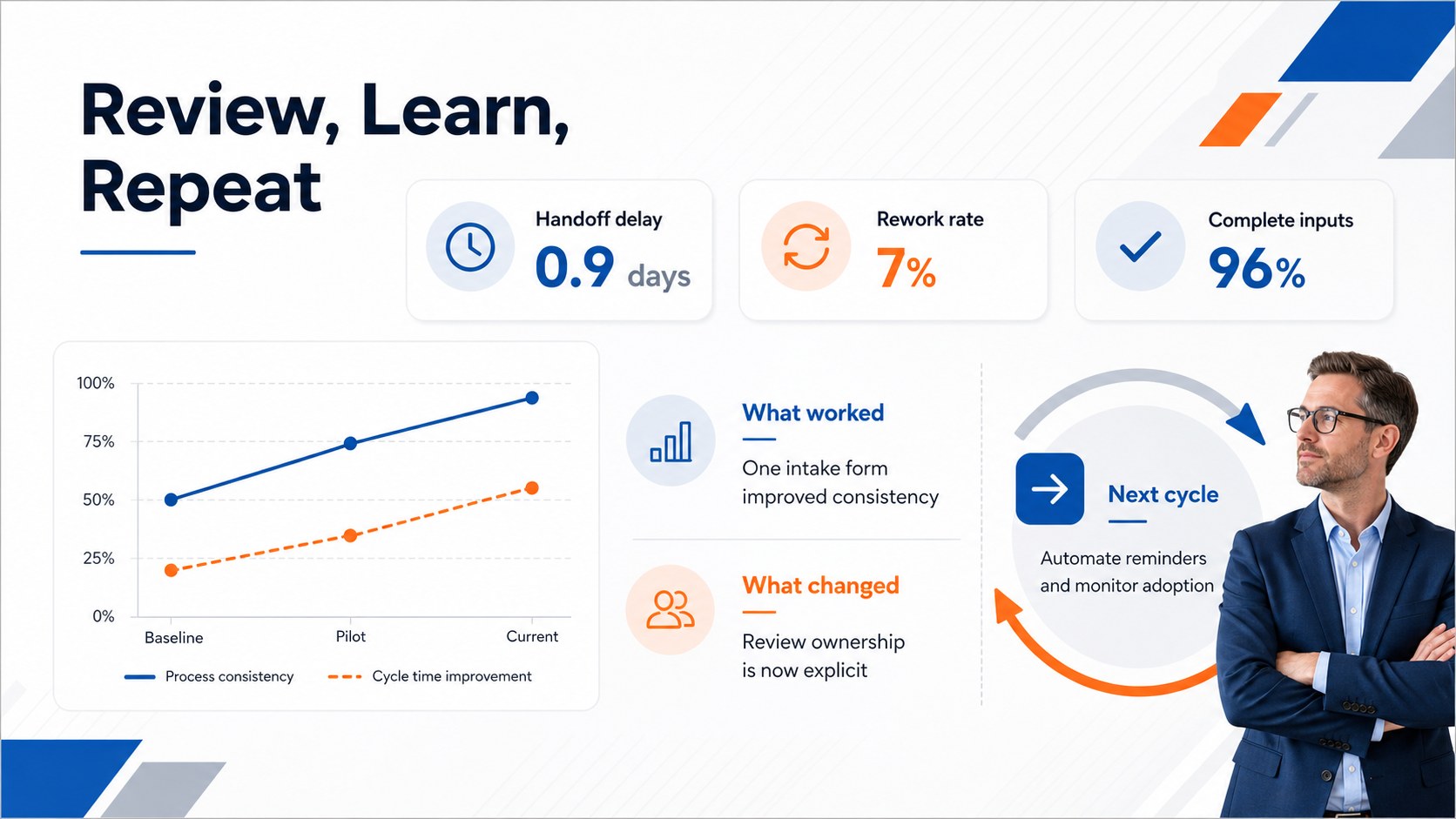
The six-slide collection includes a cover, a four-stage cycle overview, a focus-selection framework, a current-state analysis, an action plan, and a results review dashboard. Use it as a plan do check act presentation, a process improvement meeting template, or a concise quality management cycle deck. Editable diagrams, labels, timelines, metrics, and callout areas let you replace the sample wording with your own objectives, owners, deadlines, and findings.
Designed for project managers, operations teams, quality specialists, HR leaders, trainers, and business consultants, the template supports workshops, executive briefings, retrospectives, and performance reviews. Every slide uses a widescreen 16:9 layout and can be customized in PowerPoint or Google Slides. Adjust the colors, typography, shapes, and data points to match your organization while keeping the cycle clear and visually consistent.
Perfect for: process improvement workshop; quarterly performance review; quality management training; operations team retrospective; executive project briefing.
Frequently asked questions
Can I edit every stage of the improvement cycle? Yes. The stage names, descriptions, colors, icons, connectors, and supporting data can be edited to reflect your process and terminology.
Practical details
Yes. The stage names, descriptions, colors, icons, connectors, and supporting data can be edited to reflect your process and terminology.
The template is designed for PowerPoint and Google Slides. Both platforms support editing the text, diagrams, shapes, and color palette.
Yes. Duplicate or rearrange the existing stage elements, then update the connectors and labels. You can also remove a stage for a simpler workflow.
Replace the sample objectives and metrics with your own, then apply your preferred fonts and brand colors. Keep one accent color for actions and another for measurements to maintain a clear visual hierarchy.
Keep exploring
15Shape your publishing concept with an indie magazine startup pitch deck featuring pastel gradients, bold collage layouts, and editable planning slides.
 16
16Build clear project stories with the Icon Grid Teamwork Theme, a flexible blue illustrated deck for proposals, strategy updates, and team meetings.
 3
3Turn priorities into an actionable plan with an annual goals roadmap infographic, featuring editable orange and teal layouts for PowerPoint and Google Slides.
 15
15Create an Annual Achievement Report Presentation with colorful geometric layouts for milestones, results, lessons, and priorities in PowerPoint or Google Slides.
 15
15Turn results into a focused annual performance evaluation report with dark 3D slides for KPIs, achievements, feedback, and next-step goals for teams.
 15
15Guide a focused annual recap with Business Results Retrospective Slides, a muted brown-and-blue template for PowerPoint and Google Slides.
 6
6Turn complex plans into clear visual stories with Color-Coded Workflow Path Slides, an editable set for project updates, roadmaps, and team briefings.
 6
6Compare regional performance at a glance with Global Data Heatmap Slides, a clean multicolor deck designed for editable PowerPoint and Google Slides.