
 15
15presentation
Indie Magazine Startup Pitch Deck
Shape your publishing concept with an indie magazine startup pitch deck featuring pastel gradients, bold collage layouts, and editable planning slides.
Google SlidesPowerPoint
presentation · English
Build a clear connected network business overview with editable slides for 5G services, investor updates, and technology strategy meetings in blue and orange.








Design notes
Connected Network Business Overview Slides gives telecom teams and technology companies a focused way to explain what they build, who they serve, and where their network strategy is headed. The illustrated layouts use a crisp blue and orange palette to make technical subjects feel approachable without losing a professional business tone. Use the deck for a 5G company profile, a partner briefing, or a concise overview of connected services.
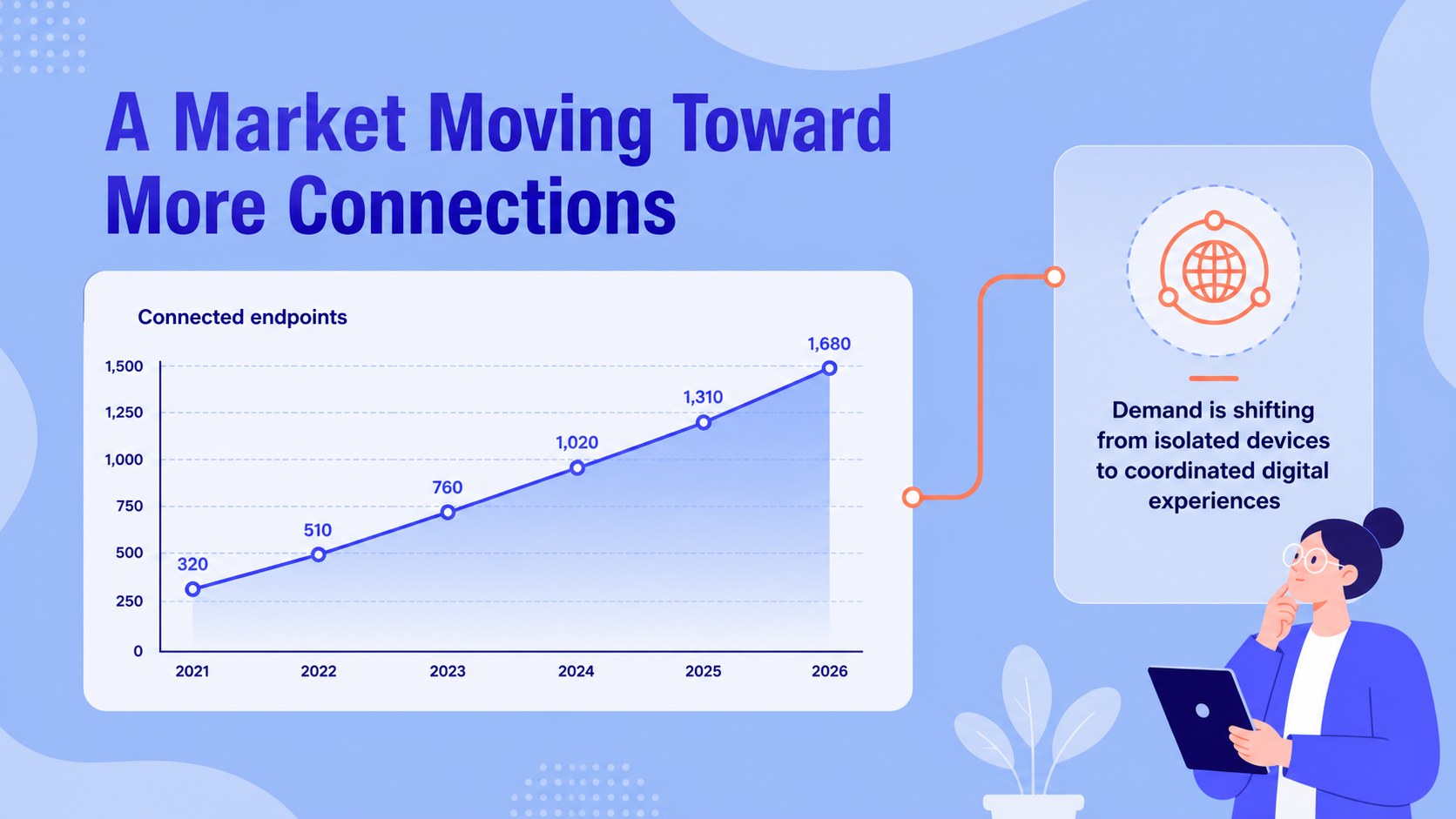
Inside, you will find 21 editable 16:9 slides for an opening statement, company introduction, service highlights, market context, operating model, milestones, team information, and a closing message. Visual blocks, icons, charts, frames, and simple diagram areas help organize information that might otherwise be difficult to present. The structure also works well as a wireless network investor presentation or a telecom technology strategy deck.
The template is suitable for founders, product leaders, consultants, sales teams, and communications specialists. Edit it with drag-and-drop controls, then export to PowerPoint or Google Slides when needed. Adjust the blue and orange accents, replace illustrations, add supporting data, and tailor the narrative to your audience. Animation, transitions, notes, and collaboration tools are available through for teams preparing a polished business presentation.
Perfect for: telecom startup investor pitch; 5G service launch briefing; wireless partner presentation; network strategy meeting; technology company profile.
Frequently asked questions
Can I edit this presentation? Yes. The template is designed for, where you can change text, colors, illustrations, charts, and images with drag-and-drop tools. You can also collaborate with teammates in the editor.
Practical details
Yes. The template is designed for, where you can change text, colors, illustrations, charts, and images with drag-and-drop tools. You can also collaborate with teammates in the editor.
Yes. Open the design and use the Share or Download options to export a PowerPoint file or save an editable copy to Google Drive. Some formatting may need a quick review after export.
Yes. The layouts can organize a company story, market opportunity, service model, milestones, and strategic priorities. Replace the sample copy with your metrics and investor-specific messaging.
Yes. lets you update the document palette and adjust individual elements to match your brand. You can also replace the included illustrations and icons while preserving the overall visual structure.
Keep exploring
15Shape your publishing concept with an indie magazine startup pitch deck featuring pastel gradients, bold collage layouts, and editable planning slides.
 16
16Build clear project stories with the Icon Grid Teamwork Theme, a flexible blue illustrated deck for proposals, strategy updates, and team meetings.
 3
3Turn priorities into an actionable plan with an annual goals roadmap infographic, featuring editable orange and teal layouts for PowerPoint and Google Slides.
 15
15Create an Annual Achievement Report Presentation with colorful geometric layouts for milestones, results, lessons, and priorities in PowerPoint or Google Slides.
 15
15Turn results into a focused annual performance evaluation report with dark 3D slides for KPIs, achievements, feedback, and next-step goals for teams.
 15
15Guide a focused annual recap with Business Results Retrospective Slides, a muted brown-and-blue template for PowerPoint and Google Slides.
 6
6Turn complex plans into clear visual stories with Color-Coded Workflow Path Slides, an editable set for project updates, roadmaps, and team briefings.
 6
6Compare regional performance at a glance with Global Data Heatmap Slides, a clean multicolor deck designed for editable PowerPoint and Google Slides.