
 15
15presentation
Indie Magazine Startup Pitch Deck
Shape your publishing concept with an indie magazine startup pitch deck featuring pastel gradients, bold collage layouts, and editable planning slides.
Google SlidesPowerPoint
presentation · English
Turn key points into clear visual stories with a colorful list diagram deck for PowerPoint and Google Slides, built for quick editing and polished delivery.




Design notes
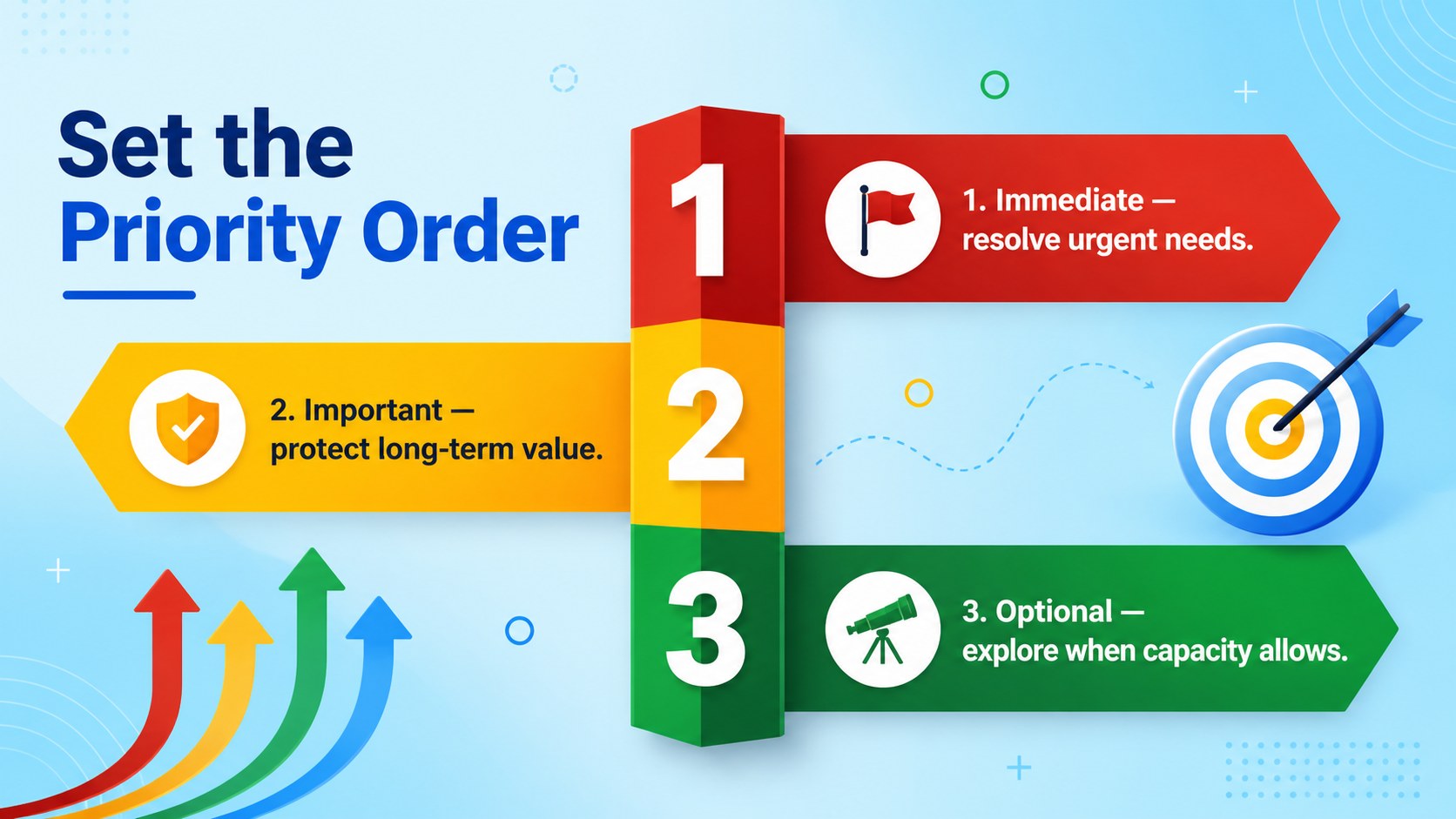
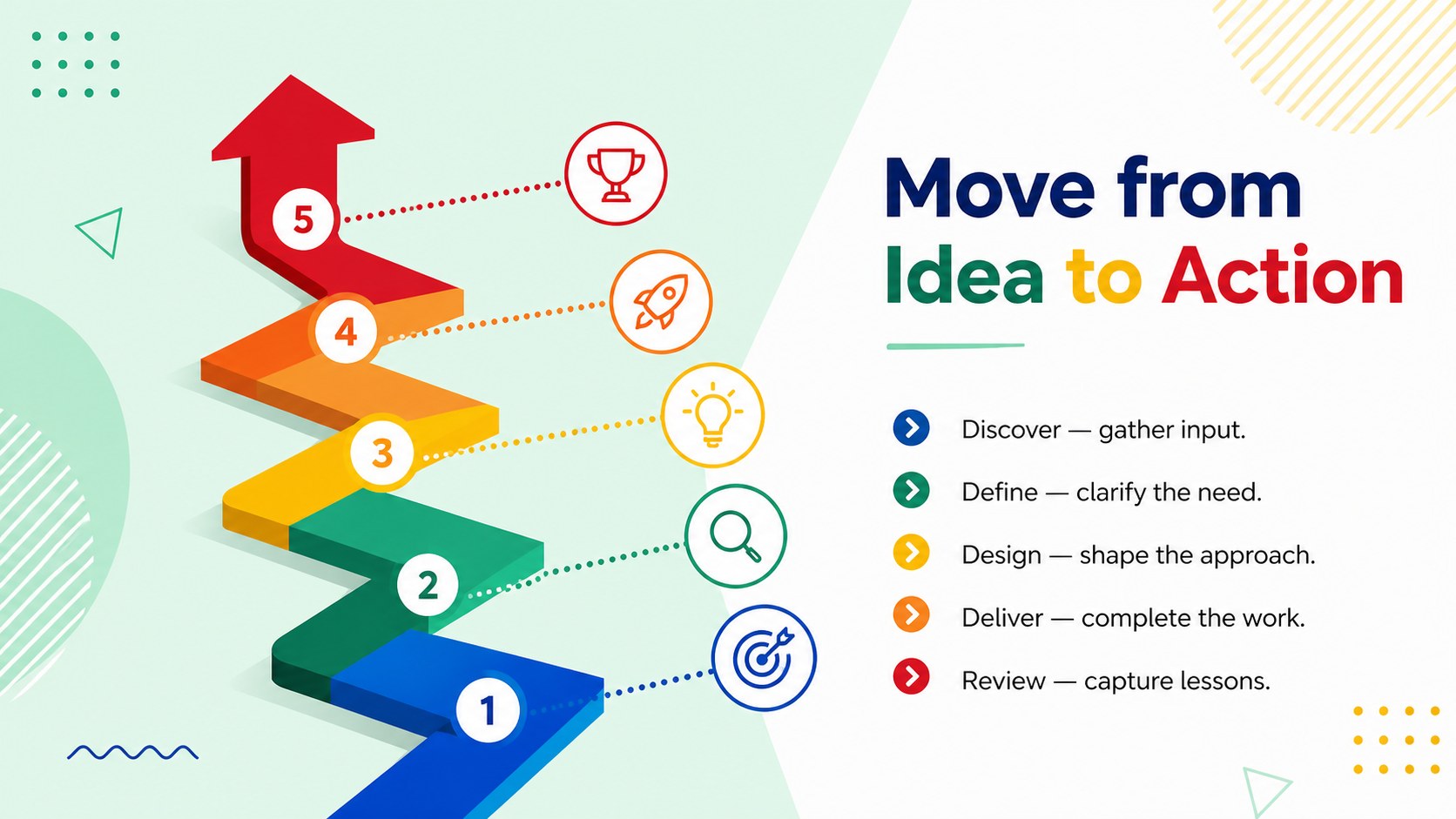
When ideas need more structure than ordinary bullet points, the Colorful List Diagram Deck makes each item easy to follow. Its clean typography, bright accents, and spacious layouts help audiences scan priorities, categories, steps, and supporting details without losing the main message. Use this colorful list diagram deck to give routine information a polished visual hierarchy while keeping your presentation simple and professional.
Inside are six ready-to-edit 16:9 layouts for PowerPoint and Google Slides. The selection includes a title page, categorized list, priority overview, five-stage sequence, comparison layout, and summary page. Every shape, label, color, and text block can be adjusted, making this an editable list diagram template for many subjects. Montserrat typography and a balanced multicolor palette maintain consistency across the full deck, while flexible diagram structures accommodate both short labels and concise explanations.
The slides work well for project managers outlining deliverables, educators organizing lesson concepts, consultants summarizing recommendations, and team leaders preparing a business priority list presentation. They can also serve as a visual agenda deck for Google Slides when meetings require a more engaging alternative to standard bullets. Add your own wording, reorder diagram elements, apply organization colors, or duplicate sections to expand the presentation while preserving its clear, minimal style.
Perfect for: project priority briefing; classroom concept summary; team meeting agenda; consulting recommendations; multistep process overview.
Frequently asked questions
Can I edit every part of the list diagrams? Yes. You can change the text, colors, shapes, icons, and ordering of each diagram element to match your subject or visual identity.
Practical details
Yes. You can change the text, colors, shapes, icons, and ordering of each diagram element to match your subject or visual identity.
The template is designed for Microsoft PowerPoint and Google Slides. Import behavior can vary slightly, so review fonts and alignment after opening the file on your chosen platform.
Yes. Duplicate an existing item, update its label, and reposition the elements to maintain balanced spacing. For longer lists, splitting the content across two slides will usually improve readability.
Yes. Replace the multicolor accents with brand, school, or project colors while retaining the minimal layout. Keep sufficient contrast between text, shapes, and backgrounds for clear projection.
Keep exploring
15Shape your publishing concept with an indie magazine startup pitch deck featuring pastel gradients, bold collage layouts, and editable planning slides.
 16
16Build clear project stories with the Icon Grid Teamwork Theme, a flexible blue illustrated deck for proposals, strategy updates, and team meetings.
 3
3Turn priorities into an actionable plan with an annual goals roadmap infographic, featuring editable orange and teal layouts for PowerPoint and Google Slides.
 15
15Create an Annual Achievement Report Presentation with colorful geometric layouts for milestones, results, lessons, and priorities in PowerPoint or Google Slides.
 15
15Turn results into a focused annual performance evaluation report with dark 3D slides for KPIs, achievements, feedback, and next-step goals for teams.
 15
15Guide a focused annual recap with Business Results Retrospective Slides, a muted brown-and-blue template for PowerPoint and Google Slides.
 6
6Turn complex plans into clear visual stories with Color-Coded Workflow Path Slides, an editable set for project updates, roadmaps, and team briefings.
 6
6Compare regional performance at a glance with Global Data Heatmap Slides, a clean multicolor deck designed for editable PowerPoint and Google Slides.