
 15
15presentation
Indie Magazine Startup Pitch Deck
Shape your publishing concept with an indie magazine startup pitch deck featuring pastel gradients, bold collage layouts, and editable planning slides.
Google SlidesPowerPoint
presentation · English
Shape clear business growth plans with a crisp blue presentation theme for PowerPoint and Google Slides, built for strategy reviews, pitches, and team…








Design notes
Business Growth Blueprint Deck is a clean, blue presentation theme for turning complex plans into an organized story. Its minimal visual system helps business professionals explain priorities, connect initiatives to outcomes, and keep meetings focused on decisions. Use it for a strategy review, leadership update, investor conversation, or internal planning session in PowerPoint or Google Slides.
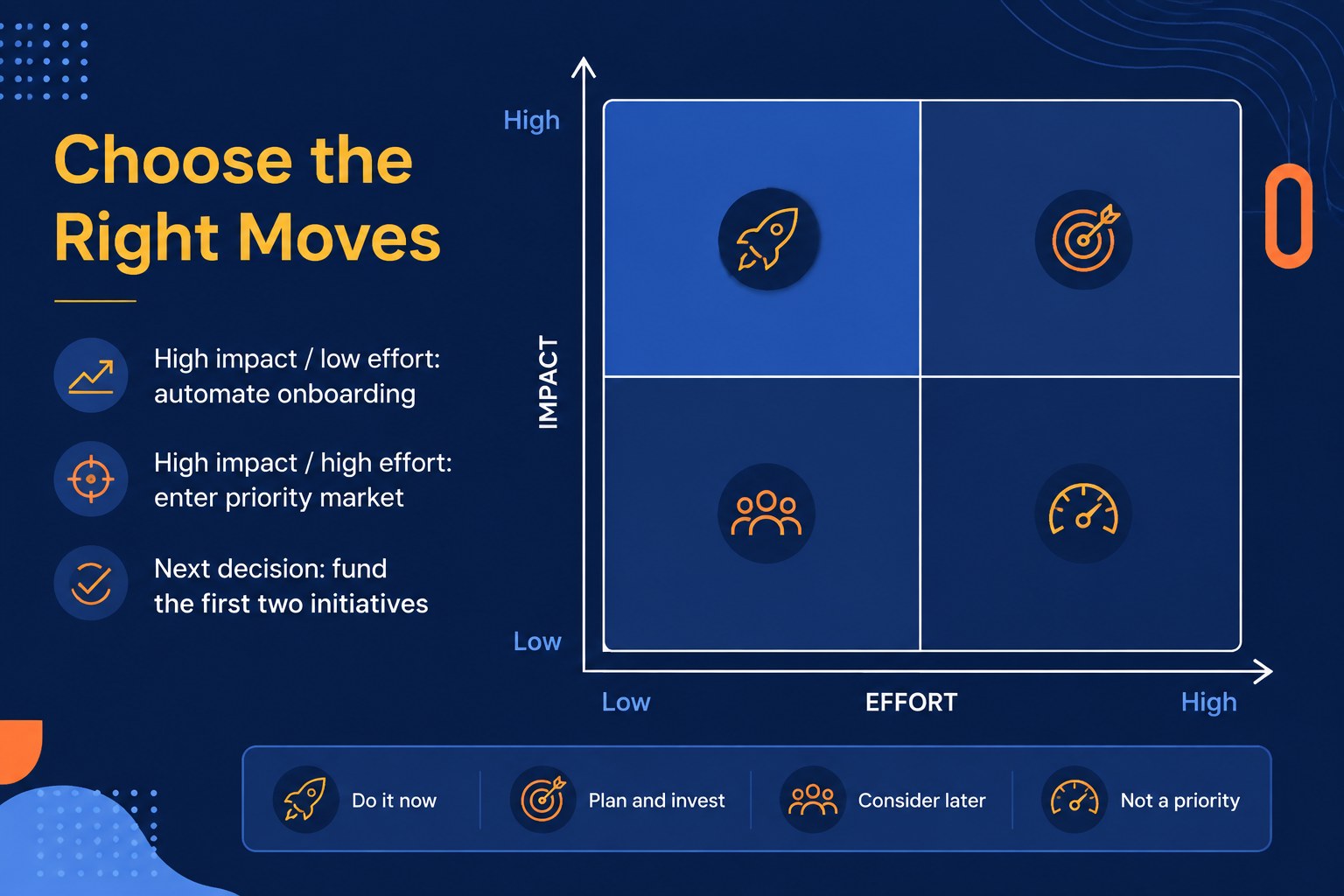
Inside, you will find 15 editable 16:9 slides for an executive overview, agenda, current-state analysis, growth pillars, objectives, market context, strategic framework, implementation roadmap, timeline, KPI dashboard, risk review, team responsibilities, and closing action plan. The layouts combine generous whitespace, geometric accents, structured text areas, charts, and comparison formats while retaining a restrained blue palette with Inter and Poppins typography.
This business growth blueprint deck suits founders, consultants, department leaders, project managers, and corporate teams that need a practical format for communicating direction. Replace sample copy, adjust colors and type, add your own charts, and rearrange sections to match your workflow. The result is a polished business planning presentation that supports alignment without overwhelming the audience.
Perfect for: startup investor pitch; annual growth planning; executive strategy review; department alignment meeting; consulting client workshop.
Frequently asked questions
Can I edit this deck in PowerPoint? Yes. The presentation is designed for PowerPoint and uses editable text, shapes, charts, and layout elements. Replace the sample content with your own business data and messaging.
Practical details
Yes. The presentation is designed for PowerPoint and uses editable text, shapes, charts, and layout elements. Replace the sample content with your own business data and messaging.
Yes, you can use the deck in Google Slides for browser-based editing and collaboration. Check the included fonts and update any imported chart data after opening the file.
Yes. Change the accent colors, backgrounds, and chart styling to match your organization while preserving the minimal geometric look. You can also revise typography and spacing to fit your brand guidelines.
The layouts support growth goals, strategic priorities, market analysis, initiatives, milestones, KPIs, risks, and ownership plans. They work well for leadership updates, planning workshops, consulting deliverables, and investor discussions.
Keep exploring
15Shape your publishing concept with an indie magazine startup pitch deck featuring pastel gradients, bold collage layouts, and editable planning slides.
 16
16Build clear project stories with the Icon Grid Teamwork Theme, a flexible blue illustrated deck for proposals, strategy updates, and team meetings.
 3
3Turn priorities into an actionable plan with an annual goals roadmap infographic, featuring editable orange and teal layouts for PowerPoint and Google Slides.
 15
15Create an Annual Achievement Report Presentation with colorful geometric layouts for milestones, results, lessons, and priorities in PowerPoint or Google Slides.
 15
15Turn results into a focused annual performance evaluation report with dark 3D slides for KPIs, achievements, feedback, and next-step goals for teams.
 15
15Guide a focused annual recap with Business Results Retrospective Slides, a muted brown-and-blue template for PowerPoint and Google Slides.
 6
6Turn complex plans into clear visual stories with Color-Coded Workflow Path Slides, an editable set for project updates, roadmaps, and team briefings.
 6
6Compare regional performance at a glance with Global Data Heatmap Slides, a clean multicolor deck designed for editable PowerPoint and Google Slides.