
 15
15presentation
Indie Magazine Startup Pitch Deck
Shape your publishing concept with an indie magazine startup pitch deck featuring pastel gradients, bold collage layouts, and editable planning slides.
Google SlidesPowerPoint
presentation · English
Turn milestones into a clear visual story with Botanical Progress Cycle Infographics, editable for project updates in PowerPoint and Google Slides with ease.
Design notes
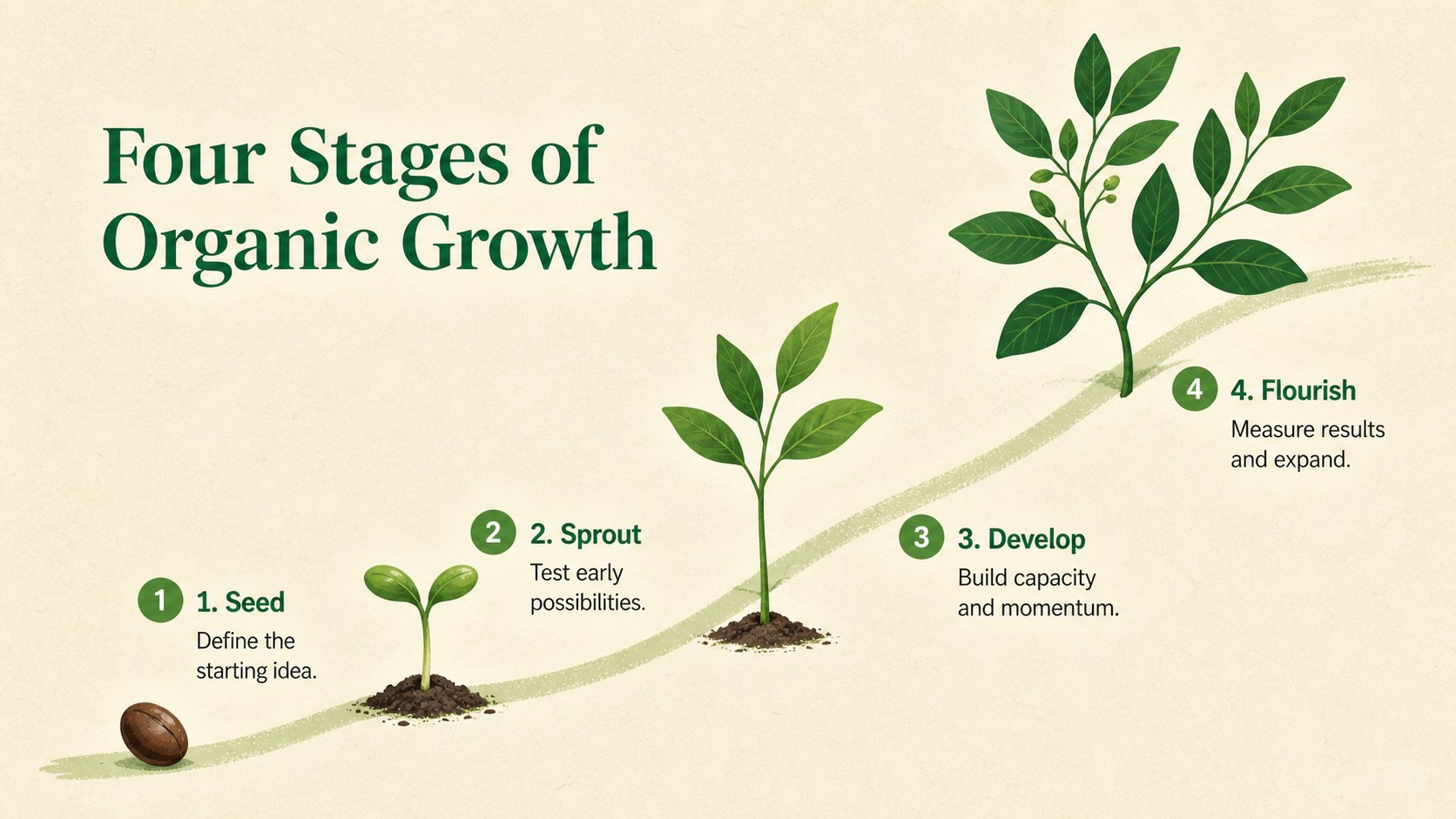
Botanical Progress Cycle Infographics give teams a fresh, approachable way to explain how an idea, project, or organization develops over time. Inspired by the stages of plant growth, this green and beige process presentation uses leaves, stems, seeds, and organic shapes to connect each step in a clear visual sequence. Edit the layouts in PowerPoint or Google Slides to match your message, timeline, or brand.
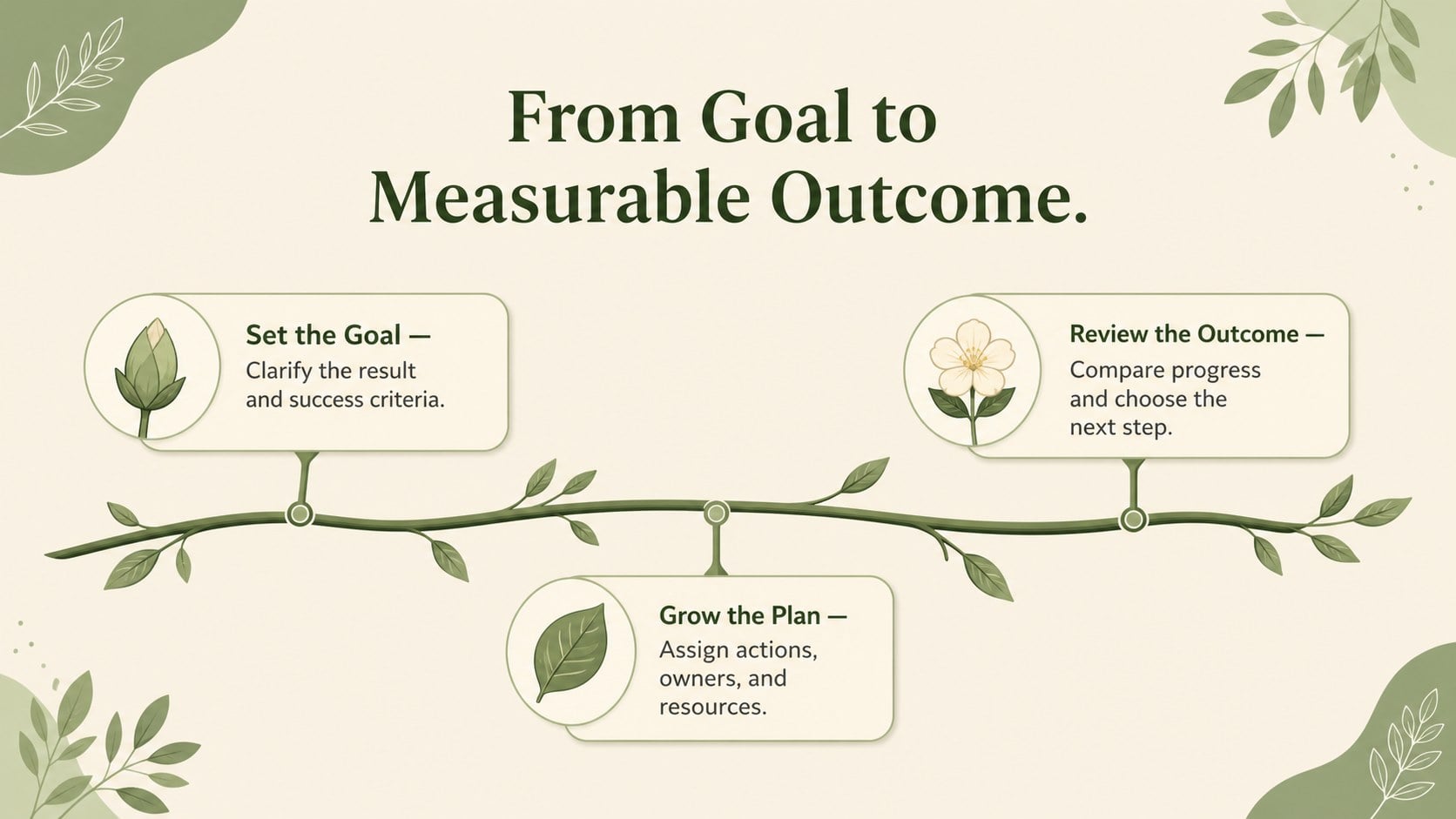
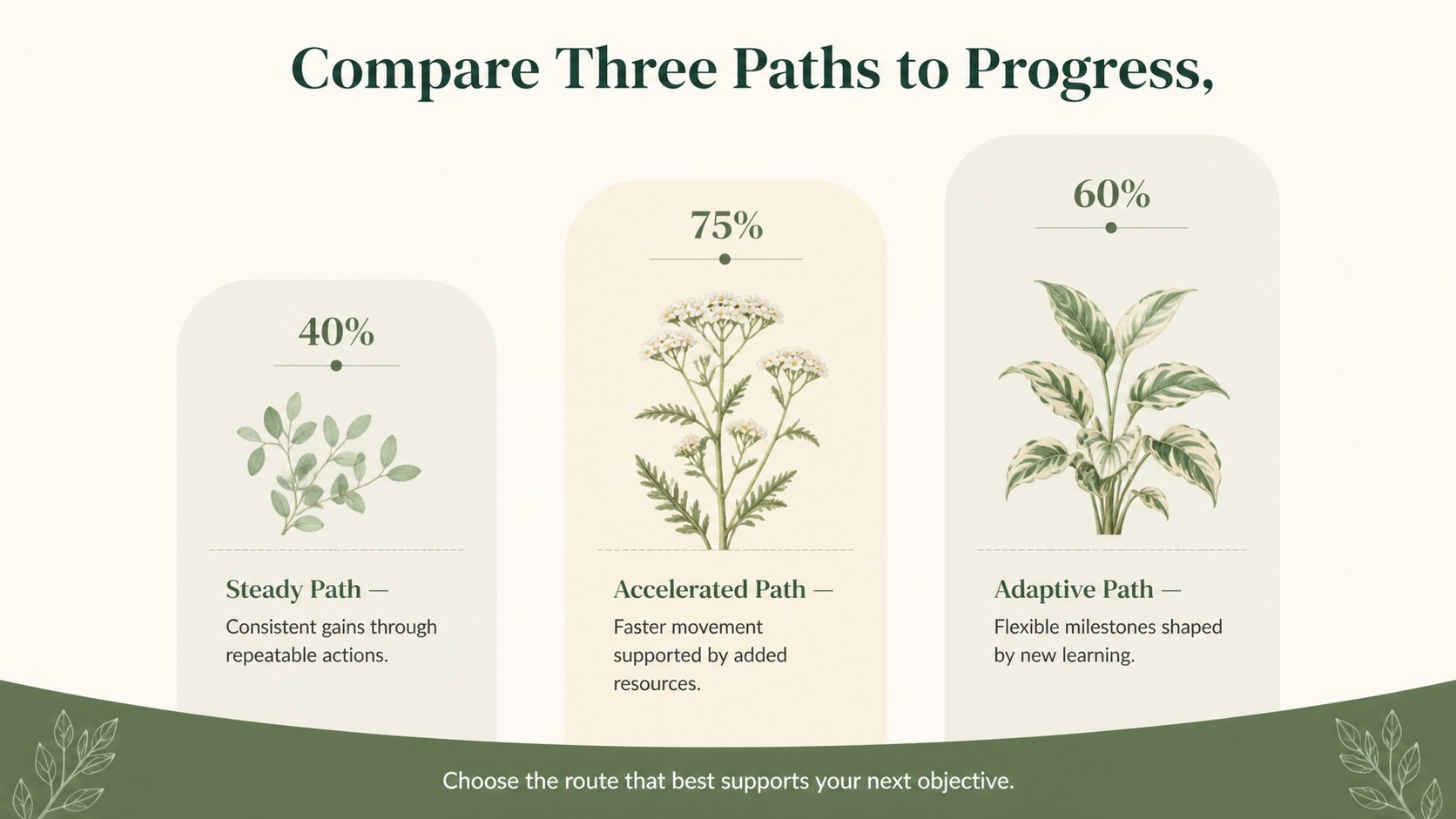
Inside the deck are three coordinated 16:9 infographic layouts for presenting progressive stages, branching workflows, and milestone comparisons. Flexible text areas, editable shapes, and distinct phase markers make the slides suitable for both quick summaries and detailed explanations. The illustrated botanical elements add warmth without distracting from the information, while the restrained palette keeps every diagram professional and easy to scan.
Use this botanical project milestone template for quarterly progress reviews, product development updates, campaign planning, learning activities, or organizational roadmaps. It also works as a plant life cycle infographic slide set for science lessons and environmental workshops. Educators, project managers, consultants, nonprofit teams, and small business owners can replace the sample wording, adjust colors, rearrange stages, and add their own data. The result is a cohesive visual story that makes growth, change, and forward movement easier for an audience to understand.
Perfect for: quarterly project review; product development roadmap; plant life cycle lesson; campaign milestone update; business growth presentation; environmental workshop.
Frequently asked questions
Can I edit every stage of the growth diagrams? Yes. The stage labels, descriptions, shapes, colors, and sequence markers can be customized to fit your process or lesson. You can also duplicate or remove elements when presenting a different number of phases.
Practical details
Yes. The stage labels, descriptions, shapes, colors, and sequence markers can be customized to fit your process or lesson. You can also duplicate or remove elements when presenting a different number of phases.
The slides are designed for PowerPoint and Google Slides. Both platforms allow you to update the text, recolor the graphics, and rearrange the infographic elements.
Yes. Replace the green and beige tones with your brand colors and adjust the type styles as needed. The organic illustrations can also be resized or repositioned without changing the overall structure.
Yes. Educators can use the layouts to explain plant development, natural cycles, or any topic organized into progressive stages. The concise labels and illustrated markers are designed to support clear classroom discussion.
Keep exploring
15Shape your publishing concept with an indie magazine startup pitch deck featuring pastel gradients, bold collage layouts, and editable planning slides.
 16
16Build clear project stories with the Icon Grid Teamwork Theme, a flexible blue illustrated deck for proposals, strategy updates, and team meetings.
 3
3Turn priorities into an actionable plan with an annual goals roadmap infographic, featuring editable orange and teal layouts for PowerPoint and Google Slides.
 15
15Create an Annual Achievement Report Presentation with colorful geometric layouts for milestones, results, lessons, and priorities in PowerPoint or Google Slides.
 15
15Turn results into a focused annual performance evaluation report with dark 3D slides for KPIs, achievements, feedback, and next-step goals for teams.
 15
15Guide a focused annual recap with Business Results Retrospective Slides, a muted brown-and-blue template for PowerPoint and Google Slides.
 6
6Turn complex plans into clear visual stories with Color-Coded Workflow Path Slides, an editable set for project updates, roadmaps, and team briefings.
 6
6Compare regional performance at a glance with Global Data Heatmap Slides, a clean multicolor deck designed for editable PowerPoint and Google Slides.