
 15
15presentation
Indie Magazine Startup Pitch Deck
Shape your publishing concept with an indie magazine startup pitch deck featuring pastel gradients, bold collage layouts, and editable planning slides.
Google SlidesPowerPoint
presentation · English
Create an employee lifecycle mapping slides deck in a calm blue isometric style for HR reviews, onboarding plans, training, and stakeholder updates in…

Design notes
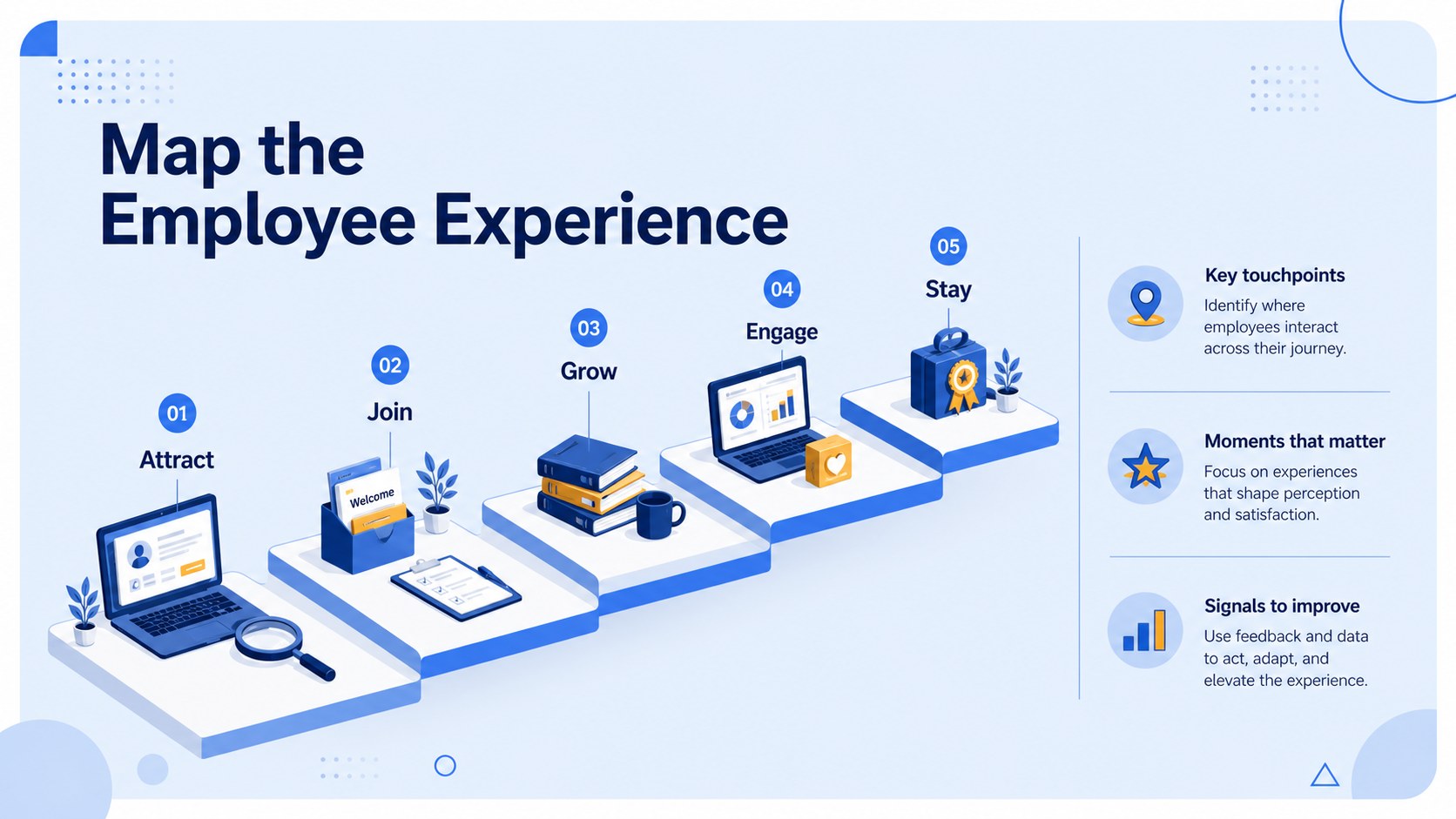
Employee lifecycle mapping slides help HR teams turn the employee experience into a clear, structured story. This blue isometric presentation system gives business professionals a polished way to explain how people move from recruitment and onboarding through development, engagement, and retention.
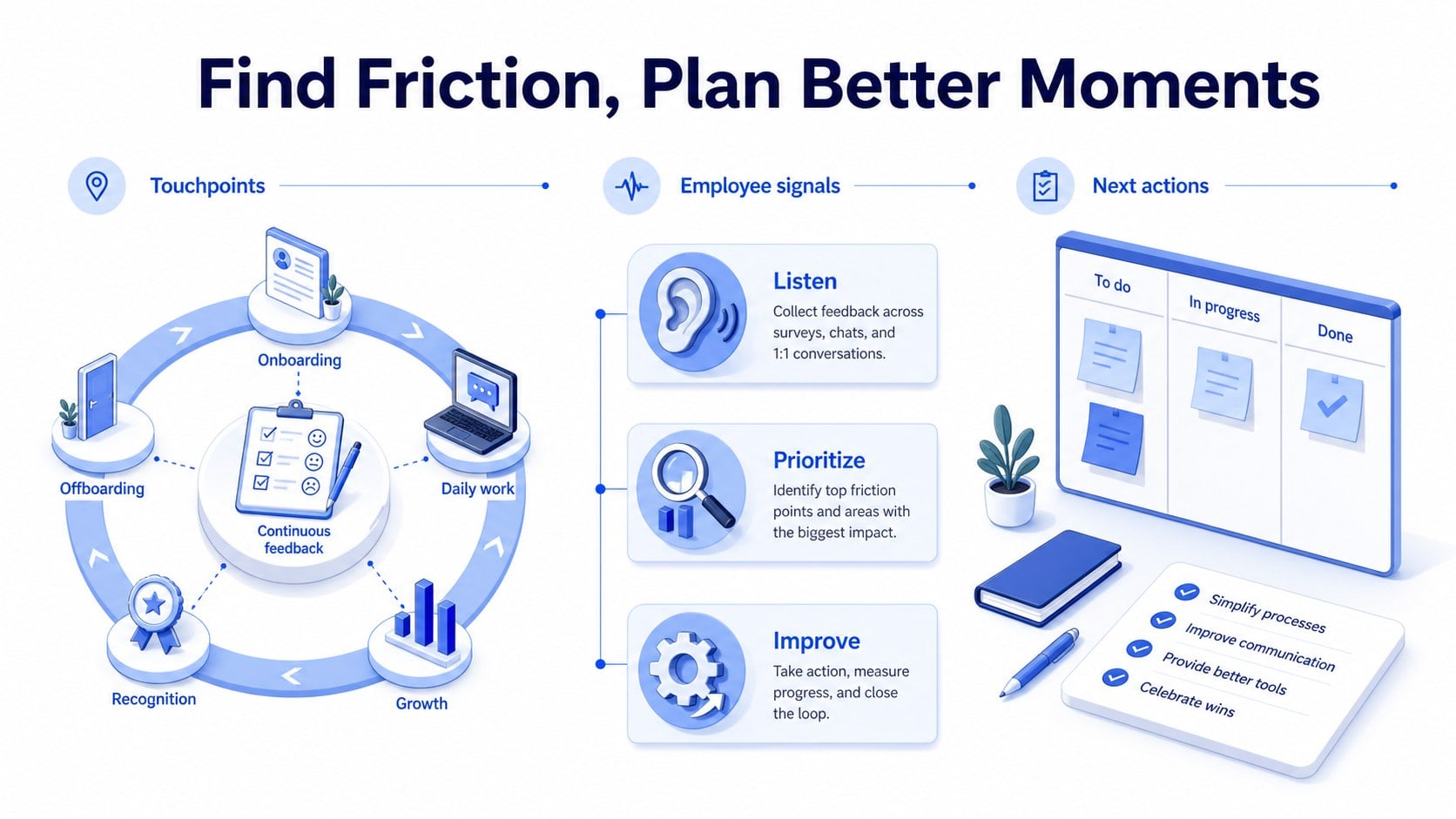
Inside the template are three editable infographic layouts for presenting journey stages, key milestones, employee touchpoints, friction points, and improvement opportunities. Use the visual framework for an employee experience presentation, a people operations review, an onboarding process walkthrough, or a stakeholder update. The balanced blue palette, clean Inter typography, and illustrated business scenes create a calm, professional tone that keeps complex information easy to scan.
The slides are fully customizable in PowerPoint and Google Slides. Adjust labels, colors, diagrams, icons, and supporting text to match your organization’s terminology and data. The layouts are suitable for HR leaders, people managers, organizational development teams, consultants, and workplace researchers who need to communicate employee journey insights with clarity. Use animations and transitions selectively to reveal stages in sequence, compare current and future experiences, or guide an audience through a complete workforce lifecycle.
Perfect for: HR strategy review; employee onboarding walkthrough; people operations workshop; workforce experience audit; employee retention planning.
Frequently asked questions
Can I edit these slides in PowerPoint? Yes. The layouts are designed for PowerPoint and can be customized with your own text, colors, diagrams, and data. You can also resize or remove individual visual elements.
Practical details
Yes. The layouts are designed for PowerPoint and can be customized with your own text, colors, diagrams, and data. You can also resize or remove individual visual elements.
Yes, the presentation can be opened and edited in Google Slides. After importing it, review fonts and spacing to ensure the layout matches your intended presentation.
Use it to map recruitment, onboarding, development, engagement, retention, and exit stages. You can also highlight employee touchpoints, pain points, service improvements, and ownership across the journey.
Yes. Replace the blue shades with your organization’s brand colors while keeping the isometric illustration style intact. Update the Inter font settings or substitute a comparable font if needed.
Keep exploring
15Shape your publishing concept with an indie magazine startup pitch deck featuring pastel gradients, bold collage layouts, and editable planning slides.
 16
16Build clear project stories with the Icon Grid Teamwork Theme, a flexible blue illustrated deck for proposals, strategy updates, and team meetings.
 3
3Turn priorities into an actionable plan with an annual goals roadmap infographic, featuring editable orange and teal layouts for PowerPoint and Google Slides.
 15
15Create an Annual Achievement Report Presentation with colorful geometric layouts for milestones, results, lessons, and priorities in PowerPoint or Google Slides.
 15
15Turn results into a focused annual performance evaluation report with dark 3D slides for KPIs, achievements, feedback, and next-step goals for teams.
 15
15Guide a focused annual recap with Business Results Retrospective Slides, a muted brown-and-blue template for PowerPoint and Google Slides.
 6
6Turn complex plans into clear visual stories with Color-Coded Workflow Path Slides, an editable set for project updates, roadmaps, and team briefings.
 6
6Compare regional performance at a glance with Global Data Heatmap Slides, a clean multicolor deck designed for editable PowerPoint and Google Slides.