
 15
15presentation
Indie Magazine Startup Pitch Deck
Shape your publishing concept with an indie magazine startup pitch deck featuring pastel gradients, bold collage layouts, and editable planning slides.
Google SlidesPowerPoint
presentation · English
Make complex choices easier with black and gold decision matrix slides for PowerPoint and Google Slides, designed for polished business reviews.

Design notes
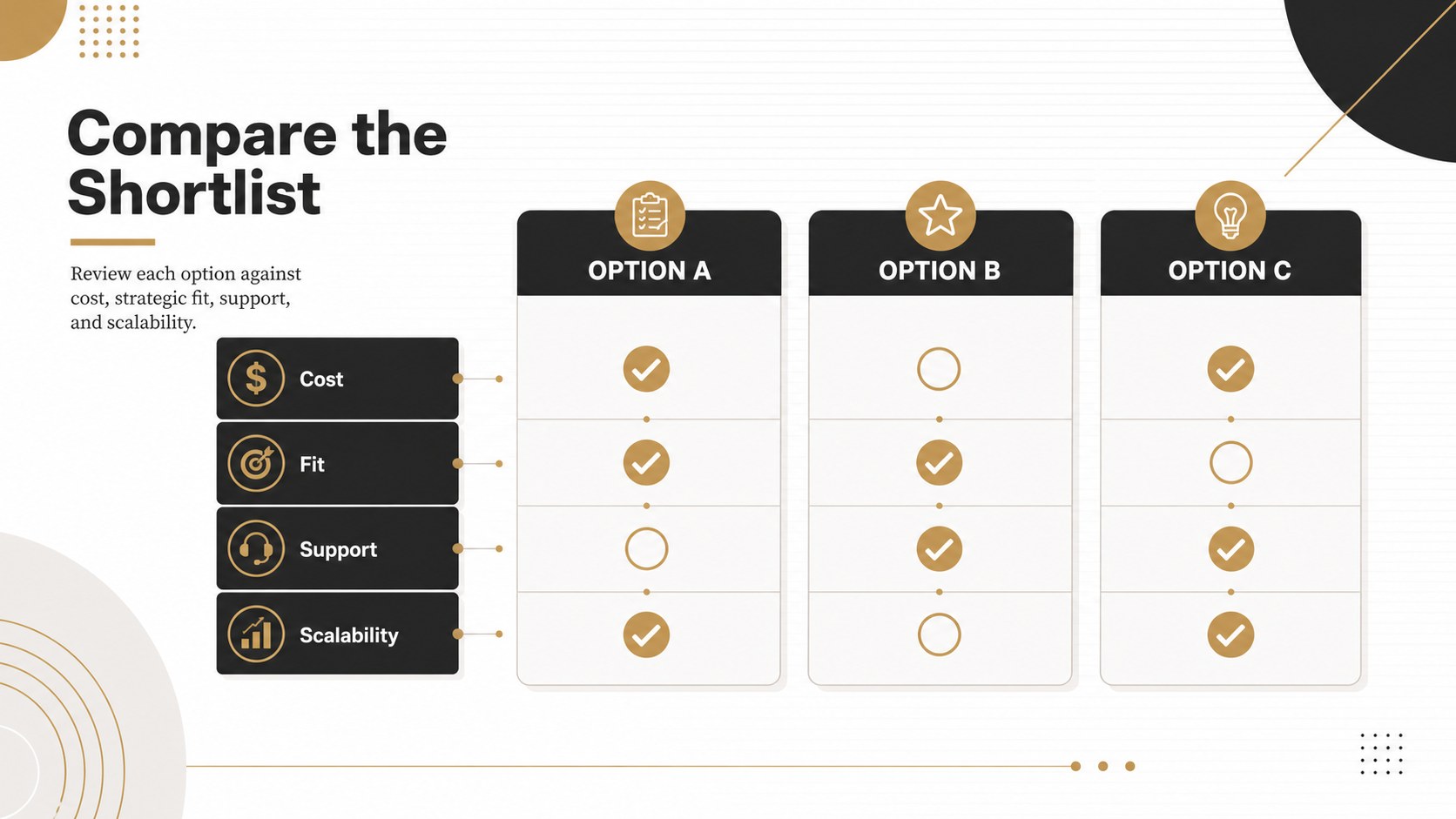
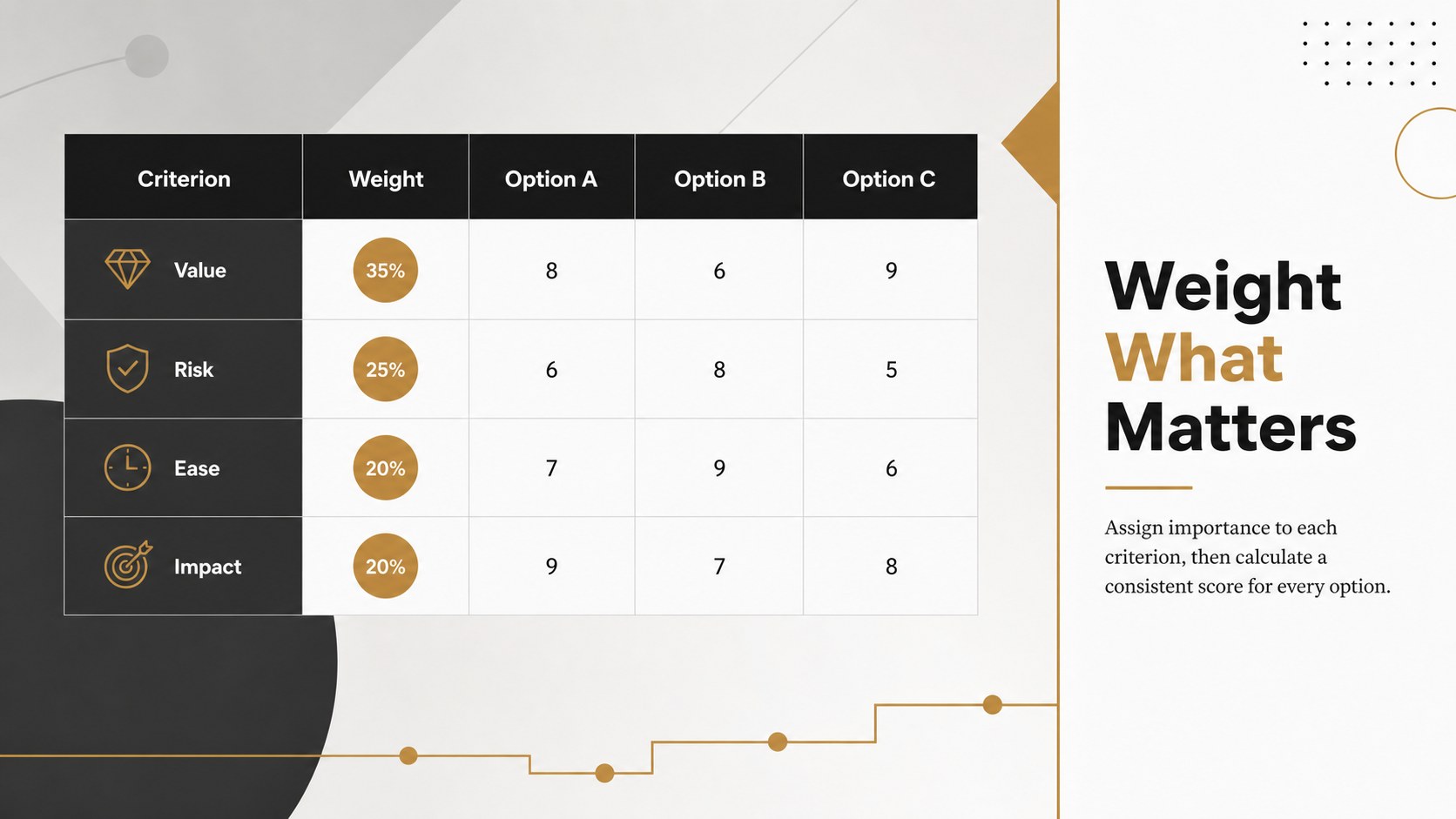
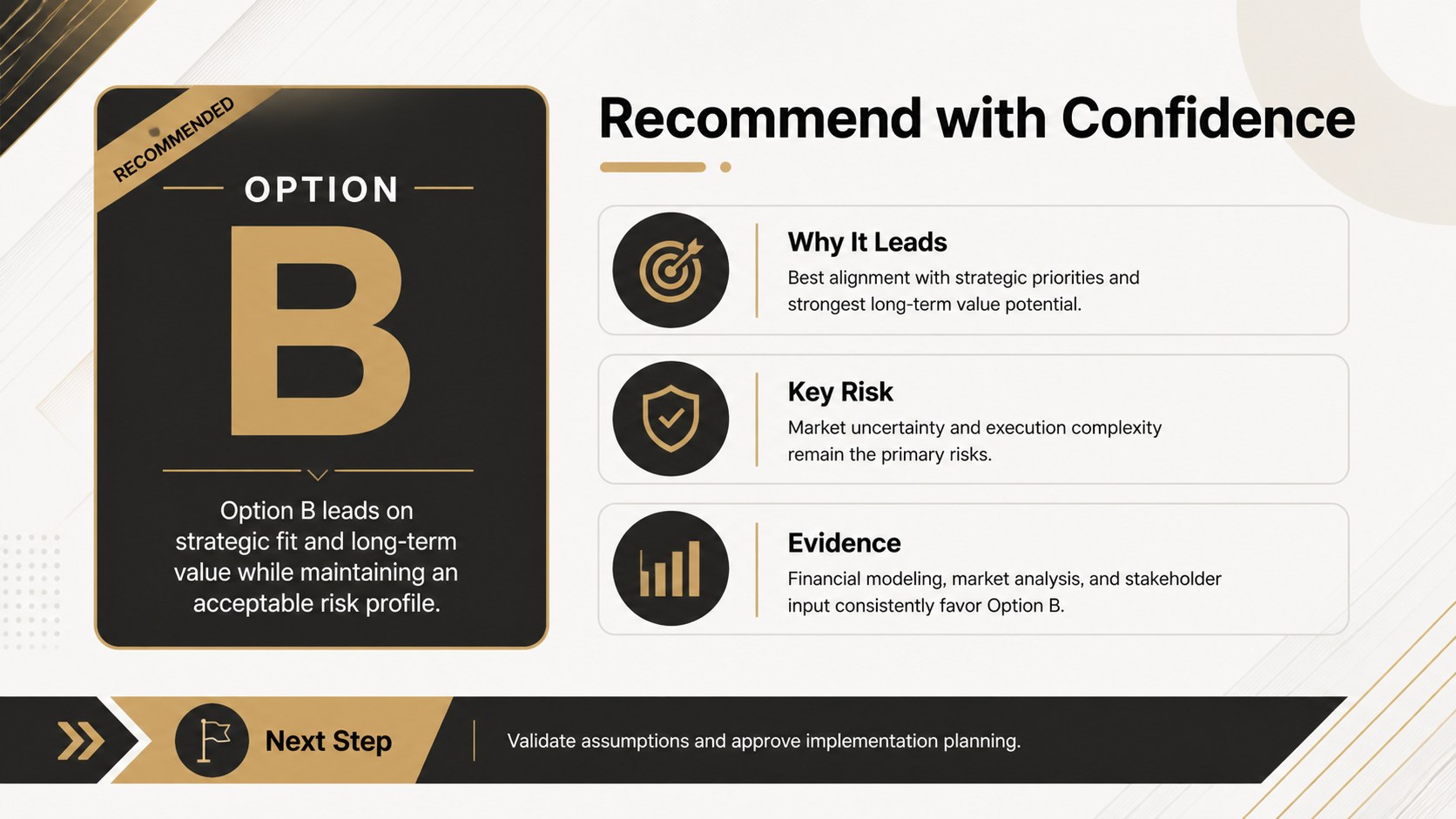
Black and gold decision matrix slides give teams a structured, executive-ready way to compare competing choices. The restrained corporate design combines crisp typography, strong contrast, and selective gold accents, helping important findings stand out without distracting from the analysis. Use the layouts to turn dense evaluation data into a recommendation that stakeholders can scan and understand quickly.
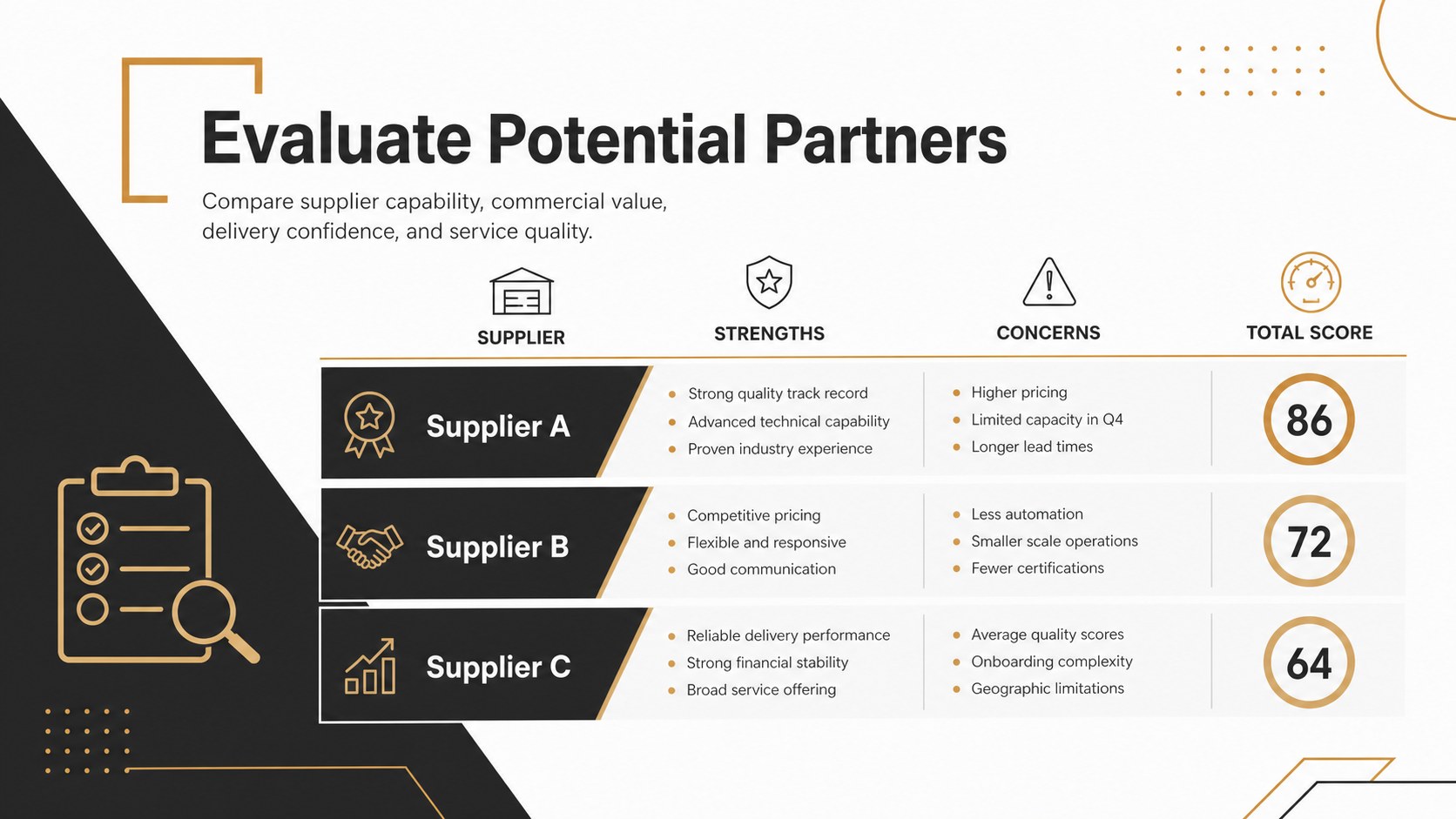
The deck includes five coordinated infographic layouts for side-by-side comparisons, weighted scoring, vendor reviews, feature assessments, and final recommendations. It works as a vendor evaluation matrix template when procurement teams need to assess suppliers against consistent criteria. Product managers can also adapt the feature comparison slides for business planning, while sales and strategy teams can convert the layouts into product selection scorecard slides. Tables, labels, scores, shapes, colors, and supporting notes are editable in both PowerPoint and Google Slides.
This presentation is suited to consultants, analysts, project managers, procurement specialists, product teams, and business leaders. Apply your own evaluation criteria, add or remove options, adjust scoring scales, and highlight the strongest result with the gold accent color. The minimal black, white, and gold palette works especially well for board meetings, client workshops, internal planning sessions, competitive reviews, and formal recommendation reports.
Perfect for: vendor selection review; product feature comparison; strategic option assessment; procurement scoring workshop; executive recommendation meeting.
Frequently asked questions
Can I change the criteria and scoring system? Yes. Edit the criteria labels, option names, scores, weights, and rating scales directly in PowerPoint or Google Slides. You can also duplicate rows or columns when an evaluation requires more detail.
Practical details
Yes. Edit the criteria labels, option names, scores, weights, and rating scales directly in PowerPoint or Google Slides. You can also duplicate rows or columns when an evaluation requires more detail.
The template is designed for Microsoft PowerPoint and Google Slides. Text, colors, shapes, tables, and other core layout elements can be customized on either platform.
Yes. Replace the black, white, and gold palette with your organization's brand colors while preserving the high-contrast hierarchy. Fonts and accent treatments can also be updated across the deck.
Use it for supplier selection, software evaluation, product comparisons, strategic alternatives, investment screening, or service reviews. The layouts support both qualitative judgments and numerical scoring.
Keep exploring
15Shape your publishing concept with an indie magazine startup pitch deck featuring pastel gradients, bold collage layouts, and editable planning slides.
 16
16Build clear project stories with the Icon Grid Teamwork Theme, a flexible blue illustrated deck for proposals, strategy updates, and team meetings.
 3
3Turn priorities into an actionable plan with an annual goals roadmap infographic, featuring editable orange and teal layouts for PowerPoint and Google Slides.
 15
15Create an Annual Achievement Report Presentation with colorful geometric layouts for milestones, results, lessons, and priorities in PowerPoint or Google Slides.
 15
15Turn results into a focused annual performance evaluation report with dark 3D slides for KPIs, achievements, feedback, and next-step goals for teams.
 15
15Guide a focused annual recap with Business Results Retrospective Slides, a muted brown-and-blue template for PowerPoint and Google Slides.
 6
6Turn complex plans into clear visual stories with Color-Coded Workflow Path Slides, an editable set for project updates, roadmaps, and team briefings.
 6
6Compare regional performance at a glance with Global Data Heatmap Slides, a clean multicolor deck designed for editable PowerPoint and Google Slides.