
 15
15presentation
Indie Magazine Startup Pitch Deck
Shape your publishing concept with an indie magazine startup pitch deck featuring pastel gradients, bold collage layouts, and editable planning slides.
Google SlidesPowerPoint
spreadsheet · English
Build a clearer B2B sales pipeline tracker for qualifying leads, forecasting deals, and coordinating follow-ups in a customizable blue and green workspace.

Design notes
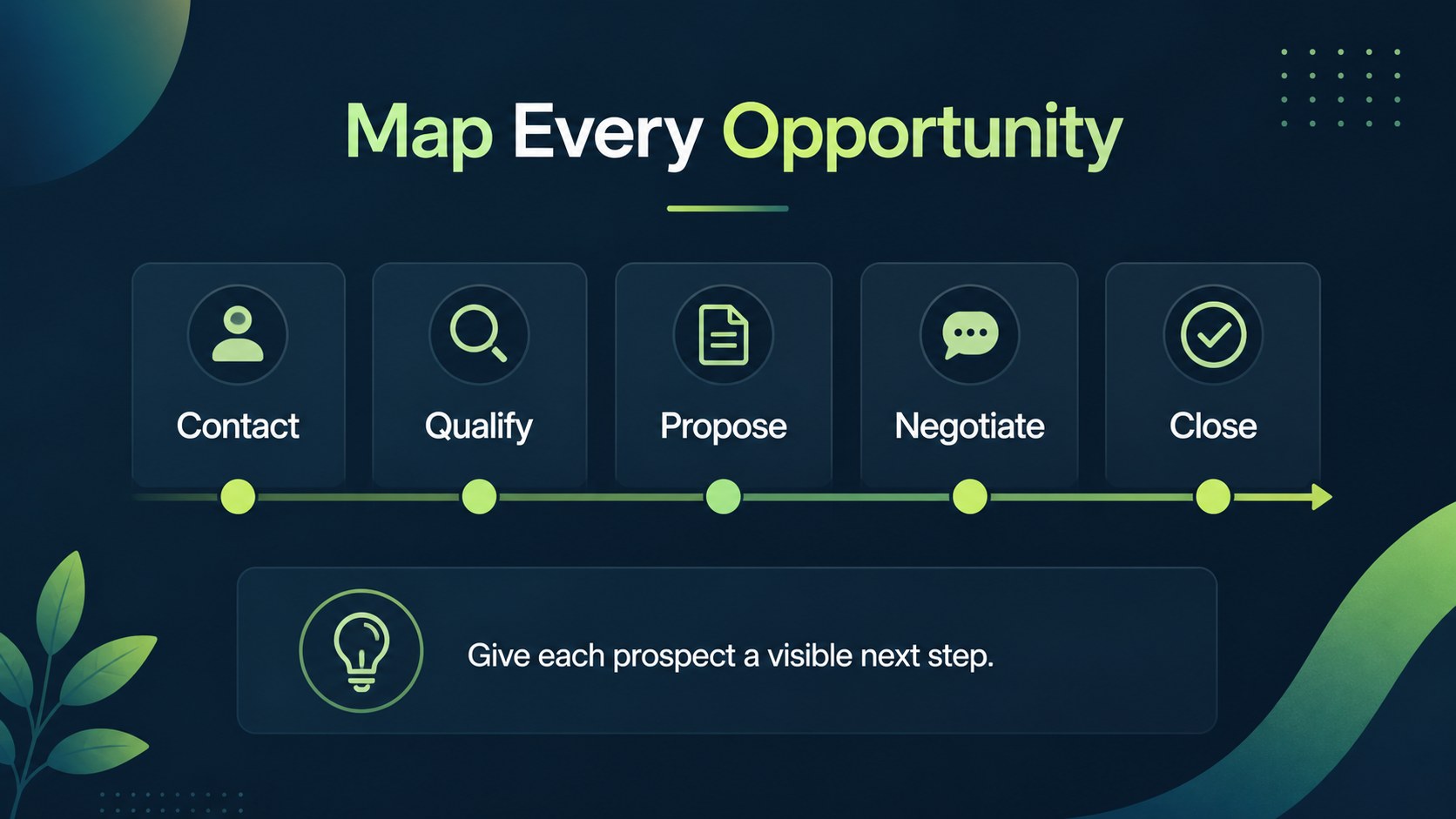
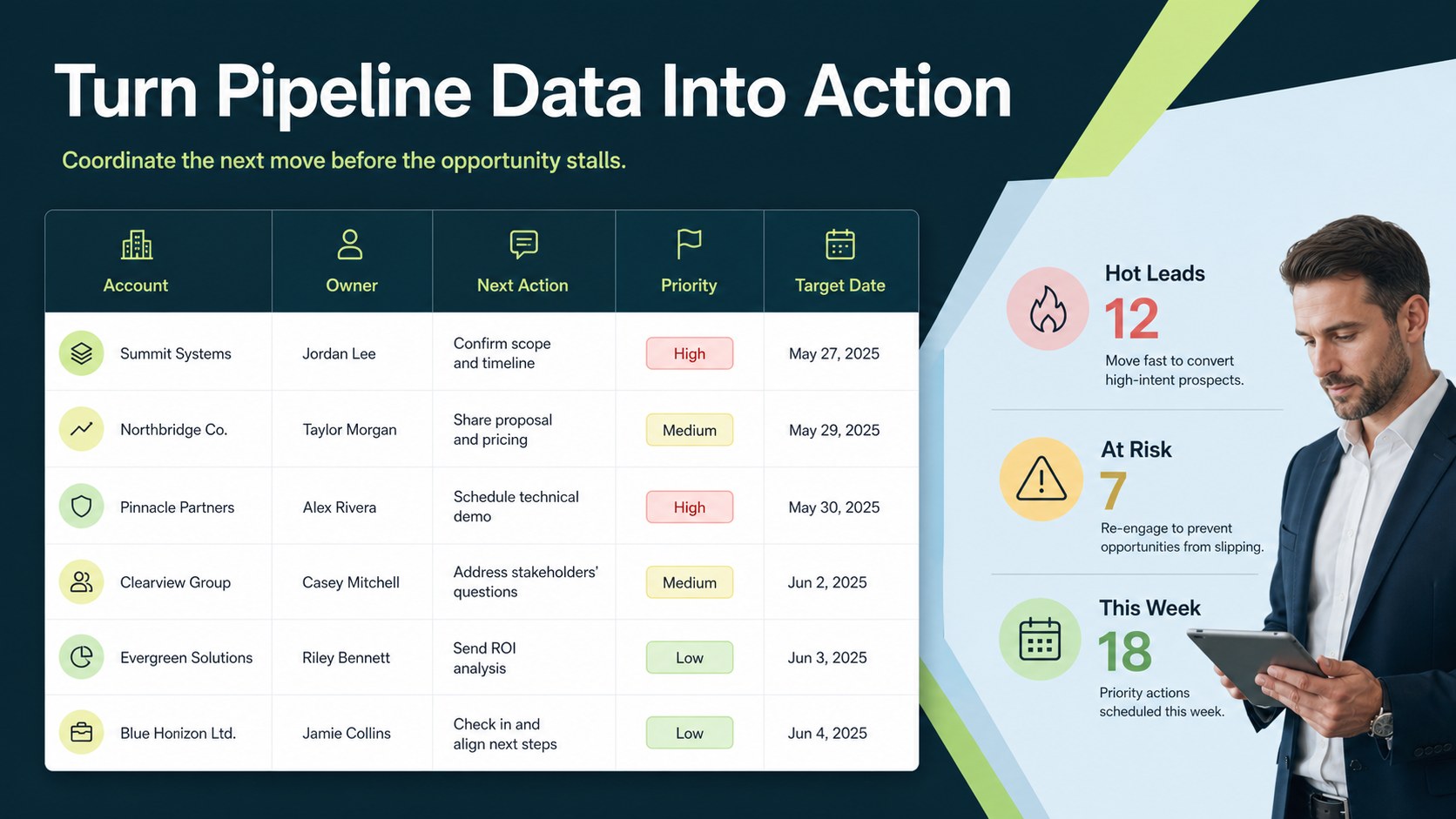
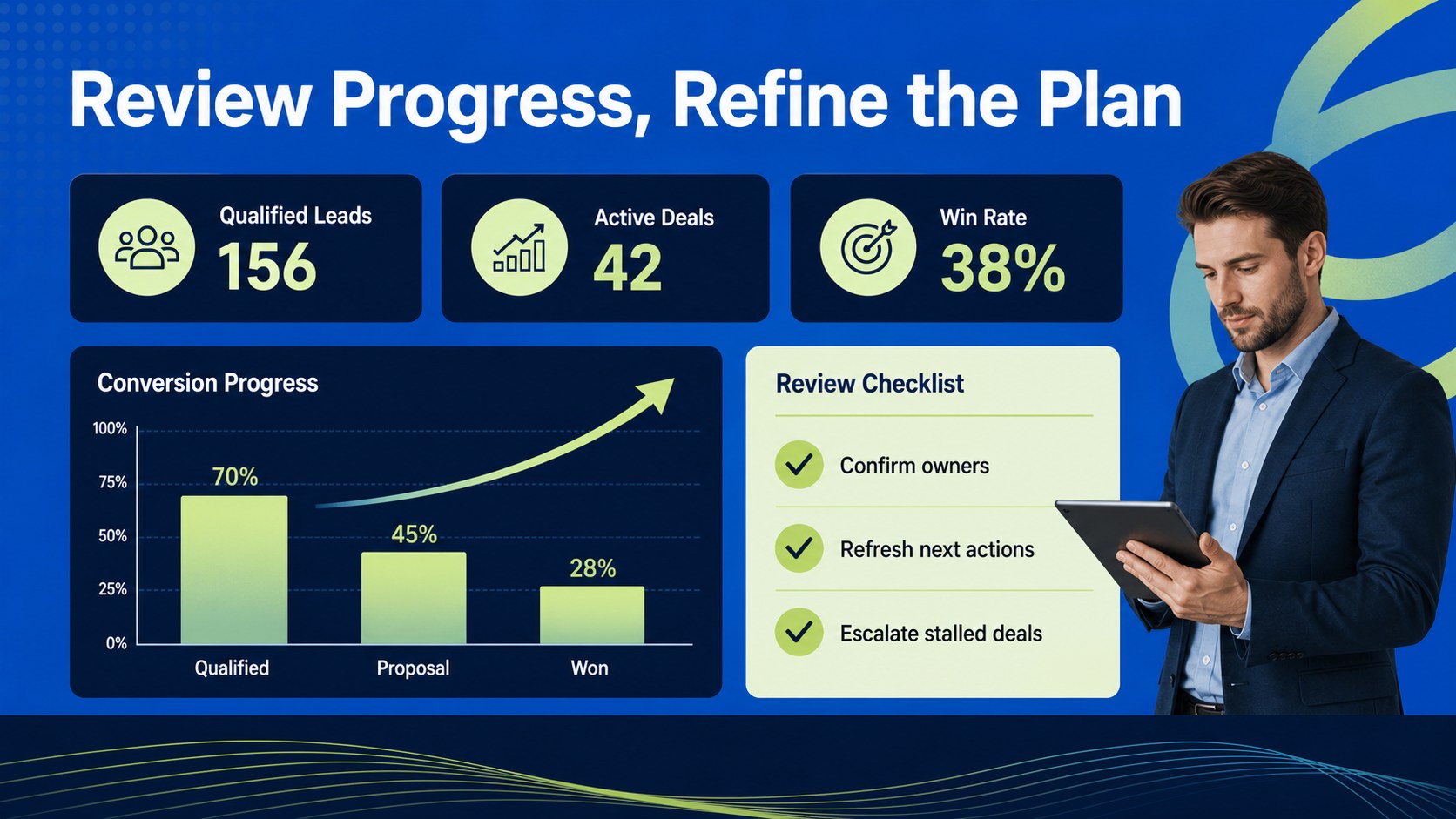
B2B Sales Pipeline Tracker for Lead Conversion gives sales teams a practical way to organize prospects, evaluate deal progress, and keep follow-up work moving. The clean corporate layout combines deep blue and fresh green accents to make important stages easy to scan without overwhelming the people using it.
Inside, you’ll find a structured B2B lead management template for mapping opportunities from initial contact through qualification, proposal, negotiation, and close. Use the flexible spreadsheet-style areas to record account details, assign owners, flag stalled opportunities, and create a repeatable sales follow-up workflow. Visual pipeline sections help teams discuss priorities while a simple conversion-focused view supports forecasting and weekly reviews.
This resource suits account executives, business development representatives, sales managers, startup founders, and operations teams that need a shared view of commercial activity. It works well for pipeline meetings, territory planning, CRM cleanup, onboarding new sellers, and preparing an executive sales update. Customize fonts, labels, colors, charts, and supporting graphics, Google Slides, PowerPoint, Google Sheets, or Excel to match your process. Download, share, or adapt the 16:9 presentation format for both working sessions and polished internal reporting.
Perfect for: weekly pipeline review; startup sales planning; CRM data cleanup; territory handoff meeting; executive sales update.
Frequently asked questions
Can I edit the B2B Sales Pipeline Tracker? Yes. Upload or open the template to change text, fonts, colors, charts, labels, and layout elements. Its editable structure makes it easy to align the tracker with your sales stages.
Practical details
Yes. Upload or open the template to change text, fonts, colors, charts, labels, and layout elements. Its editable structure makes it easy to align the tracker with your sales stages.
The template is designed for, Google Slides, PowerPoint, Google Sheets, and Excel. Choose the format that best fits your team’s existing reporting and collaboration workflow.
Yes. Rename or reorder stages to reflect your qualification and closing process, then add fields for owners, expected value, timing, or next actions. You can also adjust the visual emphasis for priority opportunities.
Yes. The 16:9 layout can support internal pipeline reviews, leadership updates, and planning workshops. Replace sample entries with current opportunity data before sharing the finished deck.
Keep exploring
15Shape your publishing concept with an indie magazine startup pitch deck featuring pastel gradients, bold collage layouts, and editable planning slides.
 16
16Build clear project stories with the Icon Grid Teamwork Theme, a flexible blue illustrated deck for proposals, strategy updates, and team meetings.
 3
3Turn priorities into an actionable plan with an annual goals roadmap infographic, featuring editable orange and teal layouts for PowerPoint and Google Slides.
 15
15Create an Annual Achievement Report Presentation with colorful geometric layouts for milestones, results, lessons, and priorities in PowerPoint or Google Slides.
 15
15Turn results into a focused annual performance evaluation report with dark 3D slides for KPIs, achievements, feedback, and next-step goals for teams.
 15
15Guide a focused annual recap with Business Results Retrospective Slides, a muted brown-and-blue template for PowerPoint and Google Slides.
 6
6Turn complex plans into clear visual stories with Color-Coded Workflow Path Slides, an editable set for project updates, roadmaps, and team briefings.
 6
6Compare regional performance at a glance with Global Data Heatmap Slides, a clean multicolor deck designed for editable PowerPoint and Google Slides.