
 15
15presentation
Indie Magazine Startup Pitch Deck
Shape your publishing concept with an indie magazine startup pitch deck featuring pastel gradients, bold collage layouts, and editable planning slides.
Google SlidesPowerPoint
presentation · English
Align forecasts, spending priorities, and growth targets with an annual budget strategy deck built for polished PowerPoint and Google Slides meetings.

Design notes
The annual budget strategy deck gives finance leaders, business owners, and department managers a focused way to present the numbers and decisions shaping the next fiscal cycle. Its elegant black palette, restrained typography, and spacious layouts keep attention on financial priorities without making detailed information feel overwhelming.
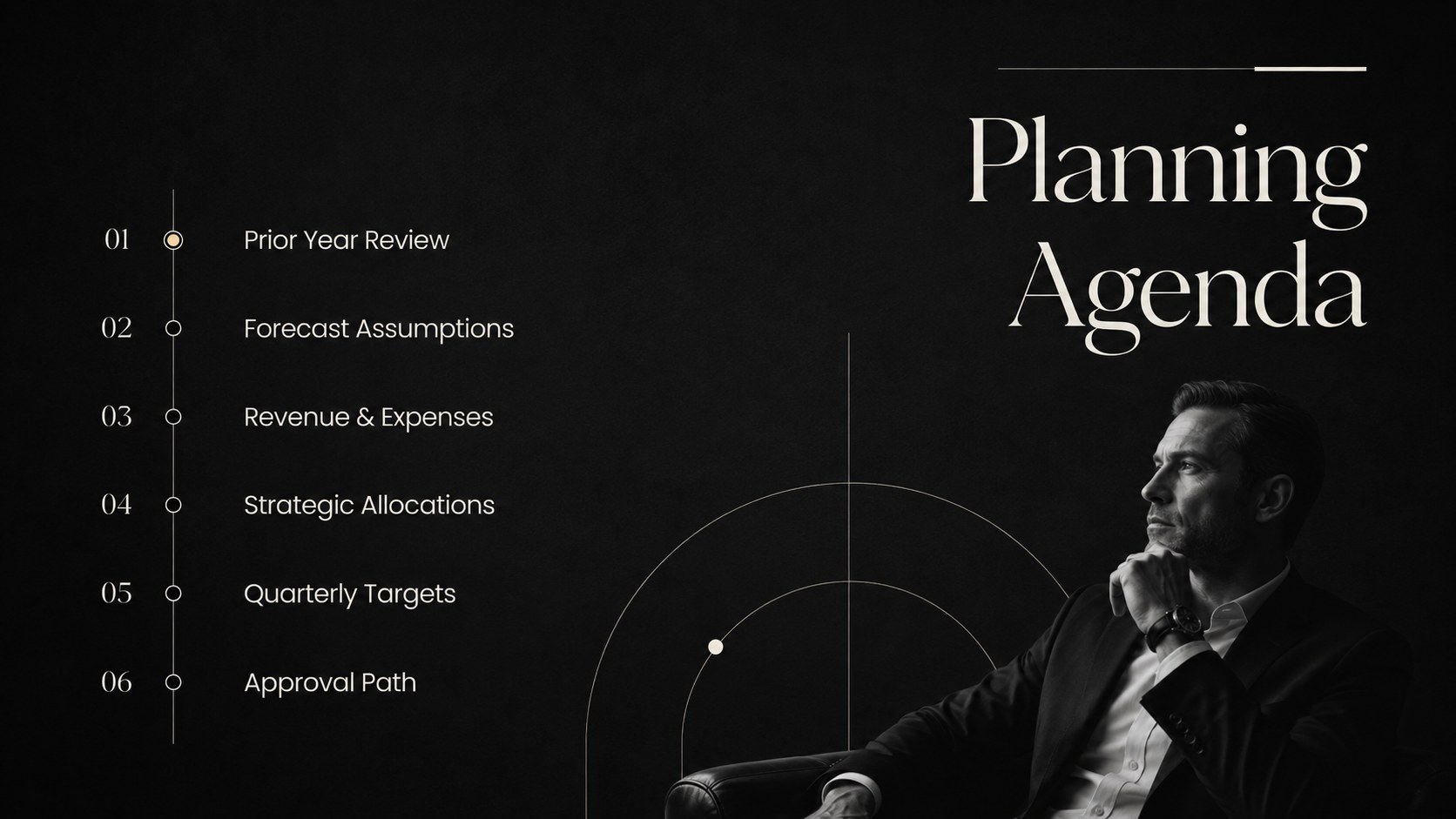
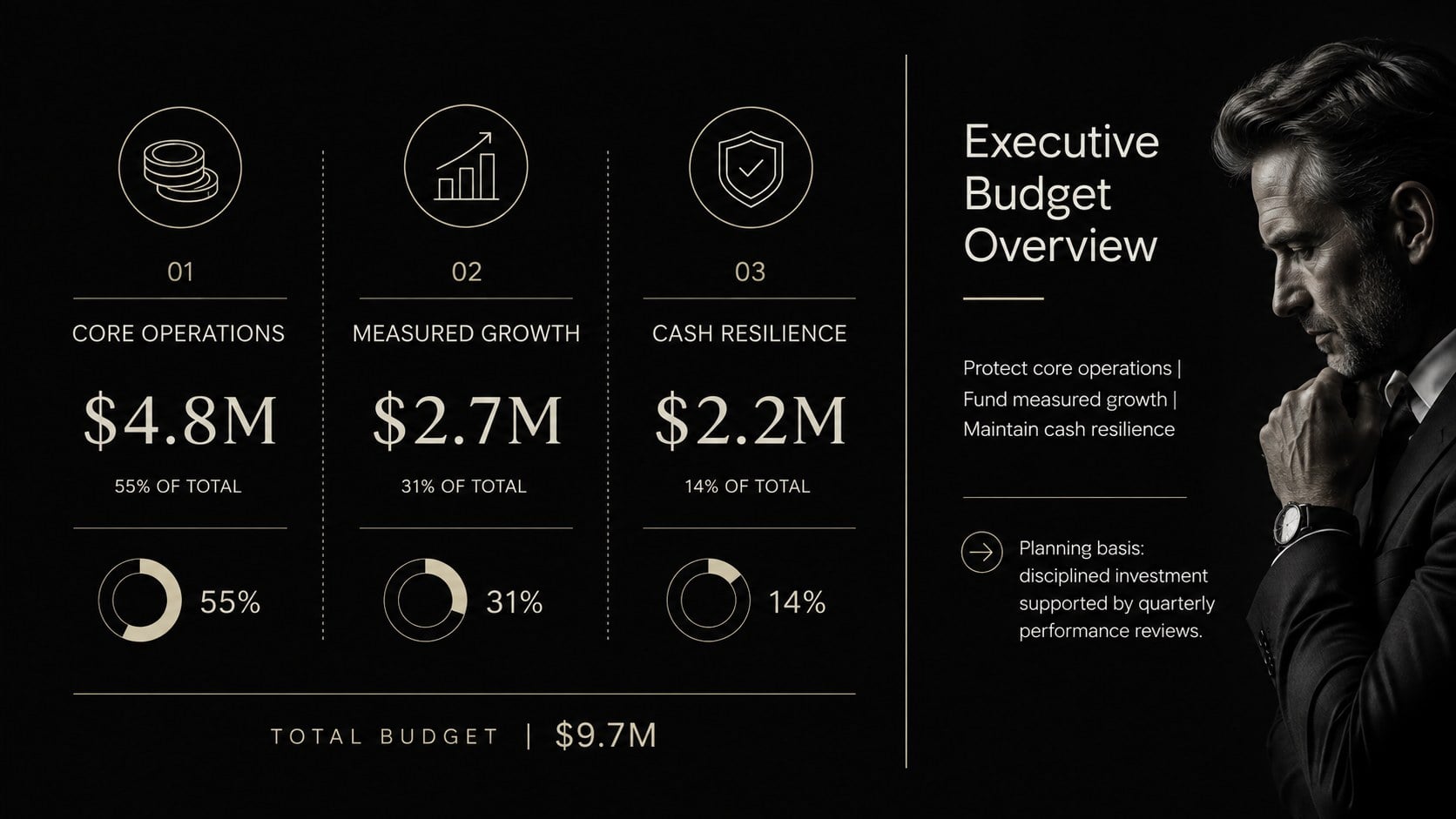
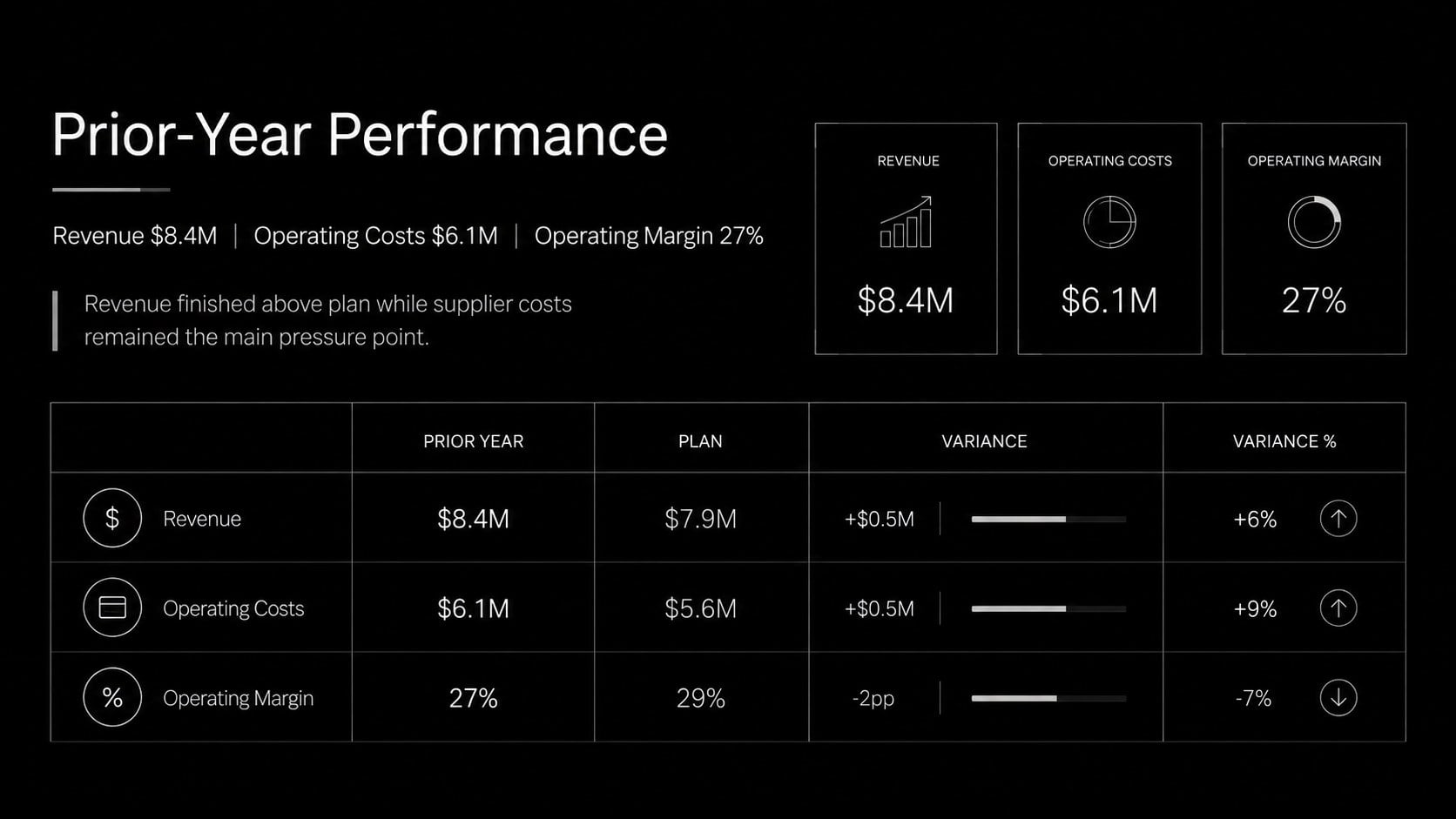
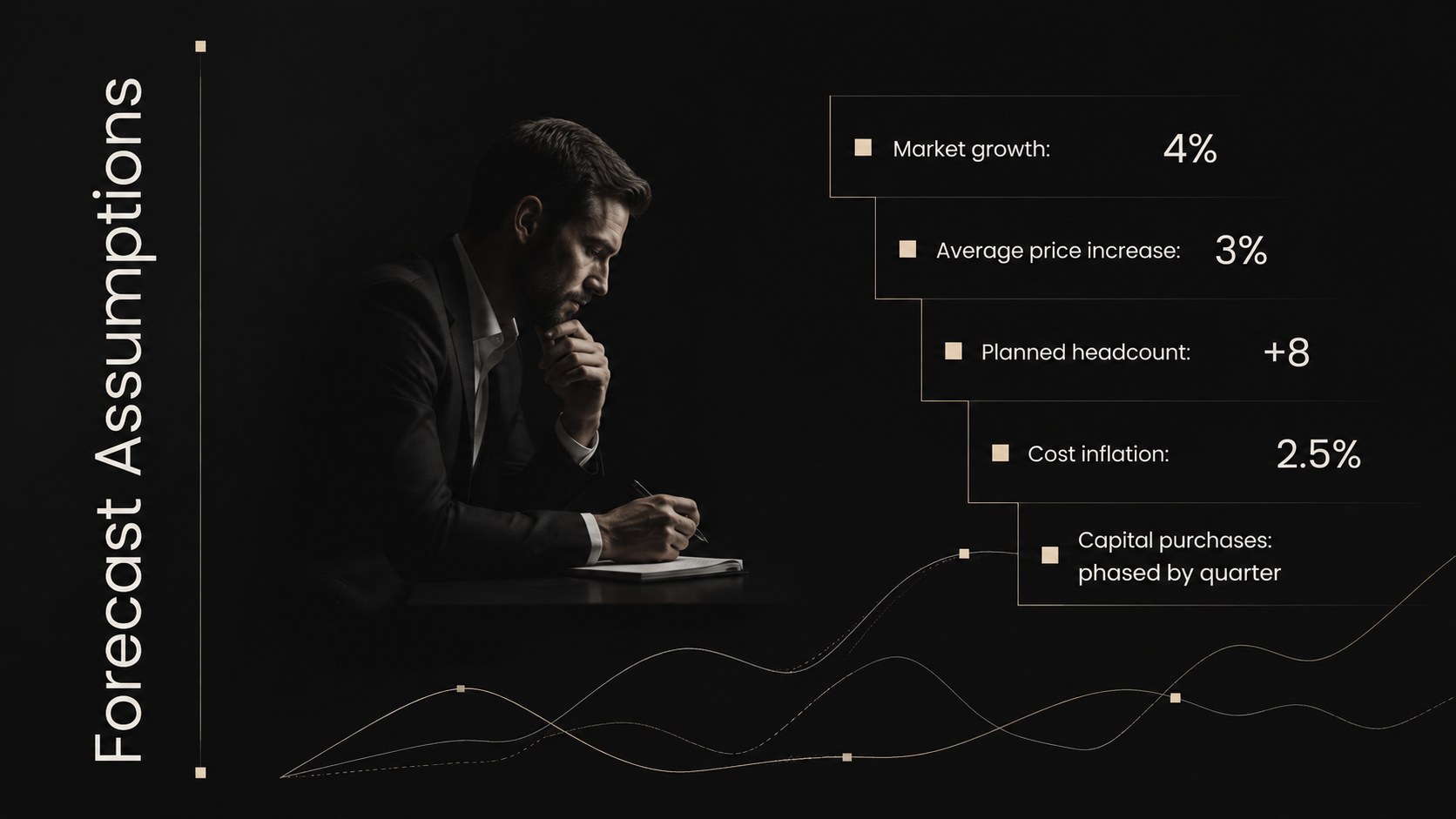
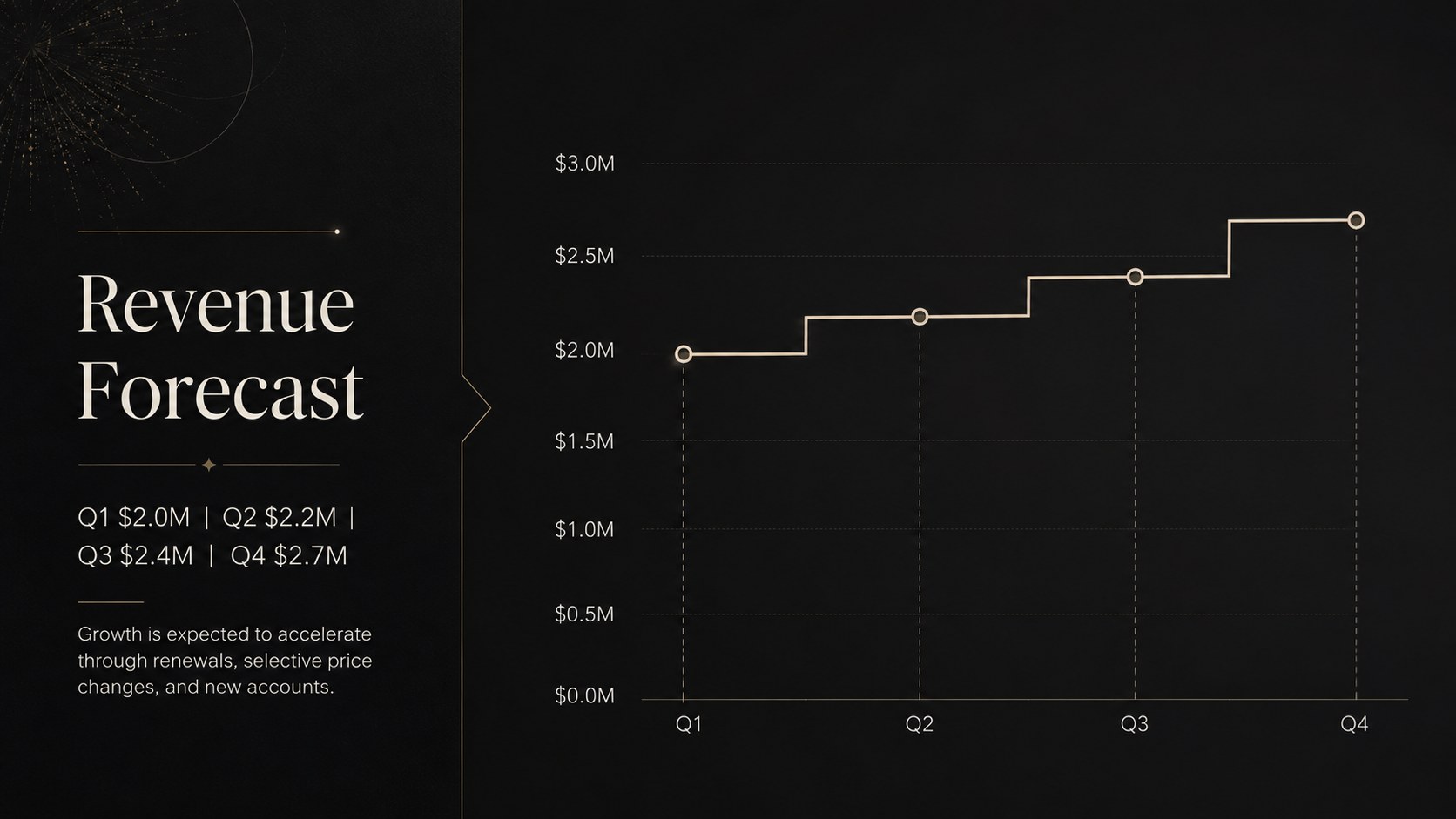
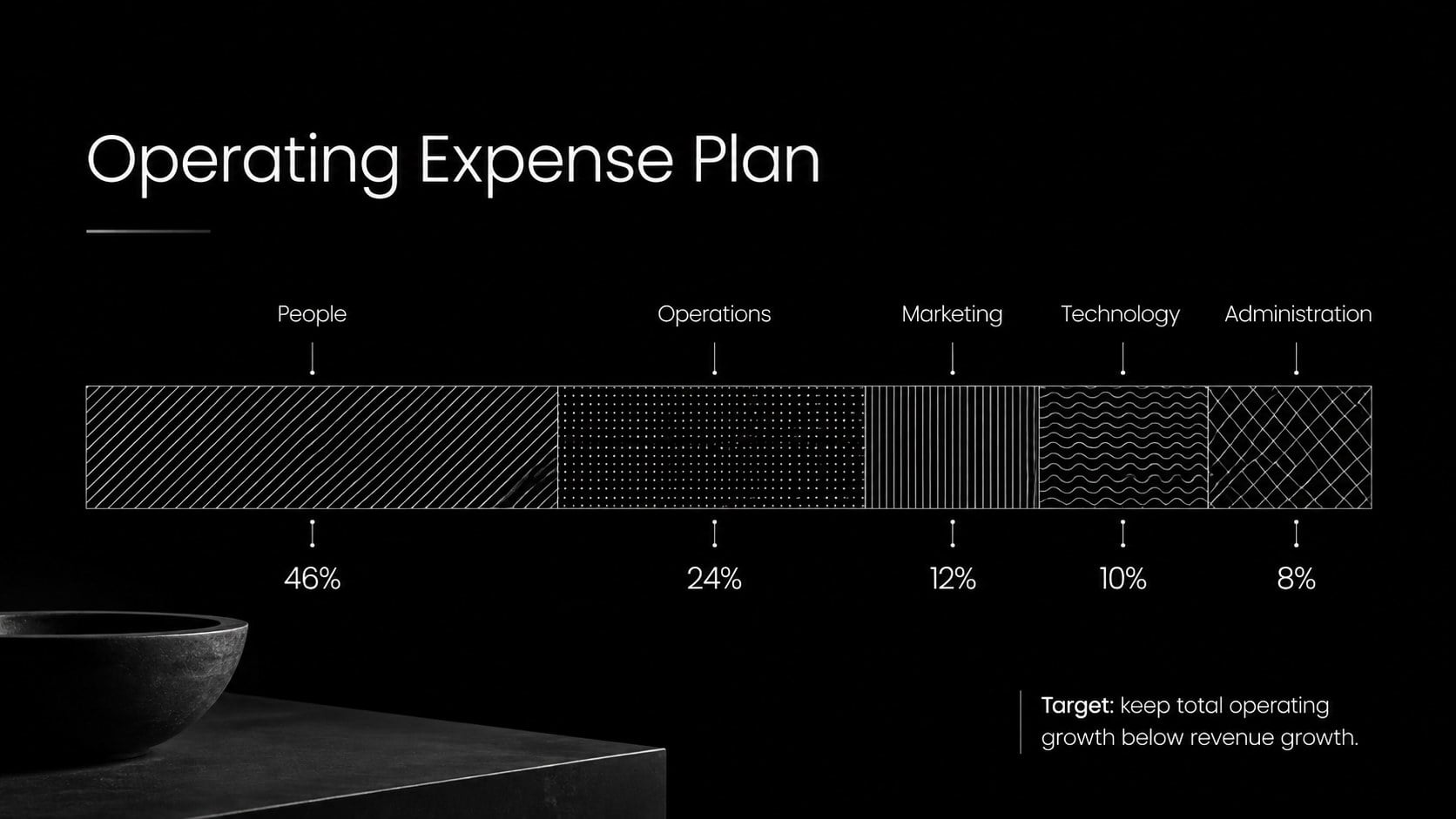
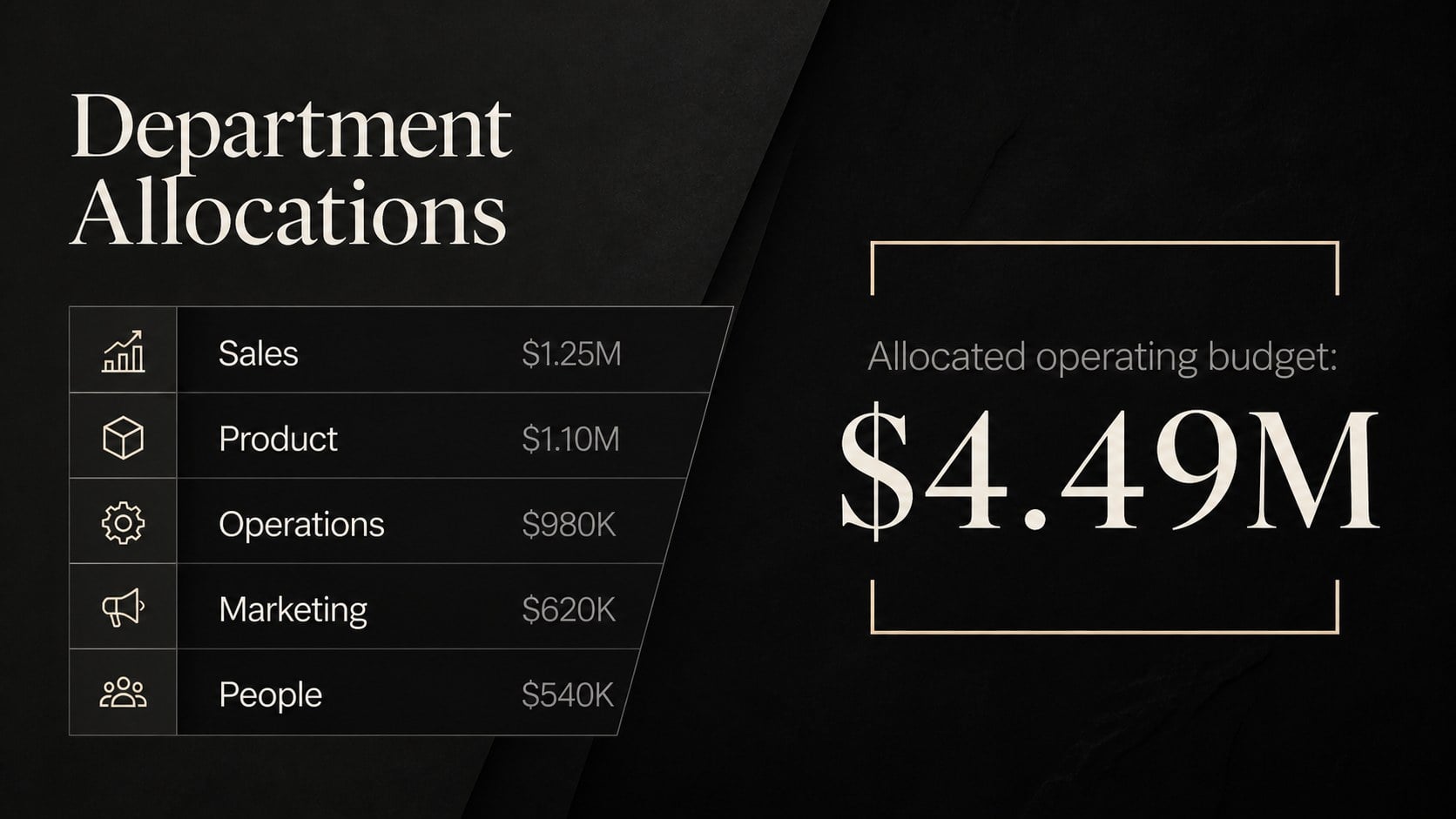
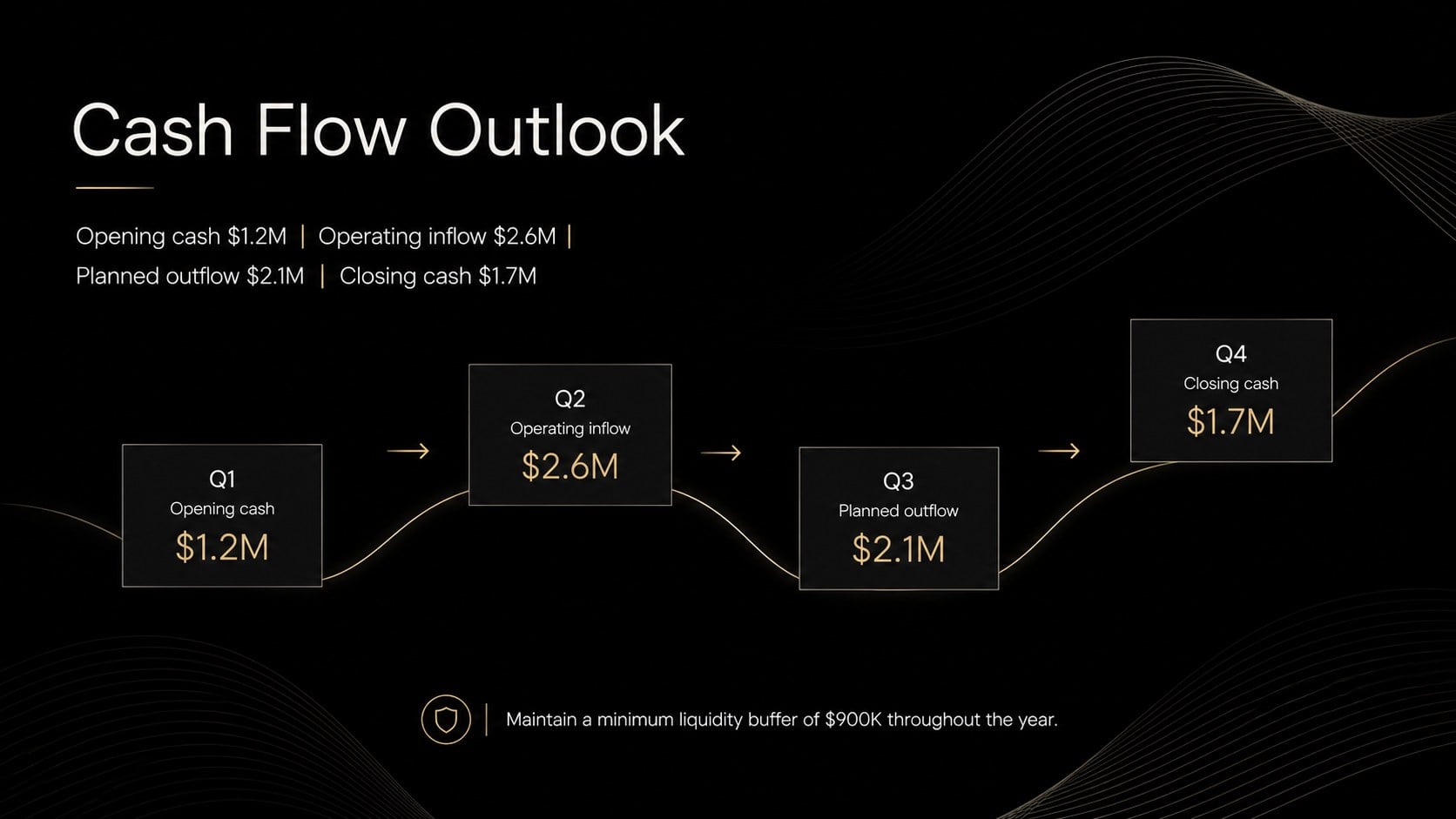
Across 15 editable slides, you can introduce planning assumptions, review the previous year, compare revenue and expenses, explain departmental allocations, and map quarterly targets. Dedicated layouts for KPI summaries, a budget breakdown, cash flow, risk factors, strategic initiatives, and approval steps make this a practical yearly financial planning presentation. Charts, tables, timelines, and text areas can be adjusted to match your organization’s reporting needs.
Use the deck as a corporate budget forecast slides resource for leadership reviews, board discussions, or a fiscal kickoff meeting template for cross-functional teams. It also works well for small-business planning sessions, nonprofit funding reviews, and annual operating plan presentations.
Every slide can be customized in PowerPoint or Google Slides. Replace the sample figures, revise labels, apply your preferred typefaces, and add company-specific metrics while preserving the formal minimalist design. The structured sequence helps presenters move naturally from past performance and assumptions to investment choices, measurable goals, and final approval.
Perfect for: annual leadership budget review; fiscal kickoff meeting; department spending proposal; board finance presentation; small-business forecast session; annual operating plan approval.
Frequently asked questions
Practical details
Yes. All text, colors, charts, tables, and layout elements can be edited in PowerPoint or Google Slides. Some font spacing or transitions may vary slightly between platforms.
Replace the sample figures in the tables, charts, and KPI panels with your own values. You can also change category labels, reporting periods, currencies, and assumptions to match your fiscal plan.
Yes. Update the accent colors, typefaces, and logo placement through the theme or master-slide tools in your chosen platform. Maintain strong contrast between the dark background and financial data for readability.
Yes. The layouts suit startups, small businesses, nonprofits, departments, and independent consultants. Remove any slides you do not need and rename the financial sections to fit your planning process.
Keep exploring
15Shape your publishing concept with an indie magazine startup pitch deck featuring pastel gradients, bold collage layouts, and editable planning slides.
 16
16Build clear project stories with the Icon Grid Teamwork Theme, a flexible blue illustrated deck for proposals, strategy updates, and team meetings.
 3
3Turn priorities into an actionable plan with an annual goals roadmap infographic, featuring editable orange and teal layouts for PowerPoint and Google Slides.
 15
15Create an Annual Achievement Report Presentation with colorful geometric layouts for milestones, results, lessons, and priorities in PowerPoint or Google Slides.
 15
15Turn results into a focused annual performance evaluation report with dark 3D slides for KPIs, achievements, feedback, and next-step goals for teams.
 15
15Guide a focused annual recap with Business Results Retrospective Slides, a muted brown-and-blue template for PowerPoint and Google Slides.
 6
6Turn complex plans into clear visual stories with Color-Coded Workflow Path Slides, an editable set for project updates, roadmaps, and team briefings.
 6
6Compare regional performance at a glance with Global Data Heatmap Slides, a clean multicolor deck designed for editable PowerPoint and Google Slides.