
 6
6spreadsheet
Orange Year-End Recognition Certificate Set
Honor teams and individuals with an Orange Year-End Recognition Certificate Set featuring six editable designs for PowerPoint and Google Slides.
Google SlidesPowerPointExcel
spreadsheet · English
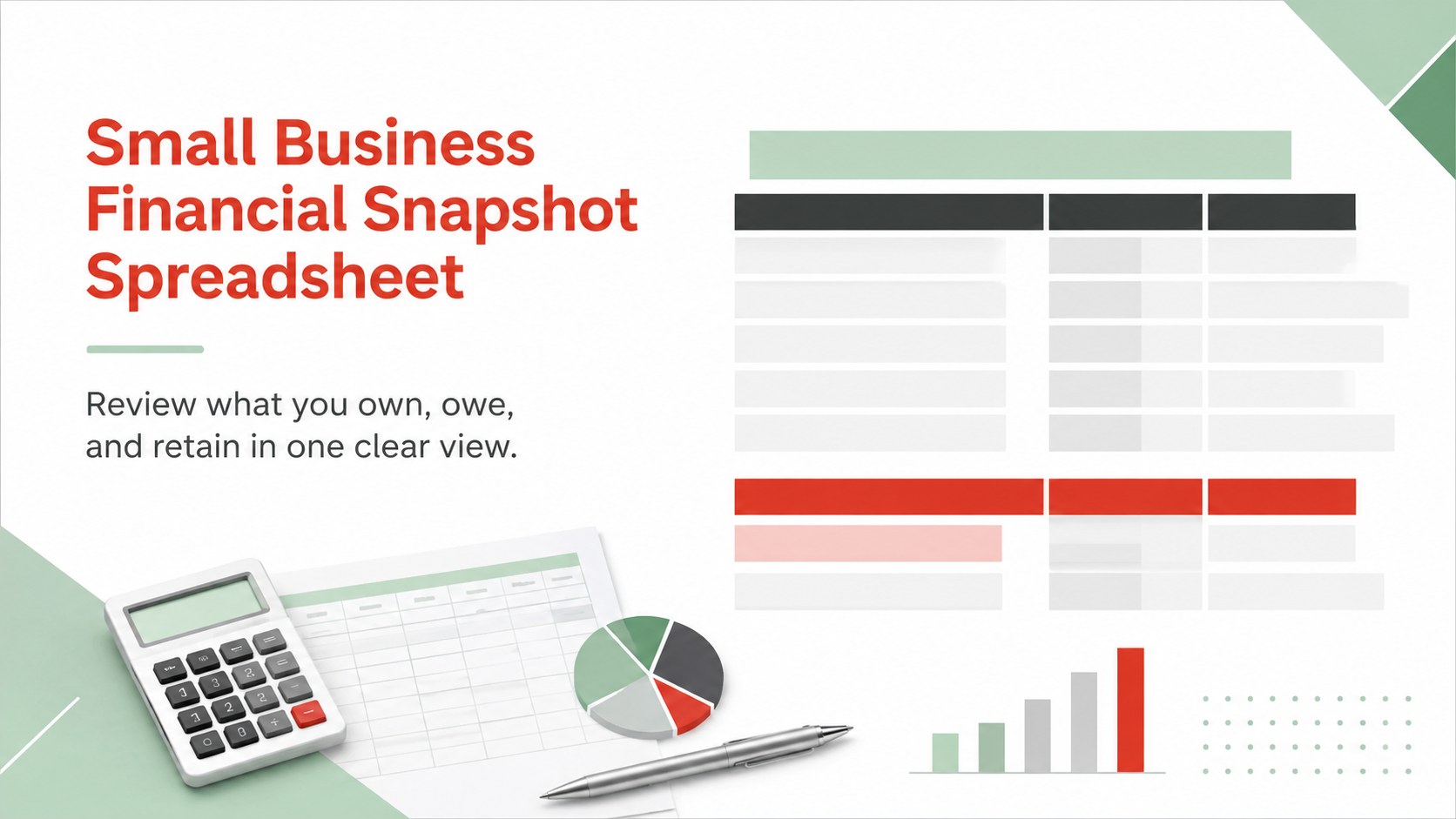
See assets, debts, and equity at a glance with a small business financial snapshot spreadsheet for Excel and Google Sheets in a bright, modern layout.
Design notes
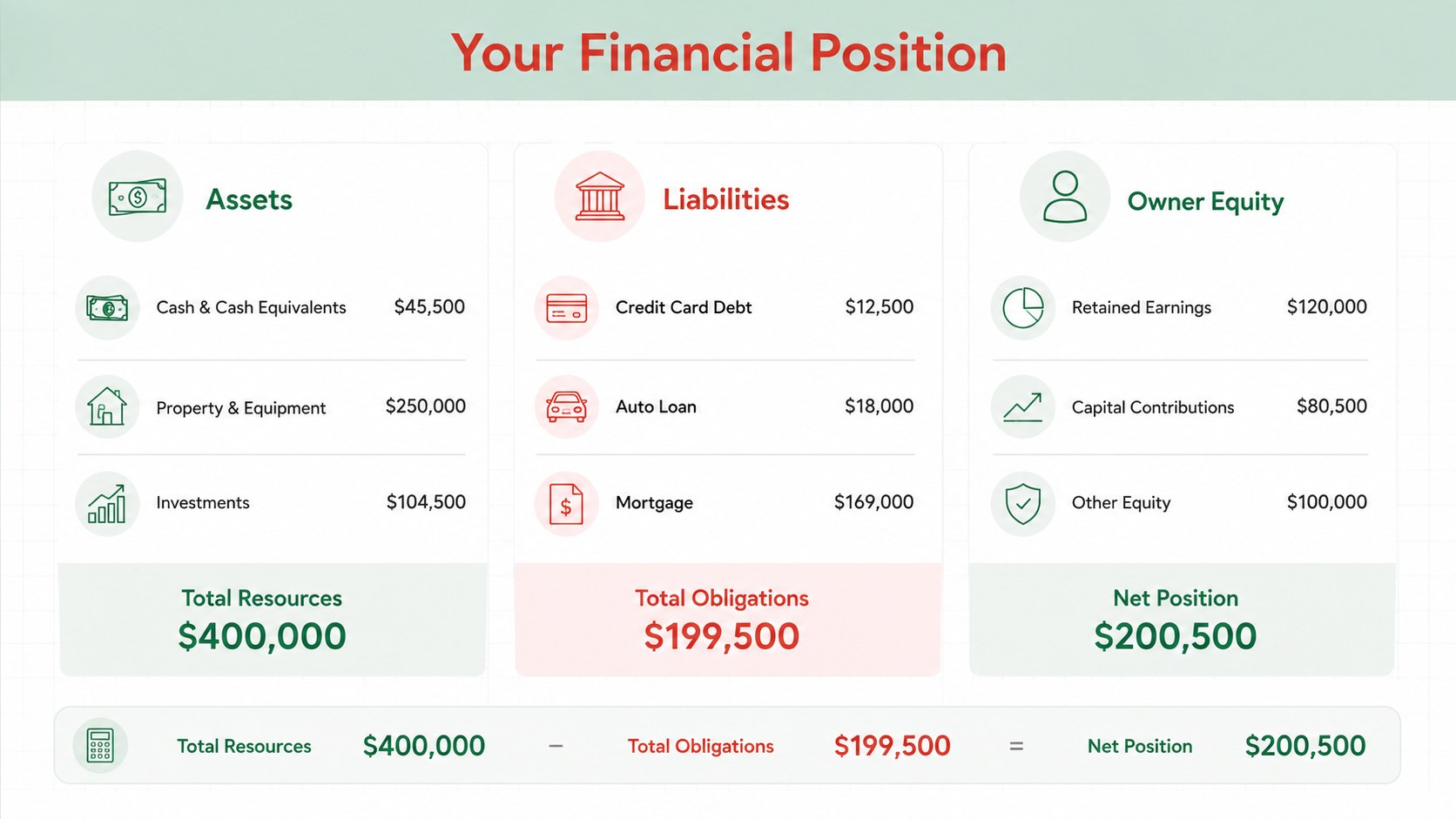
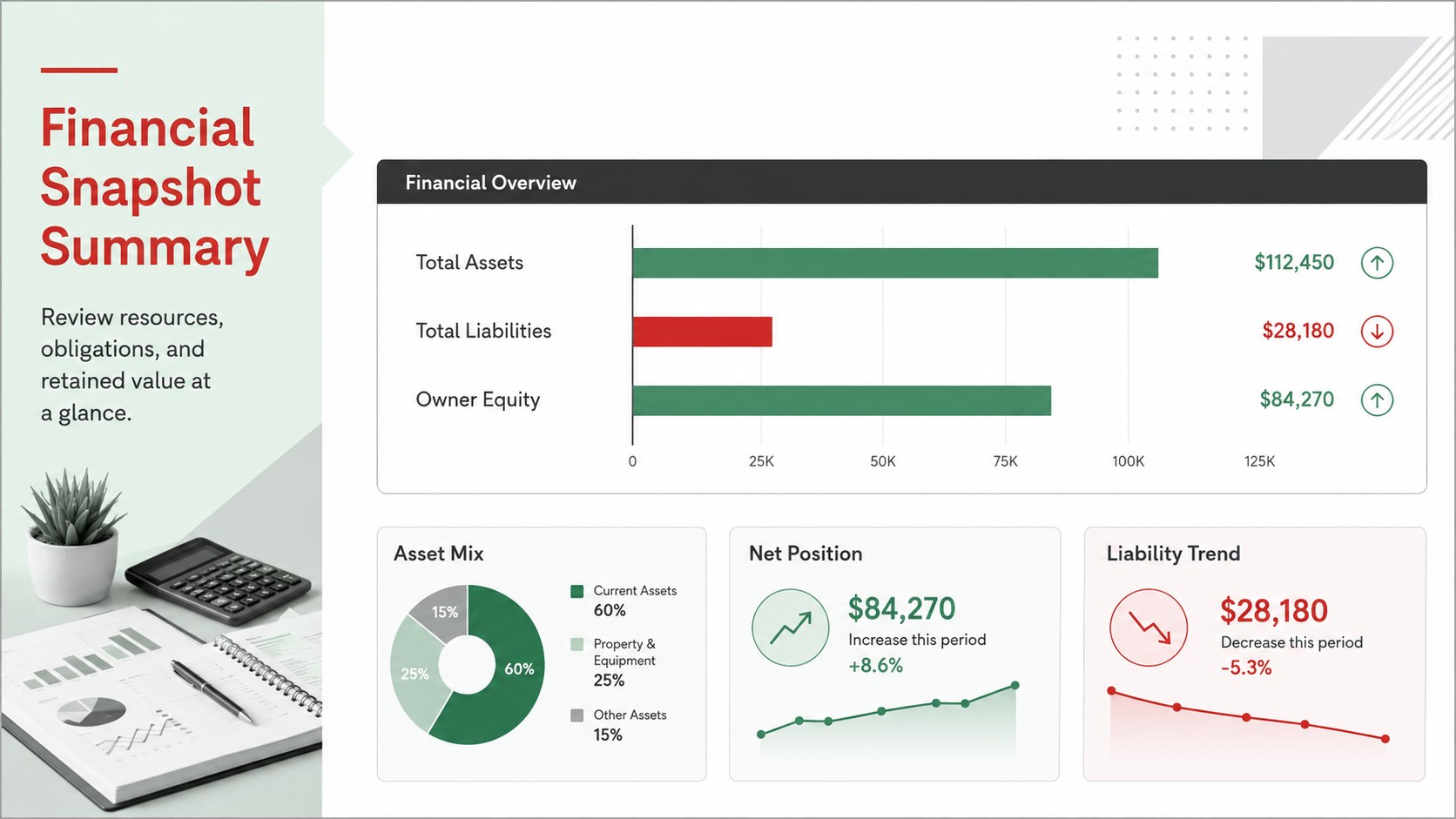
Turn scattered account figures into a clear overview with this small business financial snapshot spreadsheet. Its structured layout brings assets, debts, and owner equity together, helping you review financial position without navigating a complicated accounting system. Bright green accents, restrained red highlights, white space, and neutral grey sections make important totals easy to identify.
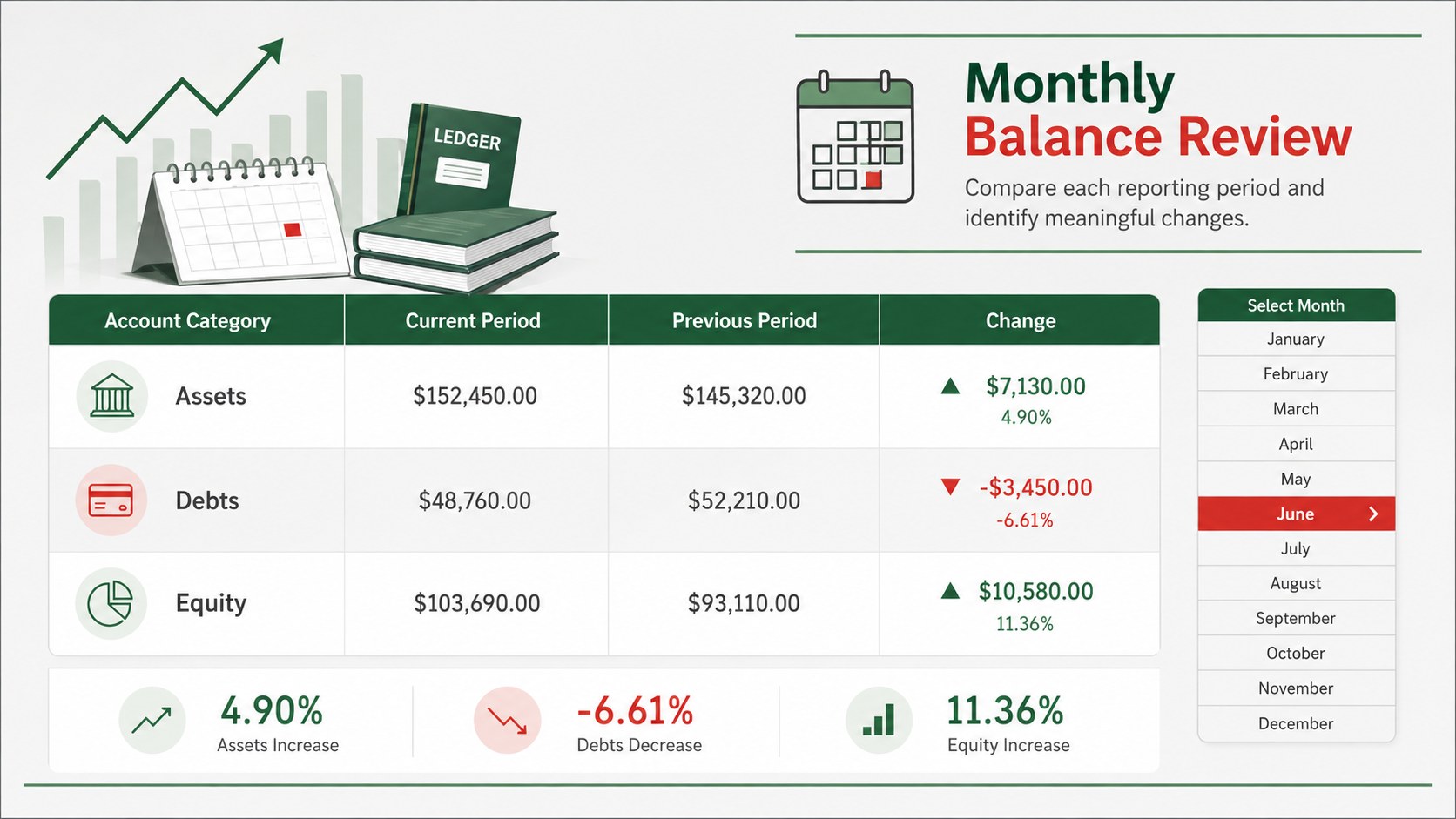
Inside, you will find organized areas for current and long-term assets, short-term and long-term obligations, and equity balances. Summary fields provide space to compare total resources with total liabilities and retained value. The format also works as a monthly balance sheet tracker or an owner equity tracking worksheet when you need consistent records across reporting periods. Labels, categories, colors, and formulas can be adjusted in Excel or Google Sheets to suit your accounts and reporting preferences.
This financial position template for startups is equally useful for freelancers, shop owners, consultants, nonprofit administrators, and households that want a concise view of financial health. Use it during month-end reviews, funding preparation, internal planning, or conversations with an accountant. The modern landscape design keeps figures readable on screen while remaining suitable for printed reports and meeting handouts.
Perfect for: month-end financial review; startup funding preparation; small business asset tracking; owner equity monitoring; quarterly accountant meeting.
Frequently asked questions
Can I edit the account categories and labels? Yes. Rename, add, or remove asset, liability, and equity categories in Excel or Google Sheets. You can also adjust colors, typography, and section order to match your reporting process.
Practical details
Yes. Rename, add, or remove asset, liability, and equity categories in Excel or Google Sheets. You can also adjust colors, typography, and section order to match your reporting process.
The template is designed for Microsoft Excel and Google Sheets. Some fonts or formatting details may vary slightly when moving between the two platforms.
Yes. Duplicate the main worksheet for each reporting period or add dated columns for side-by-side comparisons. Review formulas after changing rows or account sections.
Yes. Replace business account labels with personal assets, loans, credit balances, and household equity categories. The same structure can provide a concise personal net worth overview.
Keep exploring
6Honor teams and individuals with an Orange Year-End Recognition Certificate Set featuring six editable designs for PowerPoint and Google Slides.
 4
4Keep inspections, repairs, priorities, and follow-up dates organized in a weekly equipment service log designed for facilities and operations teams.
 4
4Keep weekly ownership visible with a Weekly Team Workflow Tracker for assignments, deadlines, priorities, logged hours, blockers, and status updates.
 4
4Turn weekly results into quick decisions with a colorful sales pulse tracker for comparing targets, revenue, wins, and trends in Excel or Google Sheets.
 4
4Turn a busy workload into a clear action plan with the Illustrated Task Priority Organizer, an editable green-and-purple template for focused days.
 4
4Organize classes, meetings, and personal tasks with a vibrant weekly schedule planner, editable in Excel and Google Sheets for fast, flexible updates.
 4
4Coordinate absences with an employee leave calendar spreadsheet built for clear approvals, reliable team coverage, and easy editing in Excel or Google Sheets.
 4
4Plan bills, savings, and daily costs with a colorful weekly spending planner for Excel or Google Sheets, with clear categories and automatic totals.