
 6
6spreadsheet
Orange Year-End Recognition Certificate Set
Honor teams and individuals with an Orange Year-End Recognition Certificate Set featuring six editable designs for PowerPoint and Google Slides.
Google SlidesPowerPointExcel
spreadsheet · English
Plan bills, savings, and daily costs with a colorful weekly spending planner for Excel or Google Sheets, with clear categories and automatic totals.

Design notes
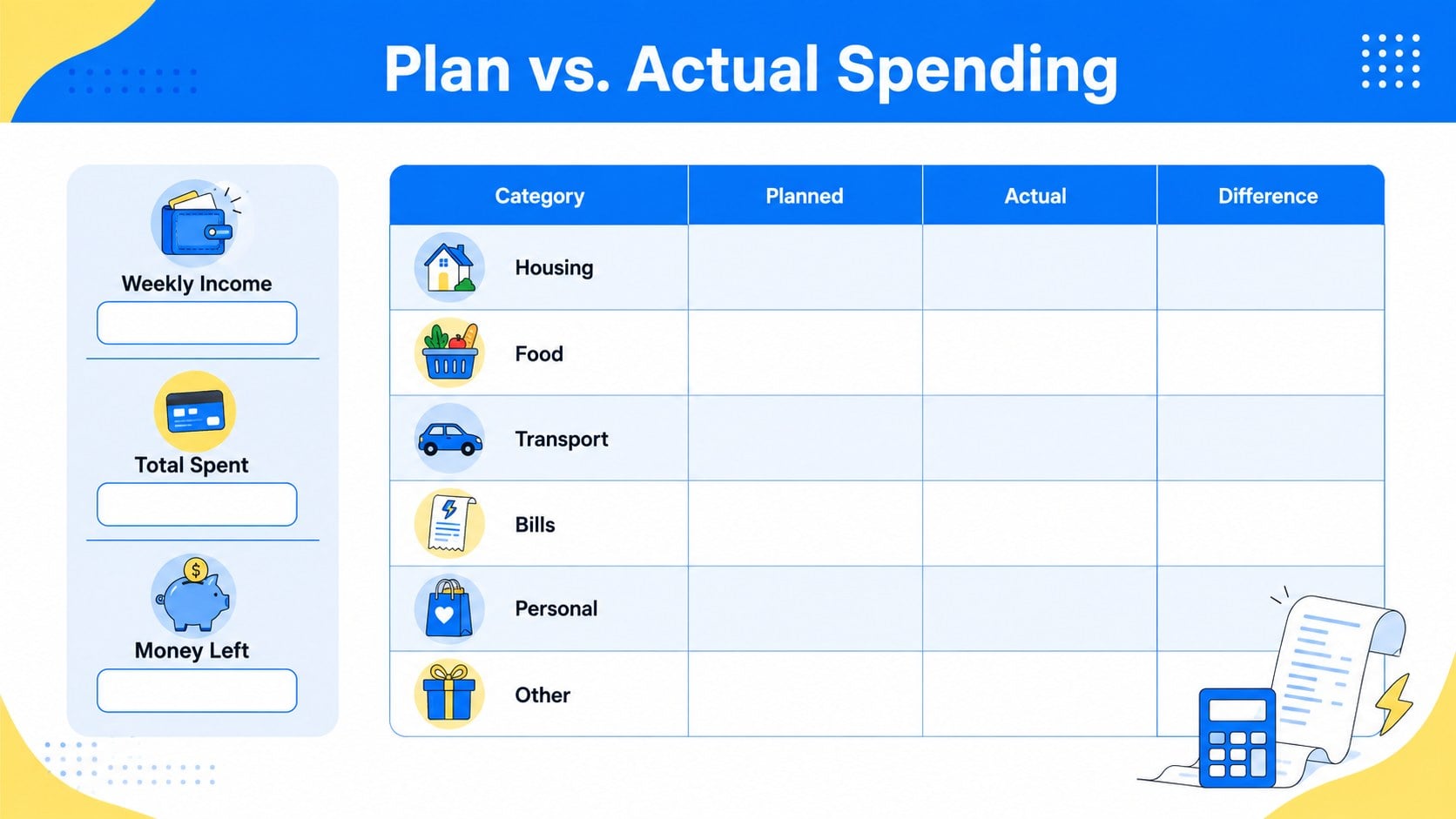
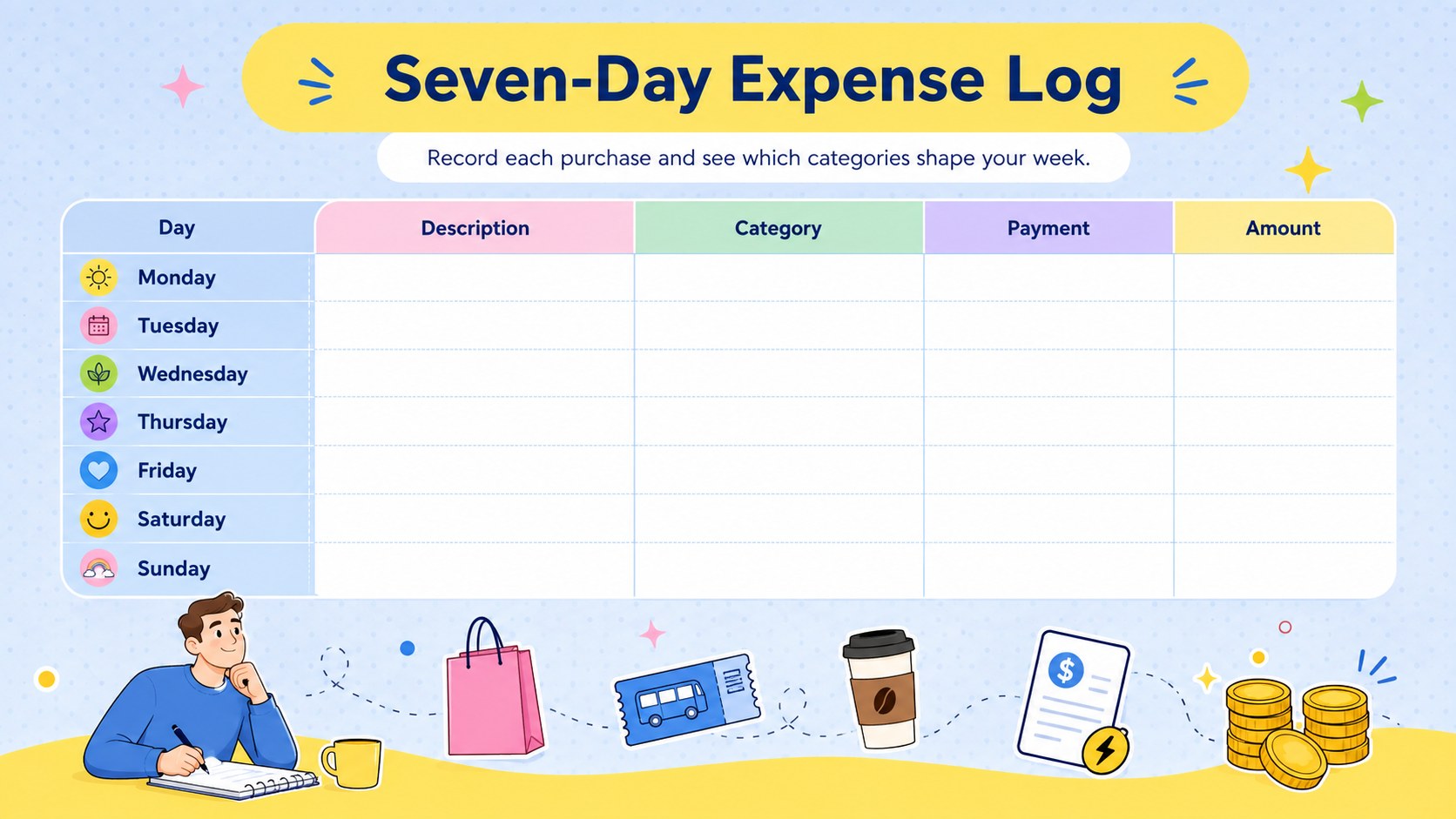
Bring clarity to short-term money management with this colorful weekly spending planner. Designed in a cheerful yellow, pastel blue, and white palette, the editable spreadsheet helps you plan income, assign spending limits, and record actual expenses without turning budgeting into a complicated project. Use it as a personal cash flow tracker by week or adapt it for shared household finances.
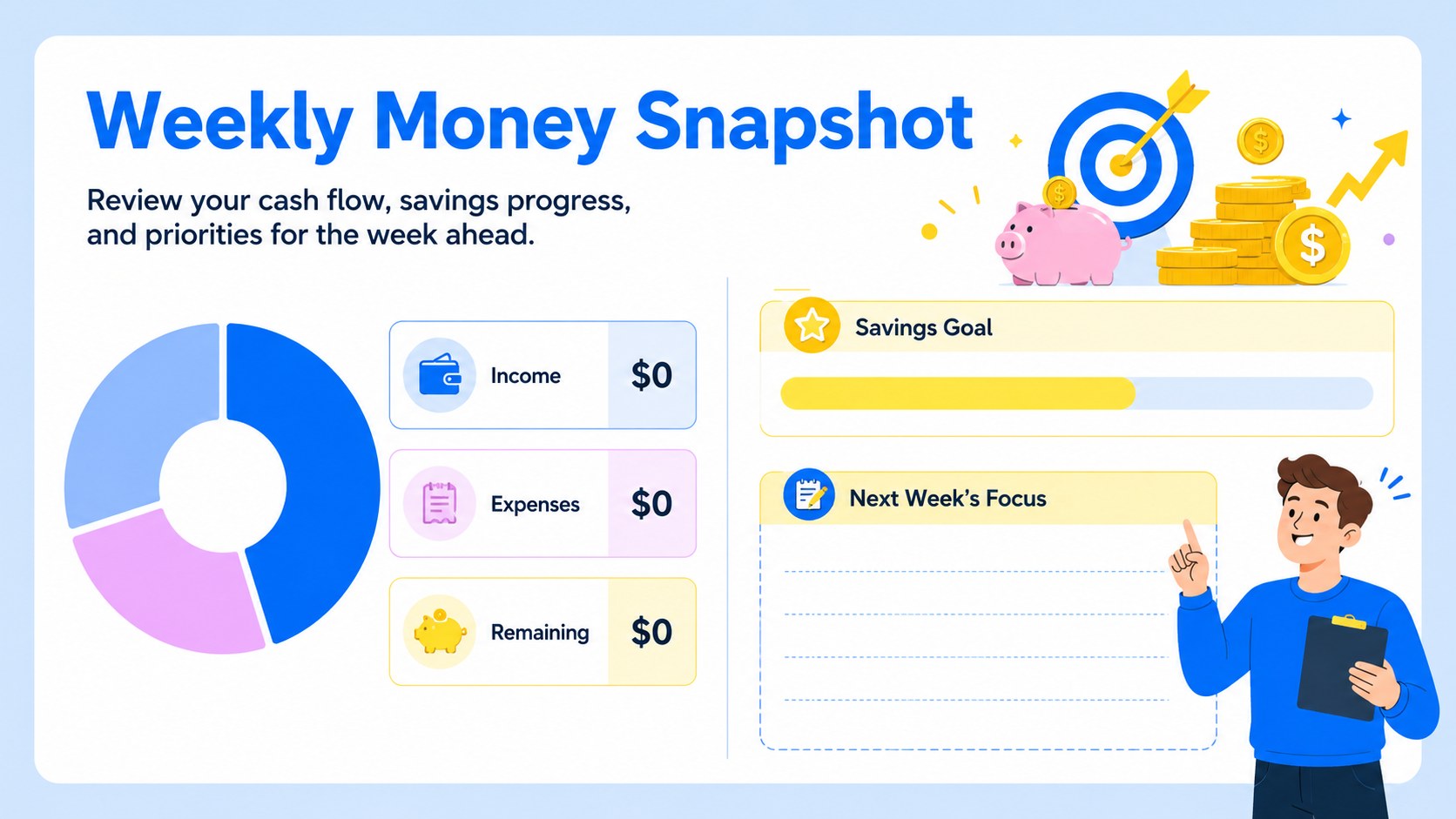
Inside, you will find dedicated areas for expected income, recurring bills, flexible purchases, savings contributions, and daily transactions. Simple totals make it easy to compare planned and actual spending, while the category overview highlights where your money is going. The workbook also works as a weekly savings goal worksheet, giving you a visible place to set aside funds and monitor progress. Clear labels, illustrated accents, and a spacious landscape layout keep the information approachable and easy to scan.
This template is useful for individuals, couples, families, students, and freelancers who want a reliable household expense planner spreadsheet. Customize the categories, colors, amounts, and labels in Excel or Google Sheets to match your routine. It can support weekly check-ins, paycheck planning, travel preparation, or a fresh start with personal finances. Enter your figures, review the calculated totals, and adjust the next week's plan based on what you learn.
Perfect for: weekly household expense planning; paycheck allocation; student spending tracking; freelance income management; short-term savings planning.
Frequently asked questions
Which platforms can I use to edit this planner? The spreadsheet can be edited in Microsoft Excel and Google Sheets. Presentation versions and preview layouts are compatible with PowerPoint and Google Slides.
Practical details
The spreadsheet can be edited in Microsoft Excel and Google Sheets. Presentation versions and preview layouts are compatible with PowerPoint and Google Slides.
Yes. Rename, remove, or add categories to reflect your regular bills, flexible costs, and savings priorities. You can also adjust labels and colors without changing the overall structure.
Yes. Separate planning and actual-spending fields help you identify differences at the end of the week. The summary area provides a quick view of income, expenses, savings, and remaining funds.
Yes. Add household members, shared expense categories, or separate income sources as needed. The weekly format works well for regular family finance check-ins.
Keep exploring
6Honor teams and individuals with an Orange Year-End Recognition Certificate Set featuring six editable designs for PowerPoint and Google Slides.
 4
4Keep inspections, repairs, priorities, and follow-up dates organized in a weekly equipment service log designed for facilities and operations teams.
 4
4Keep weekly ownership visible with a Weekly Team Workflow Tracker for assignments, deadlines, priorities, logged hours, blockers, and status updates.
 4
4Turn weekly results into quick decisions with a colorful sales pulse tracker for comparing targets, revenue, wins, and trends in Excel or Google Sheets.
 4
4Turn a busy workload into a clear action plan with the Illustrated Task Priority Organizer, an editable green-and-purple template for focused days.
 4
4Organize classes, meetings, and personal tasks with a vibrant weekly schedule planner, editable in Excel and Google Sheets for fast, flexible updates.
 4
4Coordinate absences with an employee leave calendar spreadsheet built for clear approvals, reliable team coverage, and easy editing in Excel or Google Sheets.
 16
16Build a cheerful community winter celebration presentation for event plans, schedules, activities, and recaps in PowerPoint or Google Slides with ease.