
 6
6spreadsheet
Orange Year-End Recognition Certificate Set
Honor teams and individuals with an Orange Year-End Recognition Certificate Set featuring six editable designs for PowerPoint and Google Slides.
Google SlidesPowerPointExcel
spreadsheet · English
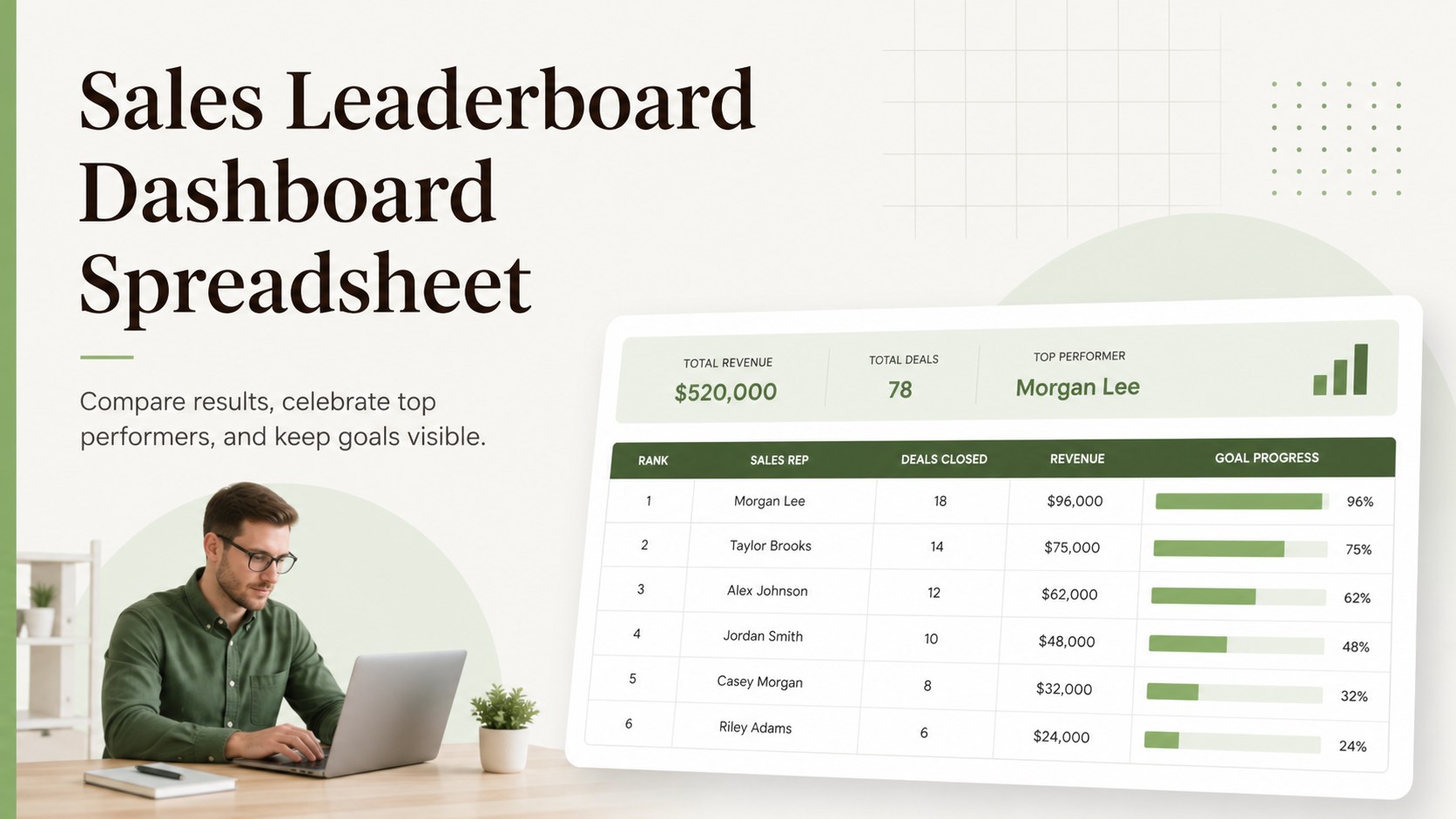
Build friendly competition with a sales leaderboard dashboard for weekly reviews, quota tracking, and rep recognition in Excel or Google Sheets.
Design notes
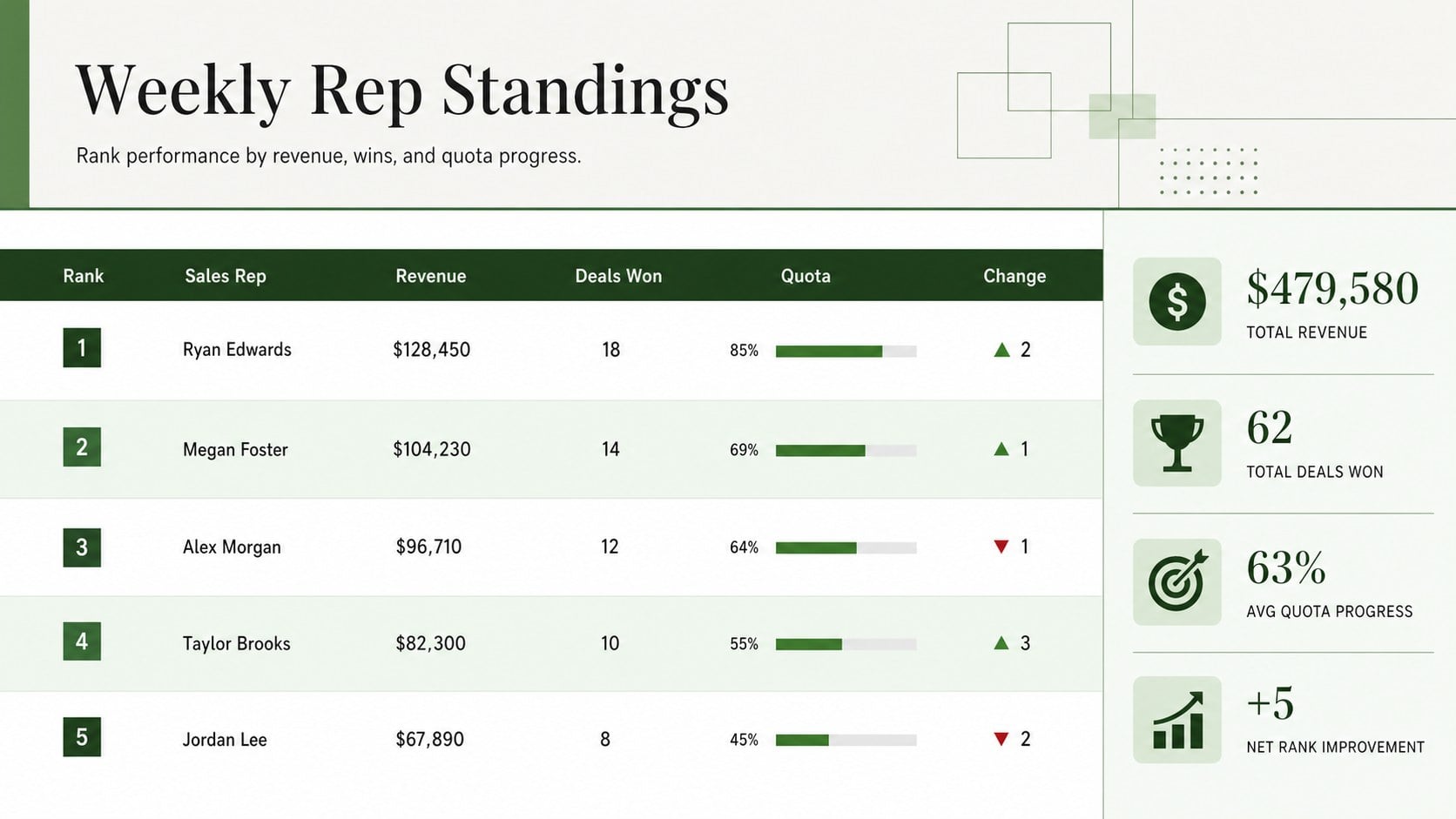
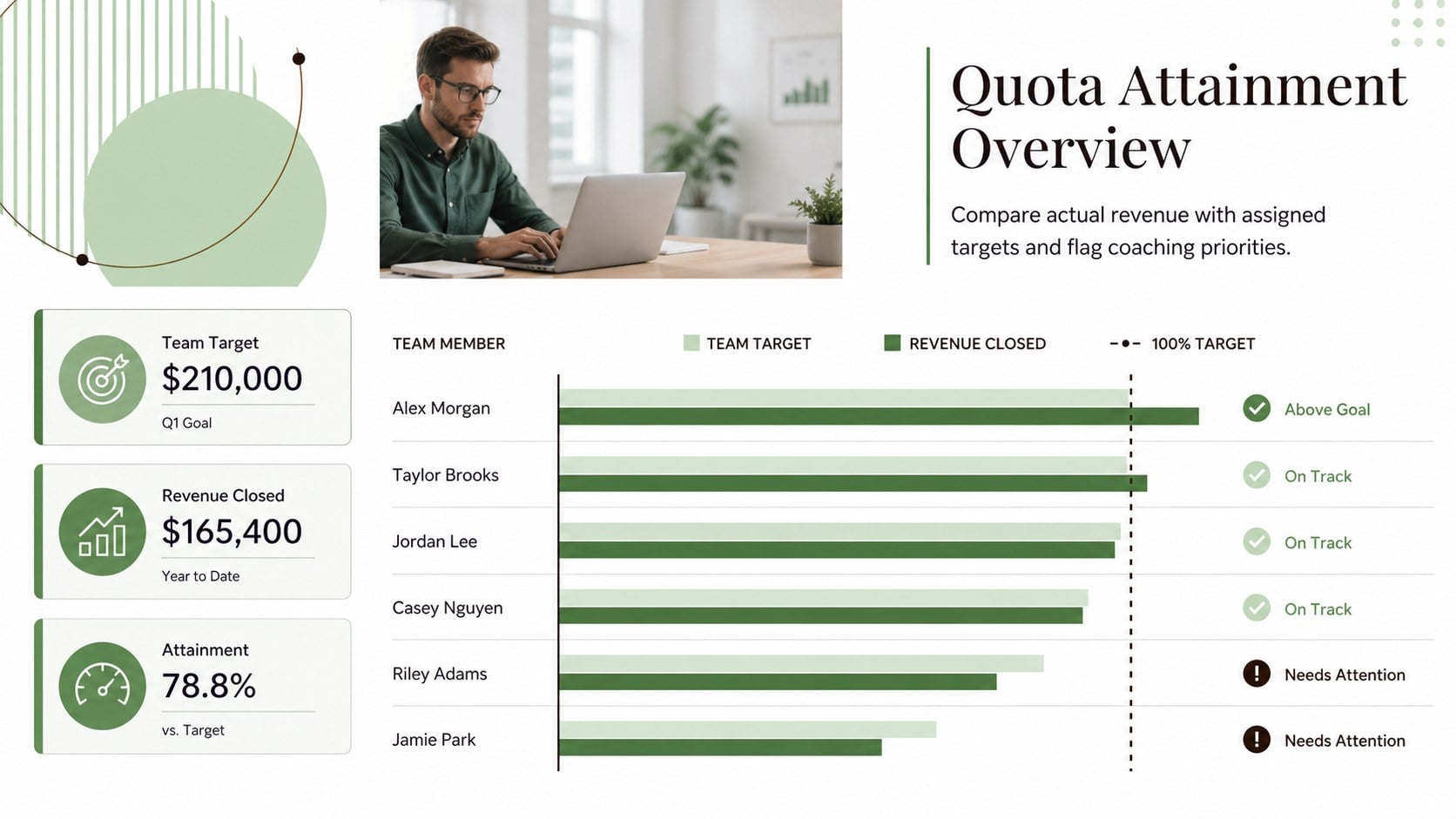
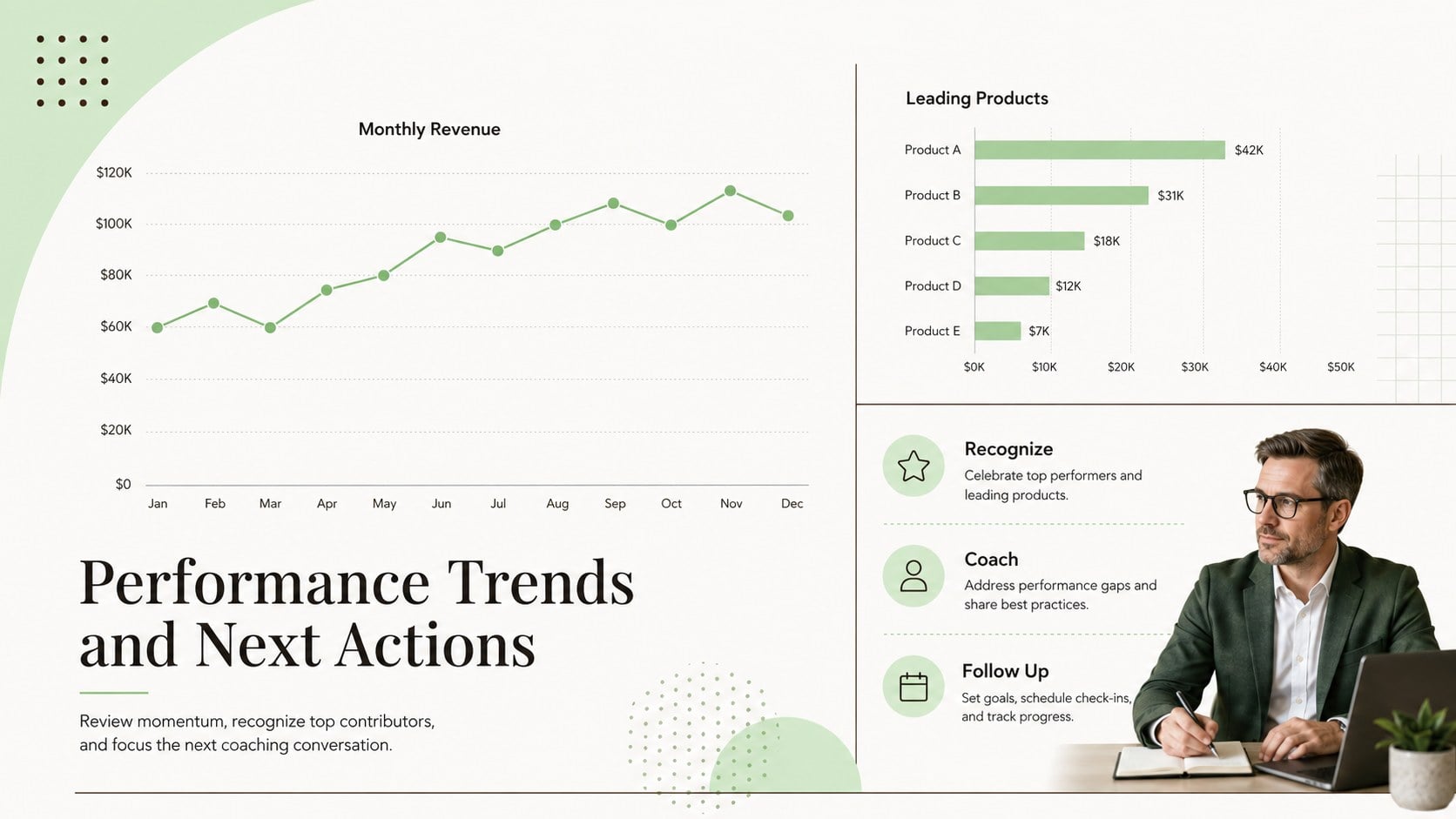
Turn performance data into an easy weekly conversation with this sales leaderboard dashboard. Its clean green, white, and brown design gives managers a quick view of rankings without clutter, while clearly showing how each representative is progressing toward individual and team goals. Use it to create healthy competition, recognize strong results, and identify where coaching may be needed.
The workbook includes a ranked representative table, revenue and activity fields, quota progress, period comparisons, and space for notes or next actions. Update names, targets, reporting periods, products, and regions to build a sales team leaderboard spreadsheet that matches your organization. The structured layout also works as a monthly sales performance dashboard for recurring reviews and leadership reports.
Built for sales managers, revenue operations teams, department leads, and small business owners, this spreadsheet supports weekly stand-ups, monthly close meetings, incentive contests, and campaign tracking. It can also serve as a quota attainment leaderboard template when teams need to compare actual results against assigned goals. Edit formulas, labels, colors, and ranking criteria in Excel or Google Sheets, then share the latest version with stakeholders or export it for reporting. The minimalist landscape format keeps the most important figures prominent while leaving enough room for practical context and follow-up decisions.
Perfect for: weekly sales team review; monthly quota assessment; sales incentive contest; regional performance comparison; top performer recognition.
Frequently asked questions
Can I change how representatives are ranked? Yes. Edit the ranking formula to prioritize revenue, units sold, calls completed, quota attainment, or another metric. You can also add tie-breaking rules that match your sales process.
Practical details
Yes. Edit the ranking formula to prioritize revenue, units sold, calls completed, quota attainment, or another metric. You can also add tie-breaking rules that match your sales process.
The template is designed for Excel and Google Sheets. Review imported formulas and formatting after opening the file, especially if your spreadsheet uses regional number or date settings.
Yes. Replace the sample periods, representative names, targets, products, and regions with your own data. The layout can support weekly, monthly, quarterly, or campaign-based reporting.
Yes. Update cell fills, typography, headings, and status labels while preserving the ranking formulas. You can also add your company logo before sharing the finished workbook internally.
Keep exploring
6Honor teams and individuals with an Orange Year-End Recognition Certificate Set featuring six editable designs for PowerPoint and Google Slides.
 4
4Keep inspections, repairs, priorities, and follow-up dates organized in a weekly equipment service log designed for facilities and operations teams.
 4
4Keep weekly ownership visible with a Weekly Team Workflow Tracker for assignments, deadlines, priorities, logged hours, blockers, and status updates.
 4
4Turn weekly results into quick decisions with a colorful sales pulse tracker for comparing targets, revenue, wins, and trends in Excel or Google Sheets.
 4
4Turn a busy workload into a clear action plan with the Illustrated Task Priority Organizer, an editable green-and-purple template for focused days.
 4
4Organize classes, meetings, and personal tasks with a vibrant weekly schedule planner, editable in Excel and Google Sheets for fast, flexible updates.
 4
4Coordinate absences with an employee leave calendar spreadsheet built for clear approvals, reliable team coverage, and easy editing in Excel or Google Sheets.
 4
4Plan bills, savings, and daily costs with a colorful weekly spending planner for Excel or Google Sheets, with clear categories and automatic totals.