
 6
6spreadsheet
Orange Year-End Recognition Certificate Set
Honor teams and individuals with an Orange Year-End Recognition Certificate Set featuring six editable designs for PowerPoint and Google Slides.
Google SlidesPowerPointExcel
spreadsheet · English
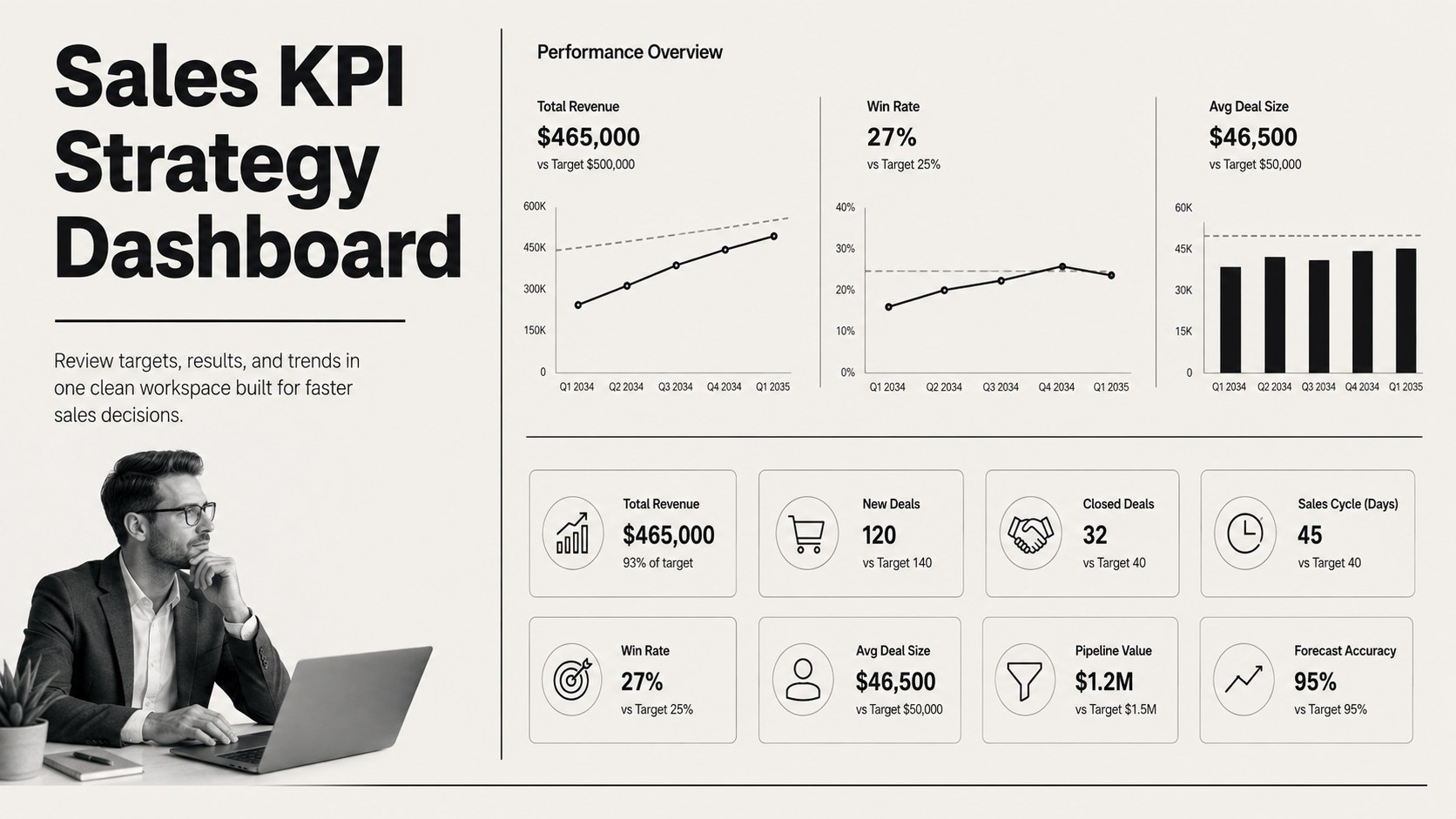
Turn scattered metrics into an actionable sales KPI strategy dashboard for tracking targets, trends, and team performance in Excel or Google Sheets.
Design notes
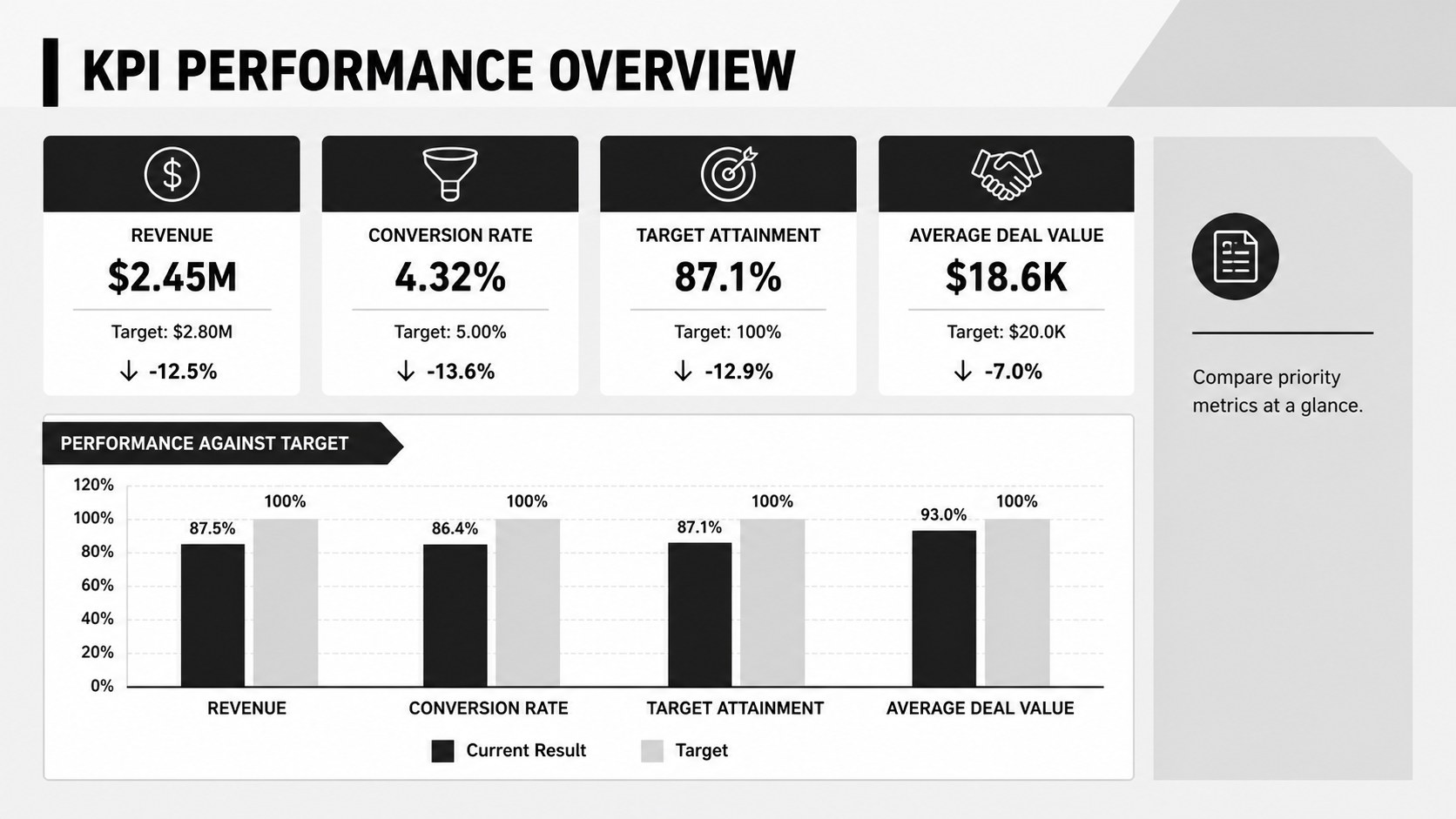
Bring targets, results, and trends together with a sales KPI strategy dashboard designed for clear, focused reporting. Its modern black-and-white layout helps teams compare actual performance against goals, recognize changes early, and prepare concise updates without building a reporting system from scratch.
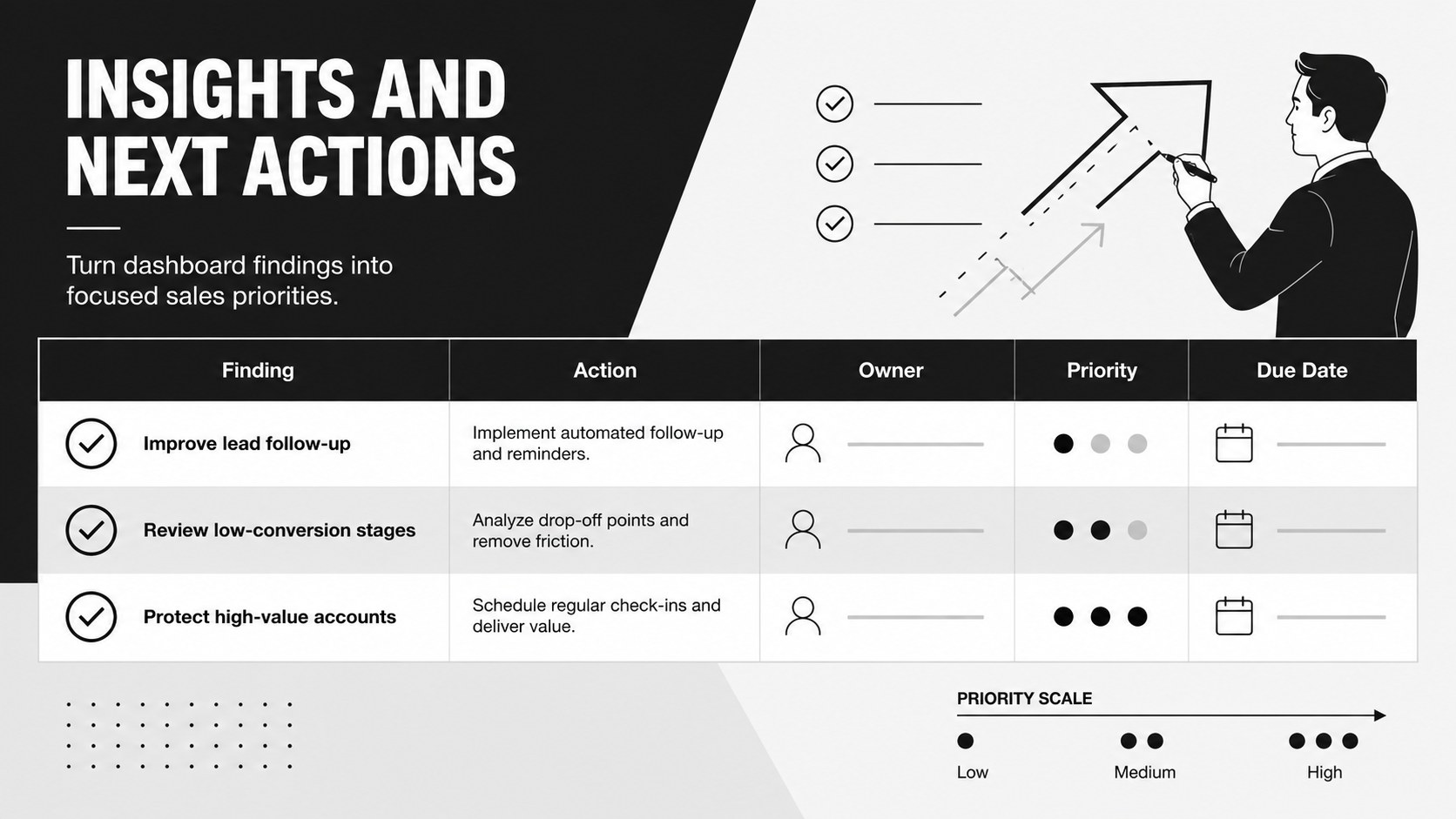
The workbook includes an executive KPI overview, target-versus-actual fields, performance indicators, trend sections, and space for observations or follow-up actions. Use it as an Excel sales metrics dashboard for monitoring revenue, conversion rates, average deal value, sales activity, or other measures that matter to your organization. Labels, calculations, reporting periods, and visual elements can be adjusted to suit monthly, quarterly, or campaign-based reviews.
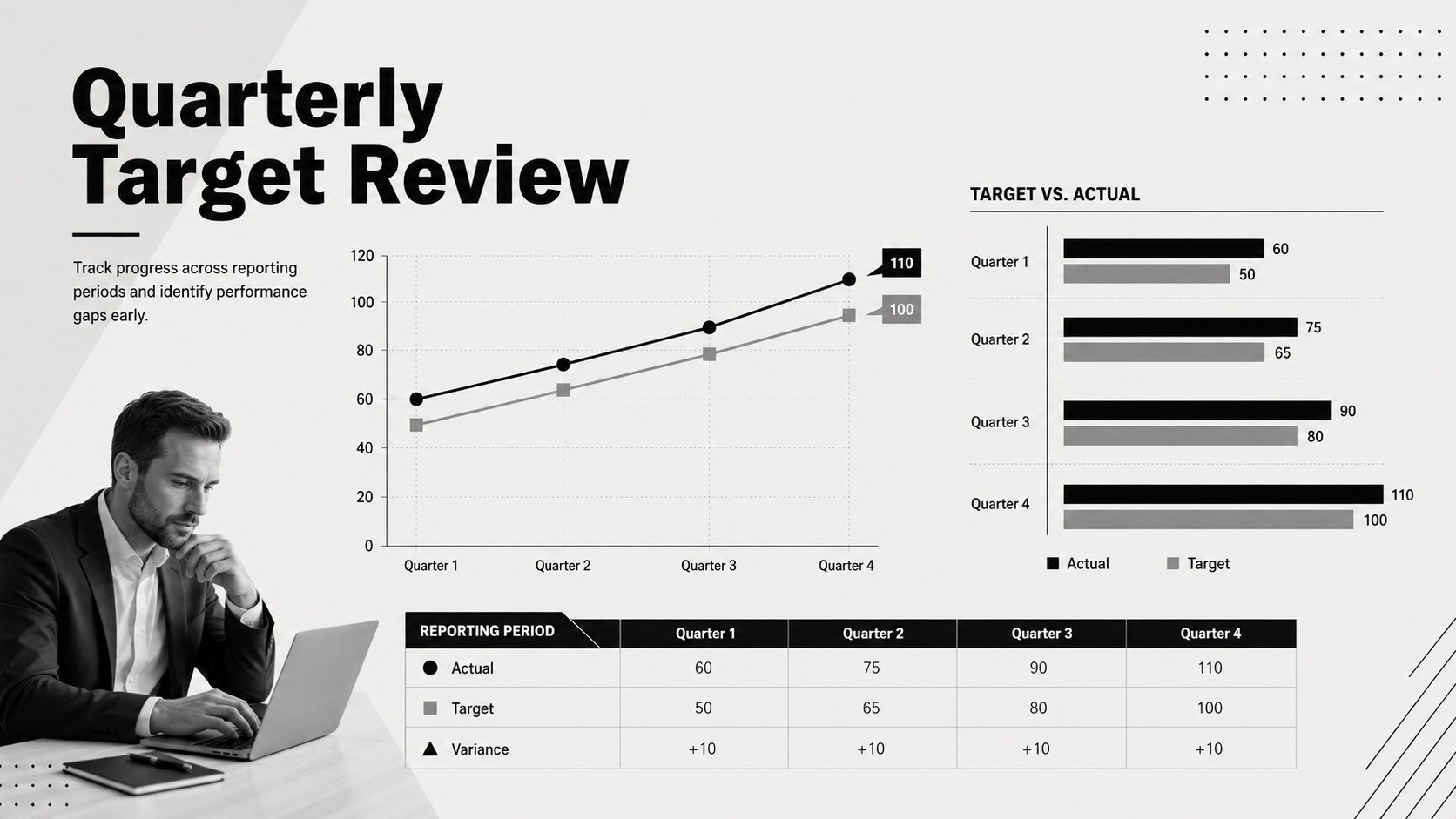
This minimalist sales reporting template is useful for sales managers, revenue operations teams, department heads, small-business owners, and account leaders. It can support leadership meetings, territory reviews, coaching sessions, and sales planning conversations. Teams can also adapt it into a quarterly sales review dashboard for comparing periods and highlighting areas that require attention.
The template works with Excel and Google Sheets, making it practical for both individual analysis and shared reporting. Replace the sample values with current data, define your targets, and tailor the scorecard categories to create a consistent view of sales performance.
Perfect for: monthly sales performance review; quarterly leadership reporting; sales target comparison; territory performance analysis; revenue operations meeting.
Frequently asked questions
Practical details
Yes. Replace the sample labels, values, formulas, and targets with metrics that match your sales process. You can also add or remove reporting sections without changing the overall visual style.
The template is designed for Microsoft Excel and Google Sheets. Some formatting or chart settings may vary slightly when moving the file between platforms.
Yes. Update the reporting periods to compare quarters, months, territories, or sales teams. The trend and target sections can be adapted to show both current results and previous-period performance.
Keep the neutral foundation for a clean executive-reporting look, or introduce one accent color for status indicators and priority metrics. Use consistent typography and chart styling so the dashboard remains easy to scan.
Keep exploring
6Honor teams and individuals with an Orange Year-End Recognition Certificate Set featuring six editable designs for PowerPoint and Google Slides.
 4
4Keep inspections, repairs, priorities, and follow-up dates organized in a weekly equipment service log designed for facilities and operations teams.
 4
4Keep weekly ownership visible with a Weekly Team Workflow Tracker for assignments, deadlines, priorities, logged hours, blockers, and status updates.
 4
4Turn weekly results into quick decisions with a colorful sales pulse tracker for comparing targets, revenue, wins, and trends in Excel or Google Sheets.
 4
4Turn a busy workload into a clear action plan with the Illustrated Task Priority Organizer, an editable green-and-purple template for focused days.
 4
4Organize classes, meetings, and personal tasks with a vibrant weekly schedule planner, editable in Excel and Google Sheets for fast, flexible updates.
 4
4Coordinate absences with an employee leave calendar spreadsheet built for clear approvals, reliable team coverage, and easy editing in Excel or Google Sheets.
 4
4Plan bills, savings, and daily costs with a colorful weekly spending planner for Excel or Google Sheets, with clear categories and automatic totals.