
 6
6spreadsheet
Orange Year-End Recognition Certificate Set
Honor teams and individuals with an Orange Year-End Recognition Certificate Set featuring six editable designs for PowerPoint and Google Slides.
Google SlidesPowerPointExcel
spreadsheet · English
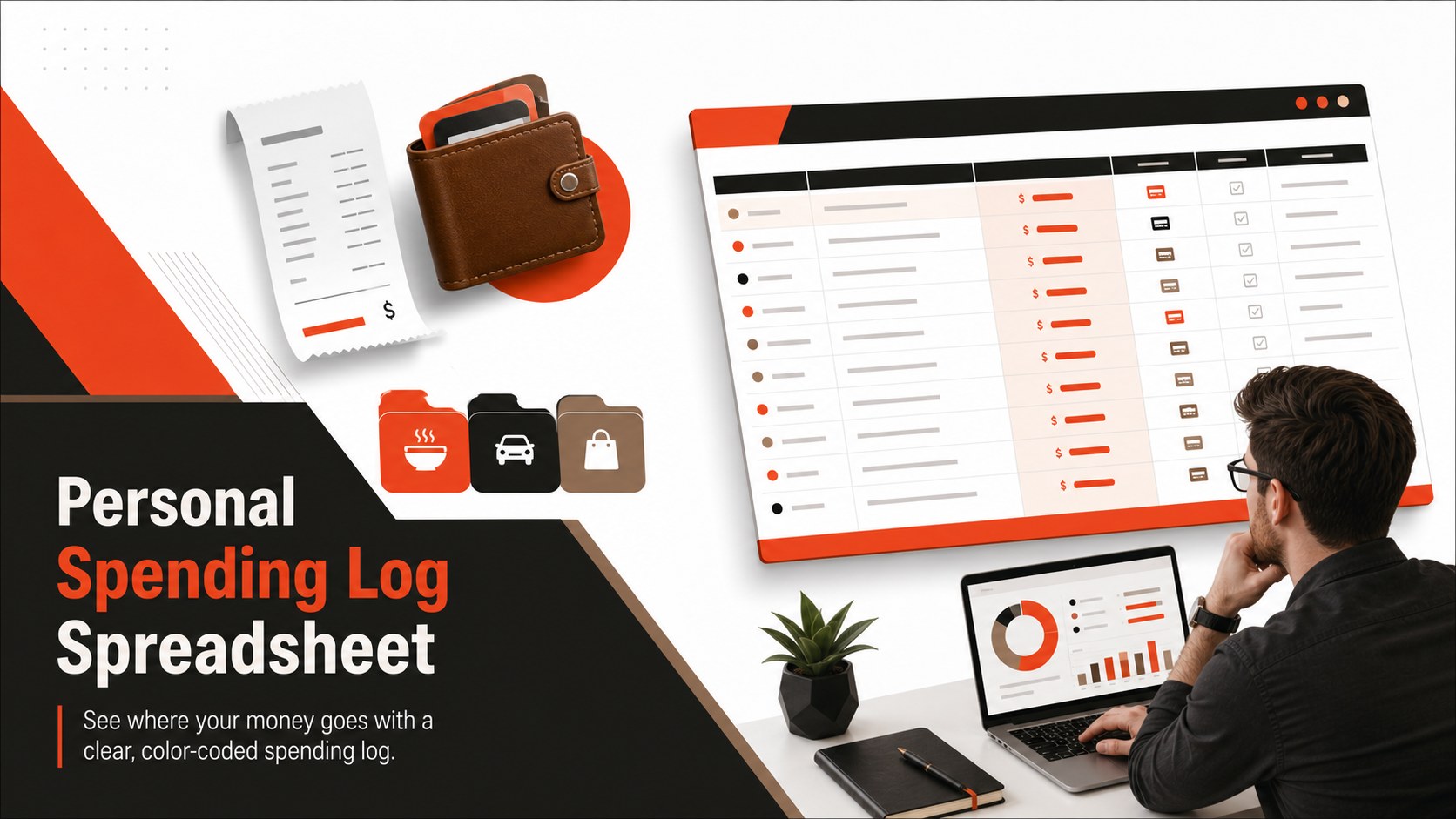
Build clearer money habits with a personal spending log spreadsheet for categorizing purchases, reviewing patterns, and planning in Excel or Google Sheets.
Design notes
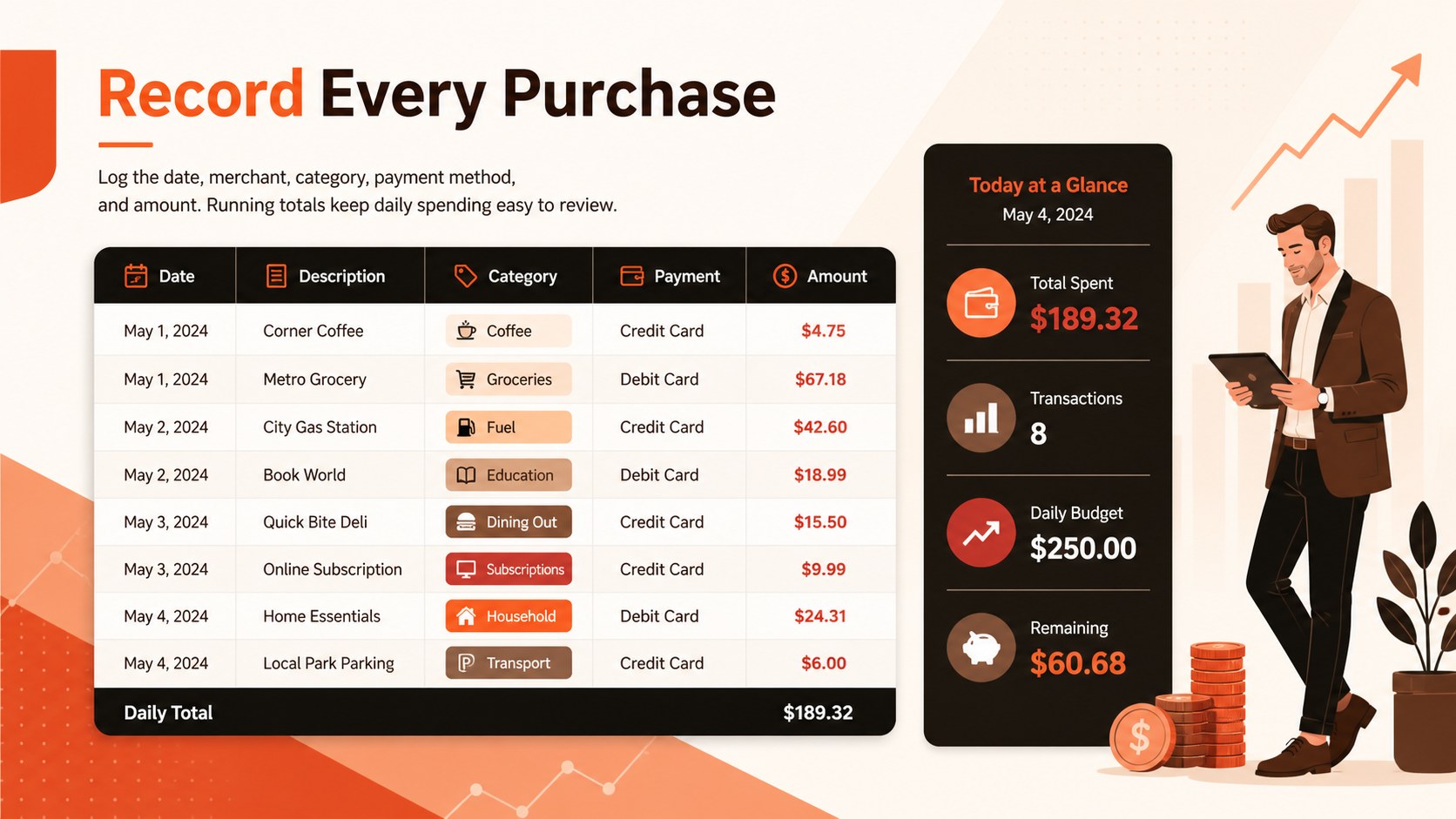
Turn everyday transactions into a useful view of your financial habits with this personal spending log spreadsheet. Its modern layout combines strong black accents with energetic shades of orange, brown, and red, creating a practical workspace that remains easy to scan. Enter purchases as they happen, assign categories, and compare amounts without building a tracking system from scratch.
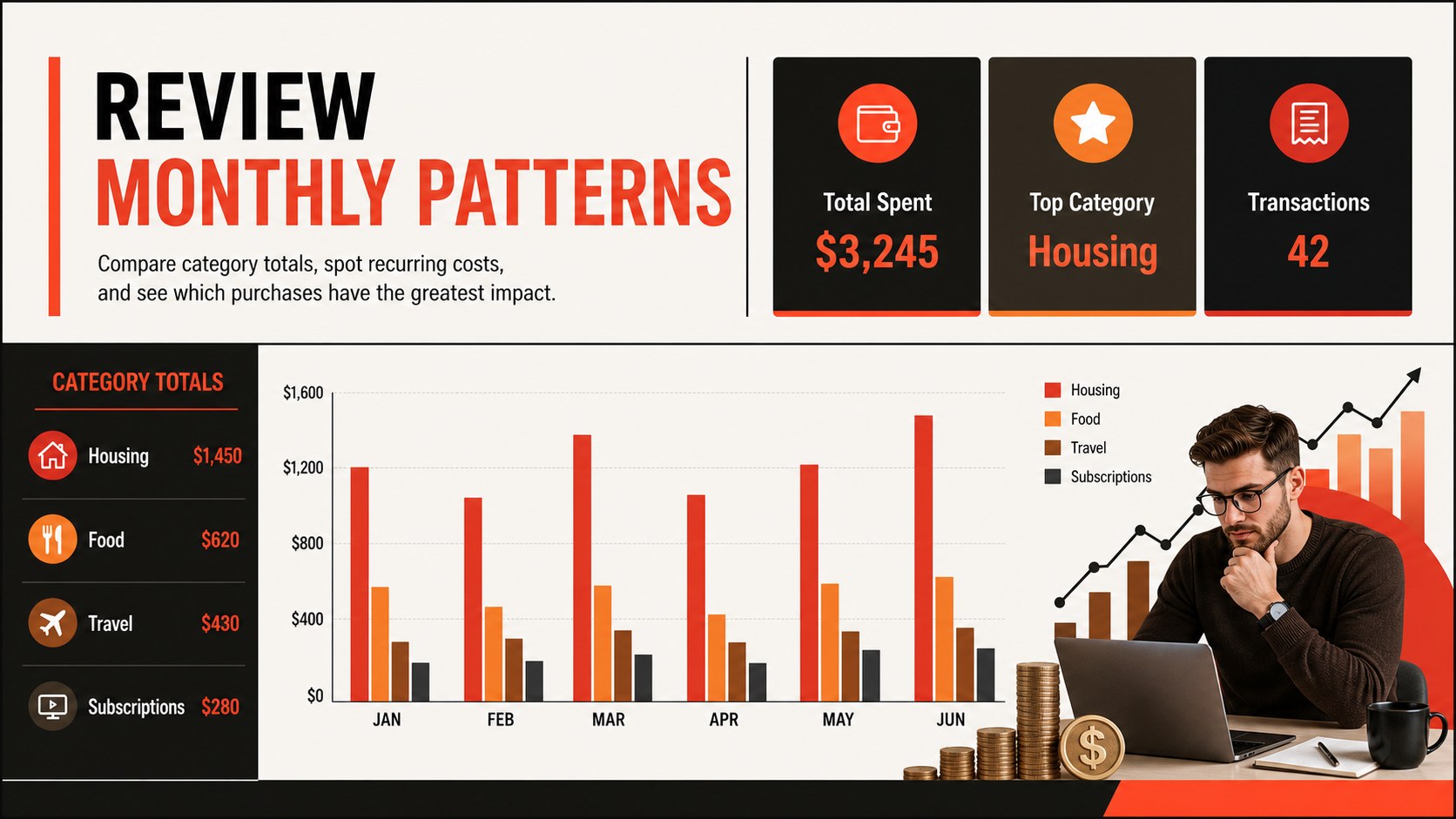
Inside, you will find a structured transaction register, category fields, payment details, running totals, and visual summaries for reviewing spending patterns. The flexible format works as a monthly household expense log, a personal finance tracking spreadsheet, or a small business purchase record. Clear sections help separate essential costs, discretionary purchases, subscriptions, travel, supplies, and other recurring expenses. Charts and summary areas make it easier to identify categories that may need attention.
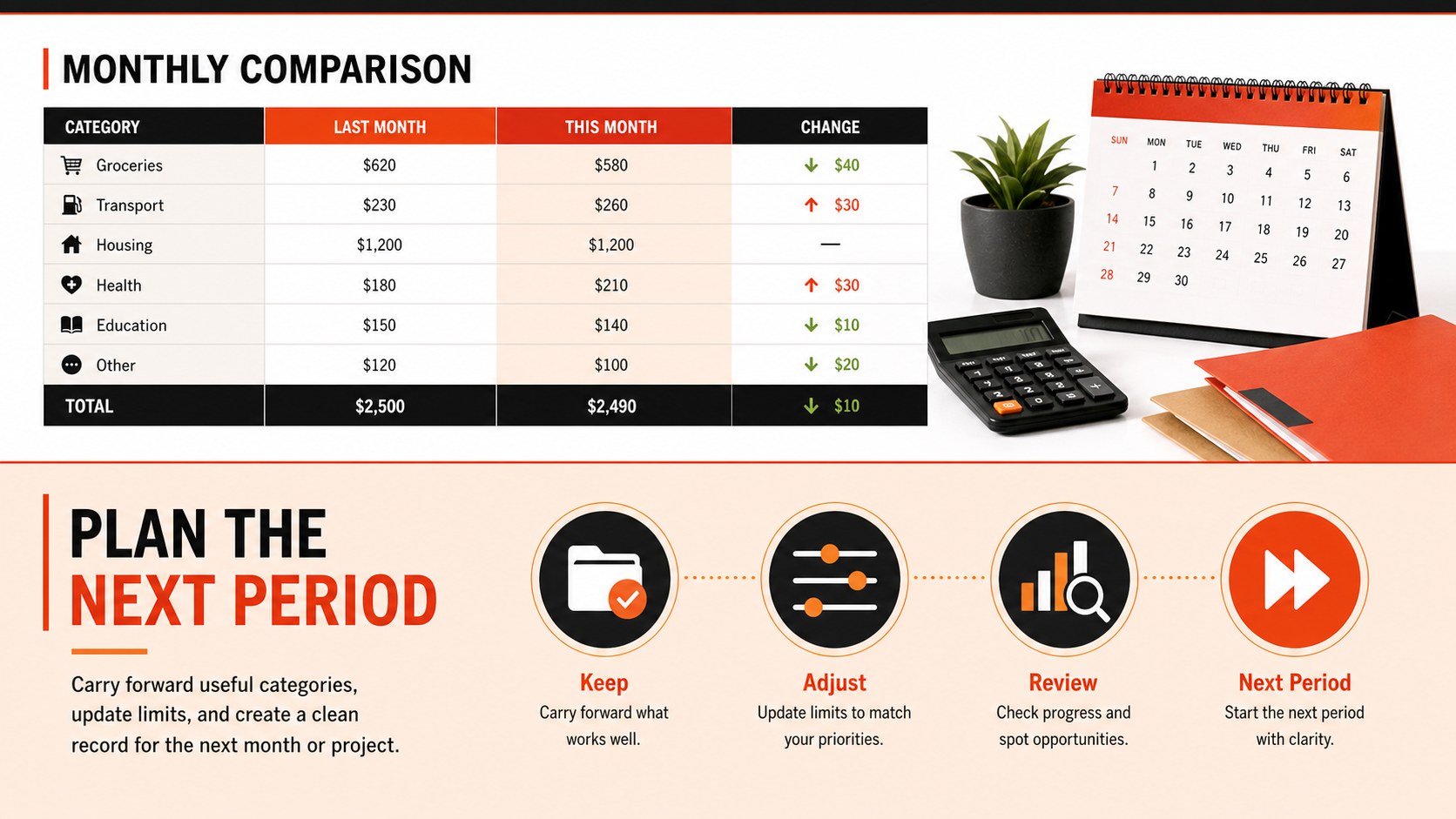
This template is designed for individuals, couples, freelancers, side-business owners, and small teams that need a straightforward way to document outgoing funds. Customize category names, colors, formulas, date ranges, and currency settings in Excel or Google Sheets. Duplicate the tracking section for a new week, month, project, or account while preserving a consistent reporting format. Whether you are preparing for a budget review or simply improving daily recordkeeping, the spreadsheet provides an organized foundation for more informed spending decisions.
Perfect for: monthly household spending review; freelancer purchase tracking; small business expense records; subscription cost monitoring; travel expense organization.
Frequently asked questions
Which spreadsheet platforms can I use? The template is designed for Microsoft Excel and Google Sheets. Some fonts, chart styles, or formulas may display slightly differently after importing, so review the workbook before entering live financial data.
Practical details
The template is designed for Microsoft Excel and Google Sheets. Some fonts, chart styles, or formulas may display slightly differently after importing, so review the workbook before entering live financial data.
Yes. Rename categories to match your household or business needs, and adjust the currency format through the spreadsheet's number-formatting controls. You can also add rows or duplicate sections for additional accounts and reporting periods.
Duplicate the completed monthly sheet and rename the copy for the next reporting period. Clear only the transaction-entry cells while keeping headings, formulas, summaries, and formatting in place.
Yes. The orange, black, brown, and red palette can be edited in Excel or Google Sheets, and chart ranges can be expanded as records are added. Keep category labels consistent so summaries and visual reports remain accurate.
Keep exploring
6Honor teams and individuals with an Orange Year-End Recognition Certificate Set featuring six editable designs for PowerPoint and Google Slides.
 4
4Keep inspections, repairs, priorities, and follow-up dates organized in a weekly equipment service log designed for facilities and operations teams.
 4
4Keep weekly ownership visible with a Weekly Team Workflow Tracker for assignments, deadlines, priorities, logged hours, blockers, and status updates.
 4
4Turn weekly results into quick decisions with a colorful sales pulse tracker for comparing targets, revenue, wins, and trends in Excel or Google Sheets.
 4
4Turn a busy workload into a clear action plan with the Illustrated Task Priority Organizer, an editable green-and-purple template for focused days.
 4
4Organize classes, meetings, and personal tasks with a vibrant weekly schedule planner, editable in Excel and Google Sheets for fast, flexible updates.
 4
4Coordinate absences with an employee leave calendar spreadsheet built for clear approvals, reliable team coverage, and easy editing in Excel or Google Sheets.
 4
4Plan bills, savings, and daily costs with a colorful weekly spending planner for Excel or Google Sheets, with clear categories and automatic totals.