
 6
6spreadsheet
Orange Year-End Recognition Certificate Set
Honor teams and individuals with an Orange Year-End Recognition Certificate Set featuring six editable designs for PowerPoint and Google Slides.
Google SlidesPowerPointExcel
spreadsheet · English
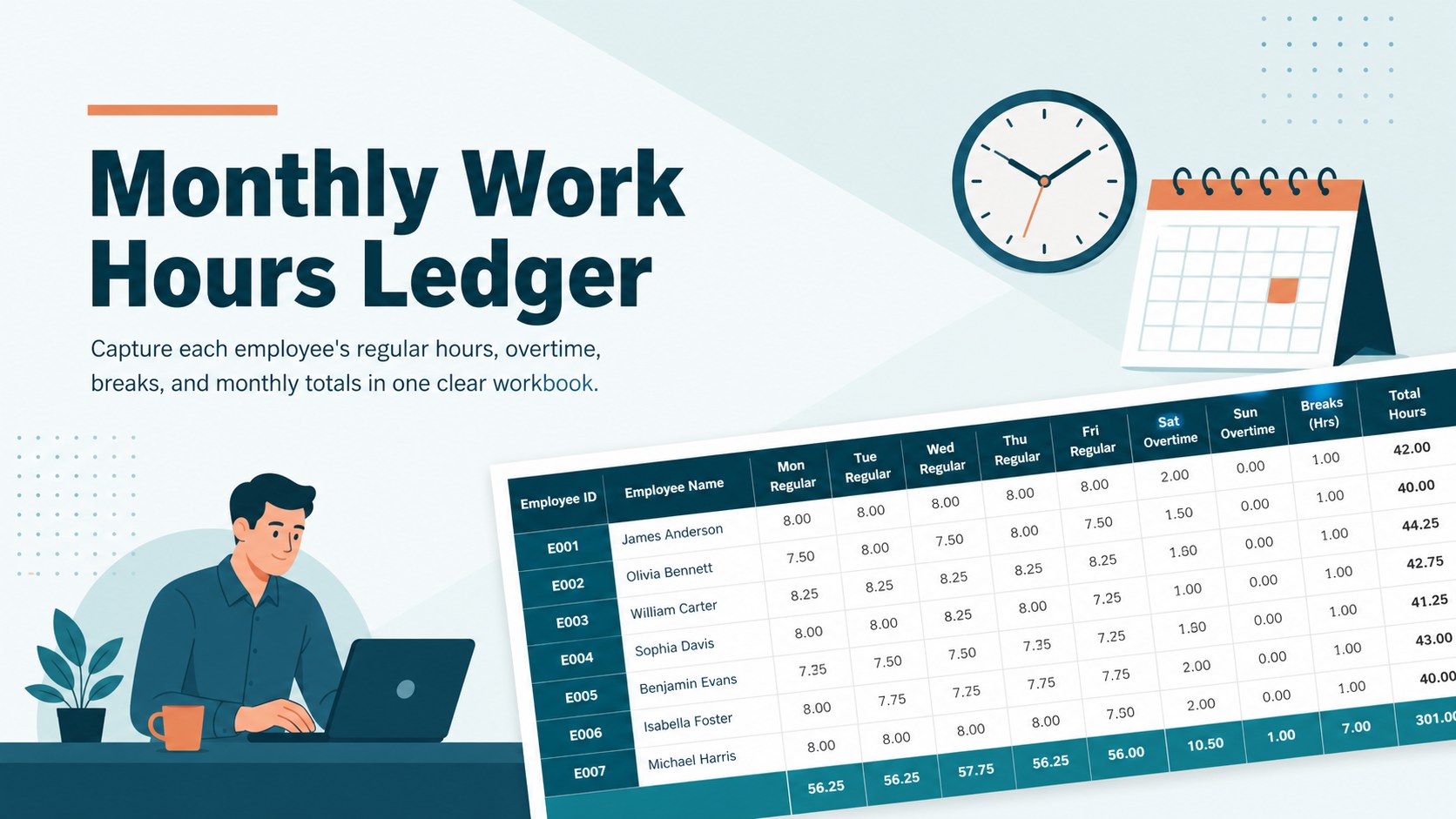
Keep payroll records organized with a monthly work hours ledger for tracking regular time, overtime, breaks, and totals in Excel or Google Sheets.
Design notes
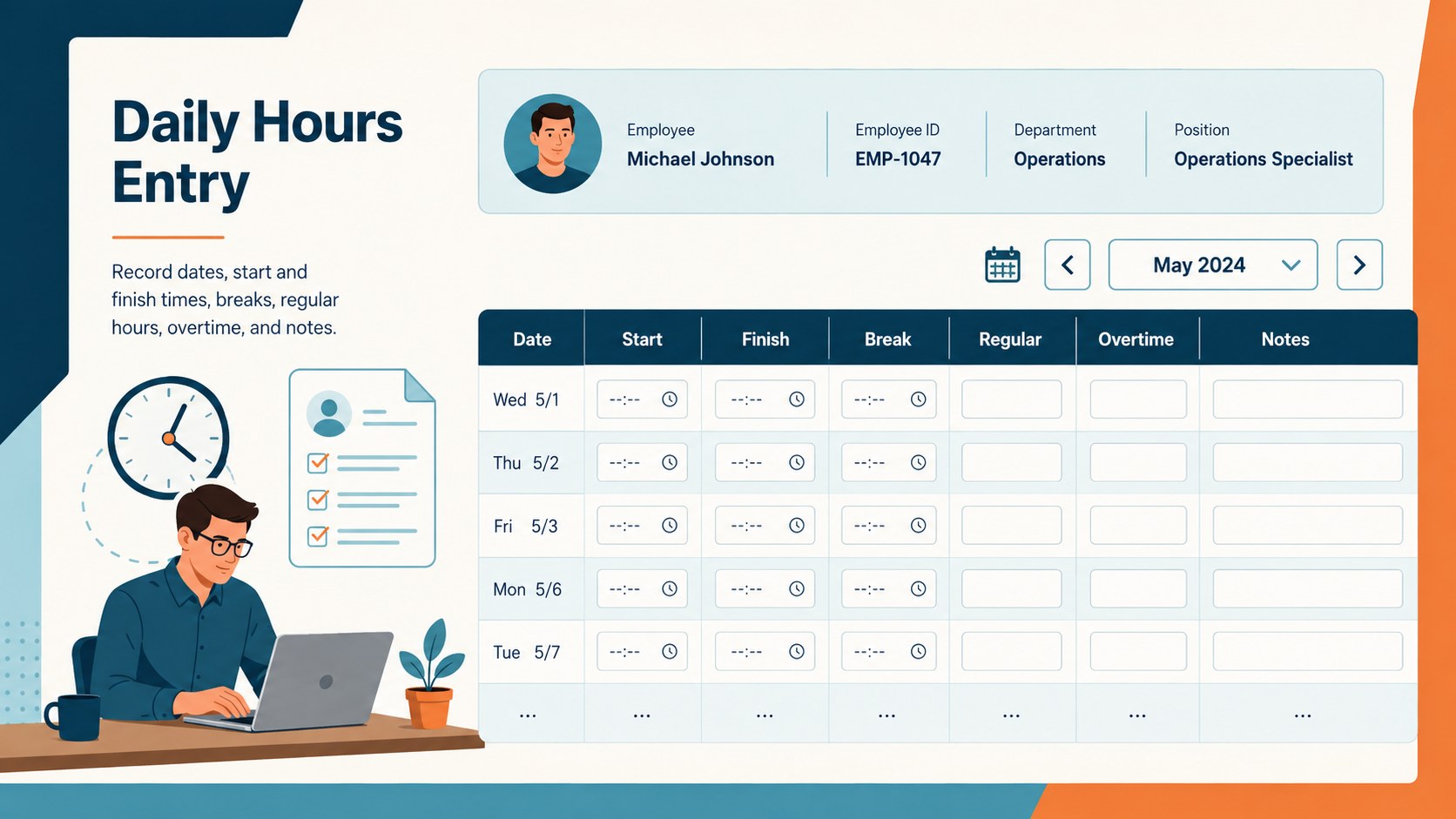
This monthly work hours ledger gives managers and payroll teams a structured place to record employee time throughout each pay period. The clean blue and orange design keeps daily entries readable while making important totals easy to find. Use it as an employee monthly hours spreadsheet for office staff, remote teams, contractors, or shift-based workplaces.
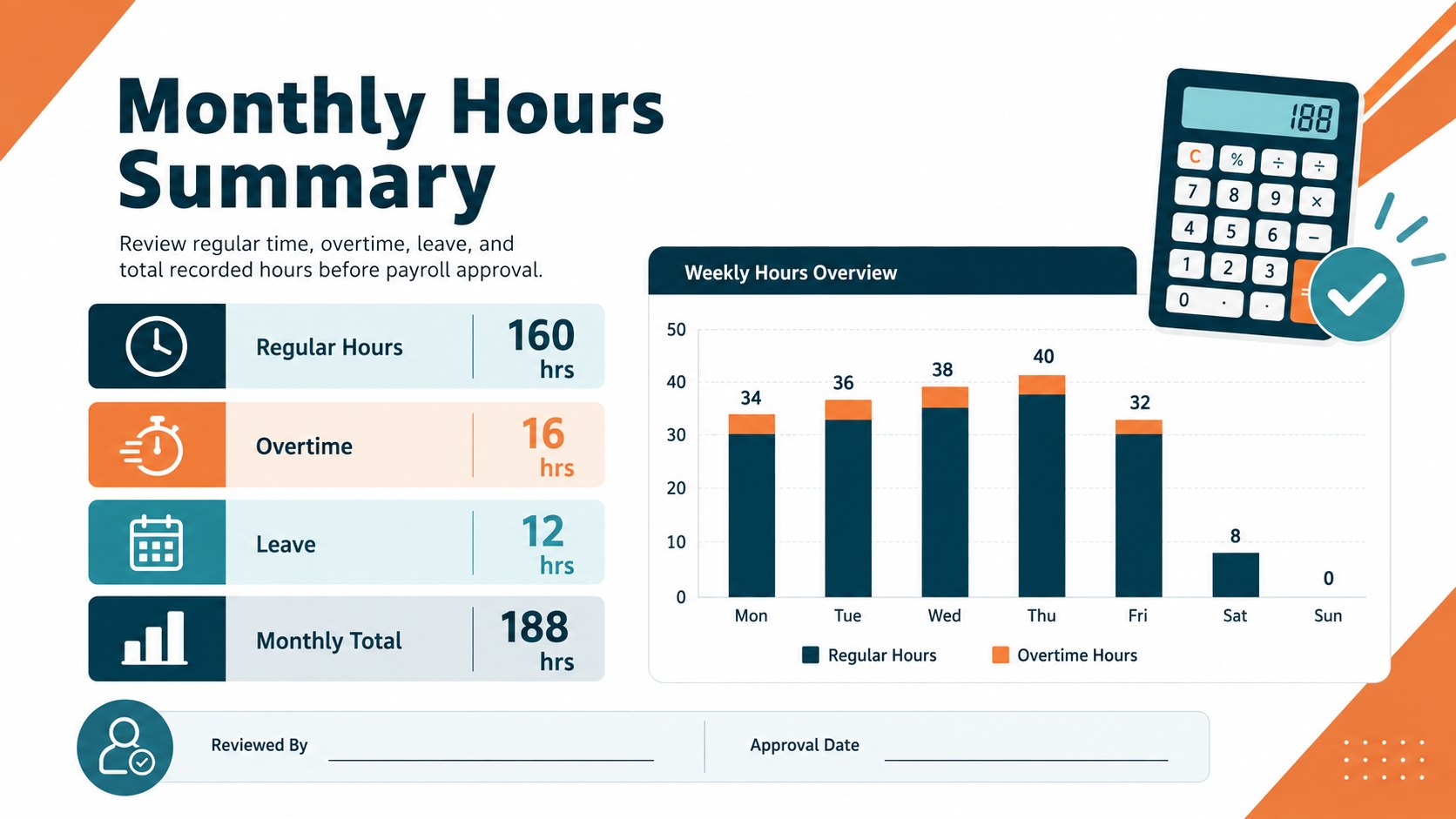
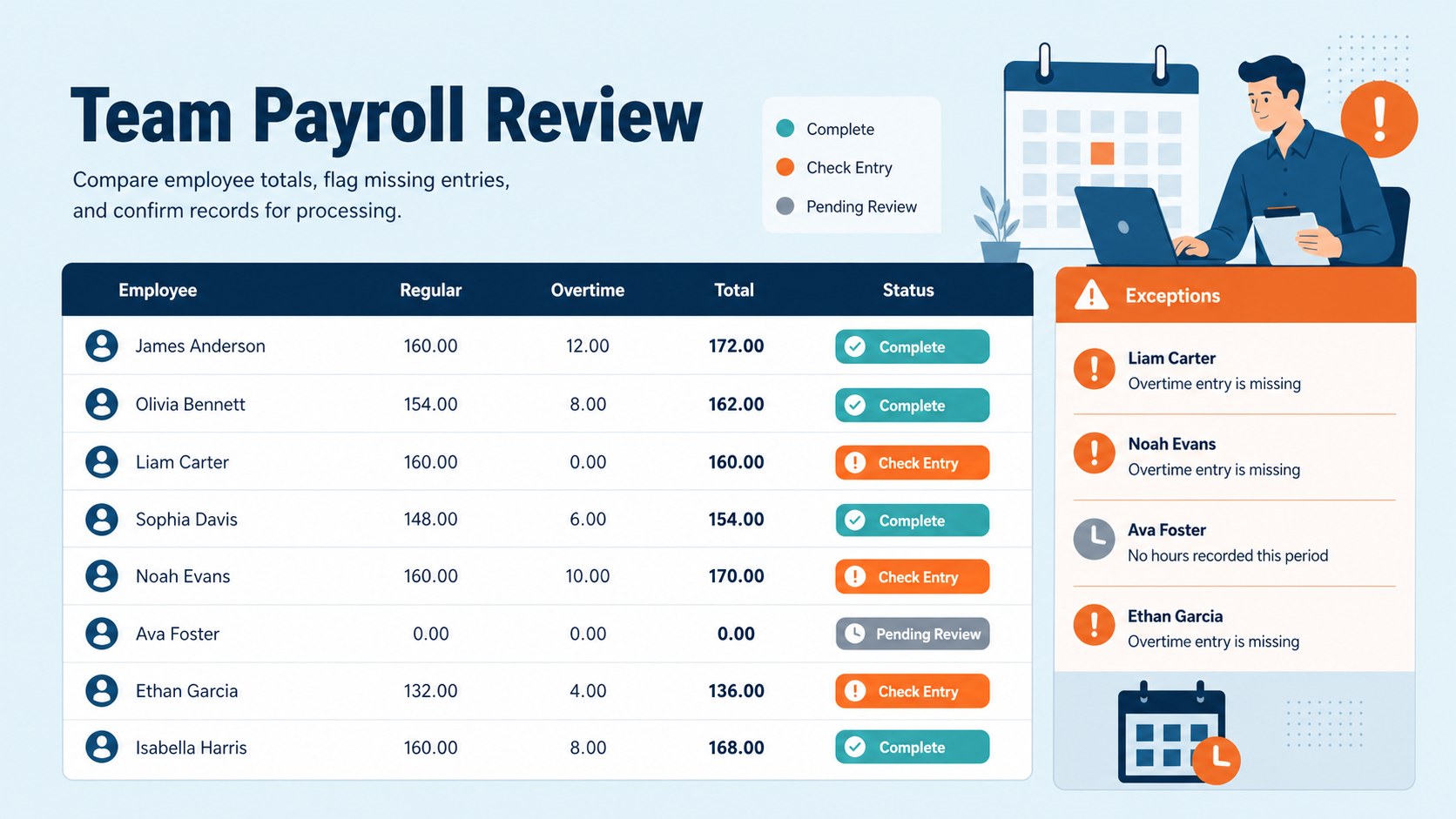
Inside, you will find dedicated fields for employee details, dates, start and finish times, breaks, regular hours, overtime, and monthly totals. A separate summary view turns the workbook into a practical payroll time tracking worksheet, helping reviewers check recorded hours before wages are calculated. Clear labels and organized rows also make it suitable as a regular and overtime hours tracker for teams with varied schedules.
The layout can be edited in Excel or Google Sheets, allowing you to rename columns, adjust formulas, apply company colors, or add fields for leave, project codes, and approval status. Duplicate the monthly tab for each employee or maintain a shared file for the whole department. Designed for HR coordinators, supervisors, small-business owners, bookkeepers, and project leads, this workbook supports consistent recordkeeping without adding unnecessary complexity to the monthly payroll process.
Perfect for: monthly payroll preparation; employee overtime review; contractor hour reporting; department time recordkeeping; shift and break tracking.
Frequently asked questions
Can I edit the hours and payroll fields? Yes. You can rename columns, add project or leave fields, change hour categories, and adapt formulas to match your payroll process.
Practical details
Yes. You can rename columns, add project or leave fields, change hour categories, and adapt formulas to match your payroll process.
Yes. The workbook can be opened and customized in both Excel and Google Sheets, although some formatting may vary slightly between platforms.
Duplicate the monthly entry tab for each employee and update the identification fields. You can also maintain one shared workbook with separate tabs for teams or departments.
Yes. Replace the blue and orange accents, adjust column widths, change type styles, or add your own approval and reporting sections.
Keep exploring
6Honor teams and individuals with an Orange Year-End Recognition Certificate Set featuring six editable designs for PowerPoint and Google Slides.
 4
4Keep inspections, repairs, priorities, and follow-up dates organized in a weekly equipment service log designed for facilities and operations teams.
 4
4Keep weekly ownership visible with a Weekly Team Workflow Tracker for assignments, deadlines, priorities, logged hours, blockers, and status updates.
 4
4Turn weekly results into quick decisions with a colorful sales pulse tracker for comparing targets, revenue, wins, and trends in Excel or Google Sheets.
 4
4Turn a busy workload into a clear action plan with the Illustrated Task Priority Organizer, an editable green-and-purple template for focused days.
 4
4Organize classes, meetings, and personal tasks with a vibrant weekly schedule planner, editable in Excel and Google Sheets for fast, flexible updates.
 4
4Coordinate absences with an employee leave calendar spreadsheet built for clear approvals, reliable team coverage, and easy editing in Excel or Google Sheets.
 4
4Plan bills, savings, and daily costs with a colorful weekly spending planner for Excel or Google Sheets, with clear categories and automatic totals.