
 6
6spreadsheet
Orange Year-End Recognition Certificate Set
Honor teams and individuals with an Orange Year-End Recognition Certificate Set featuring six editable designs for PowerPoint and Google Slides.
Google SlidesPowerPointExcel
spreadsheet · English
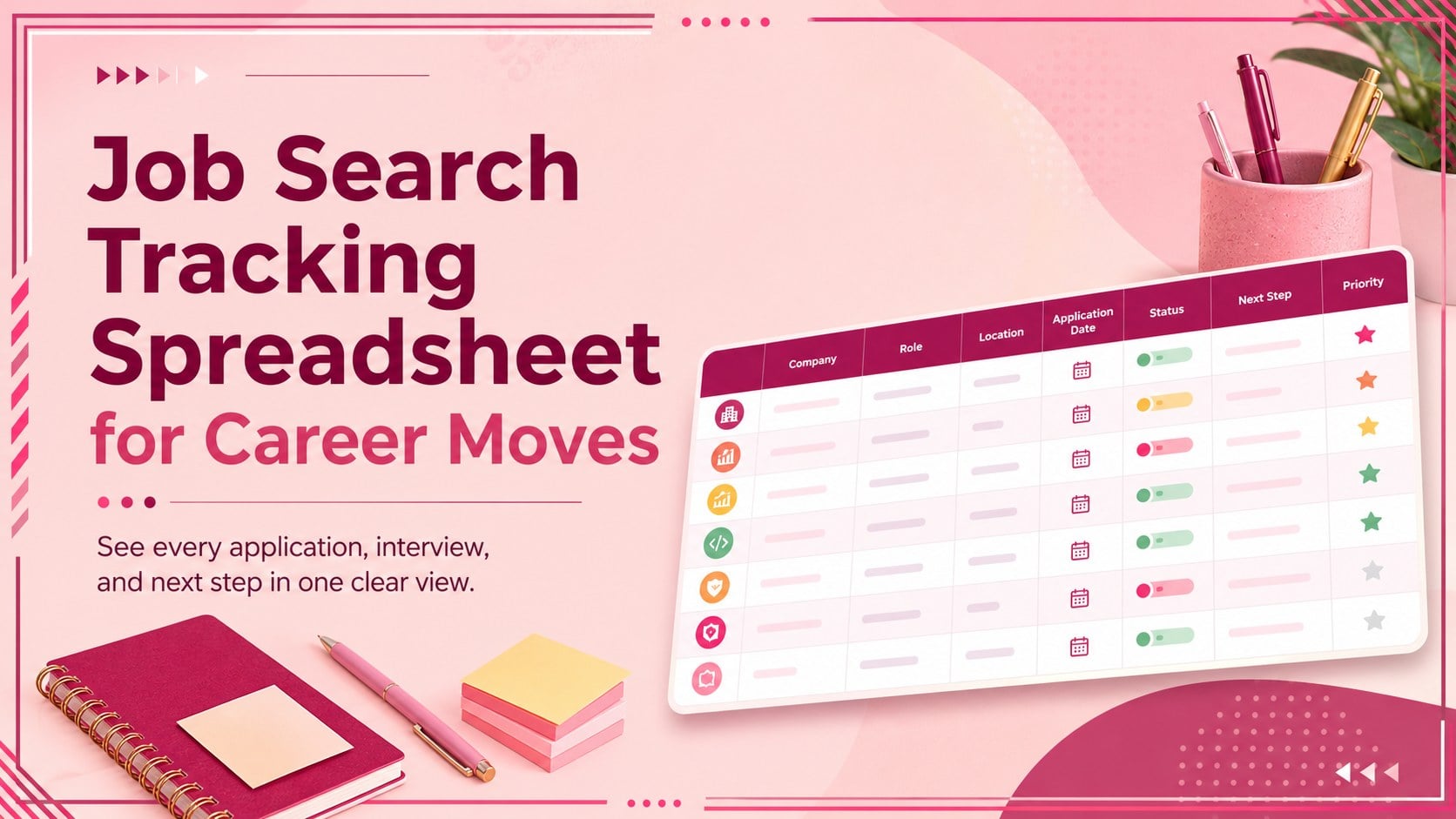
Keep every application, interview, and follow-up visible with a job search tracking spreadsheet built for focused, organized career planning.
Design notes
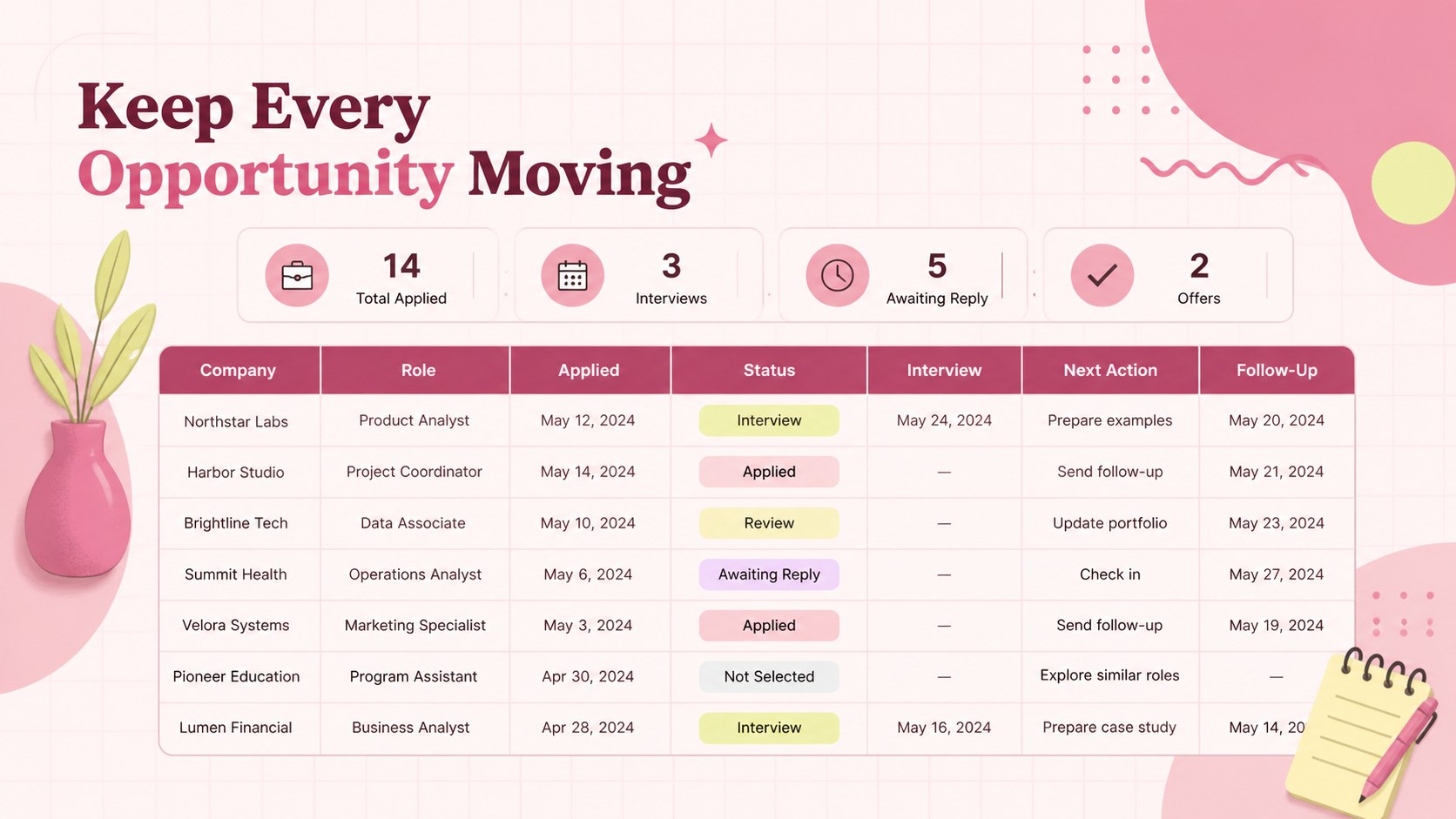
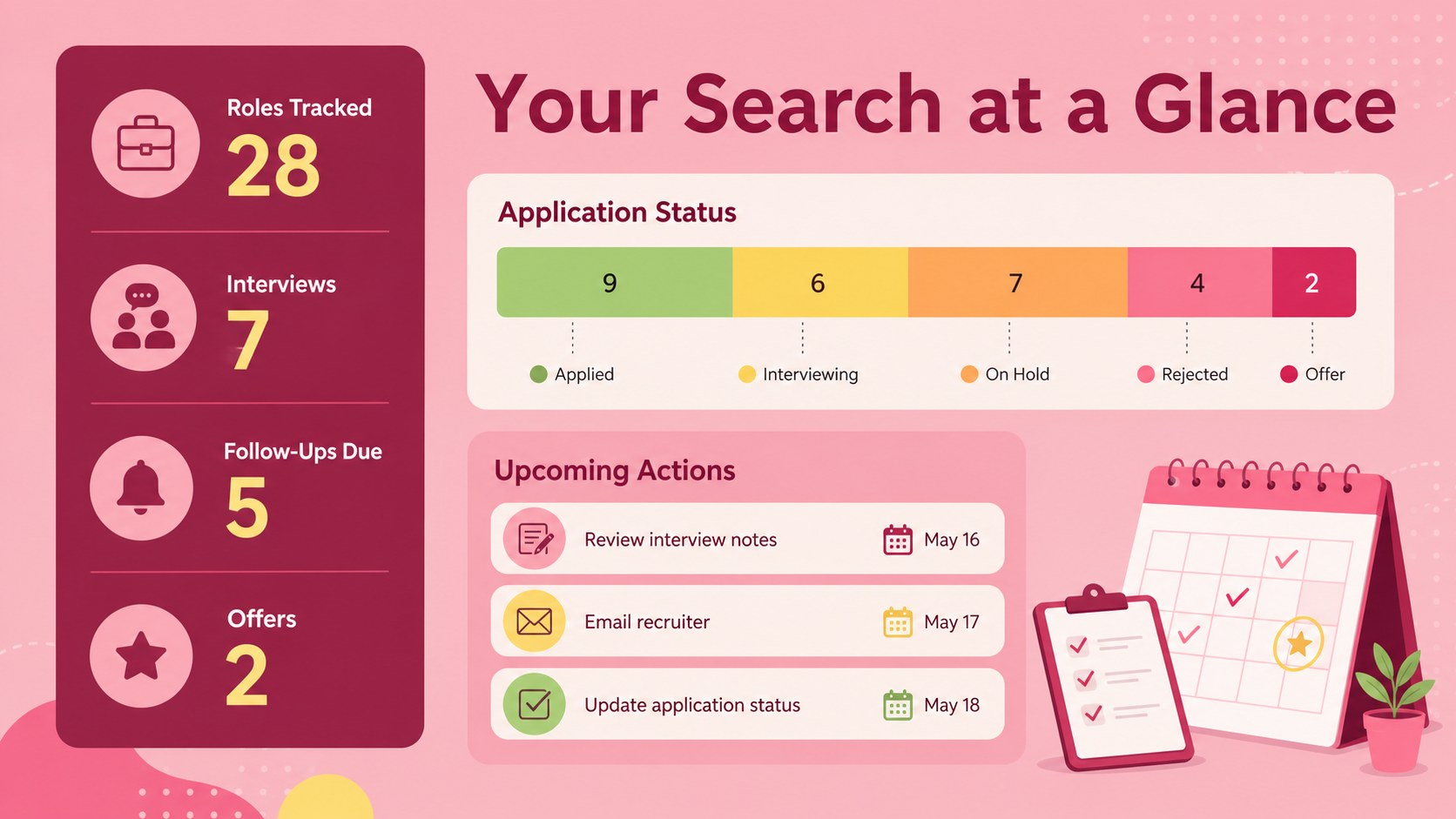
Bring clarity to your career transition with a job search tracking spreadsheet that keeps opportunities, contacts, deadlines, and decisions together. The bright pink, modern layout makes important details easy to scan while giving you a practical system for managing multiple applications without losing track of the next action.
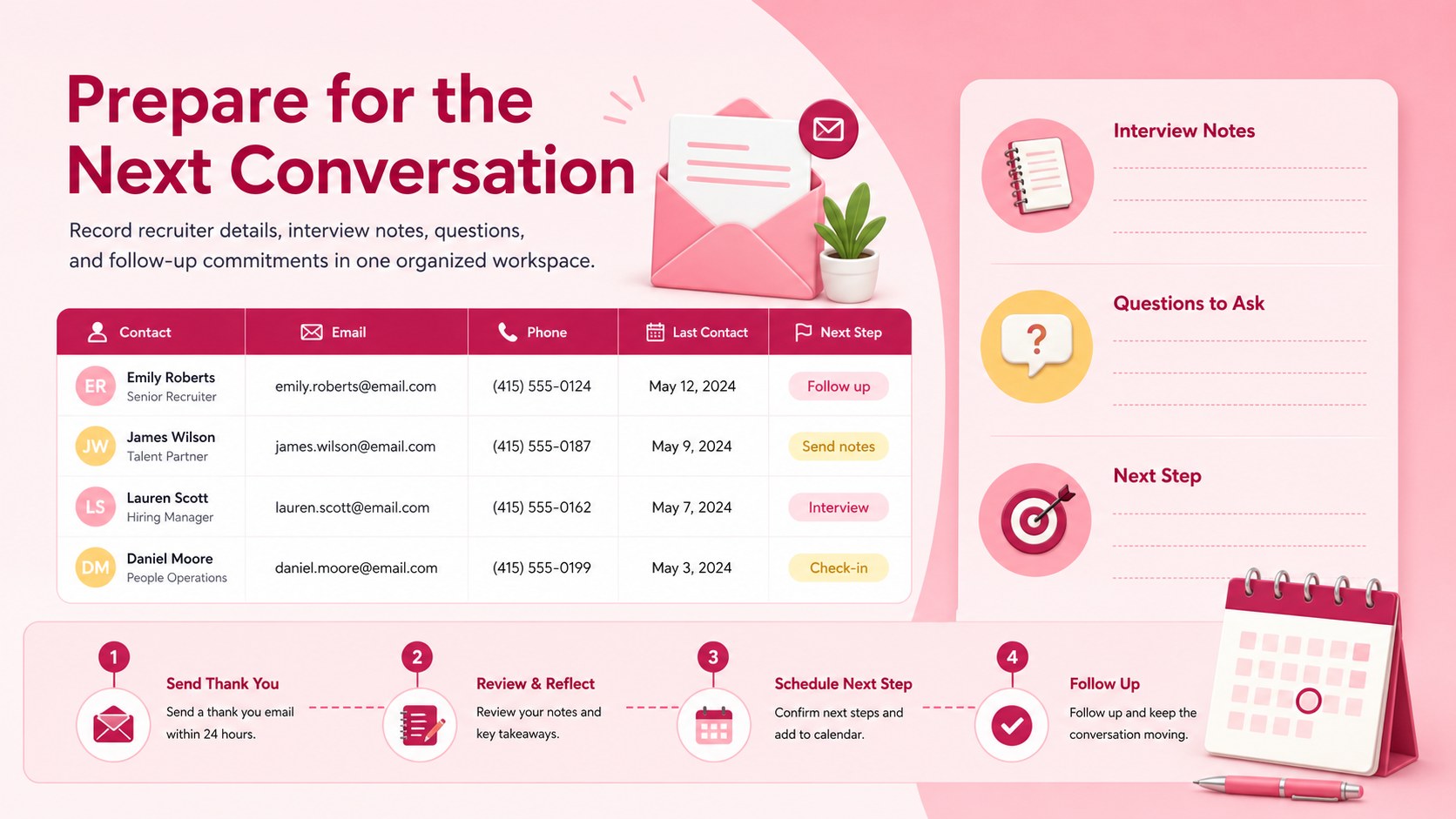
Inside, you will find organized fields for company names, role titles, application dates, status updates, interview schedules, recruiter details, follow-up deadlines, and personal notes. Use it as an interview follow up spreadsheet to record thank-you messages and reminders, or adapt it into a recruiter contact tracking sheet for networking conversations. Clear status labels help you distinguish roles that are being researched, prepared, submitted, interviewed, offered, declined, or closed. You can also customize categories, colors, dropdown choices, and columns to match your preferred workflow.
This career opportunity tracking template is designed for graduates, career changers, returning professionals, contractors, and experienced candidates running a focused search. It works in Microsoft Excel and Google Sheets, making it suitable for personal planning, career coaching sessions, or employment support programs. Whether you are applying to a handful of carefully selected roles or coordinating a high-volume search, the spreadsheet provides a consistent record of progress and helps you prepare for every conversation.
Perfect for: graduate job search; career change planning; interview follow-up management; recruiter contact tracking; career coaching sessions.
Frequently asked questions
Can I edit the application stages and status labels? Yes. Rename the existing stages, add new dropdown options, or adjust the colors to reflect your own application process. You can also insert columns for salary ranges, work arrangements, referrals, or assessment dates.
Practical details
Yes. Rename the existing stages, add new dropdown options, or adjust the colors to reflect your own application process. You can also insert columns for salary ranges, work arrangements, referrals, or assessment dates.
The template is designed for Microsoft Excel and Google Sheets. Some formatting or dropdown behavior may vary slightly between the two platforms, so review the imported file before entering your data.
Yes. Customize the contact, company, follow-up, and notes fields to record informational interviews, referrals, career fairs, and recruiter conversations. Separate status labels can help distinguish networking leads from formal applications.
Add filters for application stage, location, deadline, and priority, then create consistent status values for every row. Conditional formatting can highlight overdue follow-ups, upcoming interviews, and opportunities requiring immediate action.
Keep exploring
6Honor teams and individuals with an Orange Year-End Recognition Certificate Set featuring six editable designs for PowerPoint and Google Slides.
 4
4Keep inspections, repairs, priorities, and follow-up dates organized in a weekly equipment service log designed for facilities and operations teams.
 4
4Keep weekly ownership visible with a Weekly Team Workflow Tracker for assignments, deadlines, priorities, logged hours, blockers, and status updates.
 4
4Turn weekly results into quick decisions with a colorful sales pulse tracker for comparing targets, revenue, wins, and trends in Excel or Google Sheets.
 4
4Turn a busy workload into a clear action plan with the Illustrated Task Priority Organizer, an editable green-and-purple template for focused days.
 4
4Organize classes, meetings, and personal tasks with a vibrant weekly schedule planner, editable in Excel and Google Sheets for fast, flexible updates.
 4
4Coordinate absences with an employee leave calendar spreadsheet built for clear approvals, reliable team coverage, and easy editing in Excel or Google Sheets.
 4
4Plan bills, savings, and daily costs with a colorful weekly spending planner for Excel or Google Sheets, with clear categories and automatic totals.