
 6
6spreadsheet
Orange Year-End Recognition Certificate Set
Honor teams and individuals with an Orange Year-End Recognition Certificate Set featuring six editable designs for PowerPoint and Google Slides.
Google SlidesPowerPointExcel
spreadsheet · English
Build a practical employee learning roadmap spreadsheet to schedule courses, assign owners, track progress, and keep development goals visible.

Design notes
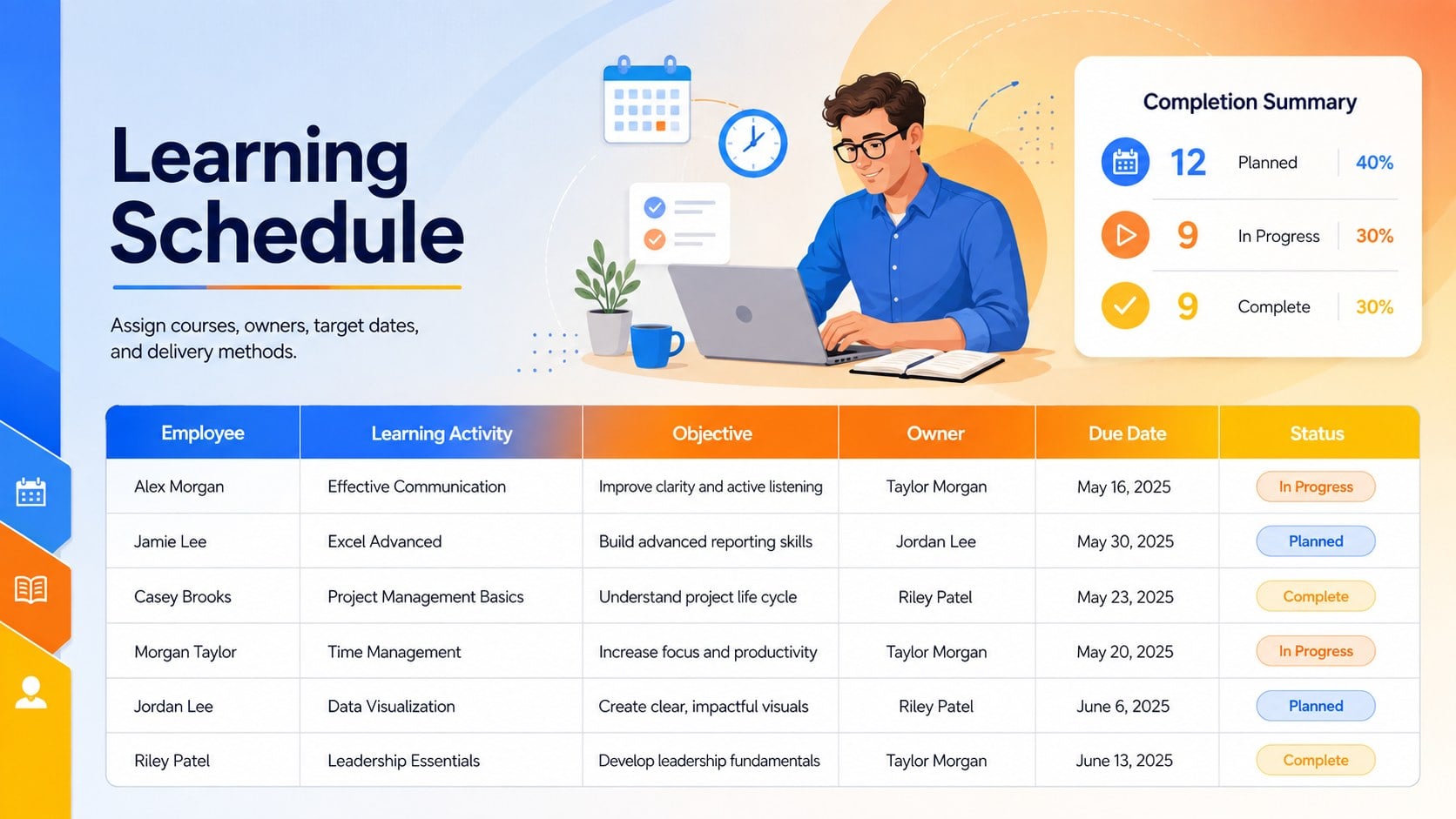
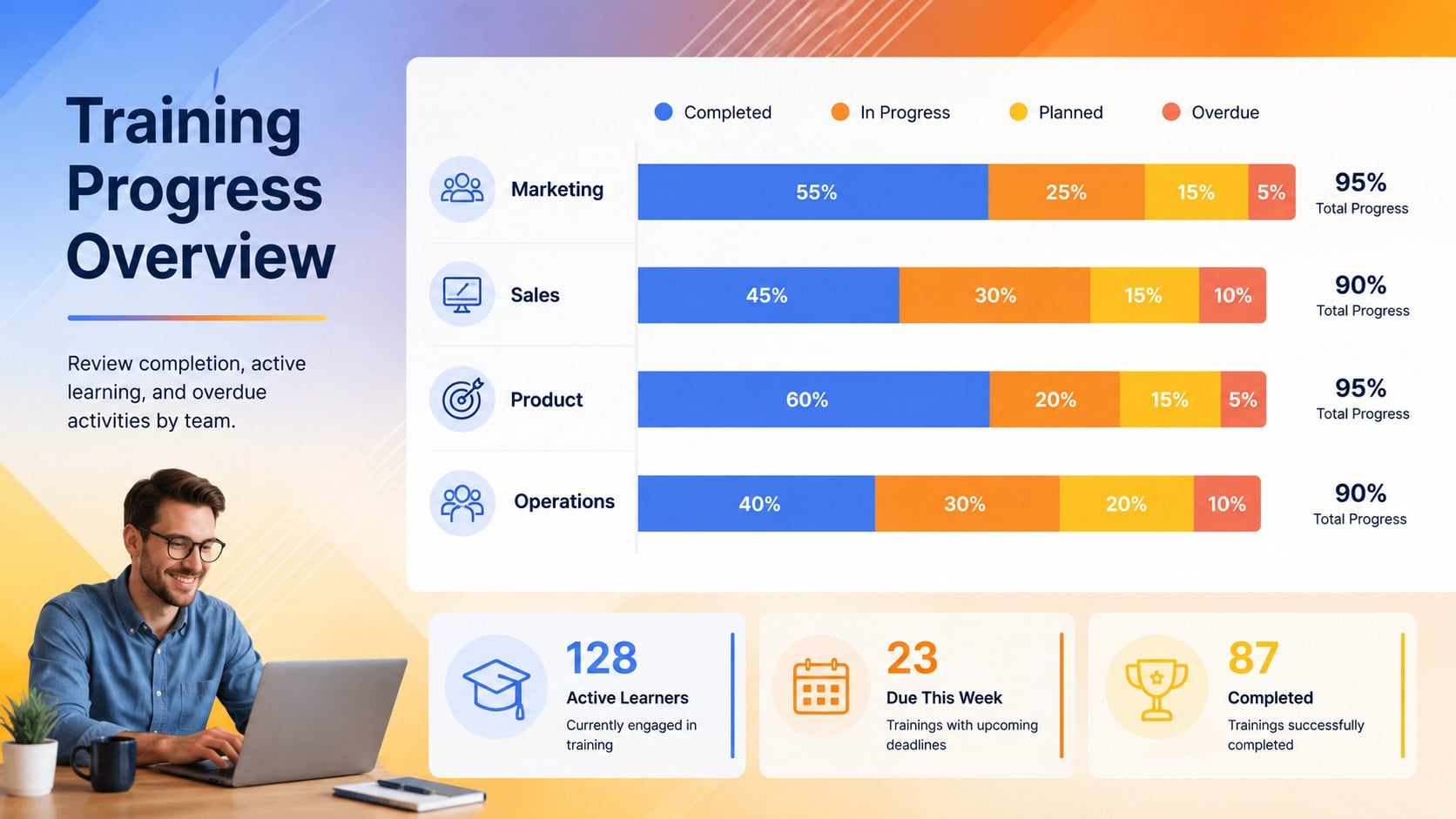
Turn scattered learning requests into an organized development program with this employee learning roadmap spreadsheet. Designed for clear day-to-day oversight, it brings courses, objectives, participants, deadlines, and completion status together in a vibrant workspace. Blue, orange, and yellow accents create an energetic look while keeping important details easy to scan.
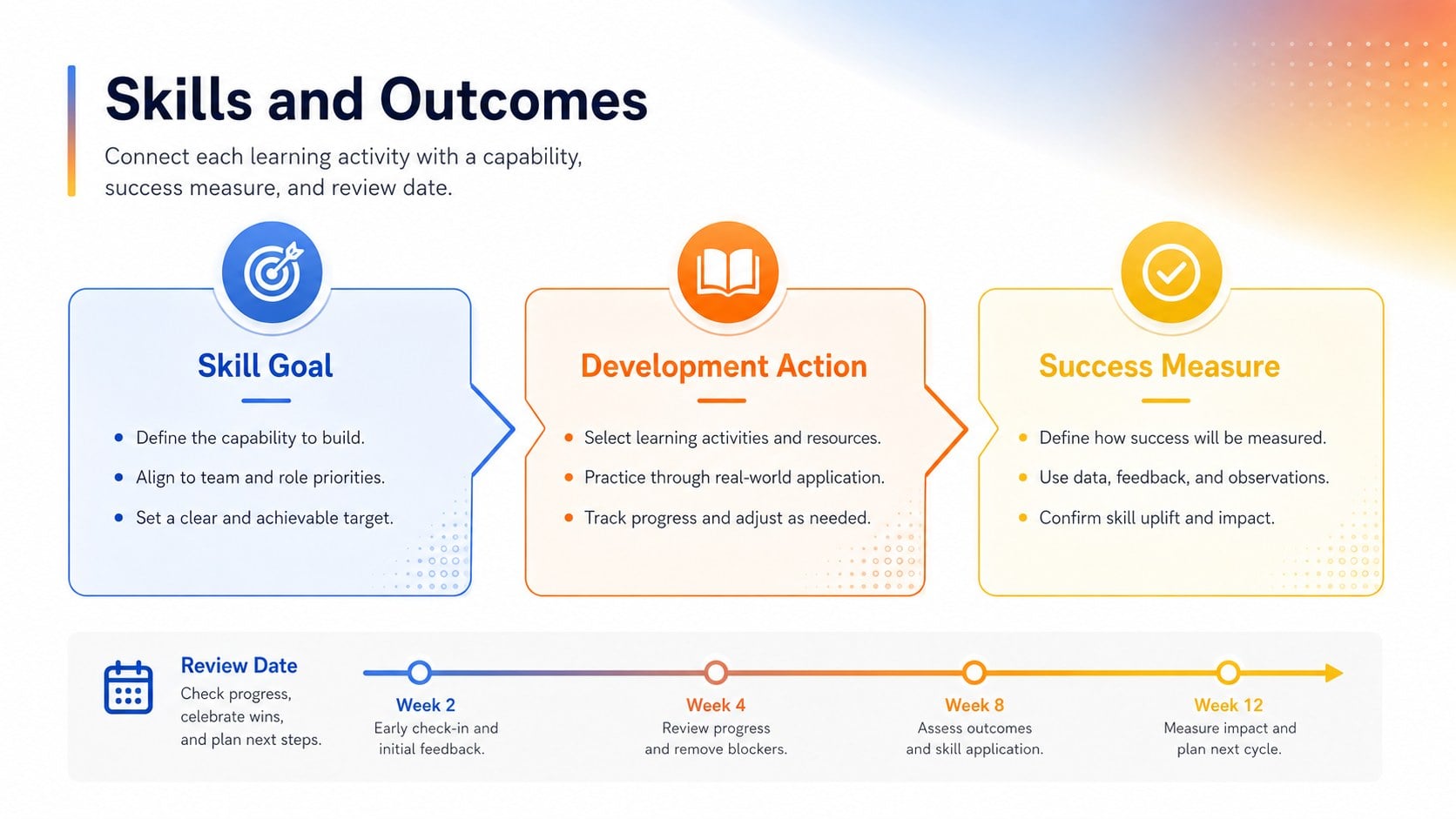
Inside, you will find structured areas for training topics, skill goals, assigned employees, delivery methods, facilitators, target dates, progress, and notes. Use it as an employee development schedule template when coordinating recurring workshops, onboarding activities, compliance sessions, or role-specific learning. Status fields also make it a practical staff training progress tracker for spotting overdue tasks and confirming completed activities without searching through separate records.
The spreadsheet is built for HR teams, learning and development specialists, department managers, operations leads, and small business owners. Customize the labels, colors, categories, and tracking fields in Excel or Google Sheets to match your organization. It can also support a workforce skills planning sheet by connecting each learning activity with a specific capability or performance objective. Whether you are planning one team’s quarterly development or maintaining a wider company program, the layout provides a focused view of responsibilities, schedules, and results.
Perfect for: quarterly employee development planning; new hire training coordination; compliance course scheduling; department upskilling programs; manager-led skills development.
Frequently asked questions
Which applications support this spreadsheet? The template is designed for Excel and Google Sheets. Core tables, labels, colors, and tracking fields can be edited in either application.
Practical details
The template is designed for Excel and Google Sheets. Core tables, labels, colors, and tracking fields can be edited in either application.
Yes. Replace the sample categories, delivery methods, priorities, and status labels with terminology used by your organization. You can also adjust the blue, orange, and yellow accents while retaining the structured layout.
Yes. Add rows for each employee, course, or development activity, then use filters to review assignments by team, owner, deadline, or progress. Duplicate sections when separate departments need their own planning areas.
Yes. It can organize orientation sessions, policy training, role-specific courses, assigned mentors, and completion dates. Managers can adapt the objective and notes fields to document onboarding outcomes.
Keep exploring
6Honor teams and individuals with an Orange Year-End Recognition Certificate Set featuring six editable designs for PowerPoint and Google Slides.
 4
4Keep inspections, repairs, priorities, and follow-up dates organized in a weekly equipment service log designed for facilities and operations teams.
 4
4Keep weekly ownership visible with a Weekly Team Workflow Tracker for assignments, deadlines, priorities, logged hours, blockers, and status updates.
 4
4Turn weekly results into quick decisions with a colorful sales pulse tracker for comparing targets, revenue, wins, and trends in Excel or Google Sheets.
 4
4Turn a busy workload into a clear action plan with the Illustrated Task Priority Organizer, an editable green-and-purple template for focused days.
 4
4Organize classes, meetings, and personal tasks with a vibrant weekly schedule planner, editable in Excel and Google Sheets for fast, flexible updates.
 4
4Coordinate absences with an employee leave calendar spreadsheet built for clear approvals, reliable team coverage, and easy editing in Excel or Google Sheets.
 4
4Plan bills, savings, and daily costs with a colorful weekly spending planner for Excel or Google Sheets, with clear categories and automatic totals.