
 6
6spreadsheet
Orange Year-End Recognition Certificate Set
Honor teams and individuals with an Orange Year-End Recognition Certificate Set featuring six editable designs for PowerPoint and Google Slides.
Google SlidesPowerPointExcel
spreadsheet · English
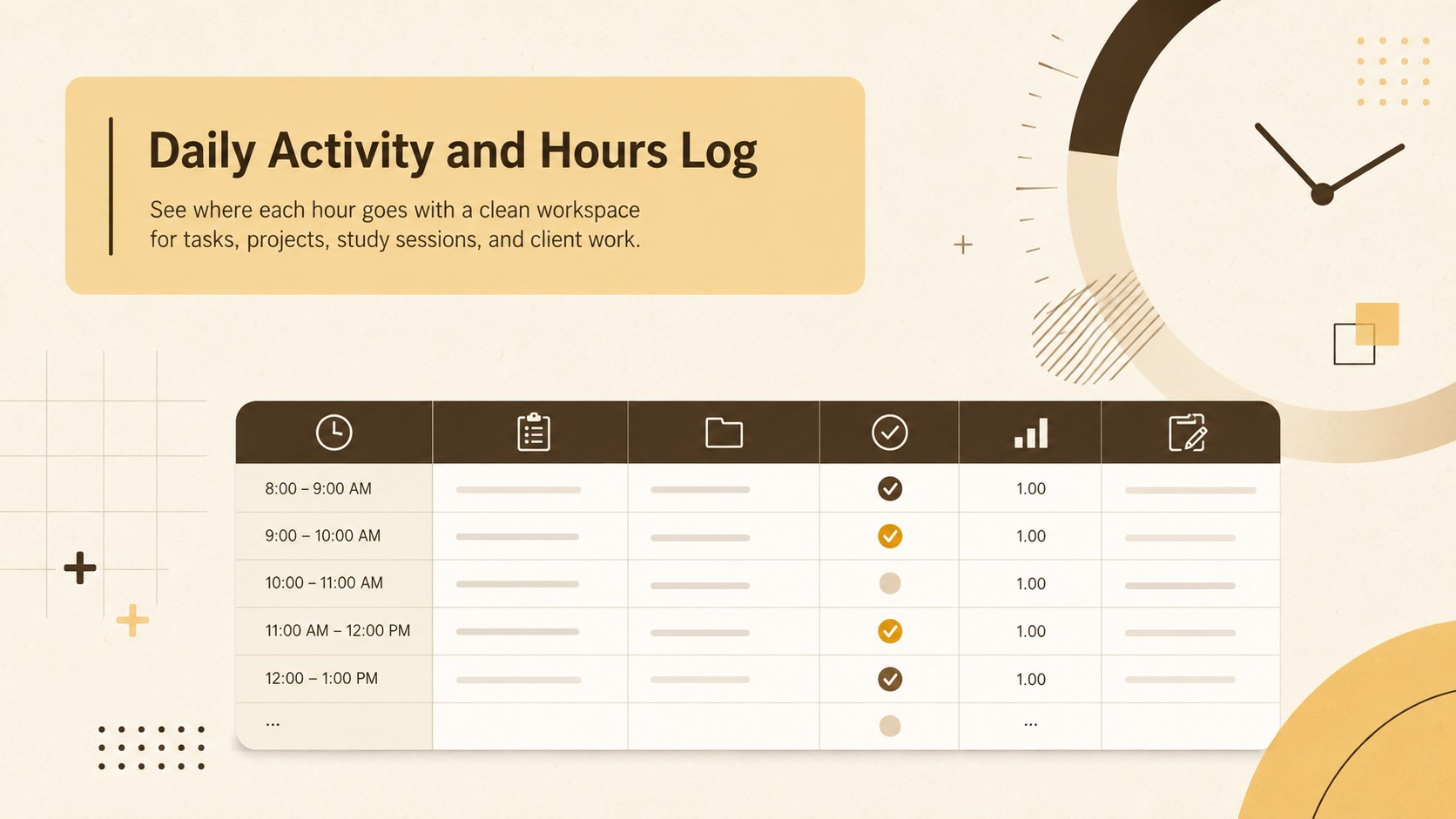
Organize tasks, project time, and billable work with this daily activity and hours log, a minimalist spreadsheet for Excel and Google Sheets.
Design notes
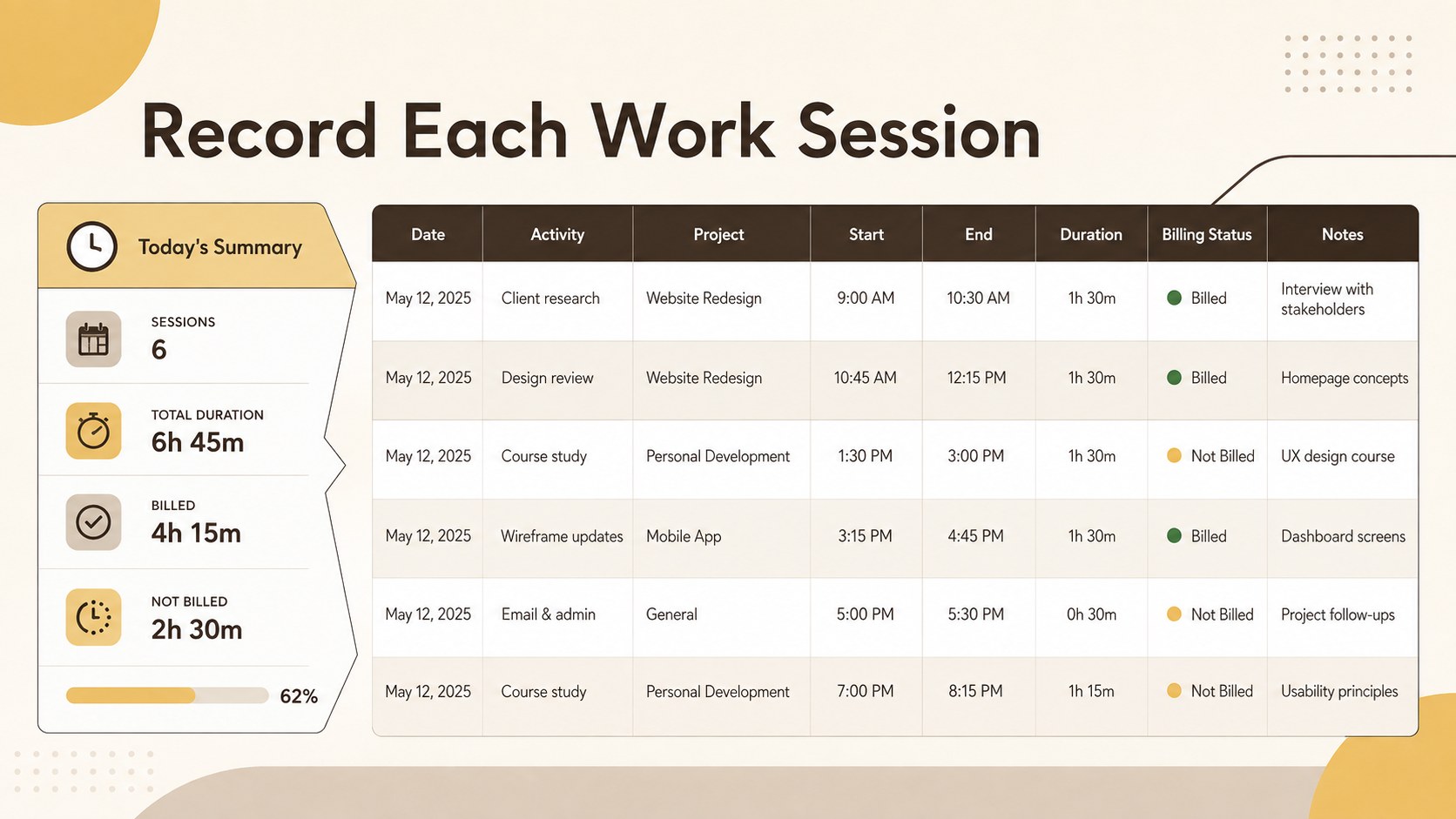
Bring structure to busy days with the Daily Activity and Hours Log, a streamlined spreadsheet for recording tasks, time spent, project details, and notes in one organized view. Its minimalist brown and yellow styling keeps attention on the data while giving the workspace a warm, professional finish.
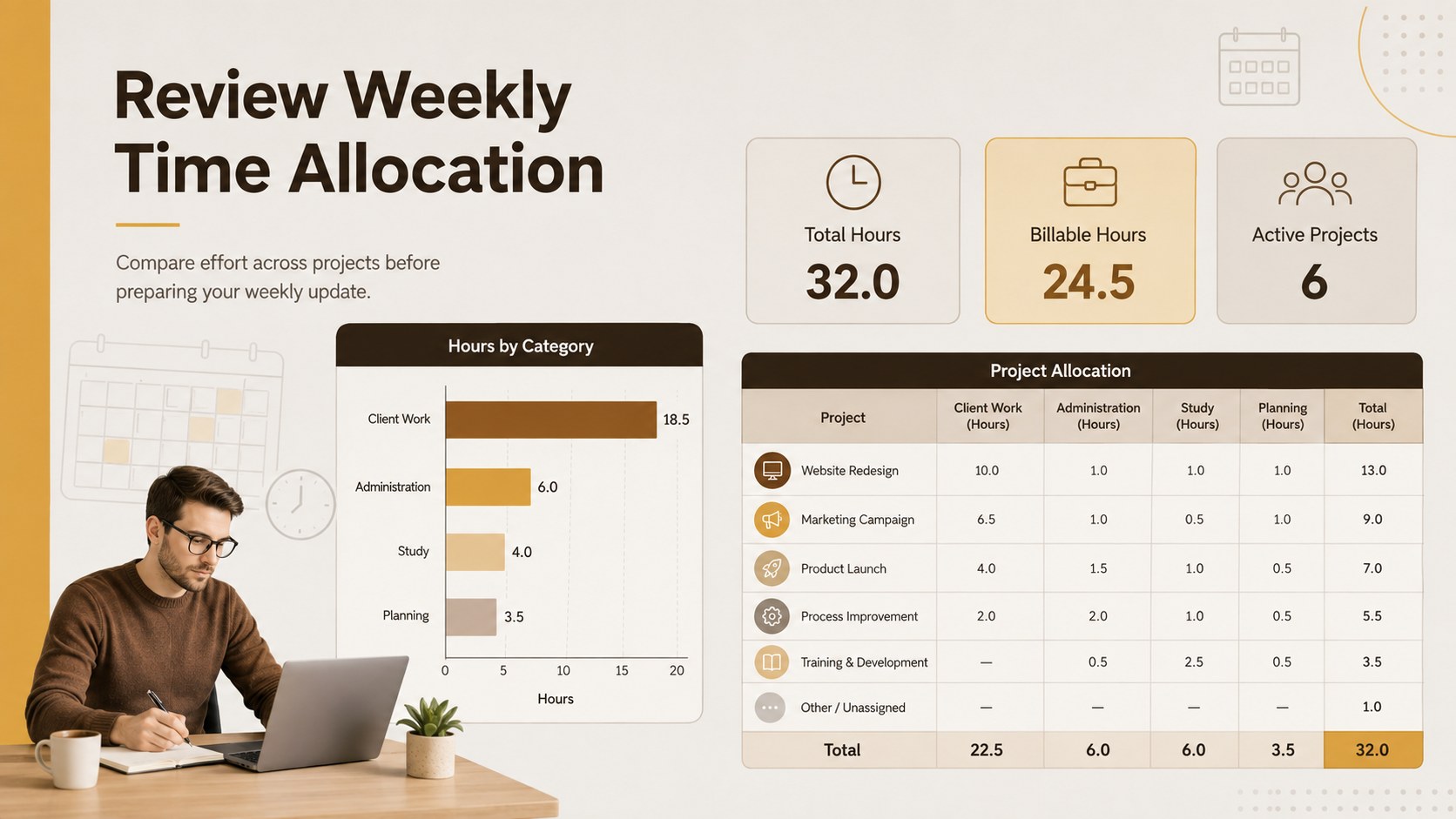
Inside, you will find clearly labeled fields for dates, activities, start and end times, durations, project categories, billing status, and daily totals. Use it as a daily work hours spreadsheet, a freelancer project hours log, or a study and work schedule log. The flexible layout can be adapted with custom categories, hourly rates, status labels, or additional rows, making it practical for both simple routines and detailed time reporting.
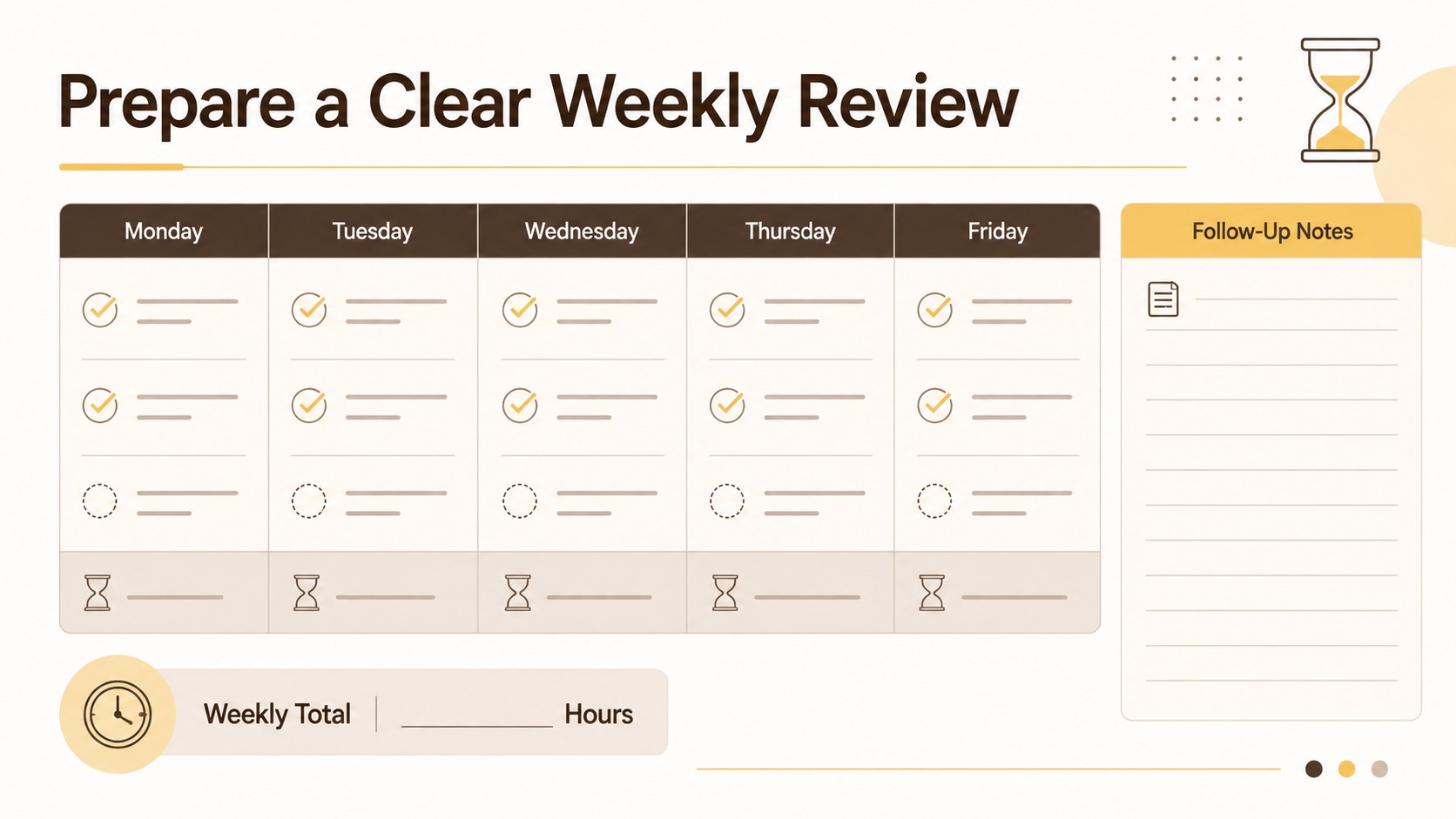
This template is designed for freelancers documenting client assignments, employees reviewing workload distribution, students balancing classes and part-time work, and small teams monitoring project effort. It works in Excel and Google Sheets, where colors, fonts, formulas, labels, and table sections can be adjusted to match individual workflows. Whether you need cleaner billing records, a better view of task duration, or a reliable way to prepare weekly updates, this log turns scattered time entries into a consistent record that is easy to review and share.
Perfect for: freelance client billing; employee workload review; student study tracking; project effort reporting; weekly productivity analysis.
Frequently asked questions
Can I edit the activity categories and time fields? Yes. You can rename categories, add rows, adjust status options, and modify the start, end, or duration fields to fit your workflow.
Practical details
Yes. You can rename categories, add rows, adjust status options, and modify the start, end, or duration fields to fit your workflow.
Yes. The spreadsheet can be opened and customized in both Excel and Google Sheets, although minor font or spacing differences may occur between platforms.
Yes. Add an hourly-rate column or formulas for duration and cost to create a client billing time log. You can also separate billable and non-billable activities with labels or color coding.
Change the cell fills, borders, fonts, and headings with the standard formatting tools in your spreadsheet application. Rows and columns can also be resized or duplicated for longer reporting periods.
Keep exploring
6Honor teams and individuals with an Orange Year-End Recognition Certificate Set featuring six editable designs for PowerPoint and Google Slides.
 4
4Keep inspections, repairs, priorities, and follow-up dates organized in a weekly equipment service log designed for facilities and operations teams.
 4
4Keep weekly ownership visible with a Weekly Team Workflow Tracker for assignments, deadlines, priorities, logged hours, blockers, and status updates.
 4
4Turn weekly results into quick decisions with a colorful sales pulse tracker for comparing targets, revenue, wins, and trends in Excel or Google Sheets.
 4
4Turn a busy workload into a clear action plan with the Illustrated Task Priority Organizer, an editable green-and-purple template for focused days.
 4
4Organize classes, meetings, and personal tasks with a vibrant weekly schedule planner, editable in Excel and Google Sheets for fast, flexible updates.
 4
4Coordinate absences with an employee leave calendar spreadsheet built for clear approvals, reliable team coverage, and easy editing in Excel or Google Sheets.
 4
4Plan bills, savings, and daily costs with a colorful weekly spending planner for Excel or Google Sheets, with clear categories and automatic totals.