
 6
6spreadsheet
Orange Year-End Recognition Certificate Set
Honor teams and individuals with an Orange Year-End Recognition Certificate Set featuring six editable designs for PowerPoint and Google Slides.
Google SlidesPowerPointExcel
spreadsheet · English
Review assets, debts, and net worth with this monthly financial position workbook, built for clear, colorful check-ins in Excel and Google Sheets.

Design notes
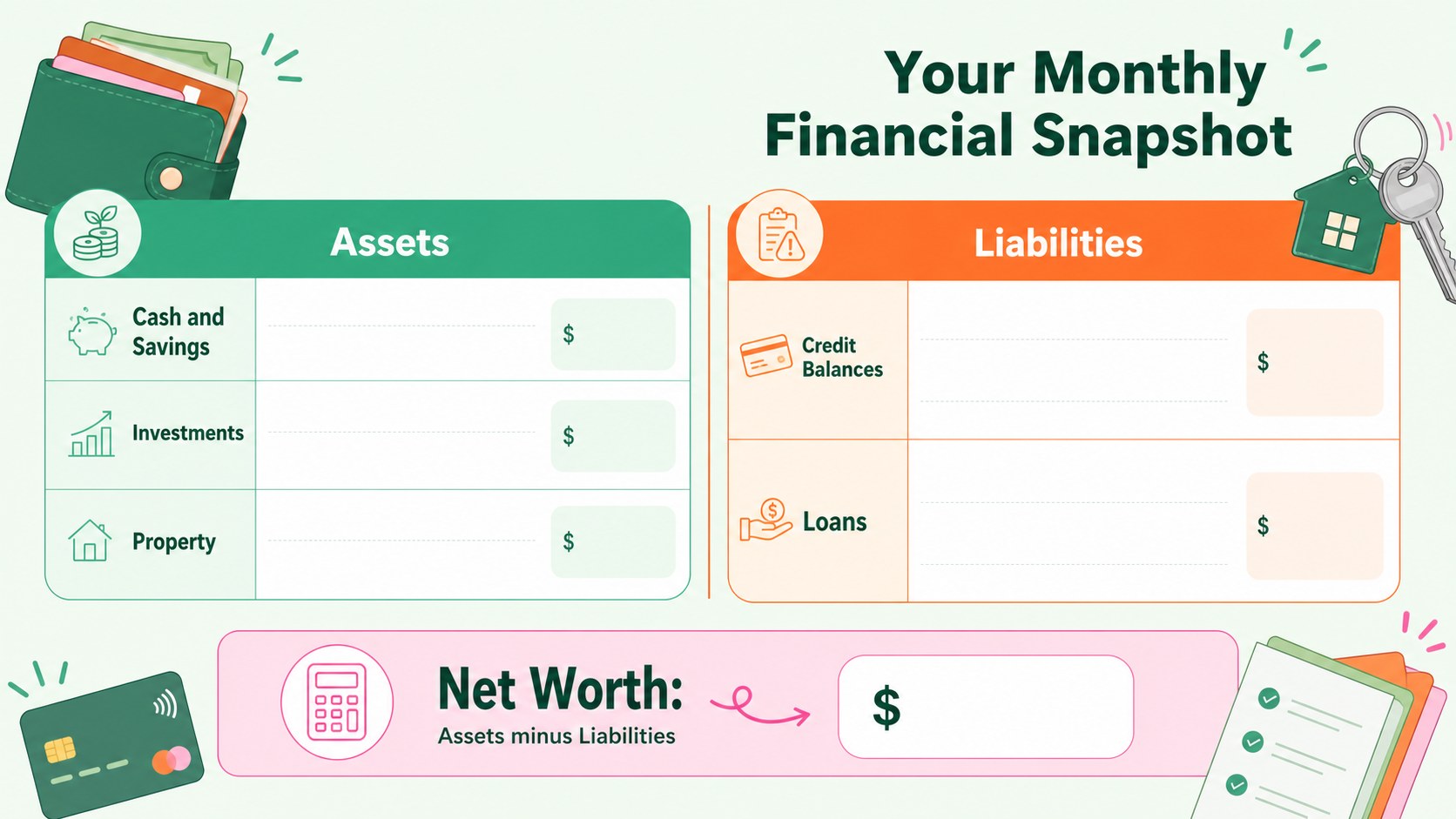
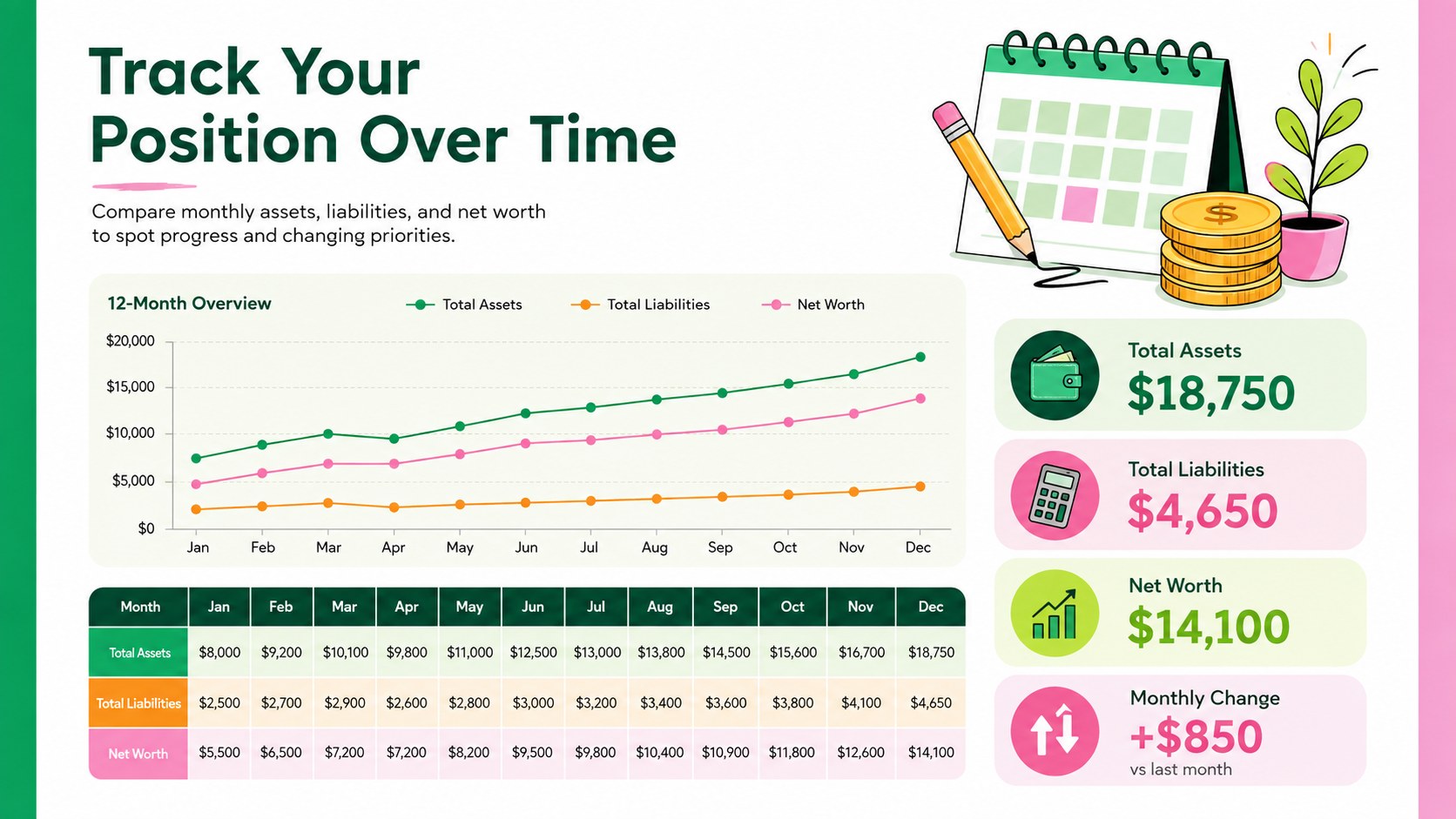
Bring order to your month-end numbers with a monthly financial position workbook that turns assets, liabilities, and net worth into a clear visual summary. Bright orange, green, and pink accents combine with playful illustrations to make routine financial check-ins feel less intimidating while keeping the figures easy to scan.
Inside, you will find organized sections for recording cash, savings, investments, property, credit balances, loans, and other obligations. Automatic totals help reveal the difference between what you own and what you owe. Use it as a colorful net worth tracking spreadsheet, a personal assets and liabilities template, or a monthly debt and asset tracker. Flexible labels and categories make it simple to adapt the workbook to your financial structure without losing its friendly visual style.
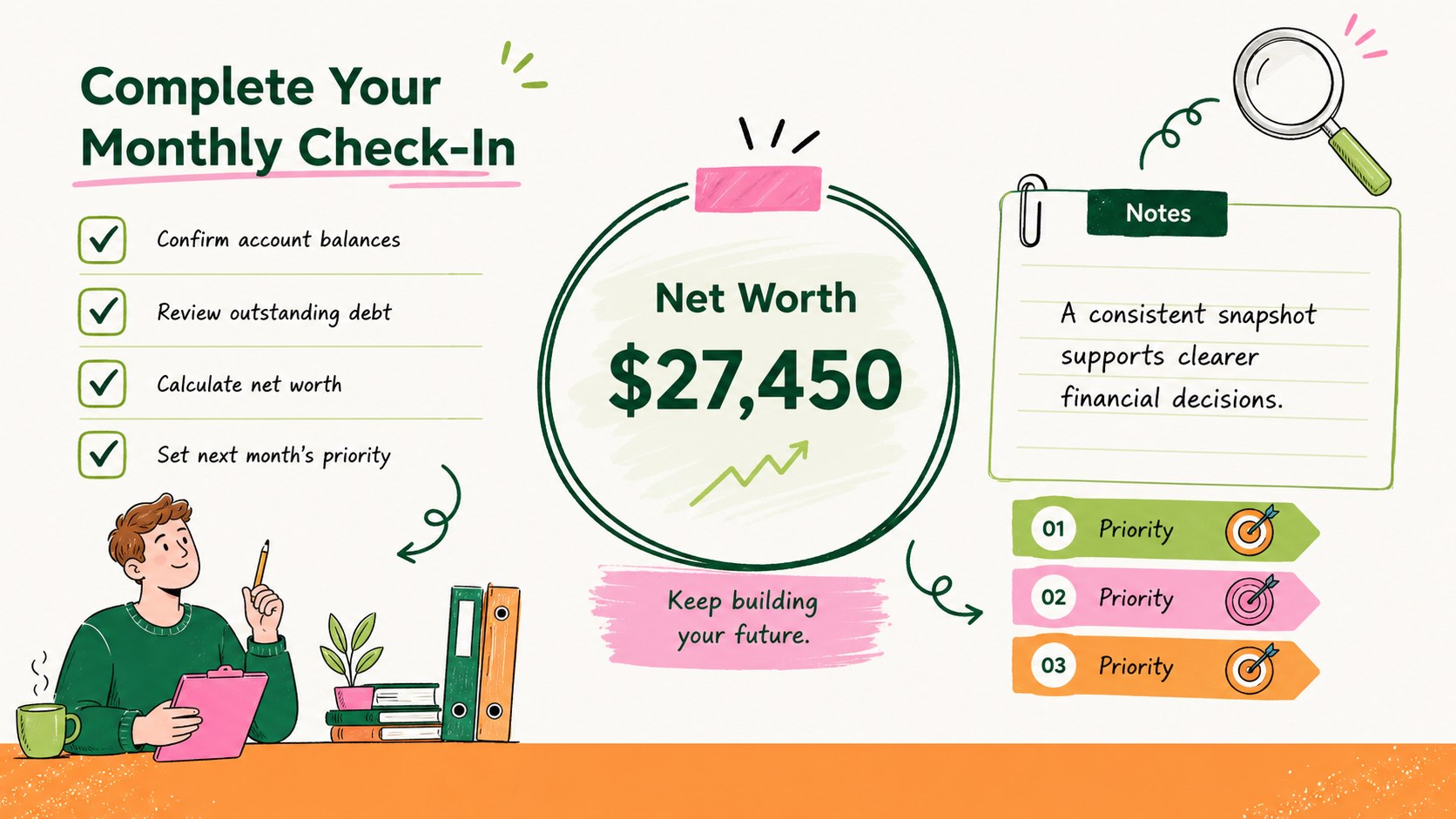
The template suits individuals reviewing household finances, couples planning shared goals, freelancers separating personal and business resources, and owners who need a lightweight small business monthly balance workbook. Update the figures in Excel or Google Sheets, duplicate the monthly worksheet for ongoing records, and adjust colors or category names as needed. Whether you are preparing for a savings decision, monitoring debt reduction, or documenting business health, the workbook provides a consistent snapshot that supports practical conversations and better-informed next steps.
Perfect for: household net worth review; monthly debt monitoring; freelancer financial check-in; small business position summary; shared savings planning.
Frequently asked questions
Can I edit the workbook in both Excel and Google Sheets? Yes. You can update values, labels, formulas, colors, and categories in Excel or Google Sheets. Review imported formulas after opening the file to confirm they match your regional number and currency settings.
Practical details
Yes. You can update values, labels, formulas, colors, and categories in Excel or Google Sheets. Review imported formulas after opening the file to confirm they match your regional number and currency settings.
Rename the existing rows to reflect your accounts, property, loans, and credit balances. You can also insert additional rows, but copy nearby formulas so totals continue to calculate correctly.
Yes. Duplicate the completed monthly worksheet before entering the next period's figures. Keeping one tab per month creates a simple record for comparing changes in assets, debt, and net worth.
It works well for a straightforward internal snapshot of business assets and obligations. It is not a substitute for formal accounting statements or professional financial advice.
Keep exploring
6Honor teams and individuals with an Orange Year-End Recognition Certificate Set featuring six editable designs for PowerPoint and Google Slides.
 4
4Keep inspections, repairs, priorities, and follow-up dates organized in a weekly equipment service log designed for facilities and operations teams.
 4
4Keep weekly ownership visible with a Weekly Team Workflow Tracker for assignments, deadlines, priorities, logged hours, blockers, and status updates.
 4
4Turn weekly results into quick decisions with a colorful sales pulse tracker for comparing targets, revenue, wins, and trends in Excel or Google Sheets.
 4
4Turn a busy workload into a clear action plan with the Illustrated Task Priority Organizer, an editable green-and-purple template for focused days.
 4
4Organize classes, meetings, and personal tasks with a vibrant weekly schedule planner, editable in Excel and Google Sheets for fast, flexible updates.
 4
4Coordinate absences with an employee leave calendar spreadsheet built for clear approvals, reliable team coverage, and easy editing in Excel or Google Sheets.
 4
4Plan bills, savings, and daily costs with a colorful weekly spending planner for Excel or Google Sheets, with clear categories and automatic totals.