
 6
6spreadsheet
Orange Year-End Recognition Certificate Set
Honor teams and individuals with an Orange Year-End Recognition Certificate Set featuring six editable designs for PowerPoint and Google Slides.
Google SlidesPowerPointExcel
spreadsheet · English
Turn lead movement into clear next steps with a colorful Deal Funnel Management Workbook for PowerPoint, Google Slides, Excel, and Google Sheets.

Design notes
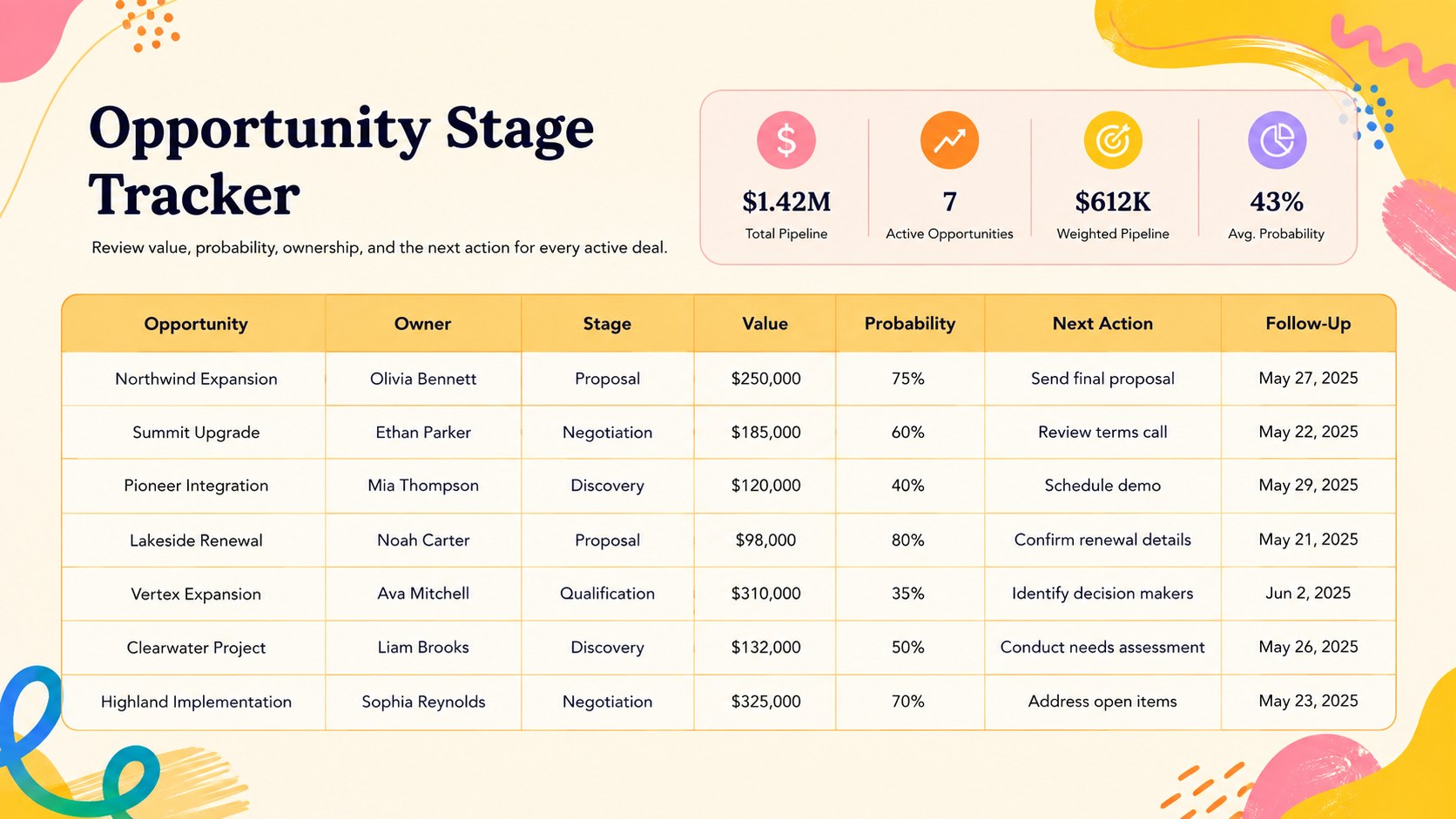
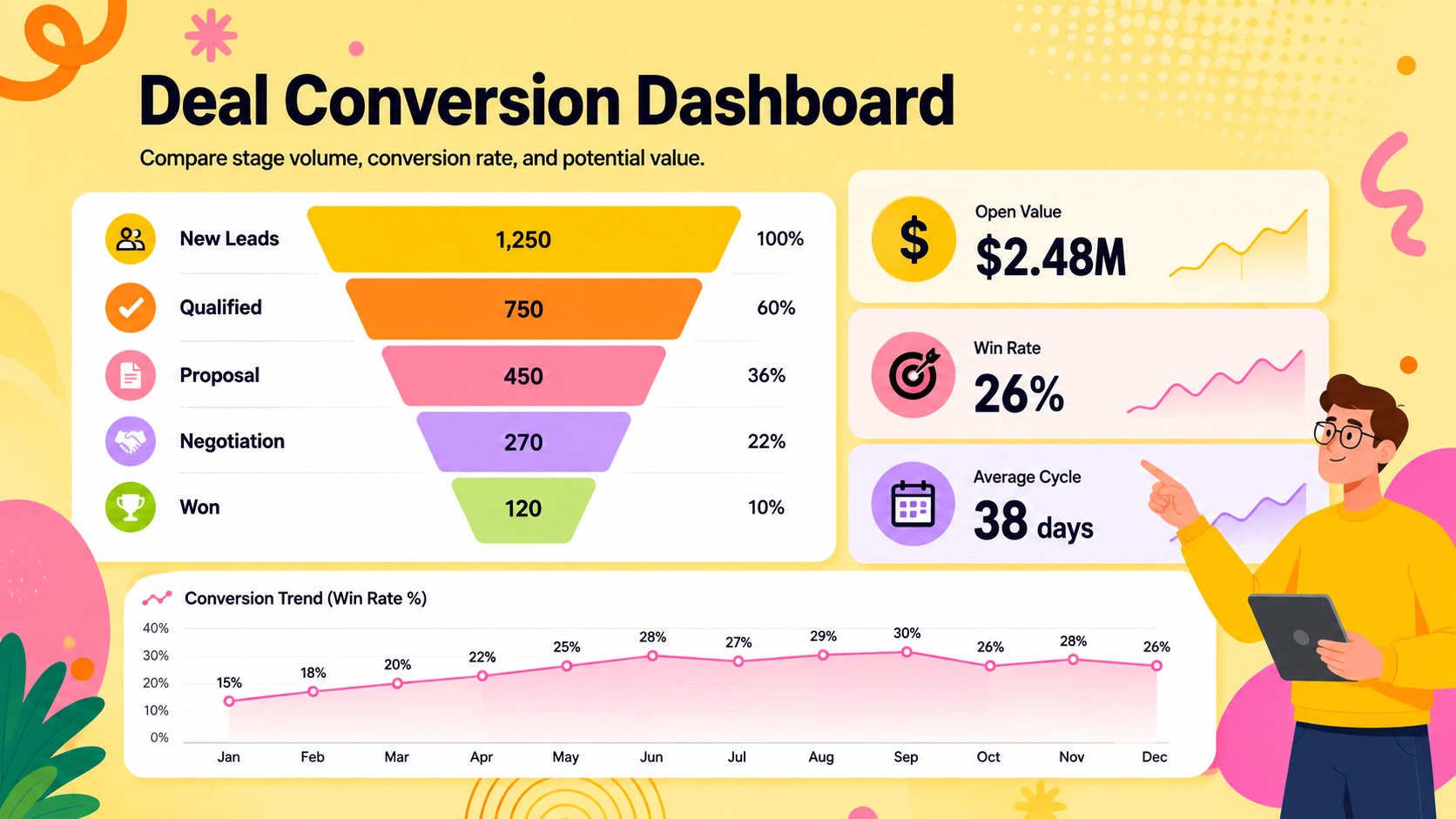
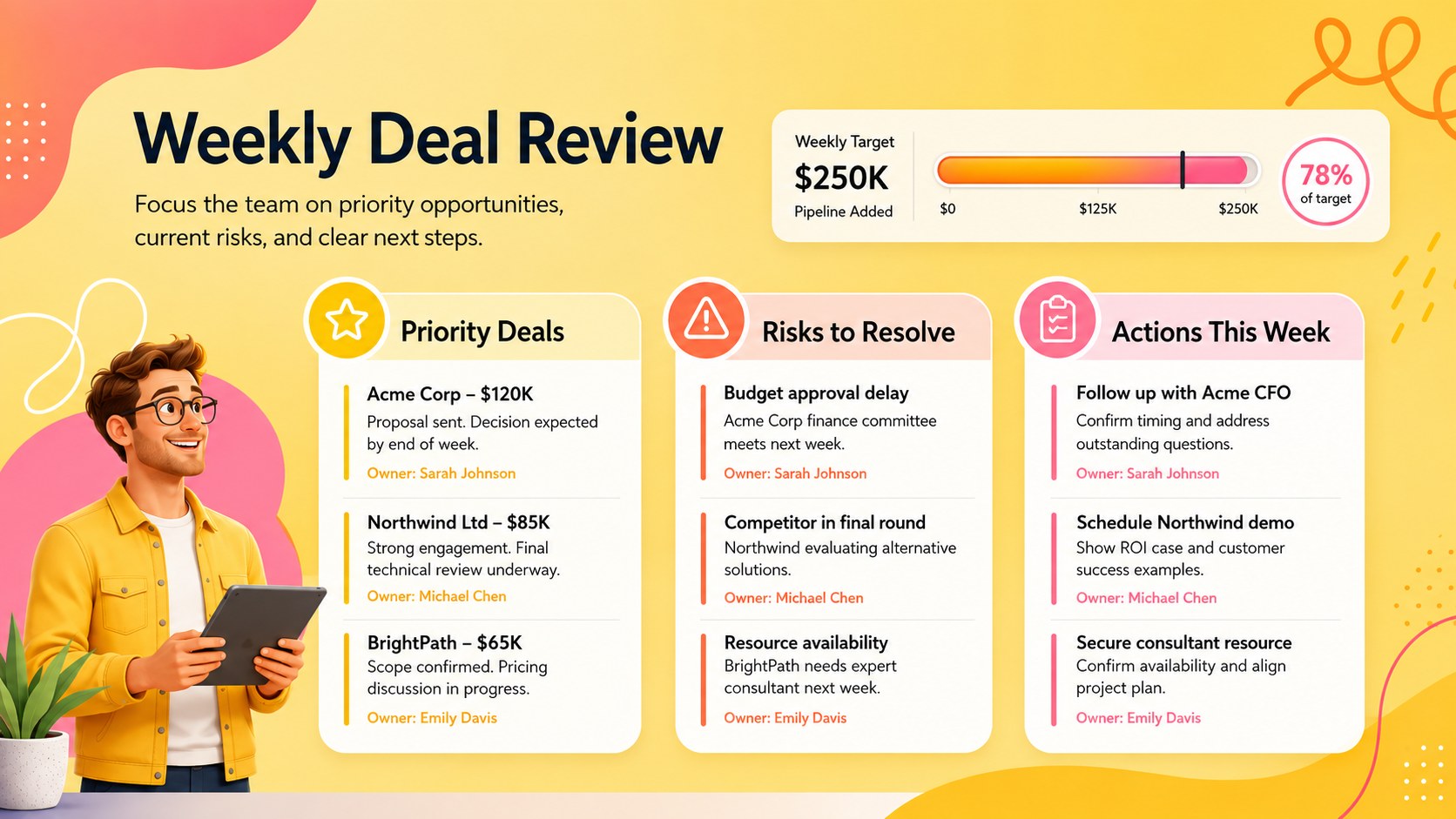
Move from scattered opportunity notes to a shared view of every active deal. The colorful Deal Funnel Management Workbook gives sales teams a practical workspace for monitoring stage, value, probability, owner, and next action. Its upbeat yellow, orange, and pink palette pairs abstract shapes, energetic gradients, and playful doodles with a clean landscape layout that remains easy to scan.
Inside, you will find a stage-based opportunity table, a visual funnel summary, conversion and velocity metrics, status indicators, and space for follow-up dates. Use it as a sales opportunity stage tracker during pipeline reviews or as a deal conversion dashboard for weekly reporting. Editable fields, charts, labels, and color cues make it simple to adapt terminology, sales stages, targets, and team ownership without rebuilding the workbook.
Designed for sales managers, account executives, revenue operations specialists, startup founders, and business development teams, this template supports forecast meetings, territory check-ins, and one-to-one coaching. Edit the presentation layouts in PowerPoint or Google Slides, and work with spreadsheet data in Excel or Google Sheets. The 16:9 format also makes the workbook suitable for screen sharing, leadership updates, and polished team presentations.
Perfect for: weekly sales pipeline review; deal stage forecasting; account executive coaching; revenue operations reporting; startup opportunity management.
Frequently asked questions
Which platforms support this workbook? The presentation layouts can be edited in PowerPoint and Google Slides. Spreadsheet-based tracking can be maintained in Excel or Google Sheets.
Practical details
The presentation layouts can be edited in PowerPoint and Google Slides. Spreadsheet-based tracking can be maintained in Excel or Google Sheets.
Yes. Replace the sample stage names, status labels, owners, and probability values with the terminology used by your sales process. Colors and visual indicators can also be adjusted to match your reporting system.
Yes. Update opportunity values, next actions, and expected close dates before each meeting, then use the funnel and metric views to guide the discussion. The landscape format is suitable for both screen sharing and presentation.
Edit the fonts, palette, headings, tables, and chart categories directly in a supported platform. Keep the existing visual hierarchy or replace the decorative elements while preserving clear contrast around the data.
Keep exploring
6Honor teams and individuals with an Orange Year-End Recognition Certificate Set featuring six editable designs for PowerPoint and Google Slides.
 4
4Keep inspections, repairs, priorities, and follow-up dates organized in a weekly equipment service log designed for facilities and operations teams.
 4
4Keep weekly ownership visible with a Weekly Team Workflow Tracker for assignments, deadlines, priorities, logged hours, blockers, and status updates.
 4
4Turn weekly results into quick decisions with a colorful sales pulse tracker for comparing targets, revenue, wins, and trends in Excel or Google Sheets.
 4
4Turn a busy workload into a clear action plan with the Illustrated Task Priority Organizer, an editable green-and-purple template for focused days.
 4
4Organize classes, meetings, and personal tasks with a vibrant weekly schedule planner, editable in Excel and Google Sheets for fast, flexible updates.
 4
4Coordinate absences with an employee leave calendar spreadsheet built for clear approvals, reliable team coverage, and easy editing in Excel or Google Sheets.
 4
4Plan bills, savings, and daily costs with a colorful weekly spending planner for Excel or Google Sheets, with clear categories and automatic totals.