
 15
15presentation
Flying Saucer History Lesson Deck
Build an engaging World UFO Day session with this flying saucer history lesson deck, featuring retro green-and-brown slides for PowerPoint and Google Slides.
Google SlidesPowerPoint
presentation · English
Turn priorities into action with a strategic roadmap one-pager featuring editable goals, measures, owners, and milestones for PowerPoint and Google Slides.

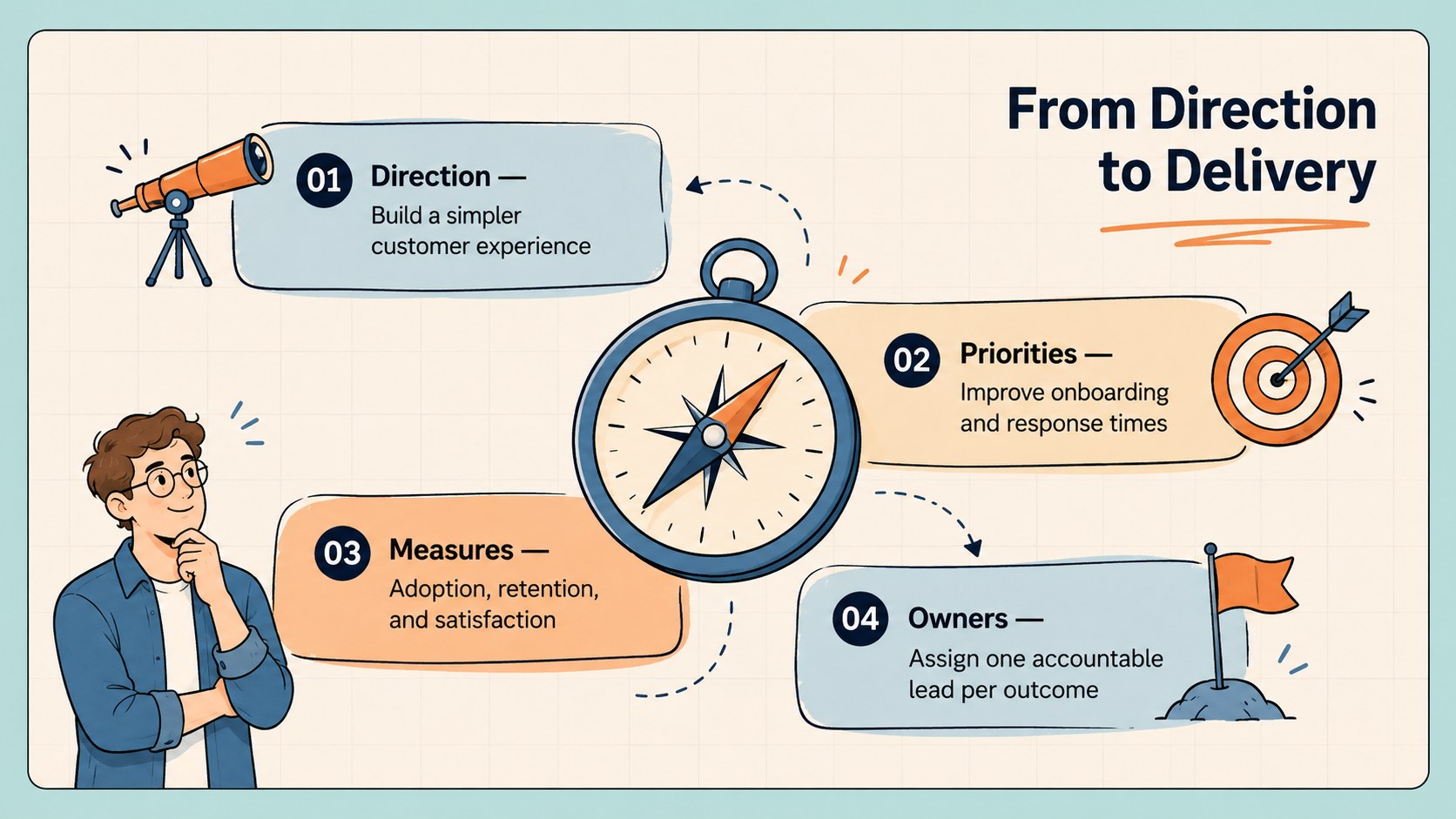
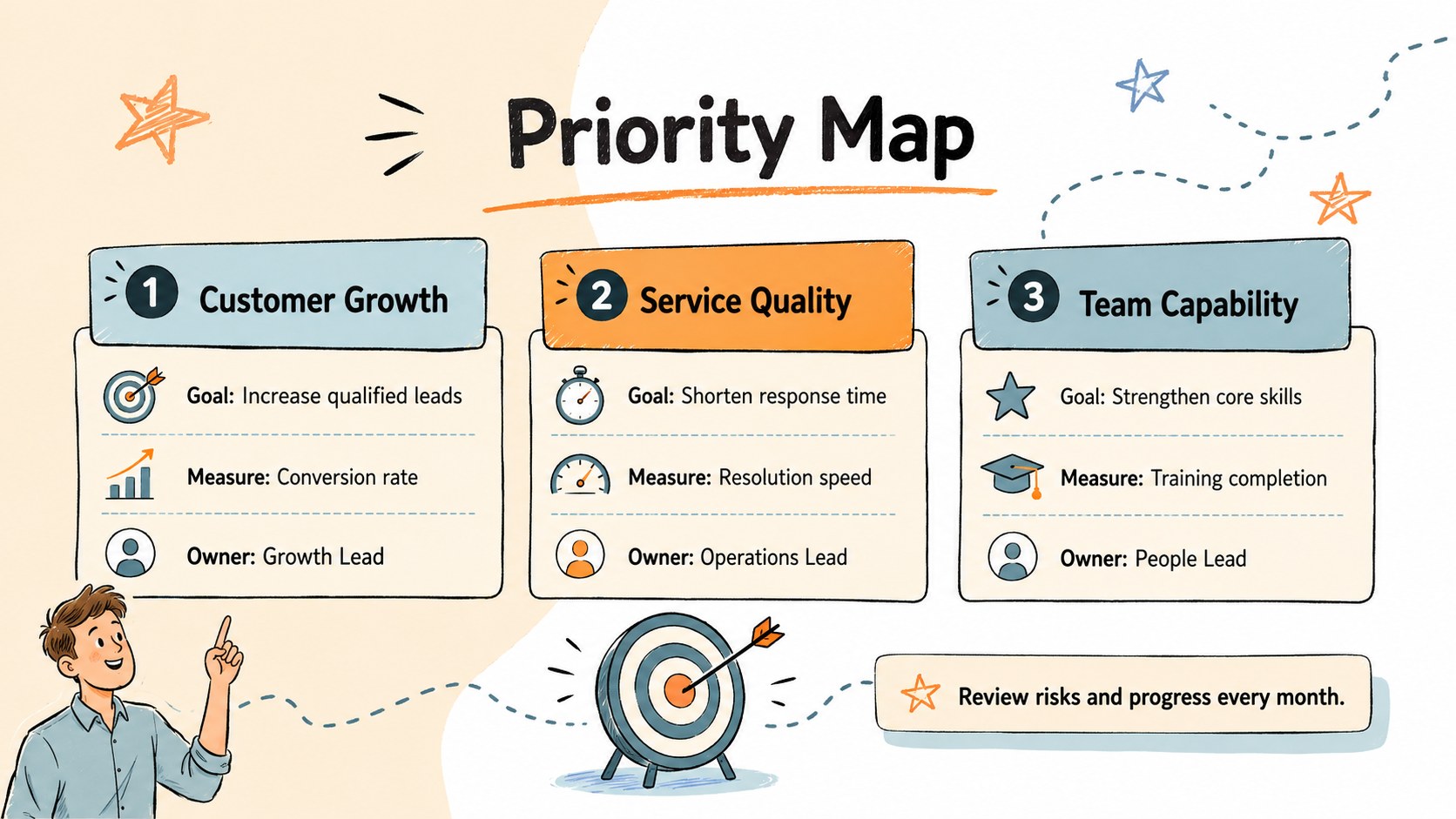
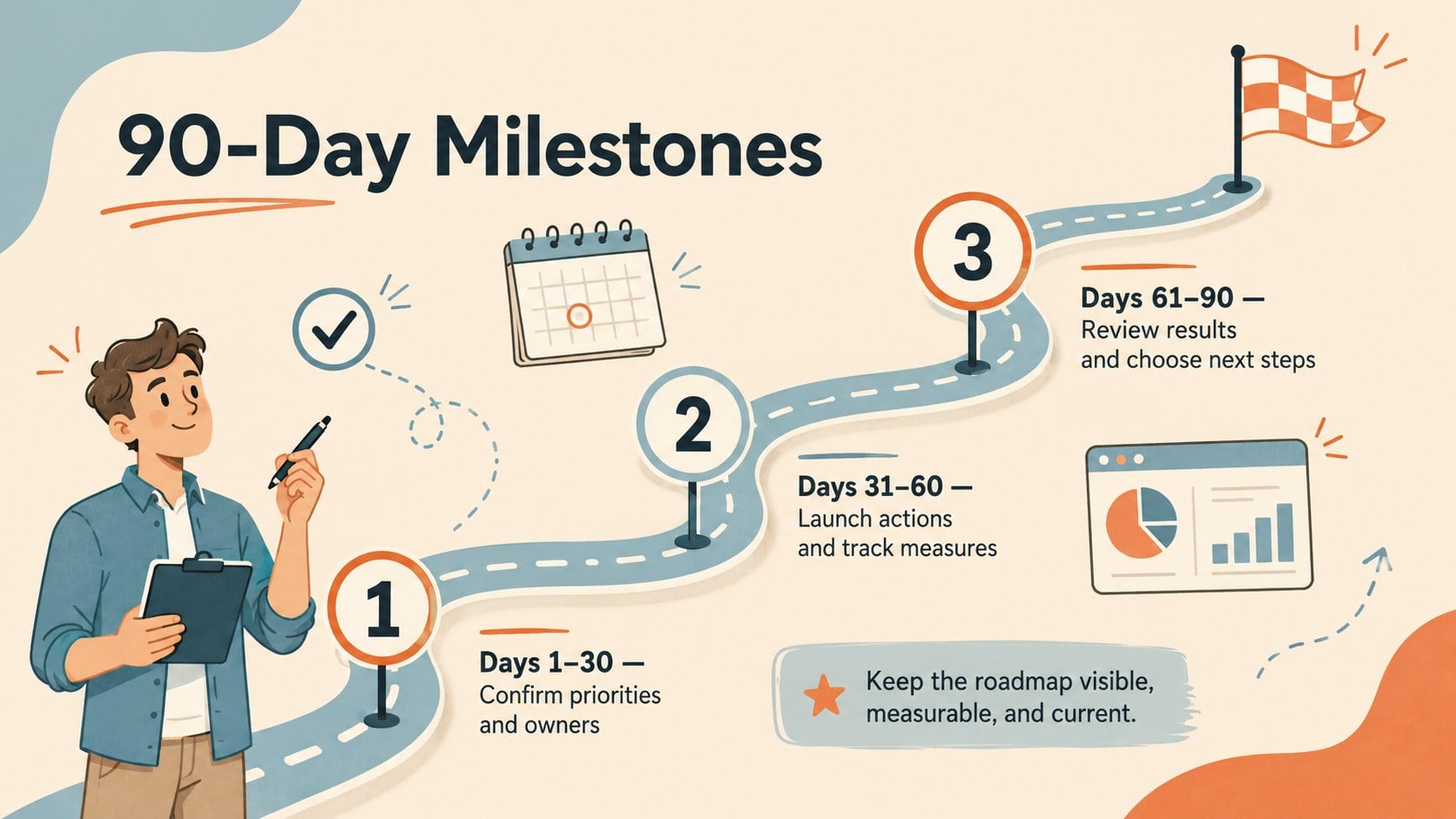
Design notes
Turn scattered ideas into a shared direction with this strategic roadmap one-pager. Its playful beige, blue, and orange design brings energy to planning sessions while keeping goals, responsibilities, and deadlines easy to scan. Use the editable strategic roadmap template to summarize your vision without overwhelming stakeholders with a lengthy document.
The deck includes a bold cover, a strategy framework, a priority map, and a 90-day milestone timeline. Ready-made sections help you define strategic themes, list measurable outcomes, assign owners, identify risks, and set target dates. Doodle-style accents, illustrated markers, and colorful callouts create a friendly visual structure, while editable text, shapes, and colors make every slide adaptable. The quarterly priorities planning slide is especially useful for turning broad objectives into focused actions that teams can review regularly.
Designed for startup founders, project leads, consultants, nonprofit teams, and department managers, this strategy execution overview slide deck works well for annual planning, leadership workshops, kickoff meetings, and progress reviews. Present it in PowerPoint or Google Slides, then adjust the layout to reflect your organization, planning cycle, and reporting needs. The concise format helps decision-makers understand the direction quickly and gives contributors a practical reference for what happens next.
Perfect for: quarterly leadership planning; startup strategy workshop; department goal alignment; project kickoff meeting; nonprofit annual planning.
Frequently asked questions
Can I edit every section of the roadmap? Yes. You can replace the goals, milestones, metrics, owners, and dates, as well as adjust the colors, fonts, shapes, and decorative elements.
Practical details
Yes. You can replace the goals, milestones, metrics, owners, and dates, as well as adjust the colors, fonts, shapes, and decorative elements.
The template is designed for PowerPoint and Google Slides. Both platforms allow you to present the deck, duplicate layouts, and tailor the content for your organization.
Rename the priority areas for the quarter, assign an owner to each action, and add measurable targets with due dates. Use the milestone slide to schedule reviews and show dependencies.
Yes. Replace the default beige, blue, and orange colors with your brand palette, then update the typefaces and icons while preserving the clear visual hierarchy.
Keep exploring
15Build an engaging World UFO Day session with this flying saucer history lesson deck, featuring retro green-and-brown slides for PowerPoint and Google Slides.
 15
15Plan a lively animal-learning journey with this jungle zoo adventure lesson deck, ready to customize in PowerPoint and Google Slides for young learners.
 16
16Turn environmental research into a clear story with a Watercolor Ecology Presentation Theme for PowerPoint and Google Slides in calming green and blue.
 16
16Build focused fashion, literature, and humanities presentations with the Red Triangle Editorial Theme, editable in PowerPoint and Google Slides.
 15
15Turn streaming stats, favorite tracks, and concert highlights into a bold annual listening recap slide deck for PowerPoint and Google Slides.
 15
15Turn highlights, milestones, and favorite moments into a colorful year in review slide deck with bold 3D graphics for PowerPoint and Google Slides.
 3
3Build a credible endorsement with Standout Colleague Recommendation Letter Slides, featuring colorful prompts for skills, achievements, and team impact.
 4
4Build clear beginner sessions with an ice hockey fundamentals training deck for coaches, PE teachers, and clubs, ready for PowerPoint and Google Slides.