
 15
15presentation
Flying Saucer History Lesson Deck
Build an engaging World UFO Day session with this flying saucer history lesson deck, featuring retro green-and-brown slides for PowerPoint and Google Slides.
Google SlidesPowerPoint
presentation · English
Use this social platform analytics infographic deck to turn audience, reach, and engagement metrics into clear visuals for reports, lessons, and pitches.

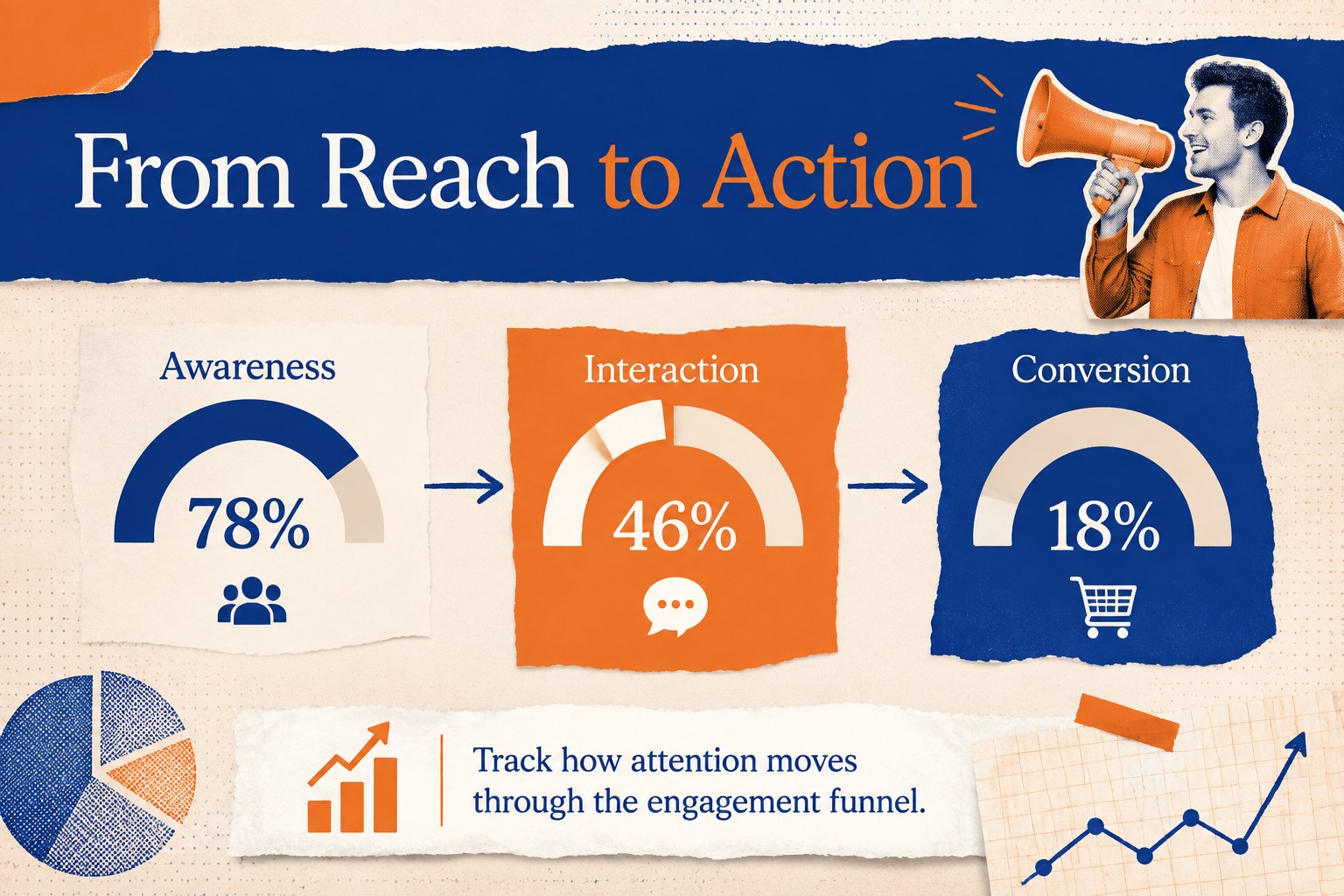
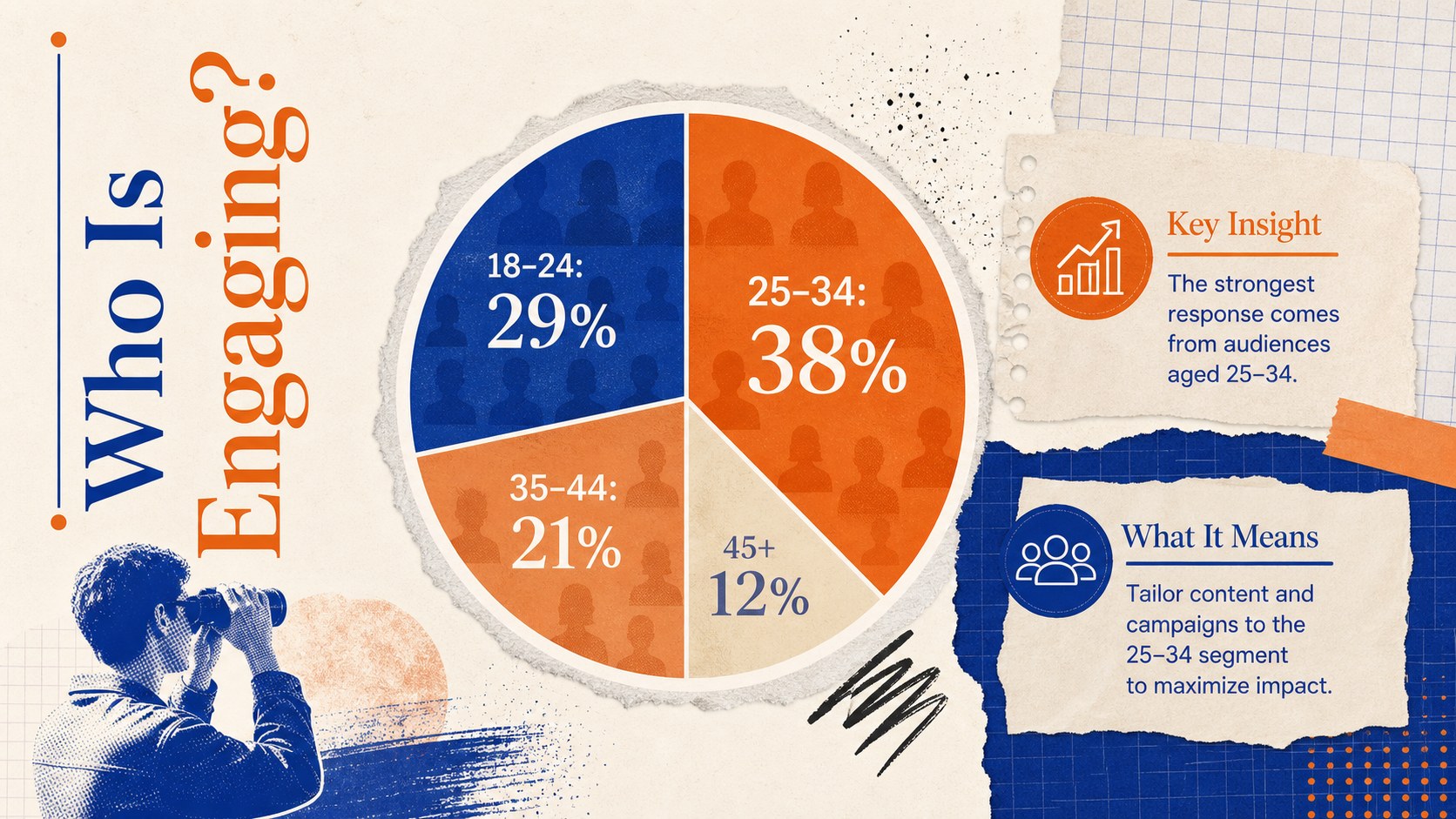
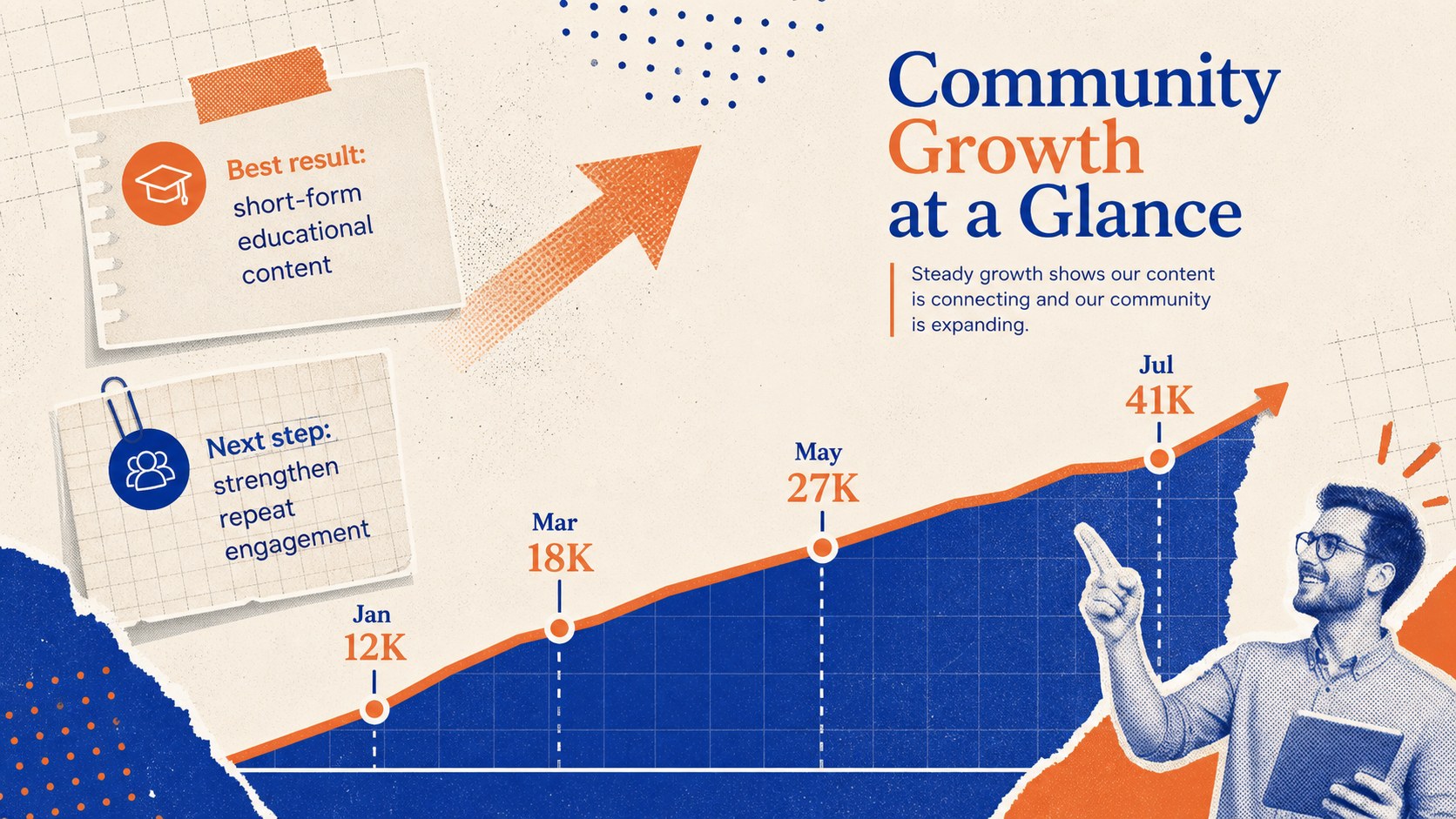
Design notes
The Social Platform Analytics Infographic Deck transforms complex channel data into a clear, engaging visual narrative. Its energetic collage aesthetic combines blue, orange, and beige with layered paper textures, bold typography, and graphic accents. Use it to explain how online communities grow, where audiences spend their time, and which activities generate meaningful engagement.
The deck includes flexible layouts for a social media demographics presentation, campaign reach comparisons, engagement funnel stages, platform usage patterns, and community growth. Charts, percentage callouts, timelines, and concise text areas help you organize findings without overwhelming the audience. It also works as a social media campaign performance report when you need to connect headline results with practical recommendations.
Built for PowerPoint and Google Slides, every page can be adapted to your own research, campaign, or classroom topic. Replace sample figures, edit chart labels, adjust fonts, recolor graphic elements, and add your organization’s identity while preserving the distinctive collage direction. The 16:9 format is ready for widescreen meetings, virtual presentations, and classroom displays.
This social media metrics presentation template is designed for marketing teams, content strategists, communications professionals, teachers, students, researchers, and nonprofit organizers. Use it for client reviews, digital literacy lessons, quarterly reporting, audience research, or stakeholder briefings where data needs to feel approachable, memorable, and easy to discuss.
Perfect for: quarterly social media report; client campaign review; digital literacy lesson; audience demographics briefing; community growth analysis; platform performance comparison.
Frequently asked questions
Practical details
The template is designed for Microsoft PowerPoint and Google Slides. Import it into your preferred platform, then edit the layouts using the standard presentation tools.
Yes. All sample percentages, labels, chart values, and supporting text can be replaced with campaign or research data. Keep units and time periods consistent so comparisons remain clear.
Yes. You can change the blue, orange, and beige palette, update fonts, and recolor decorative elements to match your organization. The collage composition remains effective when strong contrast is preserved.
Yes. Teachers and students can use the layouts for digital citizenship, media studies, communications, or social science topics. The infographic structure helps explain statistics to audiences with different levels of data literacy.
Keep exploring
15Build an engaging World UFO Day session with this flying saucer history lesson deck, featuring retro green-and-brown slides for PowerPoint and Google Slides.
 15
15Plan a lively animal-learning journey with this jungle zoo adventure lesson deck, ready to customize in PowerPoint and Google Slides for young learners.
 16
16Turn environmental research into a clear story with a Watercolor Ecology Presentation Theme for PowerPoint and Google Slides in calming green and blue.
 16
16Build focused fashion, literature, and humanities presentations with the Red Triangle Editorial Theme, editable in PowerPoint and Google Slides.
 15
15Turn streaming stats, favorite tracks, and concert highlights into a bold annual listening recap slide deck for PowerPoint and Google Slides.
 15
15Turn highlights, milestones, and favorite moments into a colorful year in review slide deck with bold 3D graphics for PowerPoint and Google Slides.
 3
3Build a credible endorsement with Standout Colleague Recommendation Letter Slides, featuring colorful prompts for skills, achievements, and team impact.
 4
4Build clear beginner sessions with an ice hockey fundamentals training deck for coaches, PE teachers, and clubs, ready for PowerPoint and Google Slides.