
 15
15presentation
Flying Saucer History Lesson Deck
Build an engaging World UFO Day session with this flying saucer history lesson deck, featuring retro green-and-brown slides for PowerPoint and Google Slides.
Google SlidesPowerPoint
presentation · English
Turn match results into a clear Soccer League Table Tracker with editable purple gradient slides for coaches, analysts, clubs, and supporter groups.

Design notes
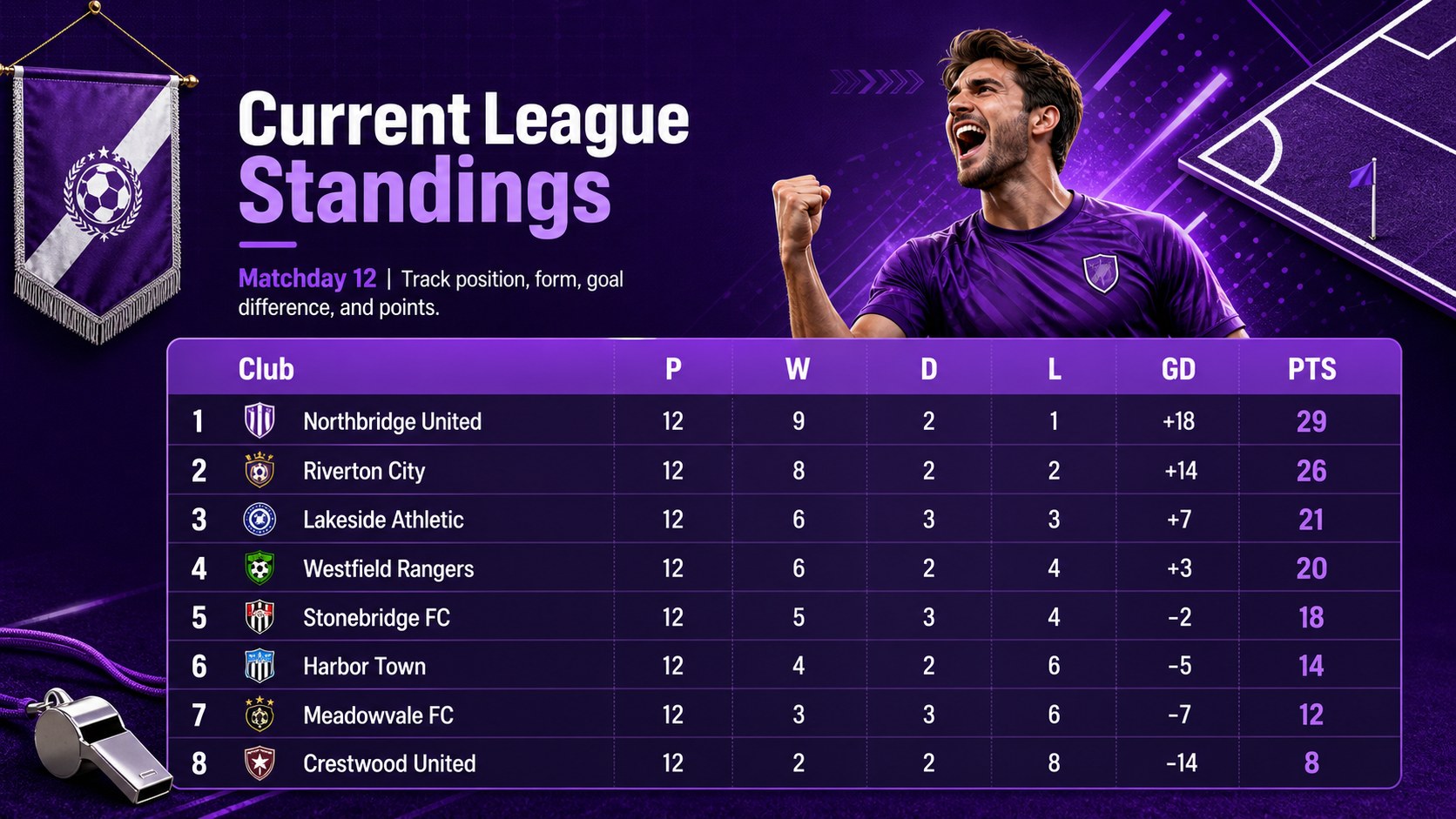
A Soccer League Table Tracker turns weekly match data into a polished visual update that audiences can understand at a glance. Designed with energetic purple gradients, crisp typography, and illustrated sports details, this editable soccer standings presentation gives coaches, analysts, club organizers, and supporter groups a clear way to communicate rankings throughout the season.
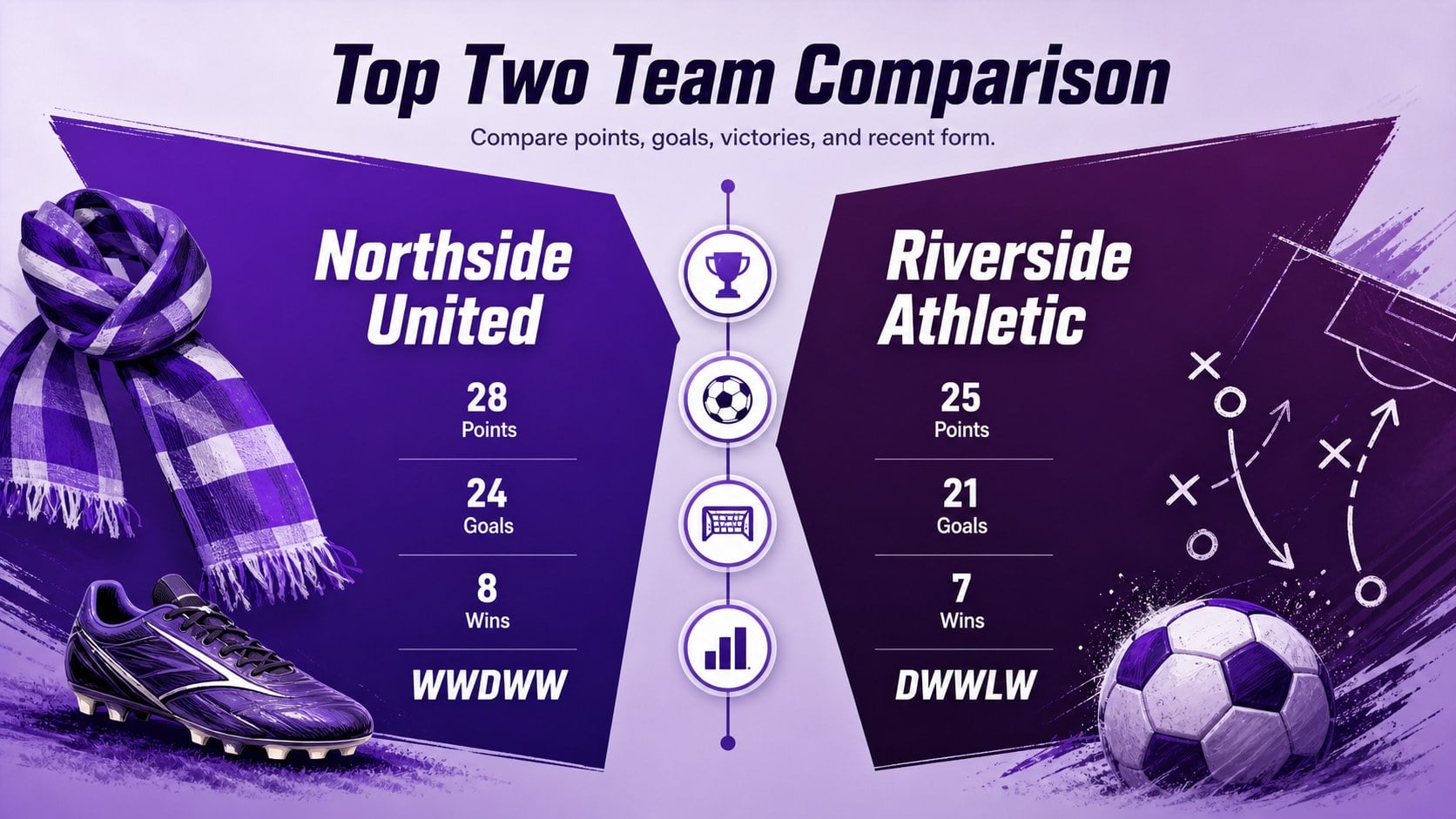
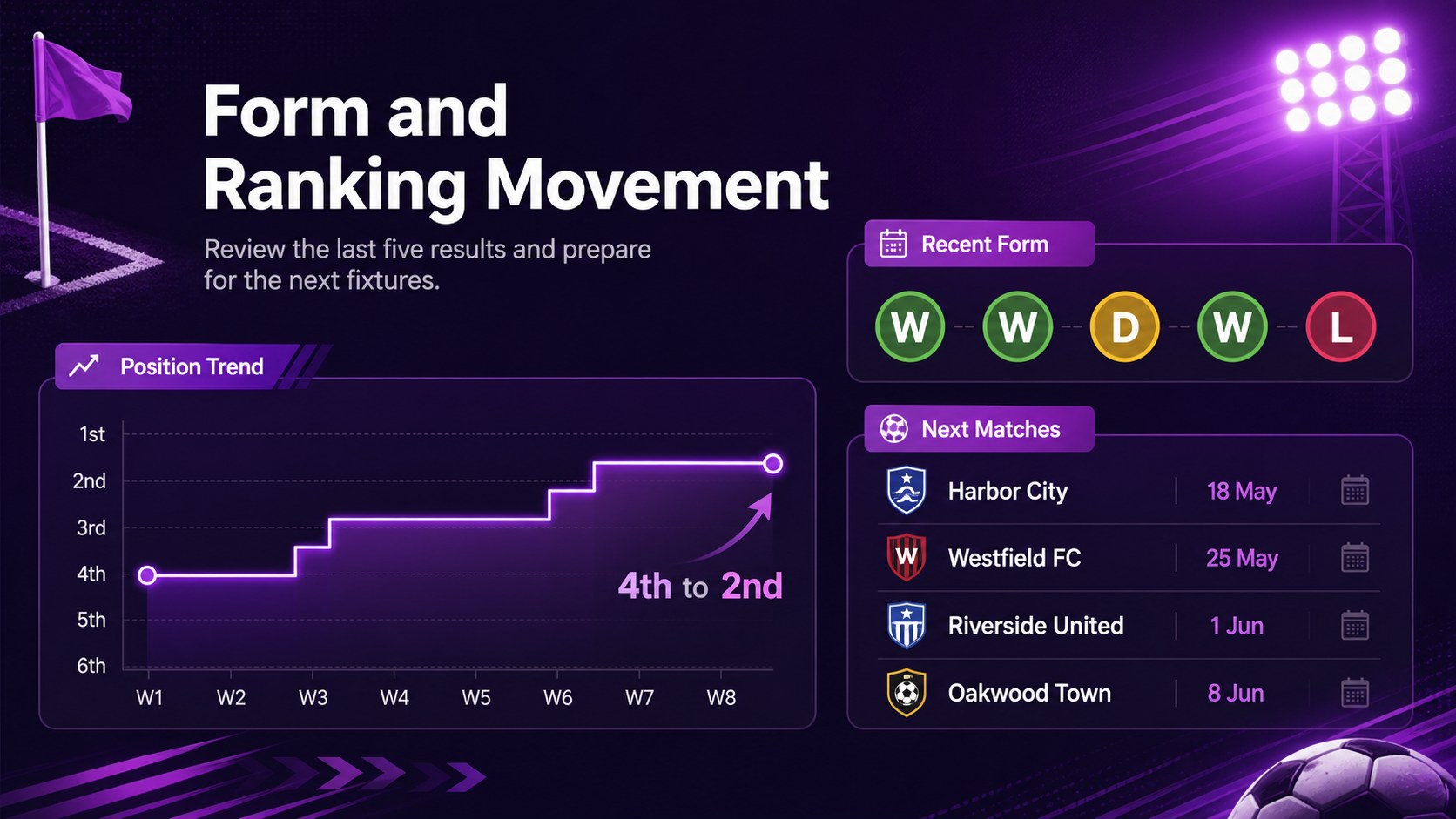
The four-slide layout includes an opening title page, a complete league table, a team comparison view, and a recent-form summary. Use the structured spaces to record matches played, wins, draws, losses, goal difference, points, and movement in the table. The design can also function as a soccer points table PowerPoint for weekly briefings or as season performance dashboard slides for comparing leading clubs, emerging challengers, and teams at risk of relegation.
Every page can be adapted in PowerPoint or Google Slides. Replace sample club names, adjust statistics, change icons, and reorder rows as results develop. The layout works well for amateur leagues, school competitions, community tournaments, sports media recaps, fantasy leagues, and fan presentations. Its strong contrast and spacious data formatting help tables remain readable on meeting-room screens, while the coordinated visual system keeps each update consistent from the opening fixture to the final round.
Perfect for: weekly coaching briefing; amateur league results recap; school soccer tournament update; sports analyst ranking report; supporter club meeting; fantasy league review.
Frequently asked questions
Can I update the league table after every matchday? Yes. Edit the club names, statistics, point totals, and ranking positions directly in PowerPoint or Google Slides. Rows can be reordered as the table changes.
Practical details
Yes. Edit the club names, statistics, point totals, and ranking positions directly in PowerPoint or Google Slides. Rows can be reordered as the table changes.
The slides are designed for Microsoft PowerPoint and Google Slides. Text, colors, shapes, tables, and icons remain editable on both platforms.
Yes. Remove unneeded rows or duplicate existing ones to match the number of participating teams. You can also rename statistical columns to suit knockout events, youth competitions, or fantasy leagues.
Replace the sample colors, type styles, and decorative icons with your club's visual elements while retaining the structured layouts. Team badges or approved logos can be added in the designated club-marker areas.
Keep exploring
15Build an engaging World UFO Day session with this flying saucer history lesson deck, featuring retro green-and-brown slides for PowerPoint and Google Slides.
 15
15Plan a lively animal-learning journey with this jungle zoo adventure lesson deck, ready to customize in PowerPoint and Google Slides for young learners.
 16
16Turn environmental research into a clear story with a Watercolor Ecology Presentation Theme for PowerPoint and Google Slides in calming green and blue.
 16
16Build focused fashion, literature, and humanities presentations with the Red Triangle Editorial Theme, editable in PowerPoint and Google Slides.
 15
15Turn streaming stats, favorite tracks, and concert highlights into a bold annual listening recap slide deck for PowerPoint and Google Slides.
 15
15Turn highlights, milestones, and favorite moments into a colorful year in review slide deck with bold 3D graphics for PowerPoint and Google Slides.
 3
3Build a credible endorsement with Standout Colleague Recommendation Letter Slides, featuring colorful prompts for skills, achievements, and team impact.
 4
4Build clear beginner sessions with an ice hockey fundamentals training deck for coaches, PE teachers, and clubs, ready for PowerPoint and Google Slides.