
 15
15presentation
Flying Saucer History Lesson Deck
Build an engaging World UFO Day session with this flying saucer history lesson deck, featuring retro green-and-brown slides for PowerPoint and Google Slides.
Google SlidesPowerPoint
presentation · English
Create polished prom night announcement slides for schools and student committees. Edit dates, venue, tickets, and theme details in PowerPoint or Google…


Design notes
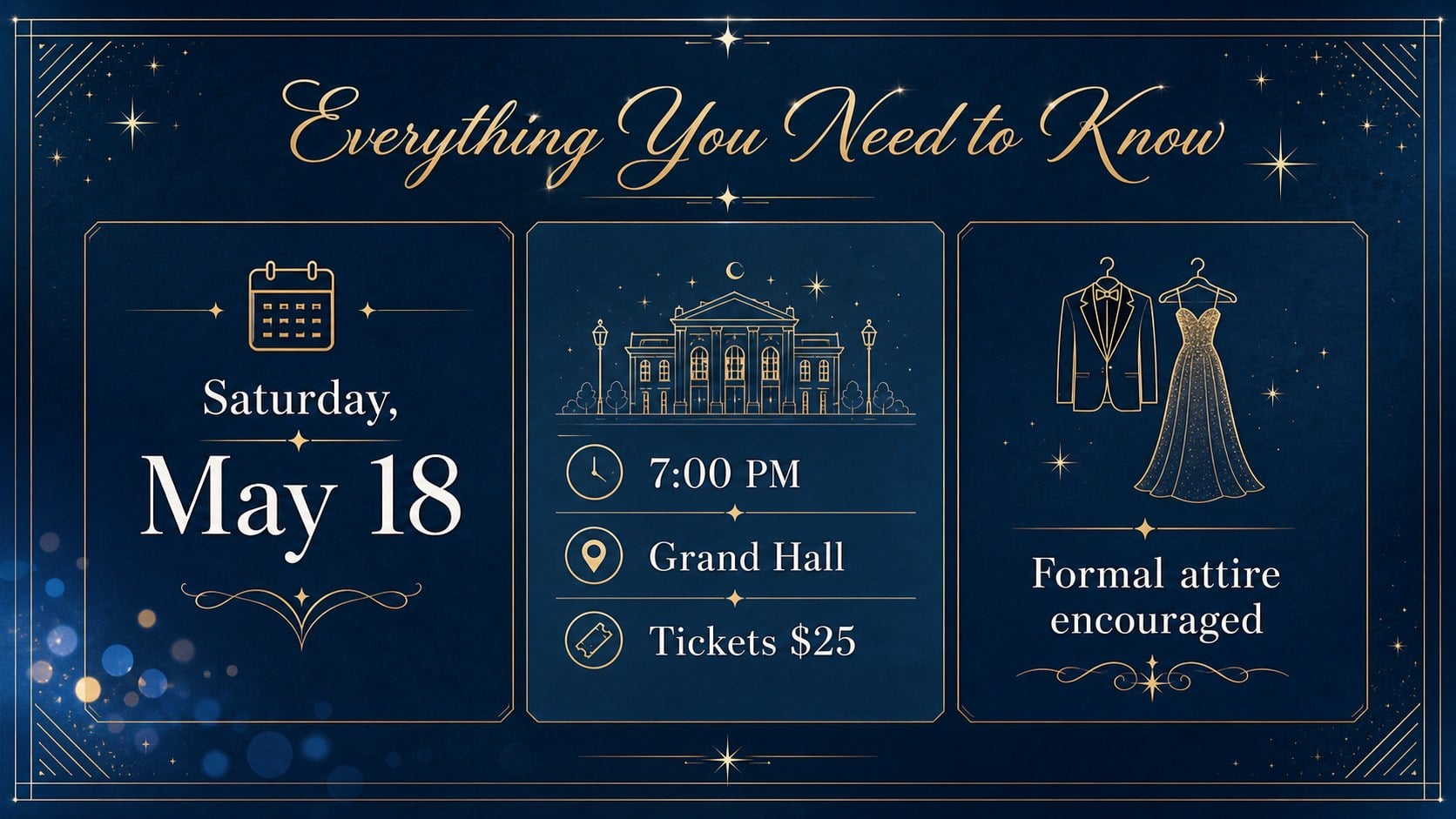
Turn early event details into an elegant invitation students will notice with this blue prom announcement deck. Its refined, romantic styling creates a memorable first impression while keeping practical information easy to scan. Use the layouts to introduce the event theme, build anticipation, and guide students toward the date, venue, ticket details, and dress expectations.
Inside, you’ll find a ready-to-edit cover, an event information layout, and a closing announcement for calls to action or RSVP reminders. The format works well as a blue prom poster for digital sharing, a school hallway display, or a short presentation during an assembly. Clear text areas make it simple to adapt the school name, event schedule, ticket price, contact details, and visual accents.
This school dance announcement template is designed for student councils, teachers, event committees, and school administrators preparing a polished prom campaign. It can also serve as prom event information slides for parent communications or student-facing updates. Customize the colors, typography, imagery, and wording in PowerPoint or Google Slides, then export the finished design for print or online distribution.
Perfect for: student council event promotion; school assembly announcement; digital hallway display; parent event briefing; prom ticket campaign.
Frequently asked questions
Can I edit the event information? Yes. Replace the sample school name, date, venue, ticket details, schedule, and contact information with your own content. Text boxes and design elements can be adjusted to fit the event.
Practical details
Yes. Replace the sample school name, date, venue, ticket details, schedule, and contact information with your own content. Text boxes and design elements can be adjusted to fit the event.
The template is designed for PowerPoint and Google Slides. You can edit the deck in either platform and export it for digital sharing or printing.
Yes. The elegant blue palette can be adapted to match your school colors or prom theme. Keep the existing contrast between the background, headline, and information blocks for easy reading.
Yes. The layouts can be adapted for posters, handouts, and digital signage. Review the final dimensions and export settings before sending the design to a printer.
Keep exploring
15Build an engaging World UFO Day session with this flying saucer history lesson deck, featuring retro green-and-brown slides for PowerPoint and Google Slides.
 15
15Plan a lively animal-learning journey with this jungle zoo adventure lesson deck, ready to customize in PowerPoint and Google Slides for young learners.
 16
16Turn environmental research into a clear story with a Watercolor Ecology Presentation Theme for PowerPoint and Google Slides in calming green and blue.
 16
16Build focused fashion, literature, and humanities presentations with the Red Triangle Editorial Theme, editable in PowerPoint and Google Slides.
 15
15Turn streaming stats, favorite tracks, and concert highlights into a bold annual listening recap slide deck for PowerPoint and Google Slides.
 15
15Turn highlights, milestones, and favorite moments into a colorful year in review slide deck with bold 3D graphics for PowerPoint and Google Slides.
 3
3Build a credible endorsement with Standout Colleague Recommendation Letter Slides, featuring colorful prompts for skills, achievements, and team impact.
 4
4Build clear beginner sessions with an ice hockey fundamentals training deck for coaches, PE teachers, and clubs, ready for PowerPoint and Google Slides.