
 15
15presentation
Flying Saucer History Lesson Deck
Build an engaging World UFO Day session with this flying saucer history lesson deck, featuring retro green-and-brown slides for PowerPoint and Google Slides.
Google SlidesPowerPoint
presentation · English
Turn spending, savings, and goals into a clear annual recap with this personal finance yearbook deck for PowerPoint and Google Slides.

Design notes
Give your annual money check-in a clear narrative with this personal finance yearbook deck. Its energetic orange and green palette, friendly illustrations, and informal doodle details create a positive setting for discussing spending decisions, savings wins, financial surprises, and future priorities. Every layout is designed to make numbers easier to scan without turning the presentation into a formal accounting report.
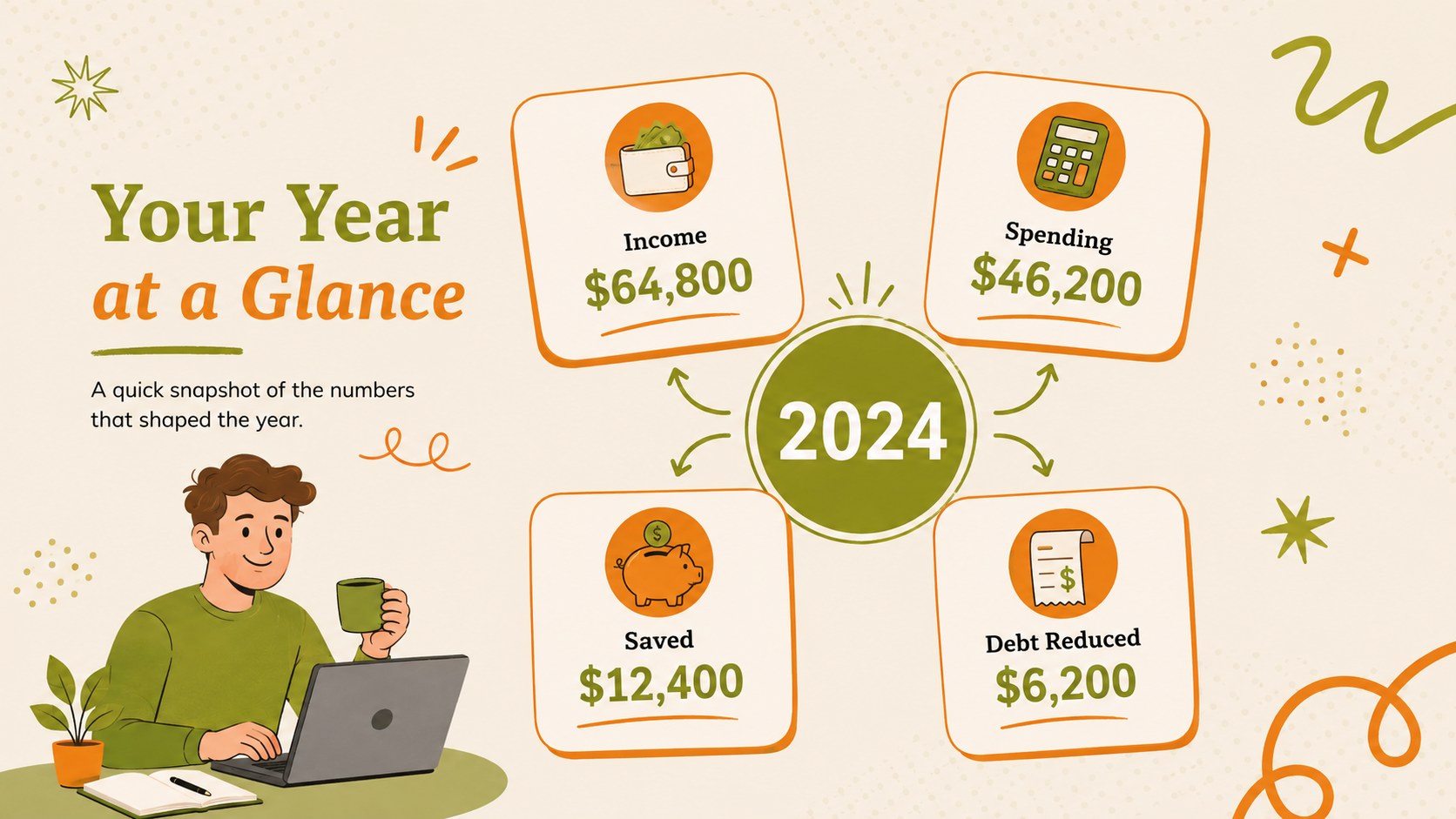
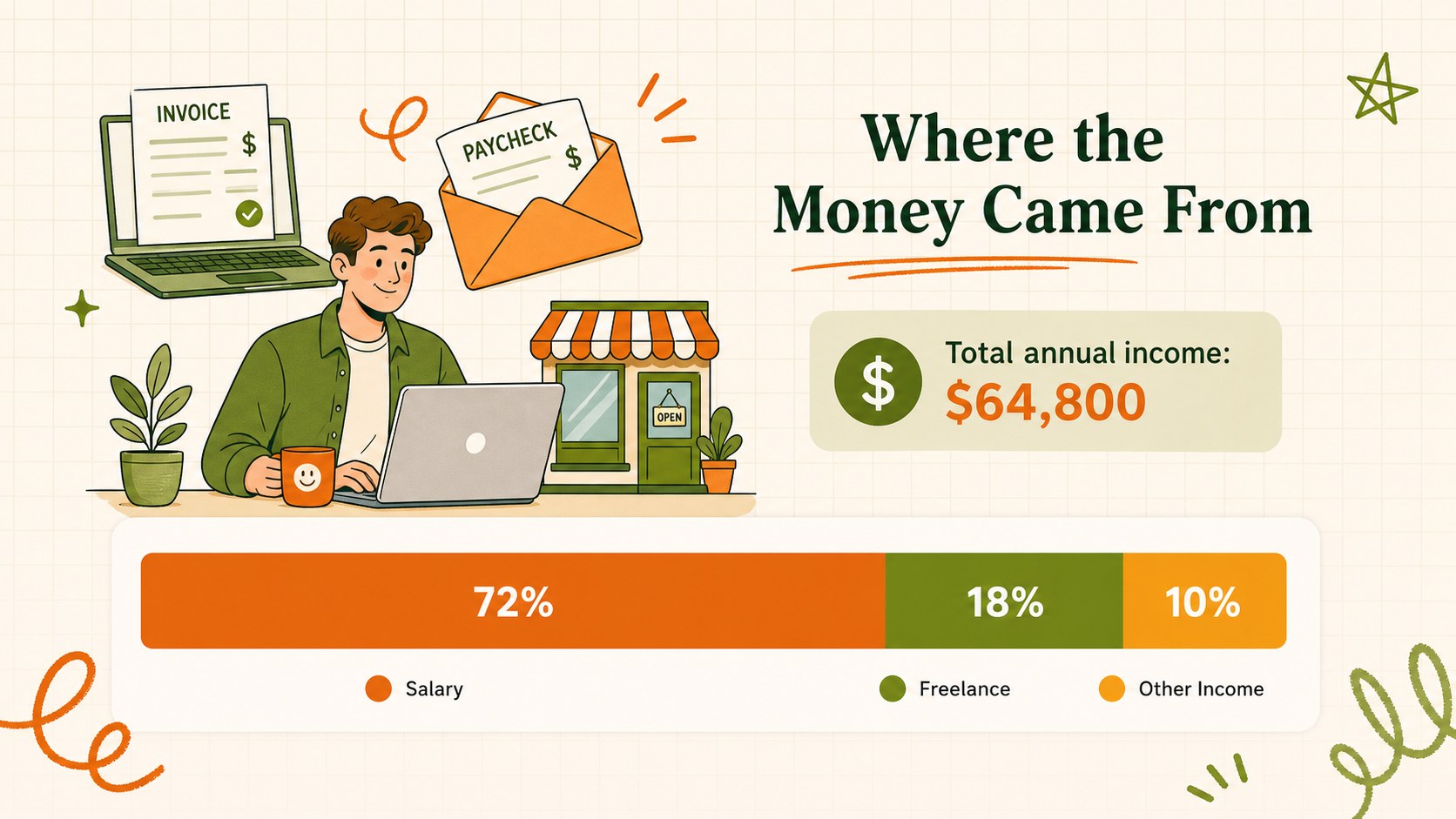
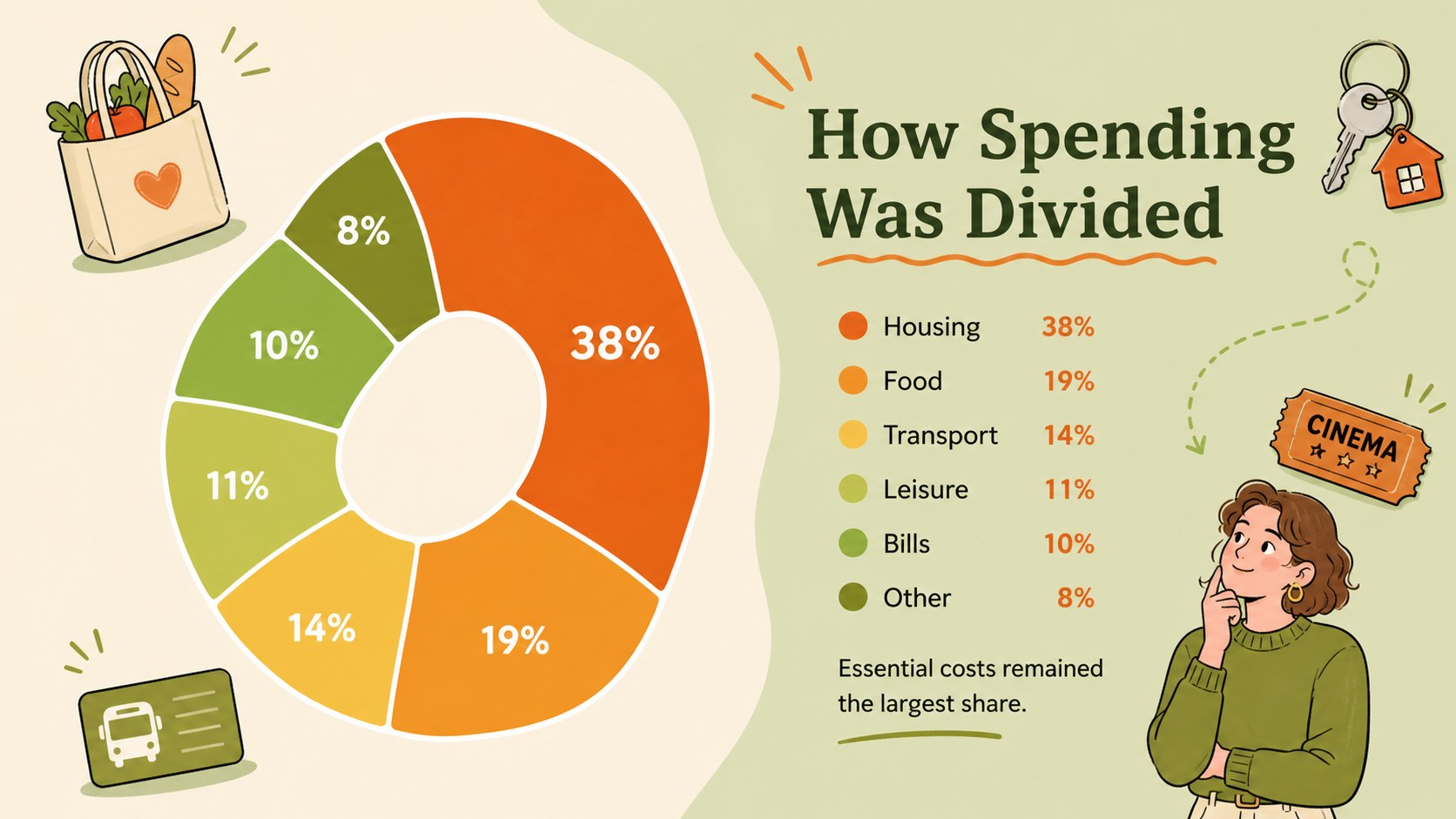
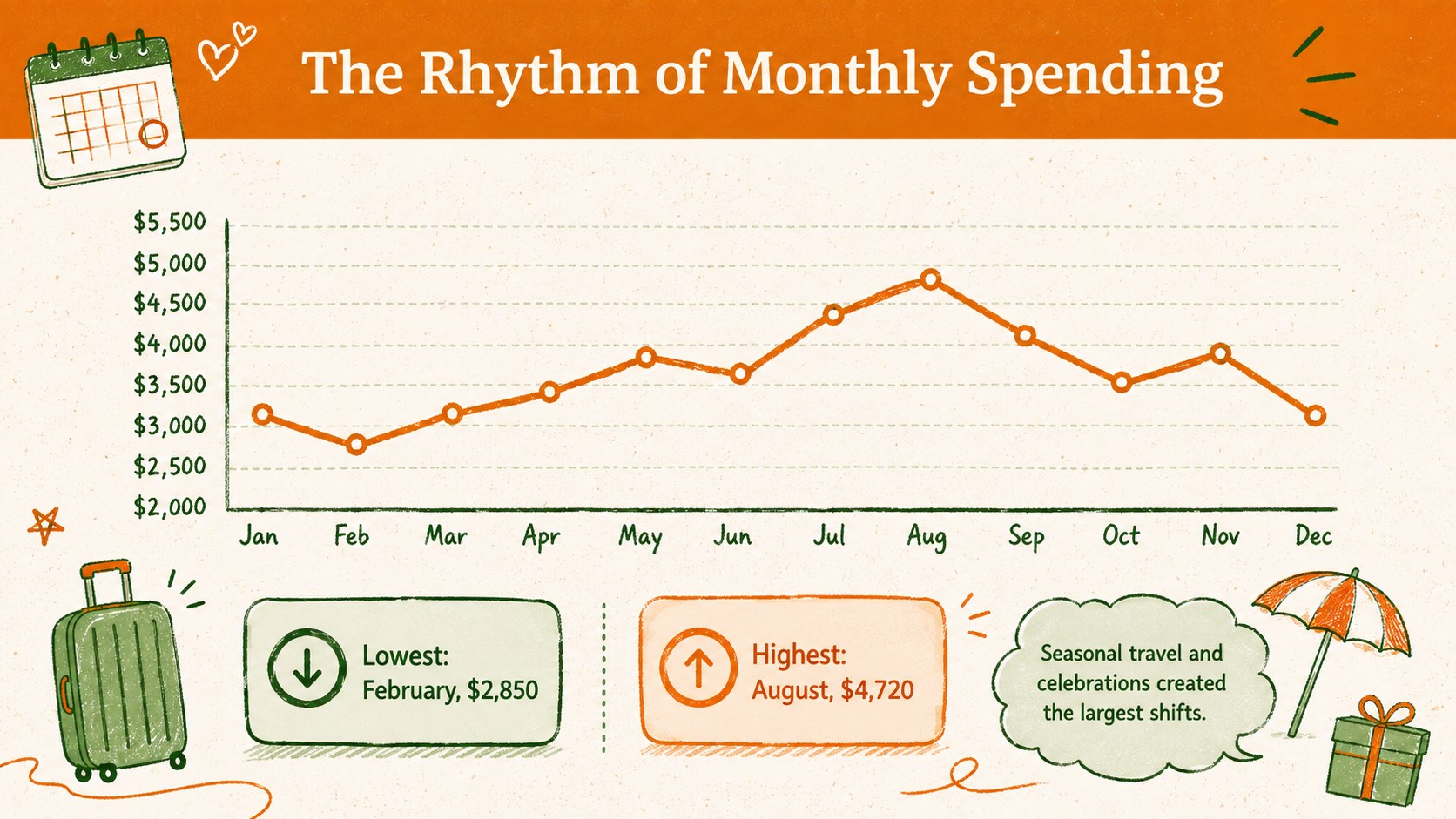
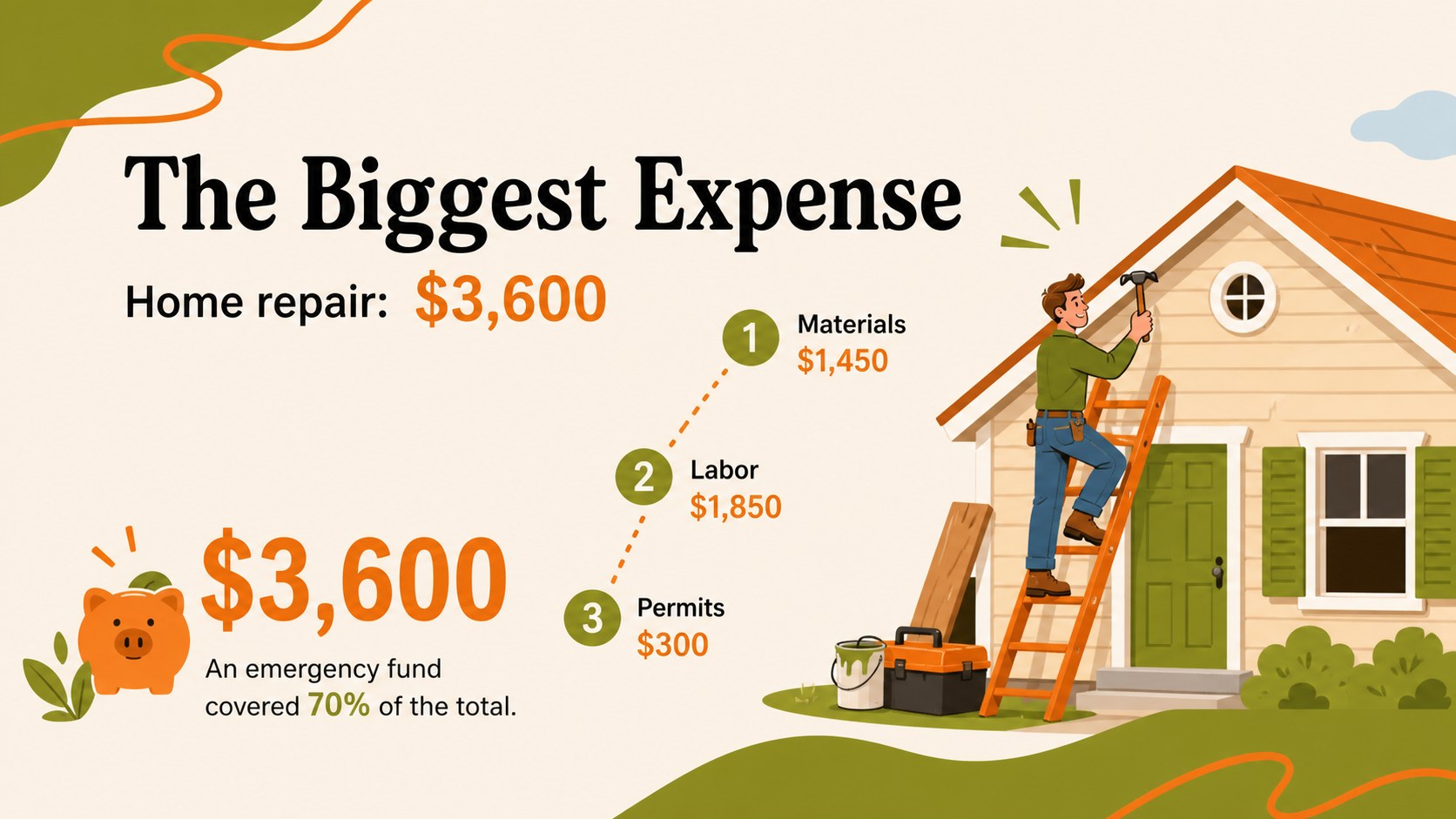
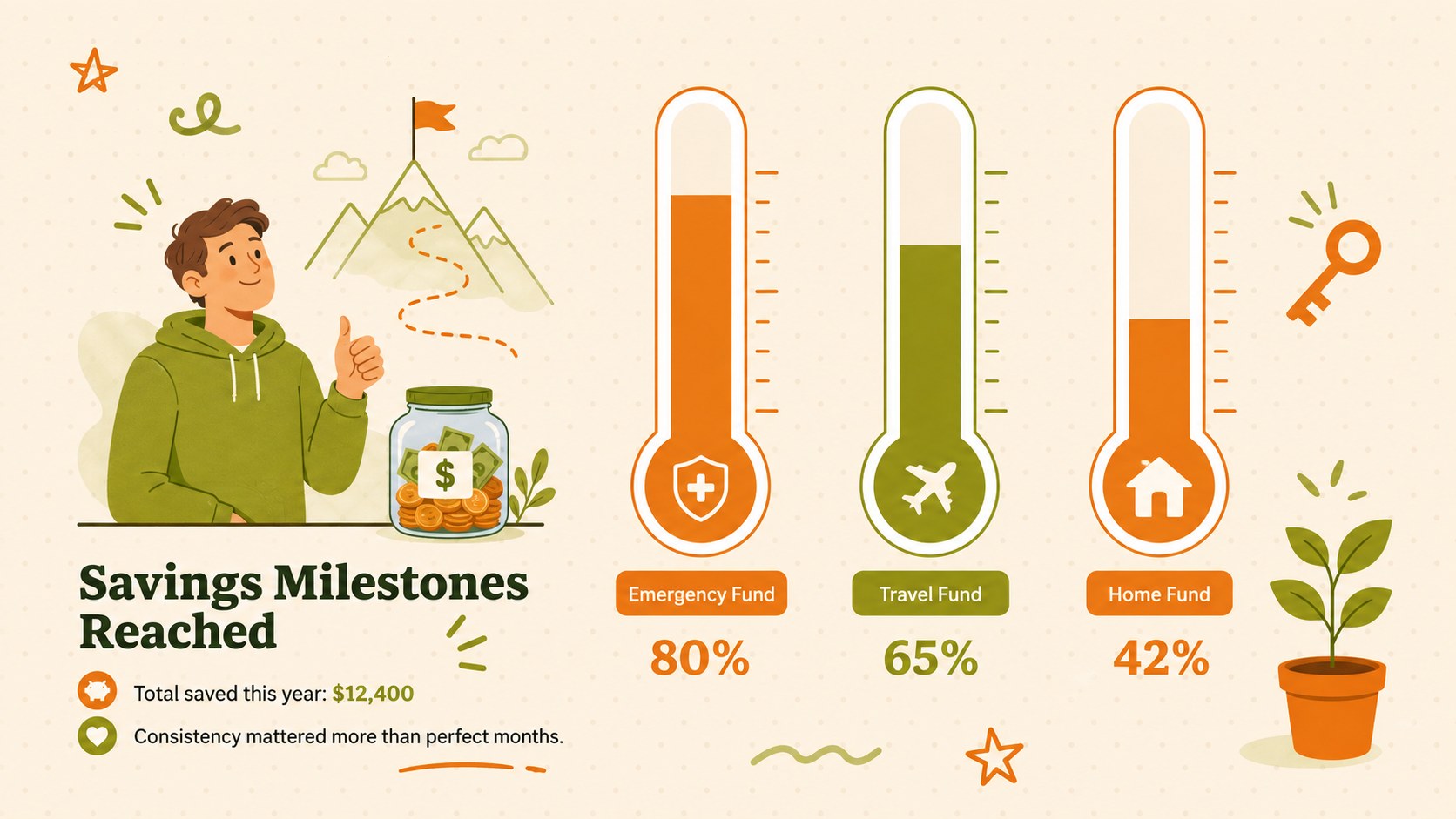
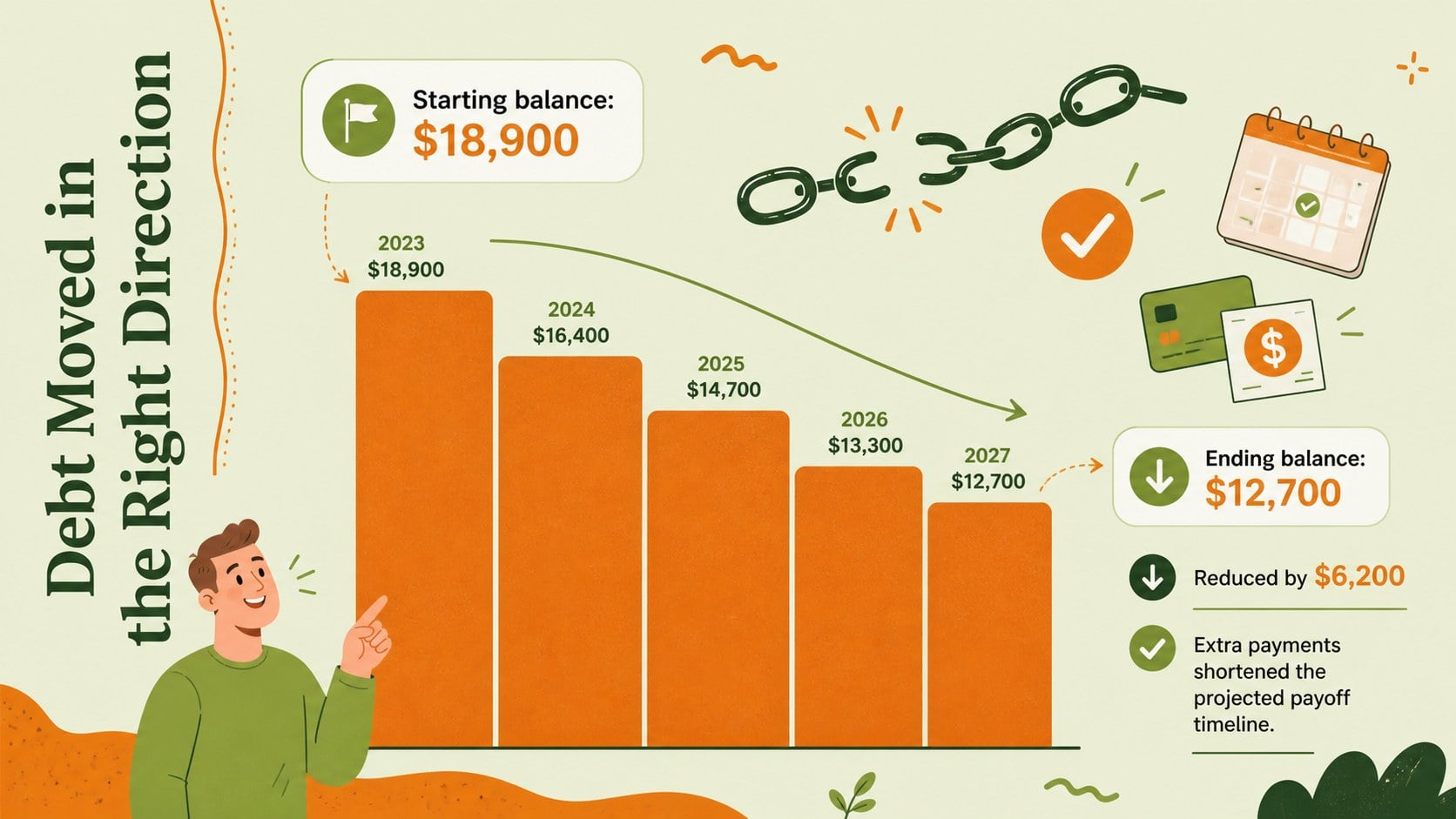
The 14-slide collection includes a yearly snapshot, income overview, spending breakdown, monthly trend, largest expense, smartest purchase, savings milestones, debt progress, subscription audit, lessons learned, and next-year goals. Flexible chart, timeline, comparison, and action-plan layouts provide the structure needed for yearly budget recap slides or a focused savings progress presentation. Replace the sample figures, edit the labels, adjust the colors, and add personal photos or icons to build a recap that reflects your own experience.
This household finance summary deck works well for individual budgeting sessions, partner or family discussions, financial coaching appointments, classroom activities, and community workshops. Present it in PowerPoint or Google Slides, then adapt the sections to suit a quick personal review or a more detailed end-of-year money report. The approachable visual style helps audiences discuss practical financial lessons while keeping attention on measurable progress and realistic next steps.
Perfect for: annual personal budget review; household finance meeting; financial coaching session; money management workshop; savings goal check-in.
Frequently asked questions
Can I edit every part of this finance deck? Yes. You can replace the sample figures, rewrite headings, recolor shapes, move illustrations, and modify charts to match your financial information.
Practical details
Yes. You can replace the sample figures, rewrite headings, recolor shapes, move illustrations, and modify charts to match your financial information.
The deck is designed for PowerPoint and Google Slides. Some fonts or transitions may render slightly differently between the two platforms, so review the final slideshow before presenting.
Select a chart and replace its sample values with your income, spending, savings, or debt figures. Keep category labels short and use consistent time periods so the results remain easy to compare.
Yes. The layouts can summarize shared expenses, savings targets, subscriptions, major purchases, and family goals without requiring a formal financial report.
Keep exploring
15Build an engaging World UFO Day session with this flying saucer history lesson deck, featuring retro green-and-brown slides for PowerPoint and Google Slides.
 15
15Plan a lively animal-learning journey with this jungle zoo adventure lesson deck, ready to customize in PowerPoint and Google Slides for young learners.
 16
16Turn environmental research into a clear story with a Watercolor Ecology Presentation Theme for PowerPoint and Google Slides in calming green and blue.
 16
16Build focused fashion, literature, and humanities presentations with the Red Triangle Editorial Theme, editable in PowerPoint and Google Slides.
 15
15Turn streaming stats, favorite tracks, and concert highlights into a bold annual listening recap slide deck for PowerPoint and Google Slides.
 15
15Turn highlights, milestones, and favorite moments into a colorful year in review slide deck with bold 3D graphics for PowerPoint and Google Slides.
 3
3Build a credible endorsement with Standout Colleague Recommendation Letter Slides, featuring colorful prompts for skills, achievements, and team impact.
 4
4Build clear beginner sessions with an ice hockey fundamentals training deck for coaches, PE teachers, and clubs, ready for PowerPoint and Google Slides.