
 15
15presentation
Flying Saucer History Lesson Deck
Build an engaging World UFO Day session with this flying saucer history lesson deck, featuring retro green-and-brown slides for PowerPoint and Google Slides.
Google SlidesPowerPoint
presentation · English
Build a clear metrics reporting slide deck for campaign results, dashboards, and business reviews with editable charts, vivid green accents, and 25 layouts.
Design notes
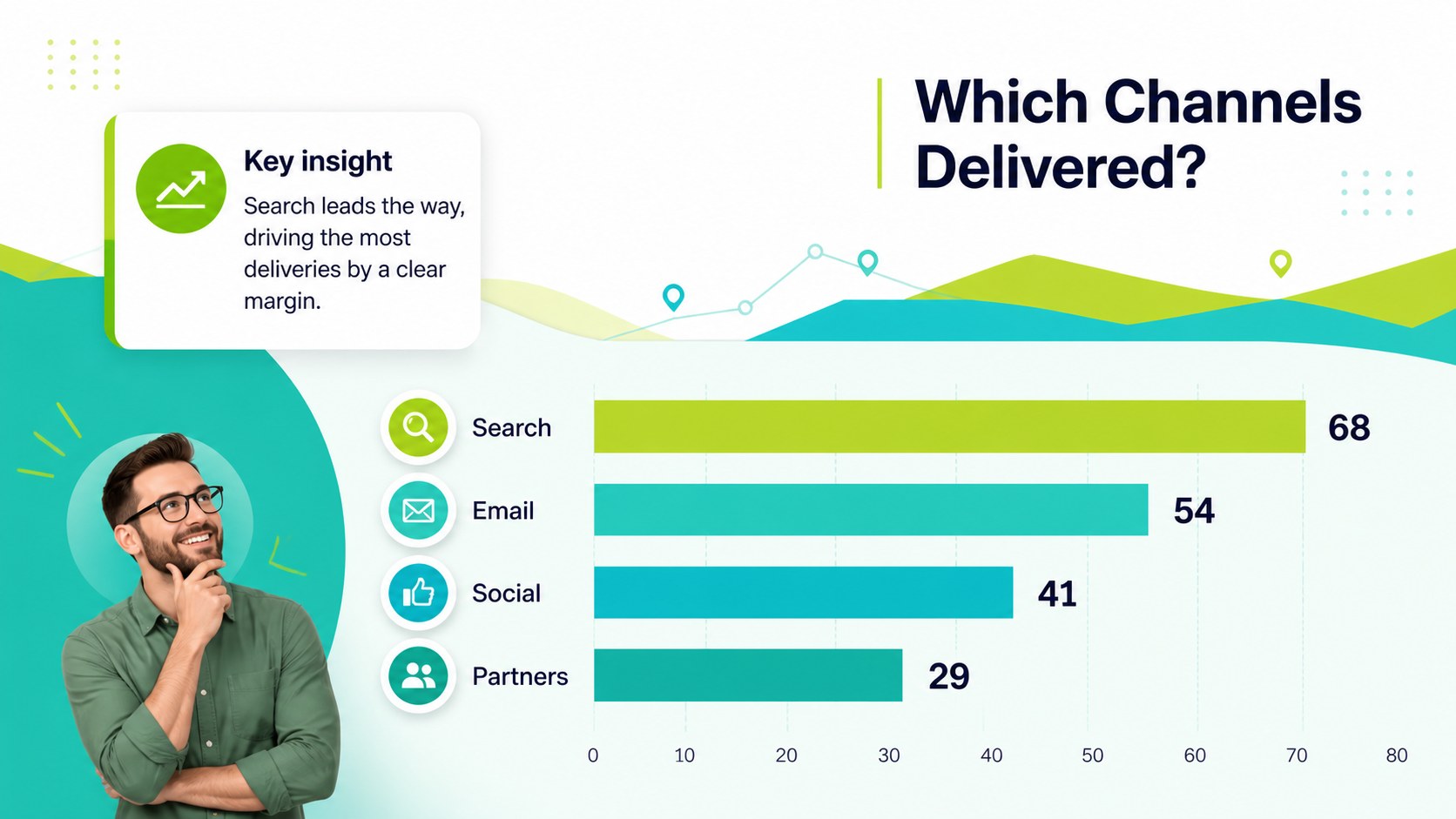
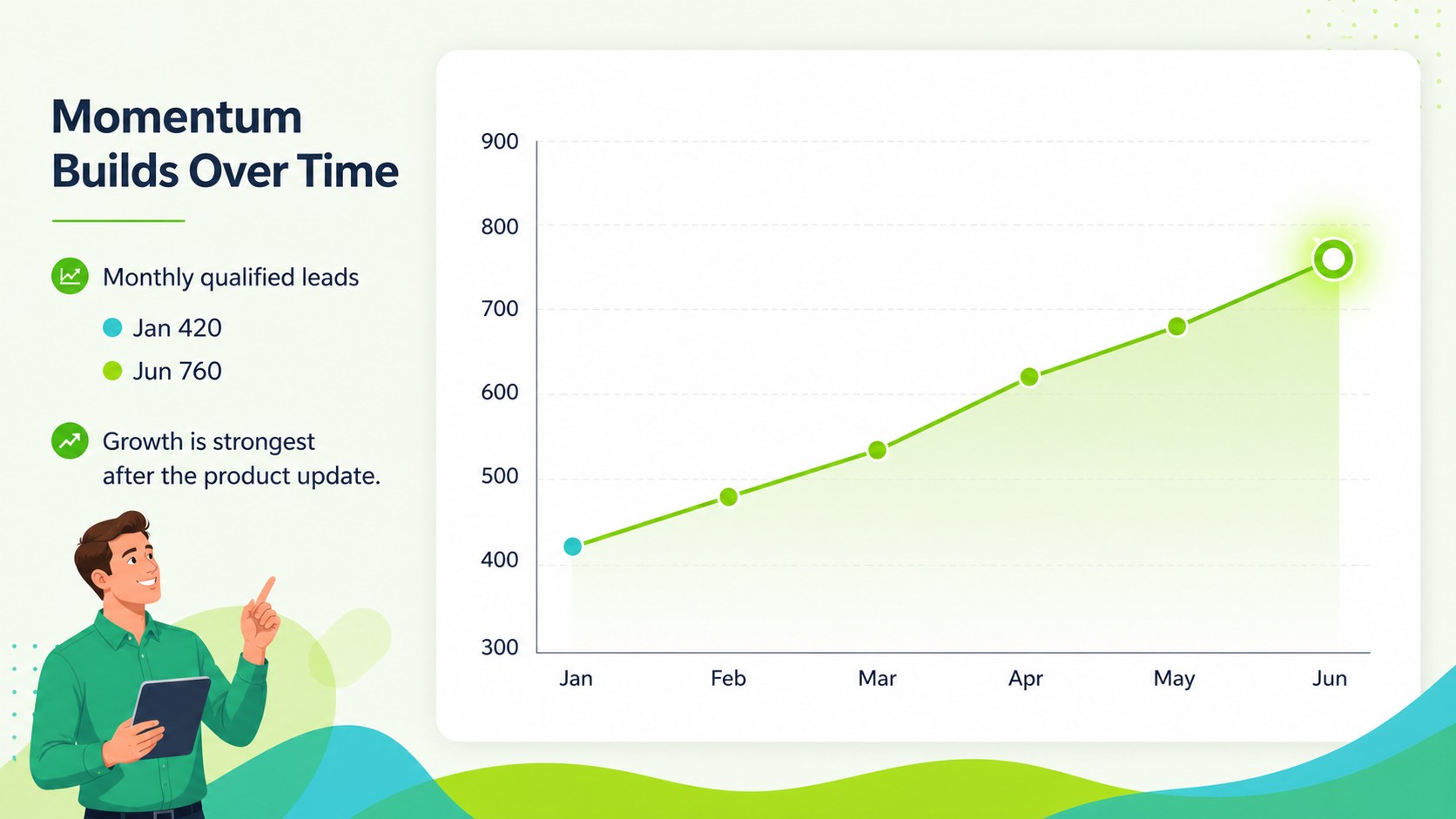
Turn complex results into a clear visual narrative with this metrics reporting slide deck for campaign recaps, business reviews, and performance updates. Its energetic green palette, linear data motifs, and bold editorial typography help audiences scan important findings without losing the story behind the numbers. Every element is editable in PowerPoint and Google Slides, so you can adapt the deck to your reporting workflow and visual identity.
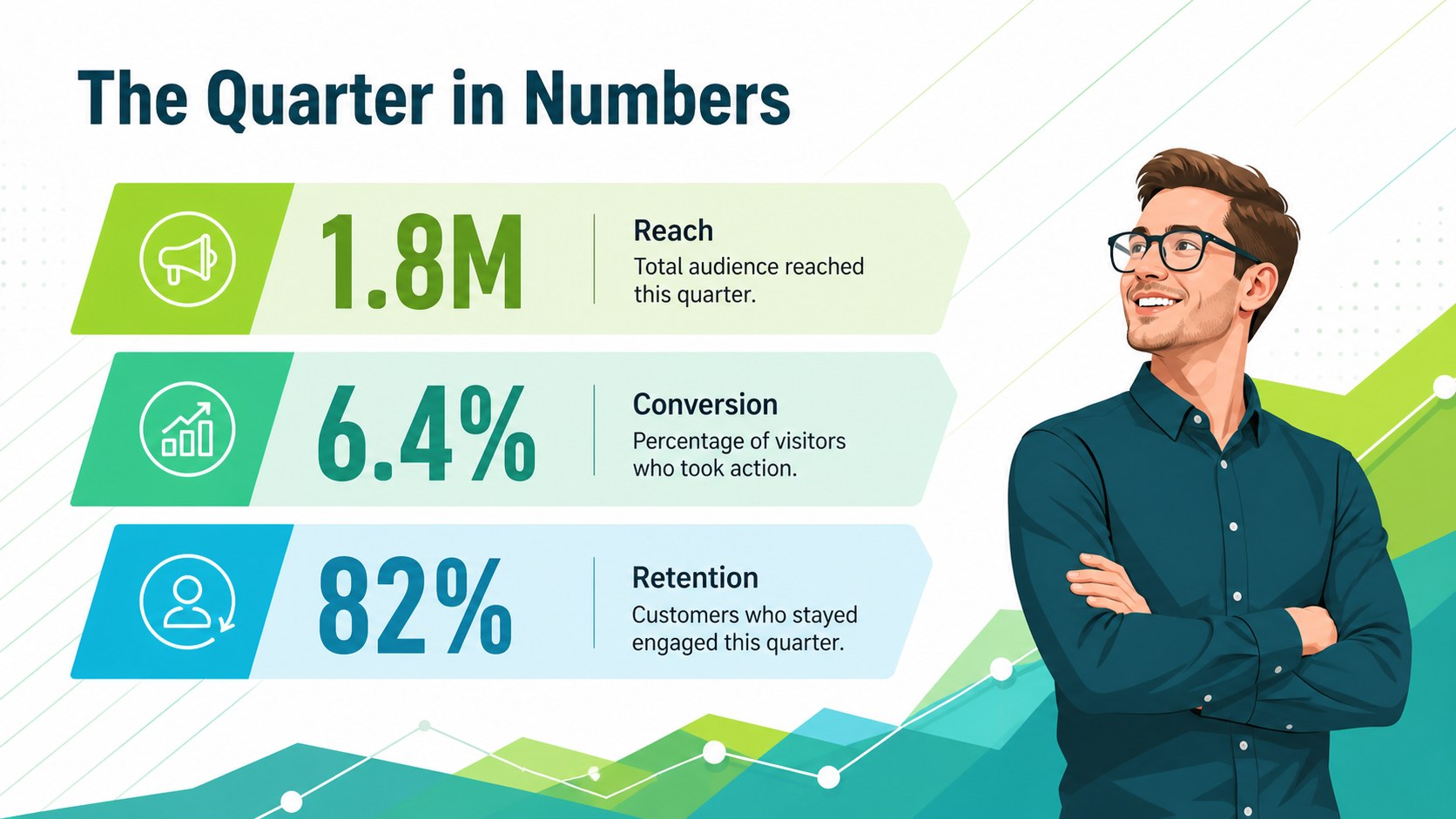
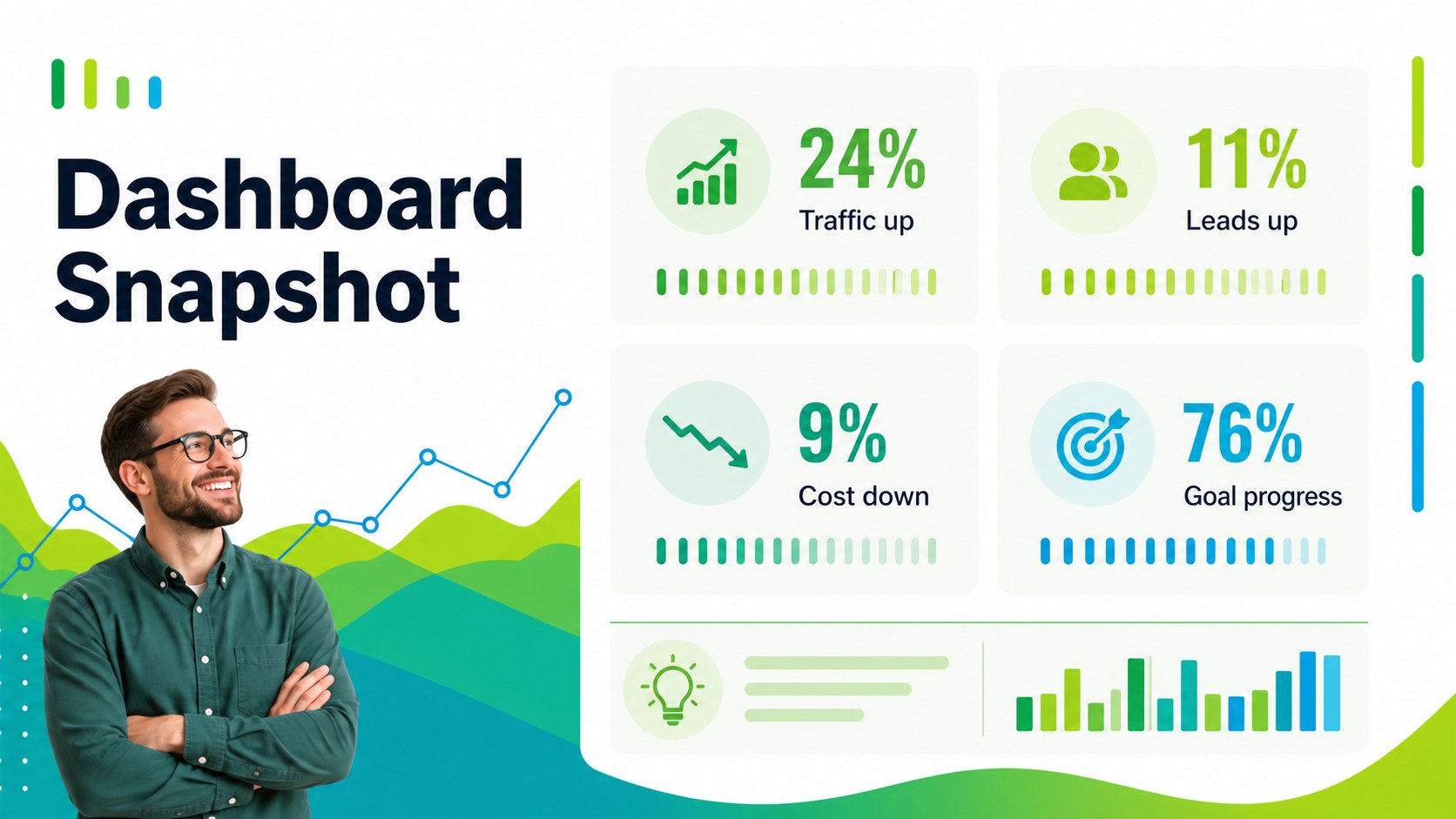
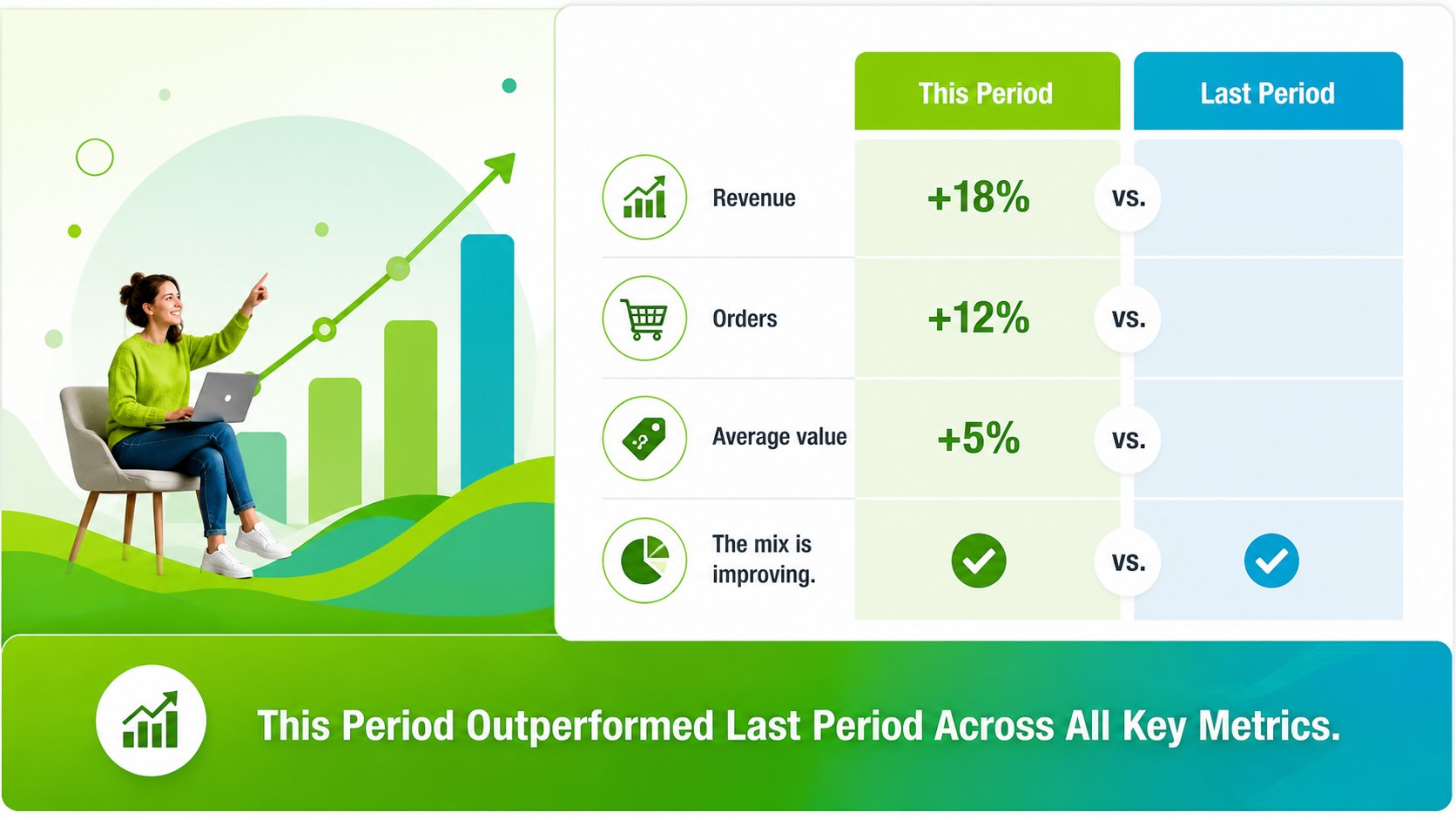
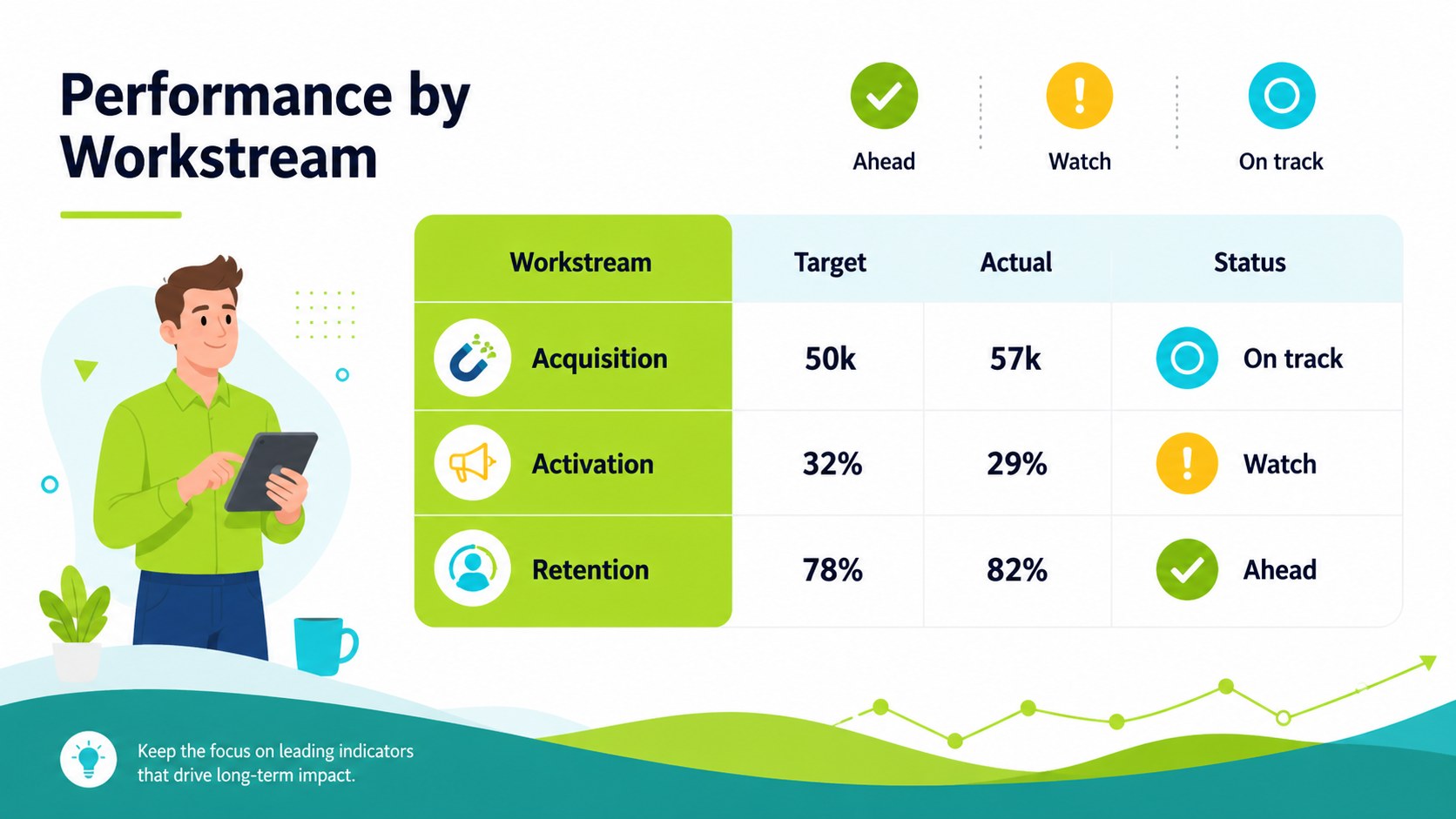
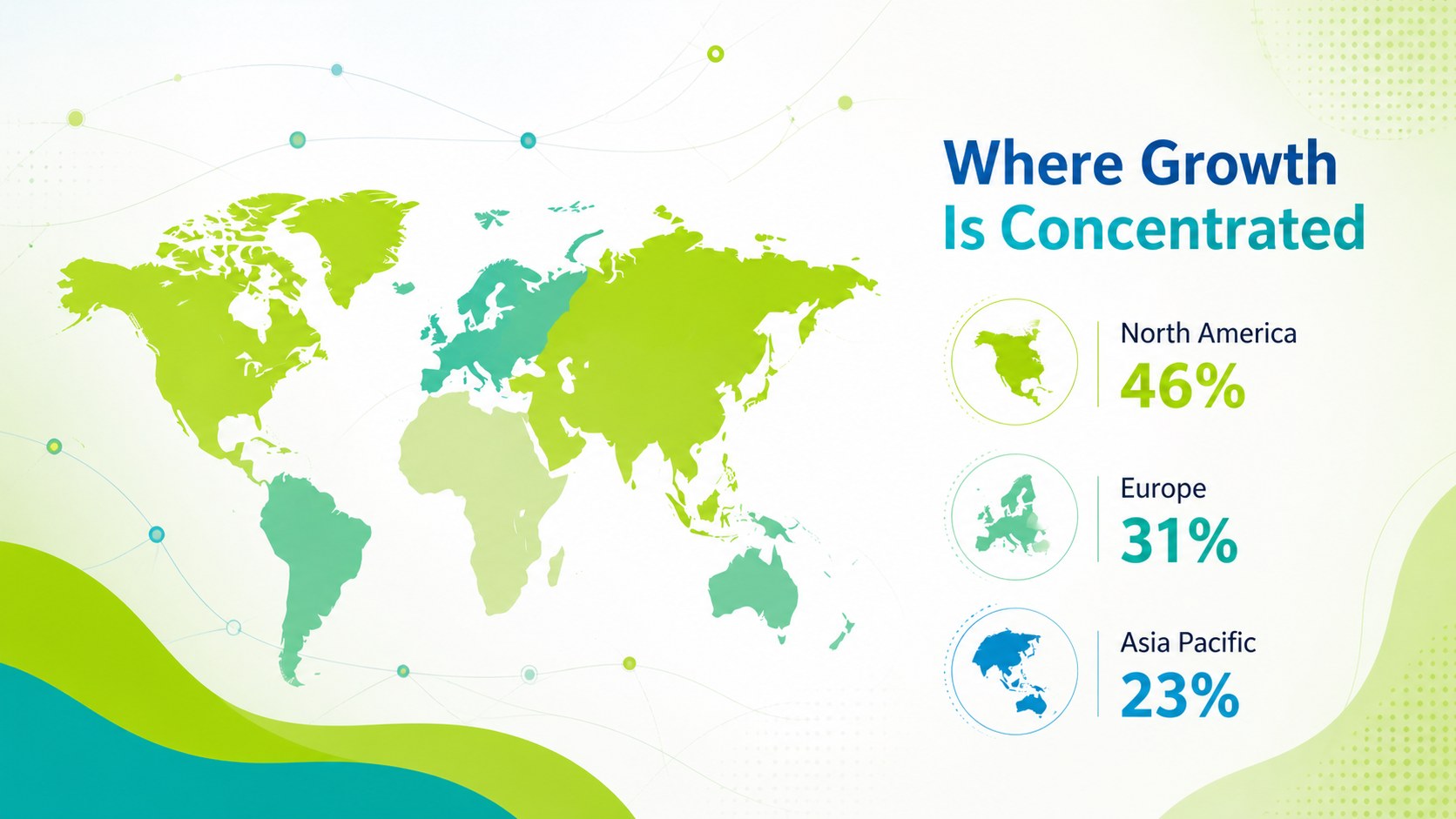
Inside, you will find layouts for executive summaries, KPI snapshots, bar and line charts, comparison tables, geographic highlights, timelines, recommendations, and closing takeaways. A coordinated icon set, editable world map, chart examples, and reusable data panels make it practical for recurring reports as well as one-time presentations. The 16:9 format works well on screens and can be changed to 4:3 when needed, although some decorative assets may require adjustment.
This presentation is designed for marketing teams, analysts, consultants, sales leaders, operations managers, and anyone who needs to explain measurable progress. Use it as a campaign performance presentation, a quarterly analytics review, or a management dashboard deck. Replace the sample figures with your own data, adjust the green and accent colors, and reorganize the slides to create a focused report that supports confident discussion and next-step planning.
Perfect for: startup metrics review; marketing campaign recap; quarterly analytics meeting; executive KPI briefing; consulting performance report.
Frequently asked questions
Can I edit this deck in PowerPoint? Yes. Download the PowerPoint version and replace the sample text, figures, charts, icons, and map elements with your own content. The layouts are designed for straightforward editing on a desktop computer.
Practical details
Yes. Download the PowerPoint version and replace the sample text, figures, charts, icons, and map elements with your own content. The layouts are designed for straightforward editing on a desktop computer.
Yes, you can open and customize it as a Google Slides theme. Check chart spacing and decorative elements after importing, especially if you change the slide ratio.
Yes. The background accents, lines, charts, and graphic elements are editable, allowing you to align the deck with your brand colors. Update chart colors consistently so the data categories remain easy to distinguish.
The layouts support KPIs, trends, comparisons, campaign results, geographic data, tables, and summary recommendations. You can reorder, duplicate, remove, or combine slides to fit a short briefing or a detailed report.
Keep exploring
15Build an engaging World UFO Day session with this flying saucer history lesson deck, featuring retro green-and-brown slides for PowerPoint and Google Slides.
 15
15Plan a lively animal-learning journey with this jungle zoo adventure lesson deck, ready to customize in PowerPoint and Google Slides for young learners.
 16
16Turn environmental research into a clear story with a Watercolor Ecology Presentation Theme for PowerPoint and Google Slides in calming green and blue.
 16
16Build focused fashion, literature, and humanities presentations with the Red Triangle Editorial Theme, editable in PowerPoint and Google Slides.
 15
15Turn streaming stats, favorite tracks, and concert highlights into a bold annual listening recap slide deck for PowerPoint and Google Slides.
 15
15Turn highlights, milestones, and favorite moments into a colorful year in review slide deck with bold 3D graphics for PowerPoint and Google Slides.
 3
3Build a credible endorsement with Standout Colleague Recommendation Letter Slides, featuring colorful prompts for skills, achievements, and team impact.
 4
4Build clear beginner sessions with an ice hockey fundamentals training deck for coaches, PE teachers, and clubs, ready for PowerPoint and Google Slides.