
 15
15presentation
Flying Saucer History Lesson Deck
Build an engaging World UFO Day session with this flying saucer history lesson deck, featuring retro green-and-brown slides for PowerPoint and Google Slides.
Google SlidesPowerPoint
presentation · English
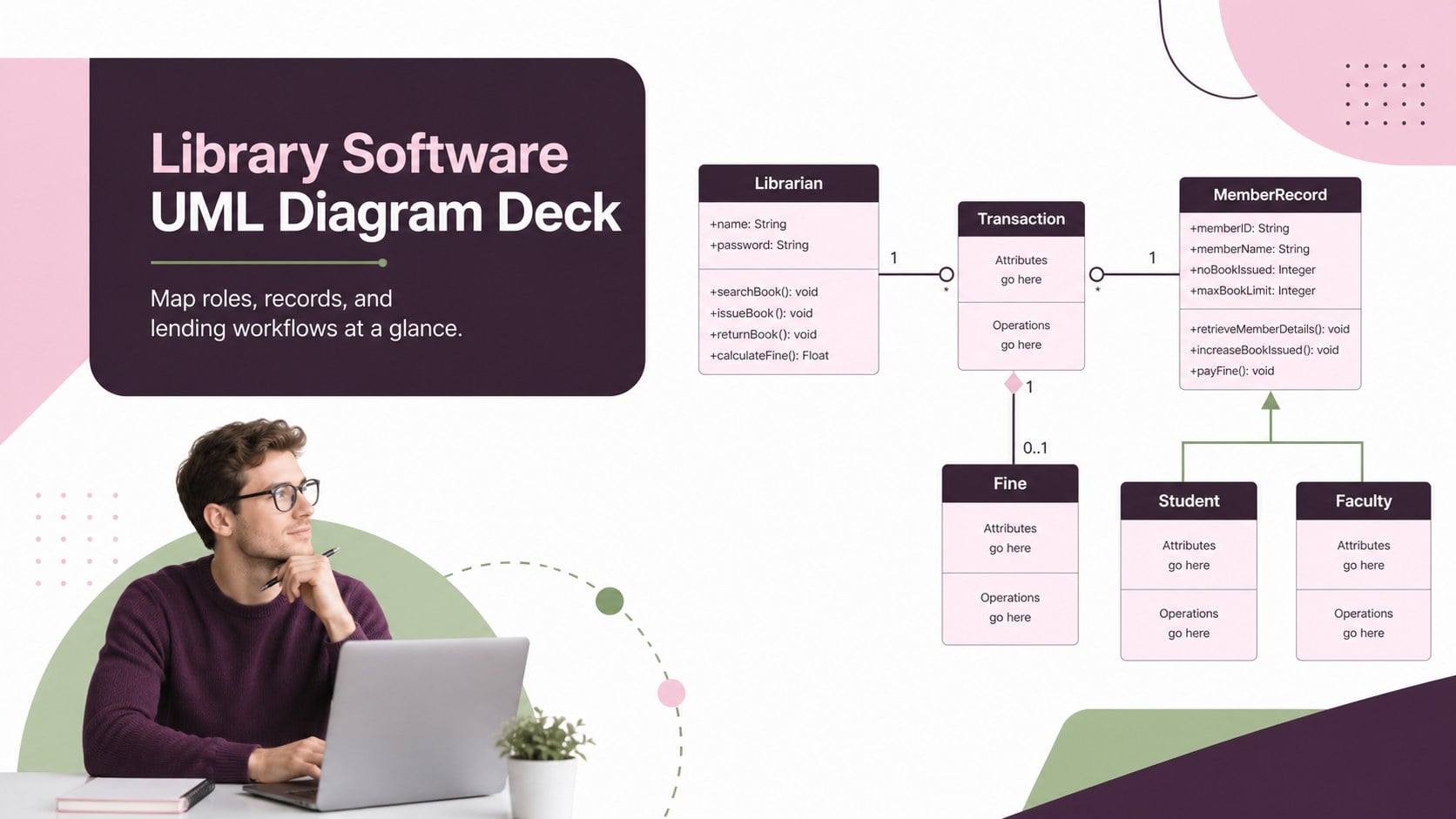
Build a clear library software UML diagram for lessons, planning sessions, and technical reviews with editable PowerPoint and Google Slides layouts.
Design notes
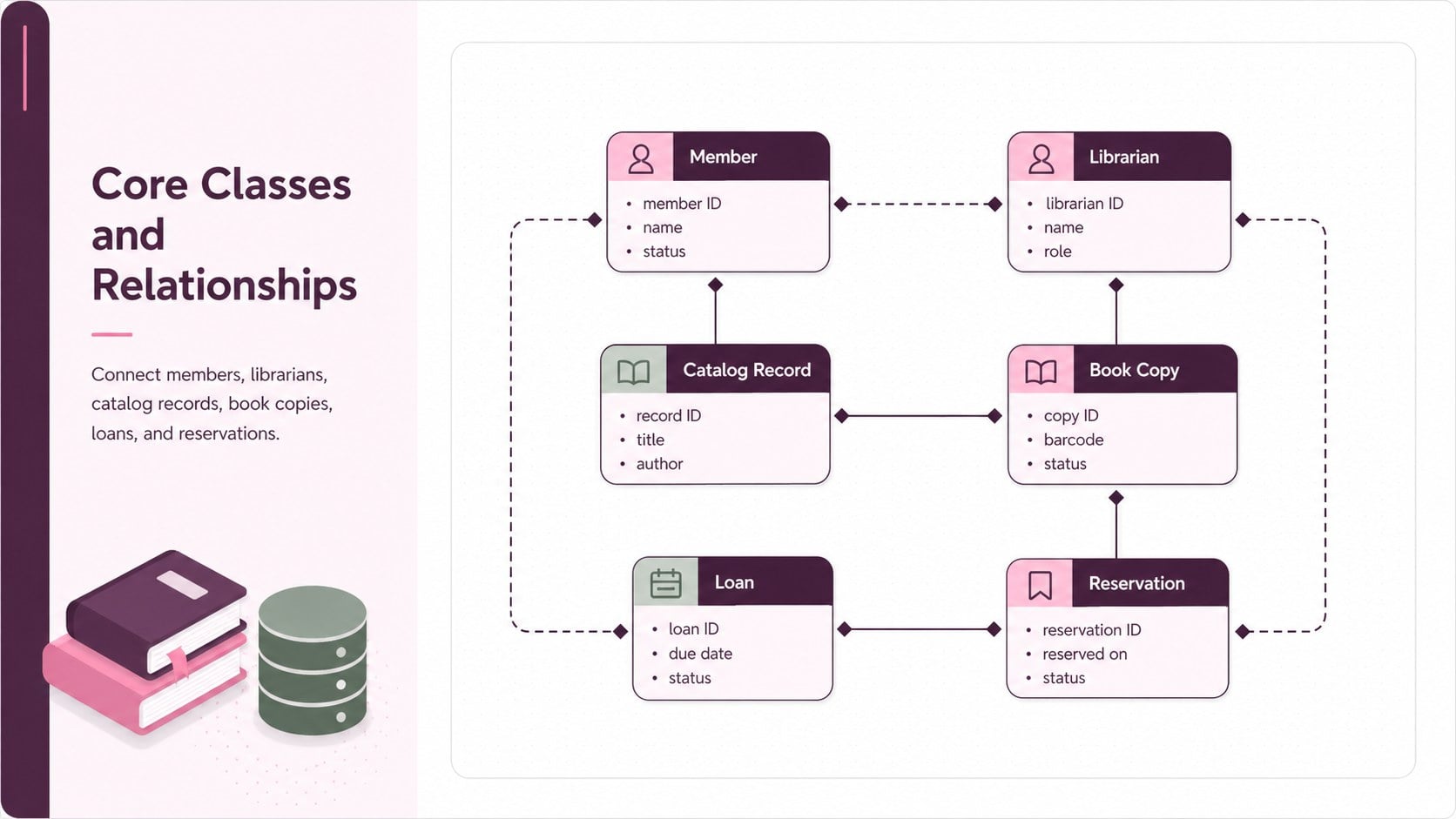
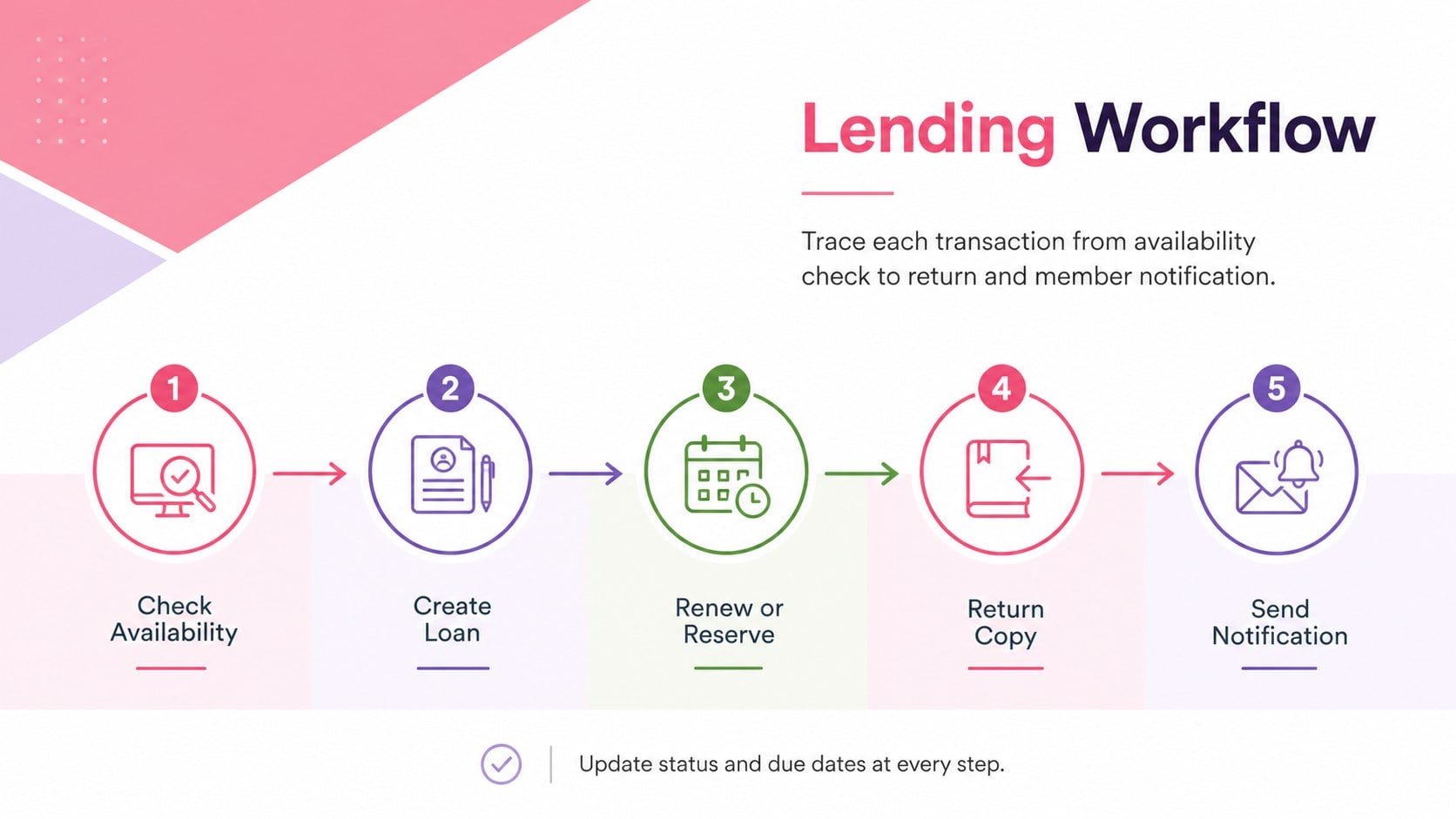
Turn a complex system model into a presentation your audience can follow. The Library Software UML Diagram Deck uses a modern pink, purple, green, and white design to clarify how members, librarians, catalog records, loans, reservations, and notifications connect. Use this library software UML diagram to introduce an application concept, document requirements, or guide a technical discussion without crowding the screen.
Inside, you will find three coordinated 16:9 layouts: a focused cover, a library database class diagram template, and a book lending system UML flow. Structured class boxes, relationship lines, labels, and supporting notes provide a practical starting point while leaving room for your own entities, attributes, methods, and cardinalities. Every element can be edited, recolored, moved, duplicated, or removed in PowerPoint and Google Slides.
The deck is designed for software engineering instructors, computer science students, librarians, business analysts, project managers, and development teams. It works well for database lessons, requirements workshops, architecture reviews, capstone presentations, and stakeholder meetings. The restrained visual hierarchy keeps attention on the model, while the bright professional palette helps separate system areas and responsibilities. Adapt the library system architecture presentation to a school library, public branch, university collection, or digital lending service, then present the relationships in a concise and approachable format.
Perfect for: software engineering lesson; library database planning; system architecture review; requirements workshop; student capstone presentation.
Frequently asked questions
Can I edit the classes and relationships? Yes. You can replace class names, attributes, methods, connectors, and notes to match your own library application. Shapes and colors can also be rearranged for a simpler or more detailed model.
Practical details
Yes. You can replace class names, attributes, methods, connectors, and notes to match your own library application. Shapes and colors can also be rearranged for a simpler or more detailed model.
The deck is designed for PowerPoint and Google Slides. Both platforms support editing the text, diagram shapes, relationship lines, colors, and page order.
Yes. Rename the sample entities and modify their relationships to document equipment rentals, media lending, archives, or other inventory-based services. Duplicate existing class boxes when you need additional records or user roles.
Yes. The clear hierarchy helps instructors introduce UML classes, associations, and lending workflows in manageable stages. Students can also use the slides for system design assignments and project presentations.
Keep exploring
15Build an engaging World UFO Day session with this flying saucer history lesson deck, featuring retro green-and-brown slides for PowerPoint and Google Slides.
 15
15Plan a lively animal-learning journey with this jungle zoo adventure lesson deck, ready to customize in PowerPoint and Google Slides for young learners.
 16
16Turn environmental research into a clear story with a Watercolor Ecology Presentation Theme for PowerPoint and Google Slides in calming green and blue.
 16
16Build focused fashion, literature, and humanities presentations with the Red Triangle Editorial Theme, editable in PowerPoint and Google Slides.
 15
15Turn streaming stats, favorite tracks, and concert highlights into a bold annual listening recap slide deck for PowerPoint and Google Slides.
 15
15Turn highlights, milestones, and favorite moments into a colorful year in review slide deck with bold 3D graphics for PowerPoint and Google Slides.
 3
3Build a credible endorsement with Standout Colleague Recommendation Letter Slides, featuring colorful prompts for skills, achievements, and team impact.
 4
4Build clear beginner sessions with an ice hockey fundamentals training deck for coaches, PE teachers, and clubs, ready for PowerPoint and Google Slides.