
 15
15presentation
Flying Saucer History Lesson Deck
Build an engaging World UFO Day session with this flying saucer history lesson deck, featuring retro green-and-brown slides for PowerPoint and Google Slides.
Google SlidesPowerPoint
presentation · English
Present home insurance options clearly with a home insurance comparison deck for agents, brokers, and client meetings in PowerPoint and Google Slides.





Design notes
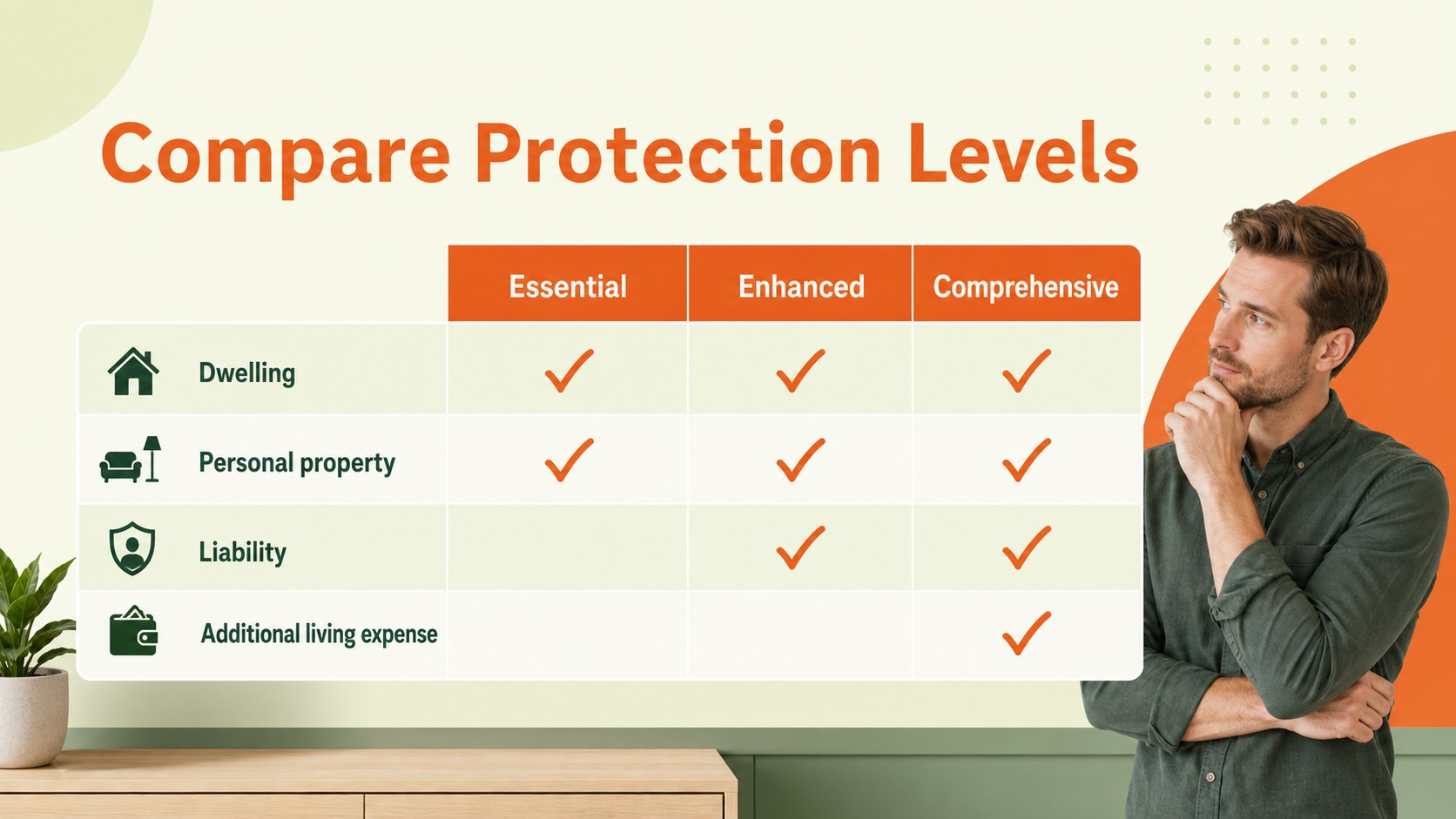
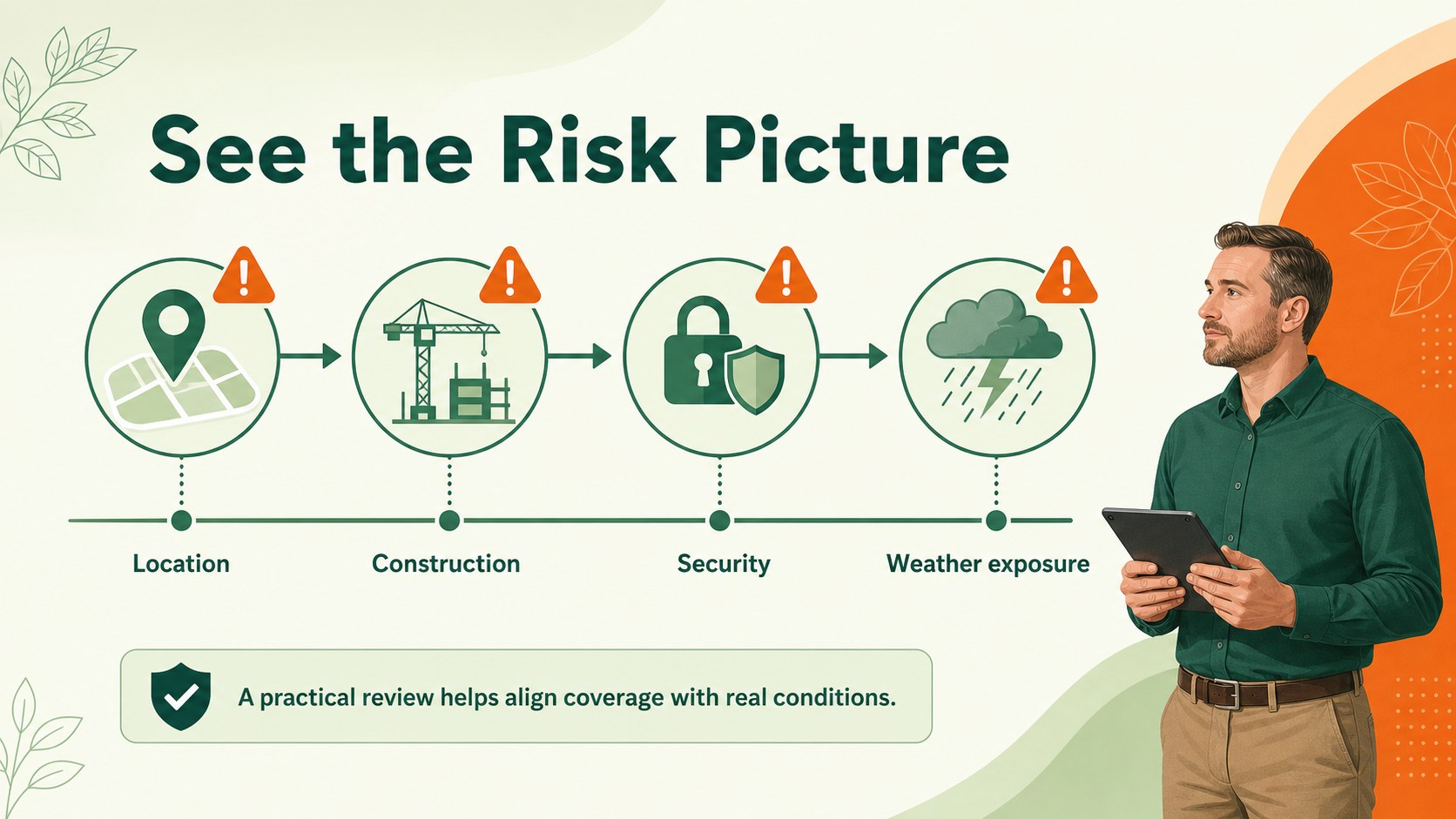
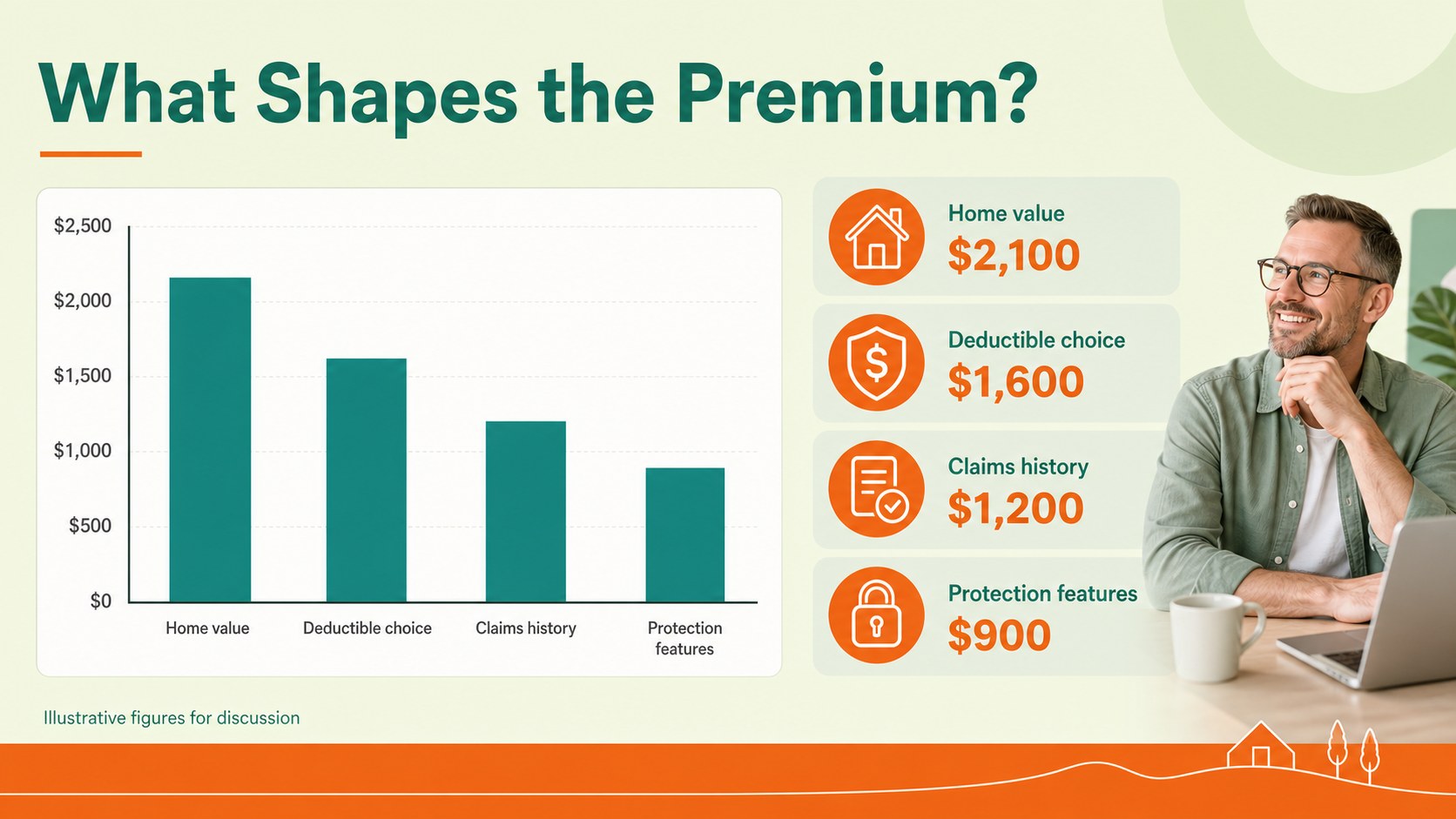
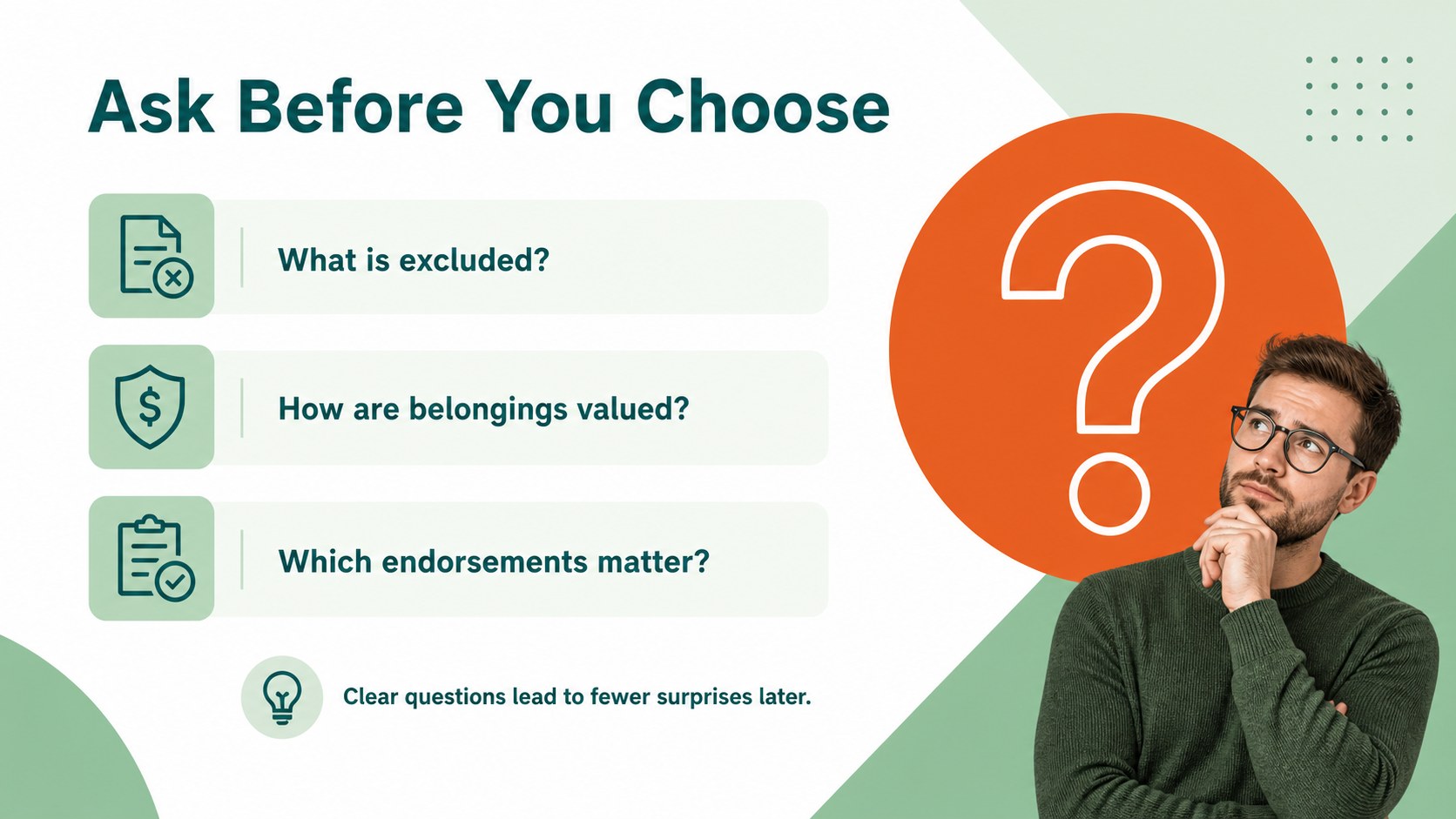
Make complex property coverage easier to explain with a home insurance comparison deck built for clear client conversations. The simple professional design combines fresh green and orange accents with spacious layouts, helping agents, brokers, and insurance teams present policies without overwhelming their audience. Use it to compare protection levels, outline exclusions, explain pricing factors, or guide homeowners through the next steps.
Inside, you’ll find 20 editable 16:9 slides for service overviews, coverage comparisons, customer profiles, property risks, claims workflows, pricing tables, charts, timelines, and closing calls to action. The layouts support a home insurance policy presentation that feels organized and approachable, whether you are meeting with a first-time homeowner or reviewing options with an established client. Add your own figures, icons, photos, and brand colors while keeping the original green-and-orange visual direction.
This property insurance presentation template works in PowerPoint and Google Slides. It is useful for independent agents, brokerage teams, carrier representatives, onboarding sessions, internal workshops, and sales proposals. Adjust text, rearrange sections, and export or share the finished deck in the format your audience needs.
Perfect for: insurance client consultation; broker policy comparison; homeowner coverage workshop; property risk review; insurance team onboarding.
Frequently asked questions
Can I edit the deck in PowerPoint? Yes. The slides are designed for PowerPoint and can be edited with your own wording, figures, images, charts, and company details. You can also move, duplicate, or remove layouts as needed.
Practical details
Yes. The slides are designed for PowerPoint and can be edited with your own wording, figures, images, charts, and company details. You can also move, duplicate, or remove layouts as needed.
Yes, you can use the presentation in Google Slides for browser-based editing and sharing. Check the fonts and spacing after import, then make any small adjustments before presenting.
The green-and-orange palette is part of the visual direction, but the editable shapes and text allow you to adapt the colors to your organization. Keep the contrast strong so coverage details remain easy to read.
Use the layouts to compare deductibles, limits, exclusions, optional endorsements, claims support, and pricing factors. You can also adapt the deck for a property risk review or internal insurance training session.
Keep exploring
15Build an engaging World UFO Day session with this flying saucer history lesson deck, featuring retro green-and-brown slides for PowerPoint and Google Slides.
 15
15Plan a lively animal-learning journey with this jungle zoo adventure lesson deck, ready to customize in PowerPoint and Google Slides for young learners.
 16
16Turn environmental research into a clear story with a Watercolor Ecology Presentation Theme for PowerPoint and Google Slides in calming green and blue.
 16
16Build focused fashion, literature, and humanities presentations with the Red Triangle Editorial Theme, editable in PowerPoint and Google Slides.
 15
15Turn streaming stats, favorite tracks, and concert highlights into a bold annual listening recap slide deck for PowerPoint and Google Slides.
 15
15Turn highlights, milestones, and favorite moments into a colorful year in review slide deck with bold 3D graphics for PowerPoint and Google Slides.
 3
3Build a credible endorsement with Standout Colleague Recommendation Letter Slides, featuring colorful prompts for skills, achievements, and team impact.
 4
4Build clear beginner sessions with an ice hockey fundamentals training deck for coaches, PE teachers, and clubs, ready for PowerPoint and Google Slides.