
 15
15presentation
Flying Saucer History Lesson Deck
Build an engaging World UFO Day session with this flying saucer history lesson deck, featuring retro green-and-brown slides for PowerPoint and Google Slides.
Google SlidesPowerPoint
presentation · English
Build clear site-to-site maps with Enterprise WAN Topology Slides, an editable yellow and grey deck for IT planning, training, and technical reviews.
Design notes
Enterprise WAN Topology Slides give technical teams a structured way to explain how offices, data centers, cloud services, and remote locations communicate. The modern yellow and grey design keeps detailed infrastructure readable while maintaining a professional look for planning meetings, architecture reviews, and training sessions.
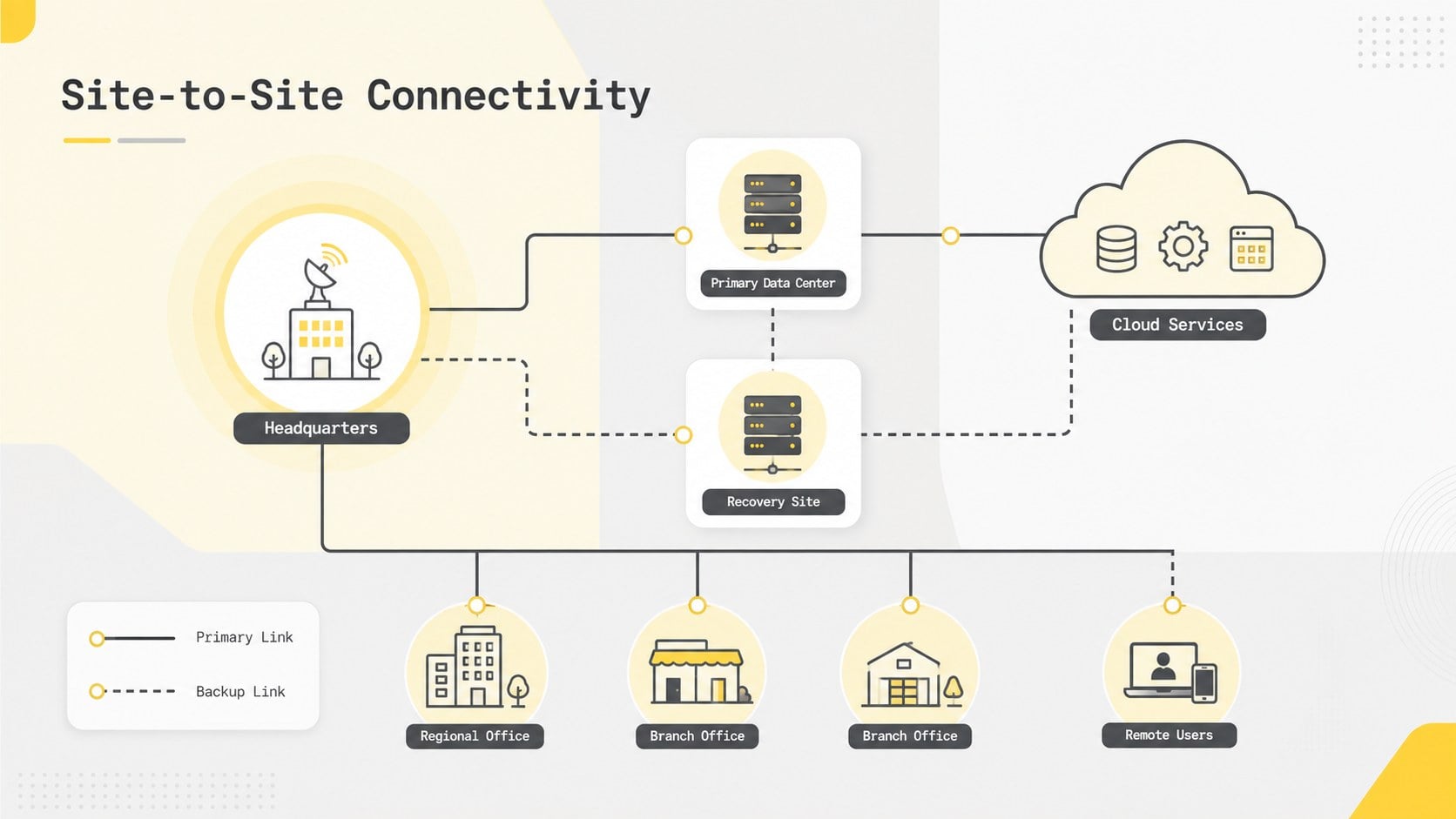
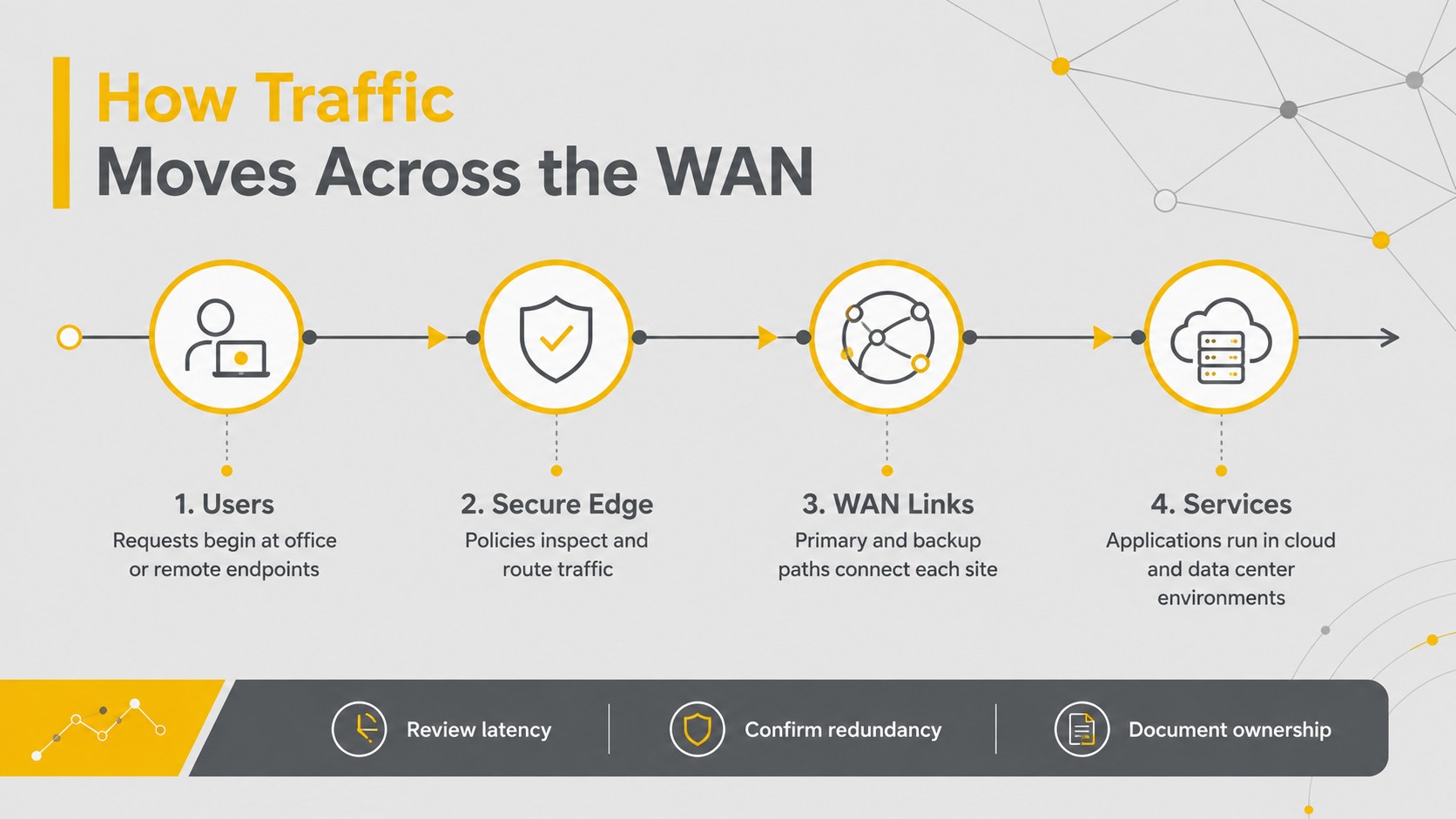
The deck includes three editable 16:9 layouts: a concise cover, a site-to-site network topology template, and a traffic-flow overview. Clearly defined nodes, connection lines, labels, icons, and callouts help you document primary and backup links without rebuilding every element. Adapt the layouts into branch office connectivity diagrams, add bandwidth or provider details, and use visual hierarchy to distinguish hubs, regional sites, security boundaries, and external services. All slide content can be customized in PowerPoint or Google Slides.
This enterprise wide area network presentation is designed for network engineers, IT managers, solution architects, consultants, instructors, and students. Use it to support infrastructure proposals, explain routing concepts, compare current and planned environments, or create network infrastructure planning slides for nontechnical decision-makers. The restrained palette works well on screens and projectors, while the modular components make it easy to expand the deck as your network grows.
Perfect for: enterprise network architecture review; branch connectivity planning; WAN migration proposal; IT infrastructure training; disaster recovery path mapping.
Frequently asked questions
Can I edit the topology and connection paths? Yes. Nodes, labels, icons, lines, colors, and callouts are editable, so you can match the layout to your own sites and services. You can also duplicate elements to document a larger environment.
Practical details
Yes. Nodes, labels, icons, lines, colors, and callouts are editable, so you can match the layout to your own sites and services. You can also duplicate elements to document a larger environment.
The deck is designed for PowerPoint and Google Slides. Minor spacing or font adjustments may be needed when moving between platforms.
Yes. Customize line styles, colors, labels, and legends to distinguish primary circuits, failover routes, VPN tunnels, or provider connections. The yellow and grey palette can be extended with restrained status colors when needed.
Yes. The layouts emphasize clear grouping and readable traffic paths, helping stakeholders understand relationships without requiring deep networking knowledge. Technical teams can add detailed annotations for architecture reviews.
Keep exploring
15Build an engaging World UFO Day session with this flying saucer history lesson deck, featuring retro green-and-brown slides for PowerPoint and Google Slides.
 15
15Plan a lively animal-learning journey with this jungle zoo adventure lesson deck, ready to customize in PowerPoint and Google Slides for young learners.
 16
16Turn environmental research into a clear story with a Watercolor Ecology Presentation Theme for PowerPoint and Google Slides in calming green and blue.
 16
16Build focused fashion, literature, and humanities presentations with the Red Triangle Editorial Theme, editable in PowerPoint and Google Slides.
 15
15Turn streaming stats, favorite tracks, and concert highlights into a bold annual listening recap slide deck for PowerPoint and Google Slides.
 15
15Turn highlights, milestones, and favorite moments into a colorful year in review slide deck with bold 3D graphics for PowerPoint and Google Slides.
 3
3Build a credible endorsement with Standout Colleague Recommendation Letter Slides, featuring colorful prompts for skills, achievements, and team impact.
 4
4Build clear beginner sessions with an ice hockey fundamentals training deck for coaches, PE teachers, and clubs, ready for PowerPoint and Google Slides.