
 15
15presentation
Flying Saucer History Lesson Deck
Build an engaging World UFO Day session with this flying saucer history lesson deck, featuring retro green-and-brown slides for PowerPoint and Google Slides.
Google SlidesPowerPoint
presentation · English
Align owners, controls, and quality goals with an enterprise data stewardship infographic deck for clear PowerPoint and Google Slides briefings.
Design notes
Bring structure to policies, responsibilities, and controls with this enterprise data stewardship infographic deck. Designed for business and technical audiences, its clean blue-and-yellow visual system helps teams explain how trusted information is owned, monitored, protected, and improved across an organization. The straightforward layouts keep attention on decisions and actions instead of dense documentation.
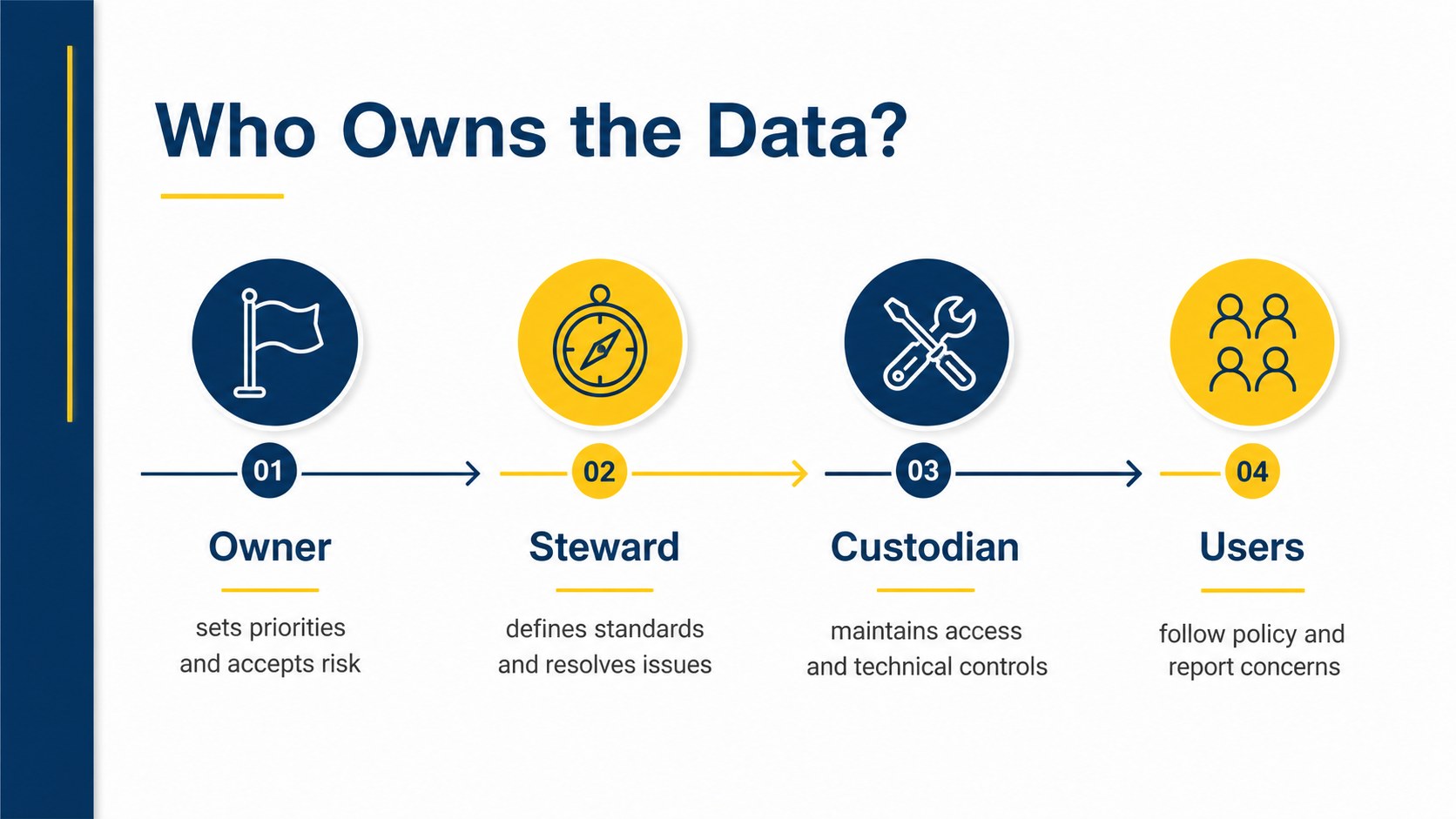
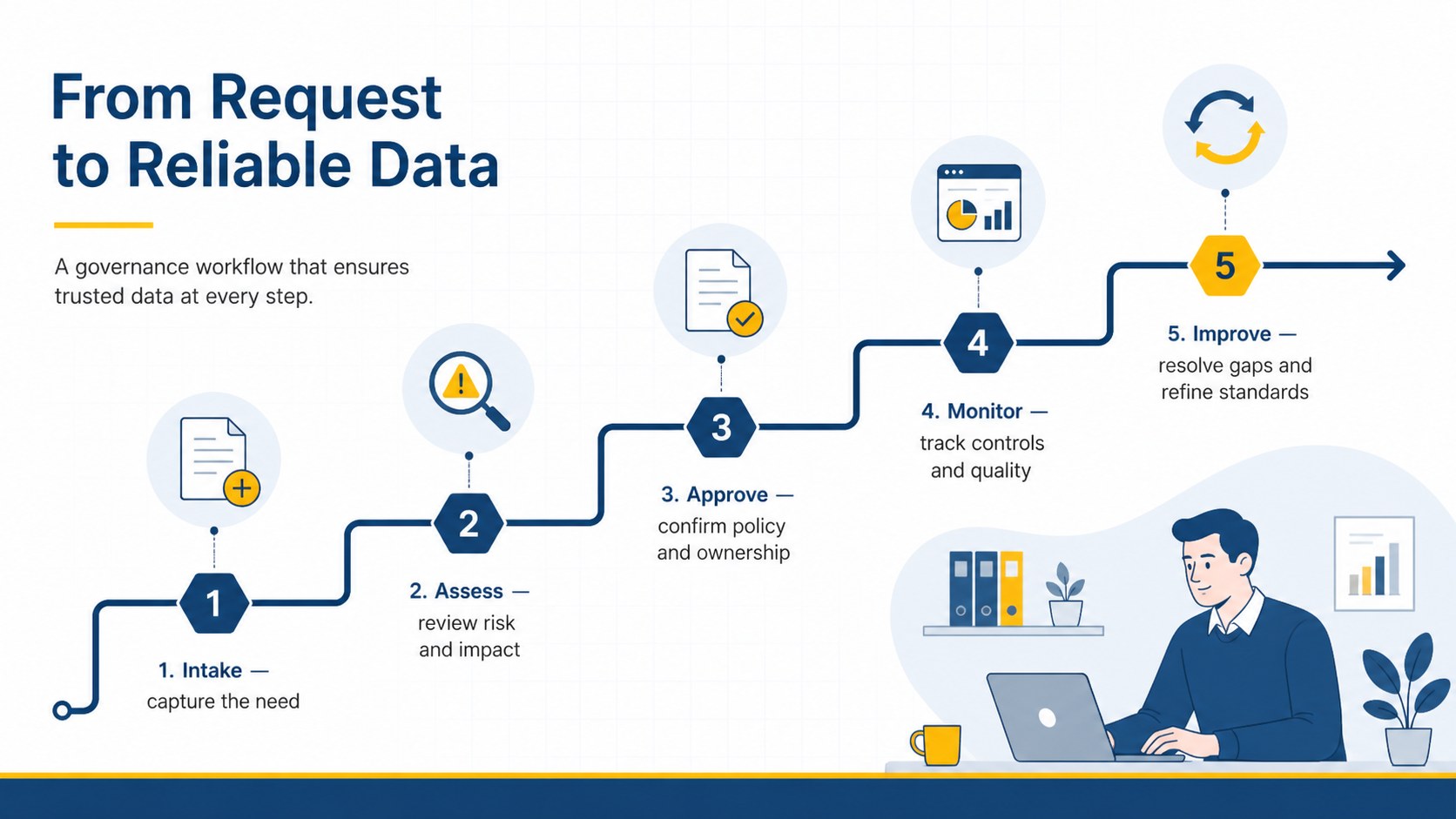
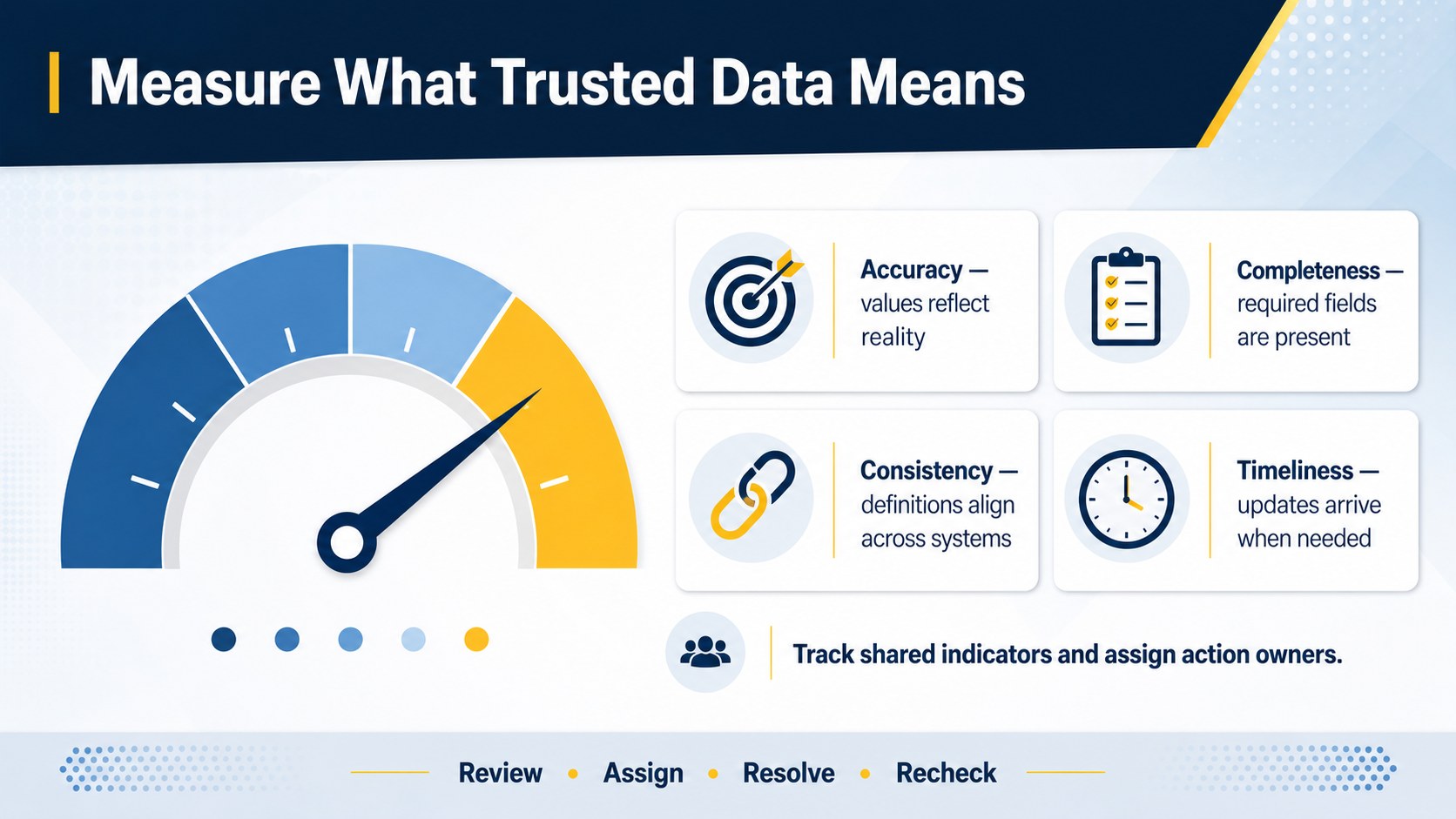
The deck includes four editable infographic slides covering stewardship priorities, data ownership roles, governance workflows, and quality controls. Use it as a data ownership roles presentation for assigning accountable leaders, or adapt the diagrams into data quality governance slides that connect standards with measurable outcomes. A flexible information governance workflow template also makes it easier to show review stages, approval paths, escalation points, and recurring improvement cycles.
This presentation is suited to data officers, analysts, compliance teams, IT leaders, consultants, and project managers. It works well for governance council meetings, policy rollouts, audit preparation, onboarding sessions, and executive updates. Every slide can be customized in PowerPoint or Google Slides, including colors, labels, icons, charts, and process steps. Replace the sample wording with your own policies and metrics to create a focused briefing that gives stakeholders a shared view of ownership and accountability.
Perfect for: governance council briefing; data ownership workshop; compliance policy rollout; data quality review; executive governance update.
Frequently asked questions
Can I edit every element in this deck? Yes. You can revise the text, colors, icons, diagrams, and process labels to match your governance model and internal terminology.
Practical details
Yes. You can revise the text, colors, icons, diagrams, and process labels to match your governance model and internal terminology.
The template is designed for PowerPoint and Google Slides. Layouts remain editable on both platforms, although minor font substitutions may occur depending on your installed fonts.
Replace the sample role names with your own owners, stewards, custodians, and approval groups. You can also adjust the connectors and workflow stages to reflect your escalation and review process.
Yes. The blue and yellow palette can be replaced through the theme or individual shape settings in PowerPoint and Google Slides while preserving the clean visual hierarchy.
Keep exploring
15Build an engaging World UFO Day session with this flying saucer history lesson deck, featuring retro green-and-brown slides for PowerPoint and Google Slides.
 15
15Plan a lively animal-learning journey with this jungle zoo adventure lesson deck, ready to customize in PowerPoint and Google Slides for young learners.
 16
16Turn environmental research into a clear story with a Watercolor Ecology Presentation Theme for PowerPoint and Google Slides in calming green and blue.
 16
16Build focused fashion, literature, and humanities presentations with the Red Triangle Editorial Theme, editable in PowerPoint and Google Slides.
 15
15Turn streaming stats, favorite tracks, and concert highlights into a bold annual listening recap slide deck for PowerPoint and Google Slides.
 15
15Turn highlights, milestones, and favorite moments into a colorful year in review slide deck with bold 3D graphics for PowerPoint and Google Slides.
 3
3Build a credible endorsement with Standout Colleague Recommendation Letter Slides, featuring colorful prompts for skills, achievements, and team impact.
 4
4Build clear beginner sessions with an ice hockey fundamentals training deck for coaches, PE teachers, and clubs, ready for PowerPoint and Google Slides.