
 15
15presentation
Flying Saucer History Lesson Deck
Build an engaging World UFO Day session with this flying saucer history lesson deck, featuring retro green-and-brown slides for PowerPoint and Google Slides.
Google SlidesPowerPoint
presentation · English
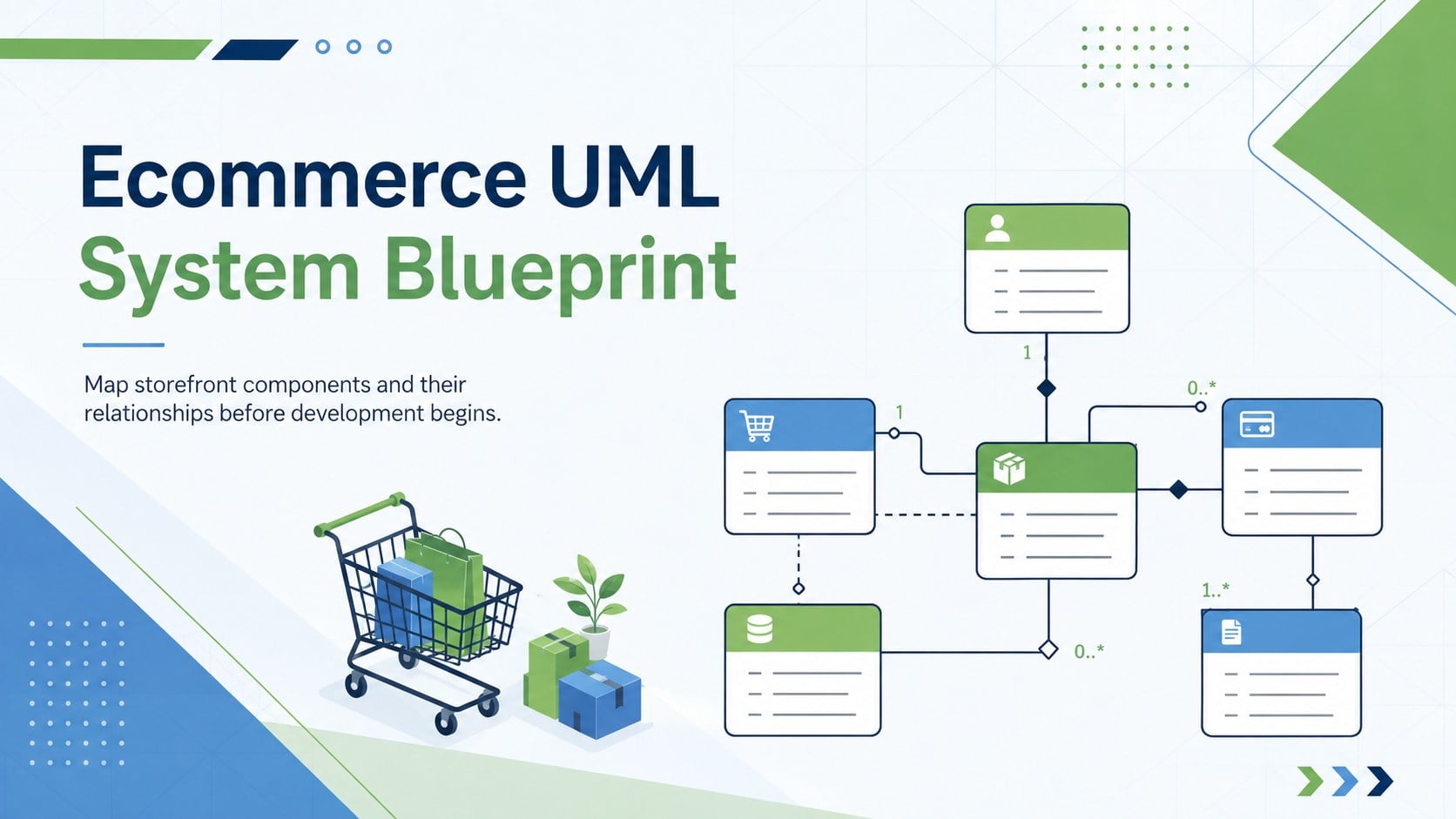
Build clearer retail software models with this ecommerce UML system blueprint, an editable green-and-blue diagram deck for PowerPoint and Google Slides.
Design notes
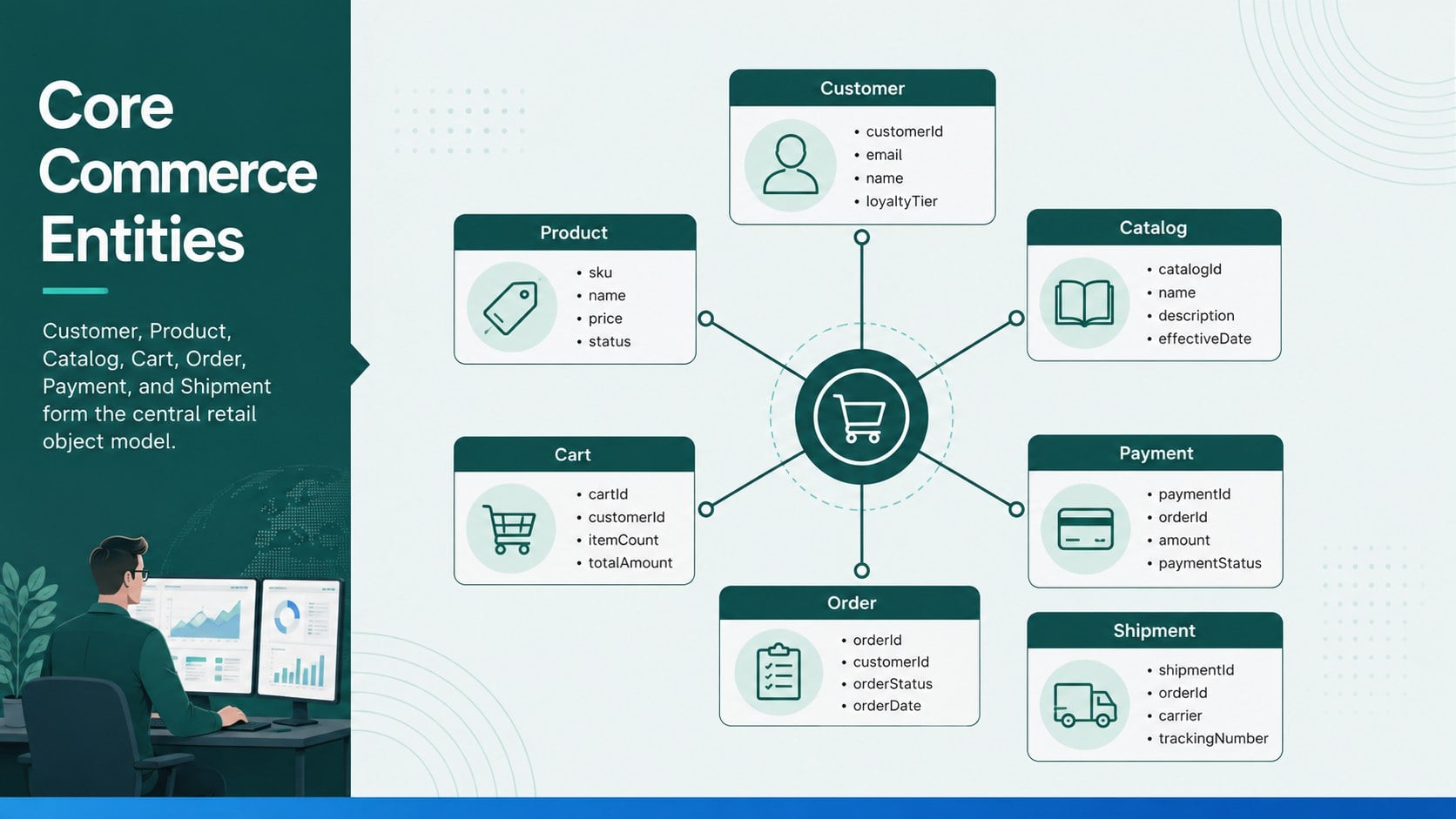
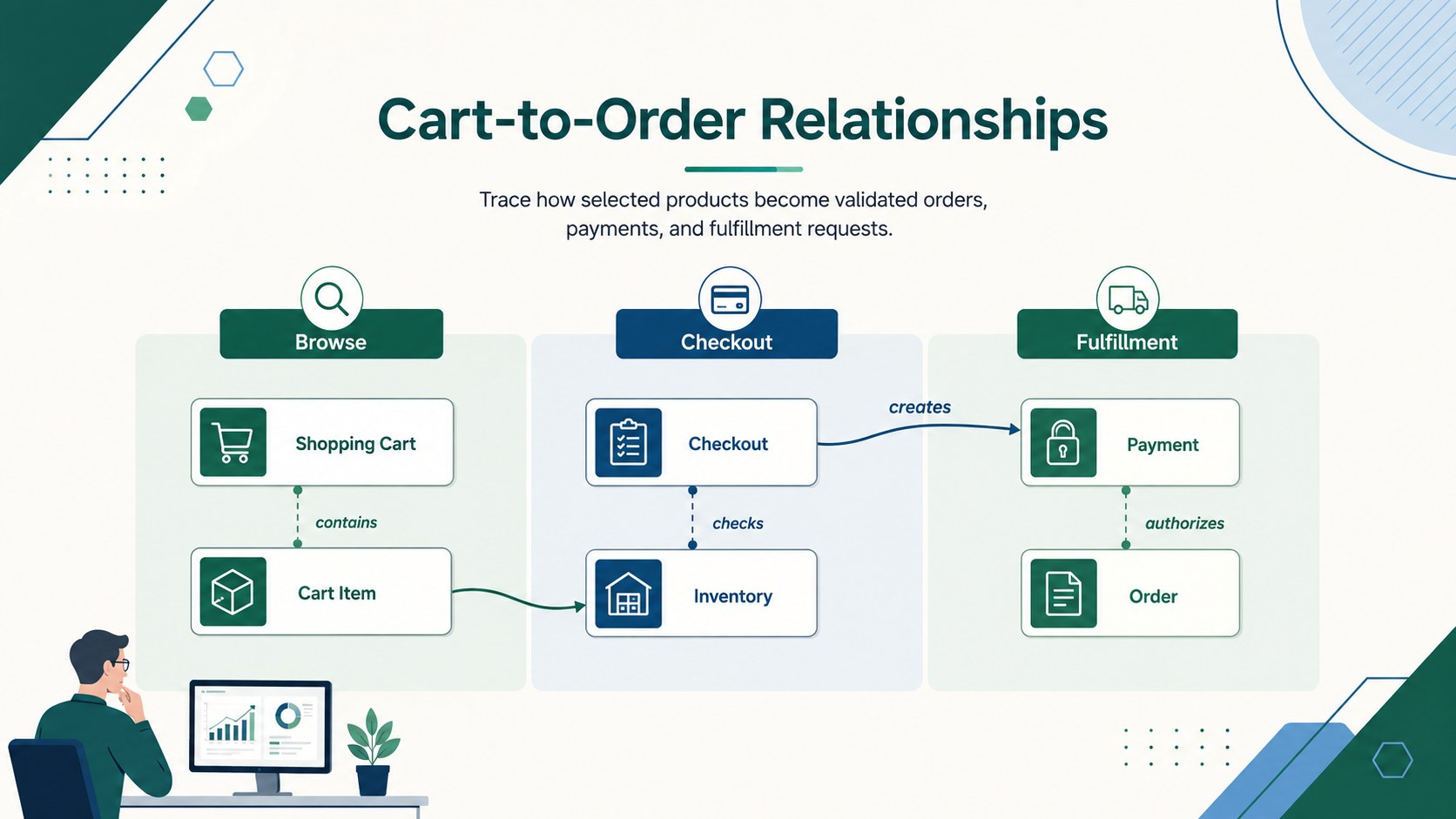
Turn a complex digital storefront into a model your team can review at a glance. This ecommerce UML system blueprint uses a clean green-and-blue visual system to explain how customers, products, carts, orders, payments, and fulfillment records connect. Its structured layouts make it suitable for technical planning without overwhelming nontechnical viewers.
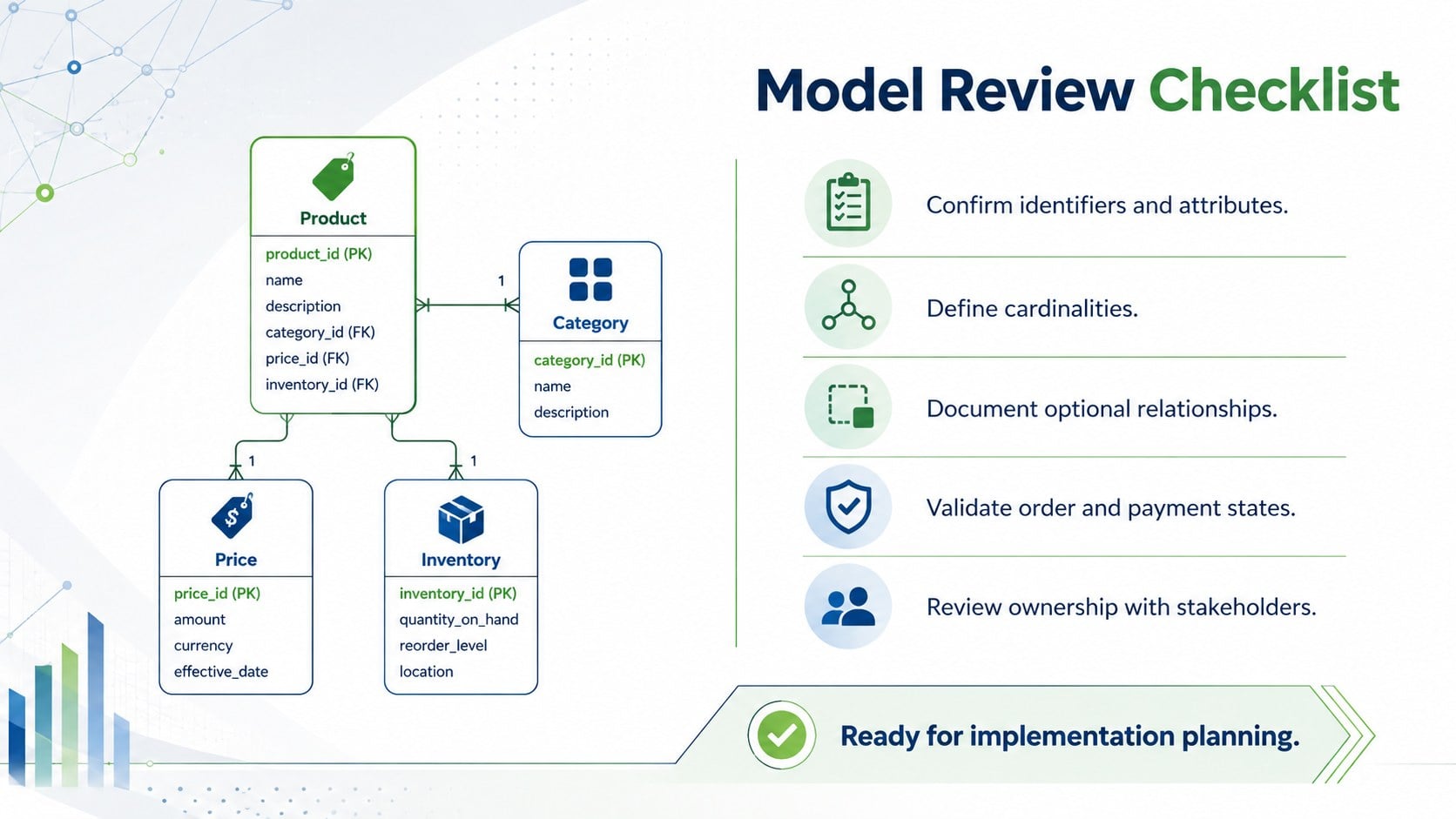
Inside the deck, you will find four coordinated 16:9 slides covering a system overview, core entity relationships, checkout logic, and implementation notes. Use the ecommerce class diagram template as a starting point, then rename classes, revise attributes, adjust associations, or add business rules for your own platform. The layouts also support an online store UML architecture discussion or a focused product catalog data model review.
The template is designed for software architects, developers, product managers, business analysts, instructors, and students. It can support requirements workshops, sprint planning, database conversations, classroom exercises, and stakeholder presentations. Every slide is editable in PowerPoint and Google Slides, allowing teams to update colors, typography, connectors, labels, and diagram structures while preserving a clear professional style.
Perfect for: ecommerce architecture review; software requirements workshop; checkout system planning; database modeling lesson; retail platform stakeholder briefing.
Frequently asked questions
Can I edit the classes and relationships? Yes. Class names, attributes, methods, connectors, labels, colors, and supporting notes can all be customized to match your system design.
Practical details
Yes. Class names, attributes, methods, connectors, labels, colors, and supporting notes can all be customized to match your system design.
The template is designed for PowerPoint and Google Slides. Some fonts or connector positions may vary slightly between platforms, so review the final layout after importing.
Yes. Replace the sample storefront entities with modules from a marketplace, subscription service, inventory platform, or omnichannel retail system while retaining the same visual hierarchy.
Yes. Instructors can simplify the attributes and associations for introductory lessons or expand them with methods, cardinalities, and implementation notes for advanced coursework.
Keep exploring
15Build an engaging World UFO Day session with this flying saucer history lesson deck, featuring retro green-and-brown slides for PowerPoint and Google Slides.
 15
15Plan a lively animal-learning journey with this jungle zoo adventure lesson deck, ready to customize in PowerPoint and Google Slides for young learners.
 16
16Turn environmental research into a clear story with a Watercolor Ecology Presentation Theme for PowerPoint and Google Slides in calming green and blue.
 16
16Build focused fashion, literature, and humanities presentations with the Red Triangle Editorial Theme, editable in PowerPoint and Google Slides.
 15
15Turn streaming stats, favorite tracks, and concert highlights into a bold annual listening recap slide deck for PowerPoint and Google Slides.
 15
15Turn highlights, milestones, and favorite moments into a colorful year in review slide deck with bold 3D graphics for PowerPoint and Google Slides.
 3
3Build a credible endorsement with Standout Colleague Recommendation Letter Slides, featuring colorful prompts for skills, achievements, and team impact.
 4
4Build clear beginner sessions with an ice hockey fundamentals training deck for coaches, PE teachers, and clubs, ready for PowerPoint and Google Slides.