
 15
15presentation
Flying Saucer History Lesson Deck
Build an engaging World UFO Day session with this flying saucer history lesson deck, featuring retro green-and-brown slides for PowerPoint and Google Slides.
Google SlidesPowerPoint
presentation · English
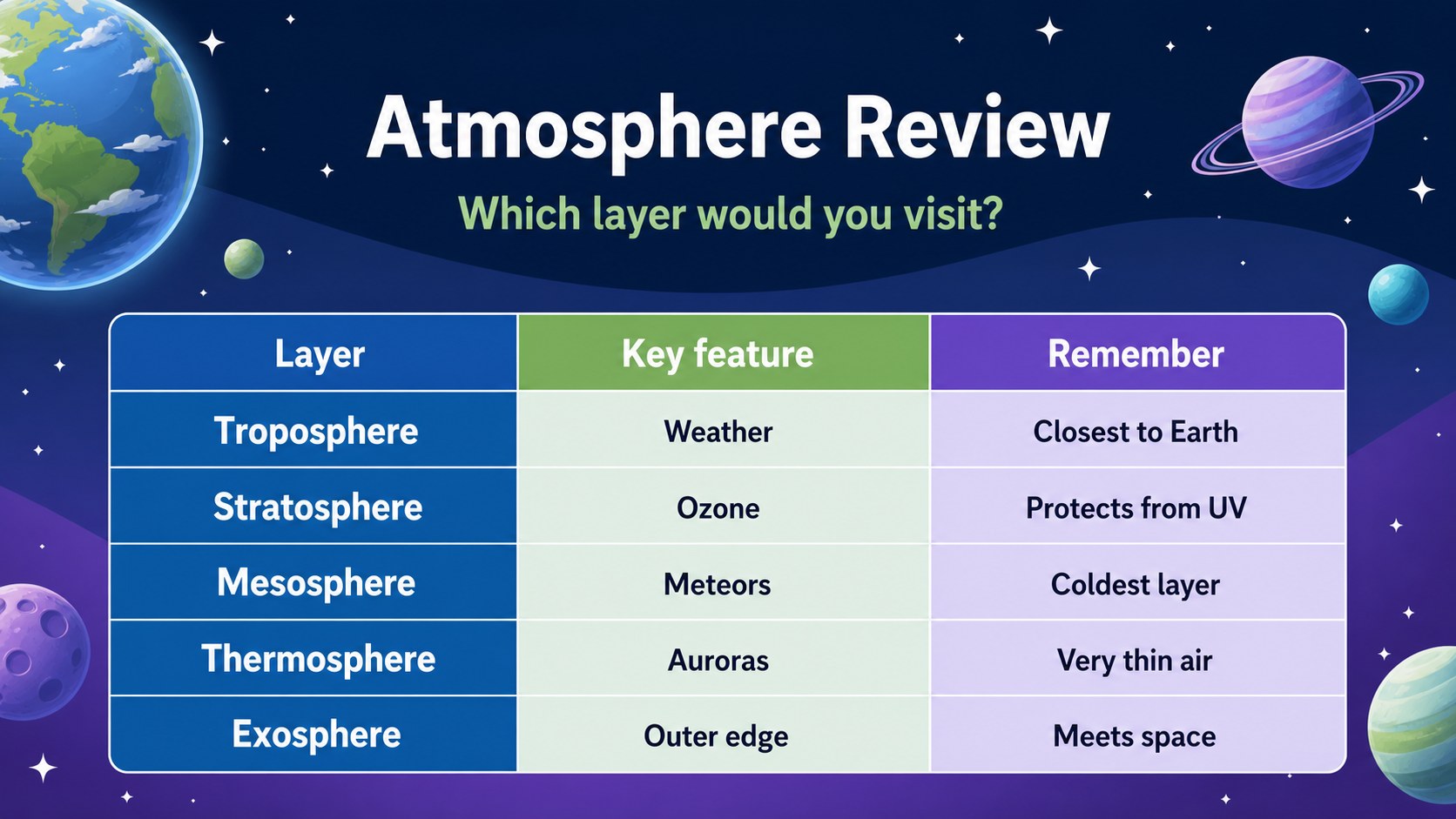
Turn Earth science lessons into a clear visual reference with an earth atmosphere science wall chart for PowerPoint and Google Slides, ready to edit and…
Design notes
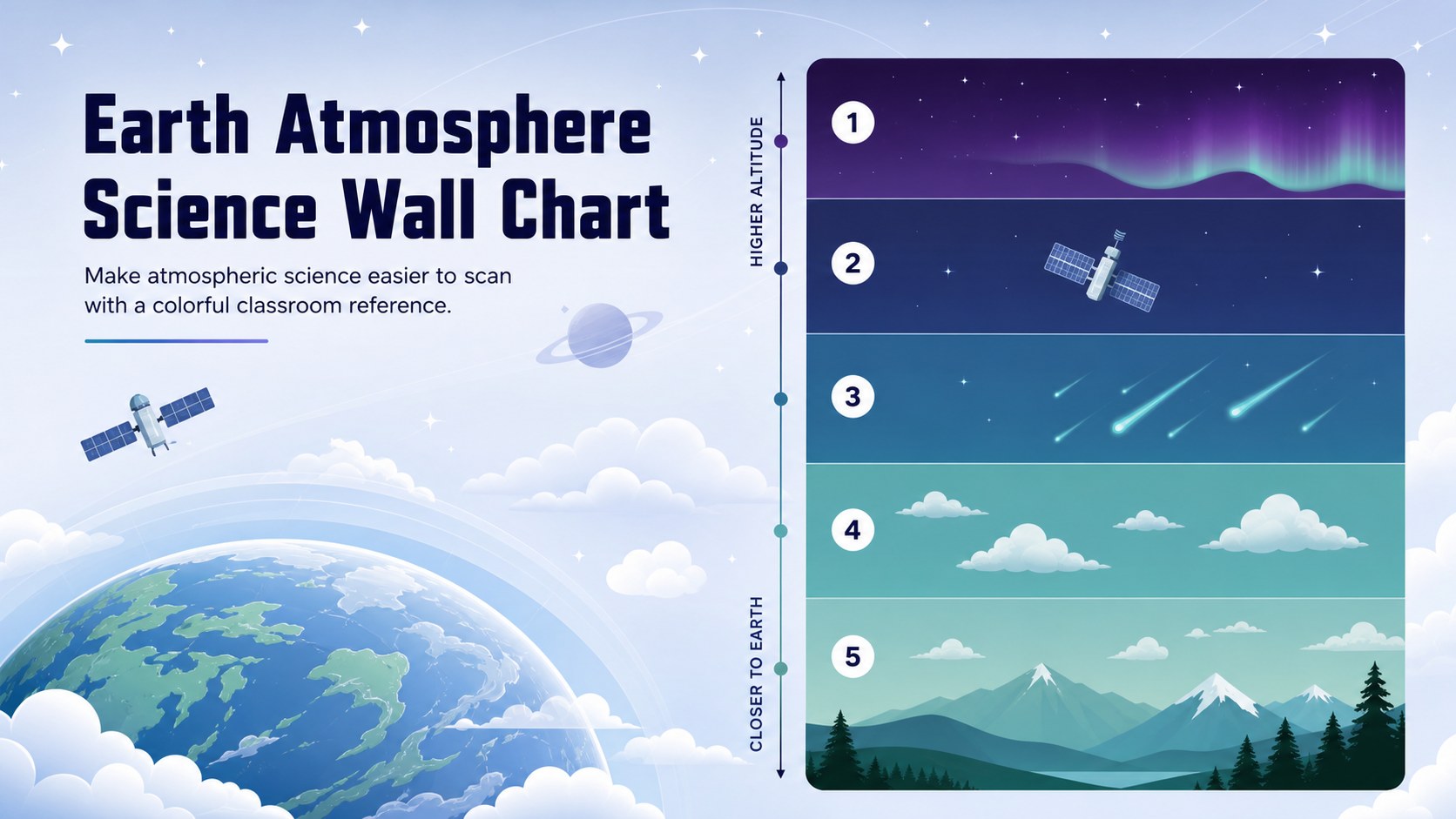
Make atmospheric science easier to scan with an earth atmosphere science wall chart that maps each layer from the ground to outer space. The blue, green, and purple palette gives the lesson a lively classroom feel while keeping key information easy to follow. Use it as an atmosphere layers classroom poster, a lesson visual, or a quick review aid for students.
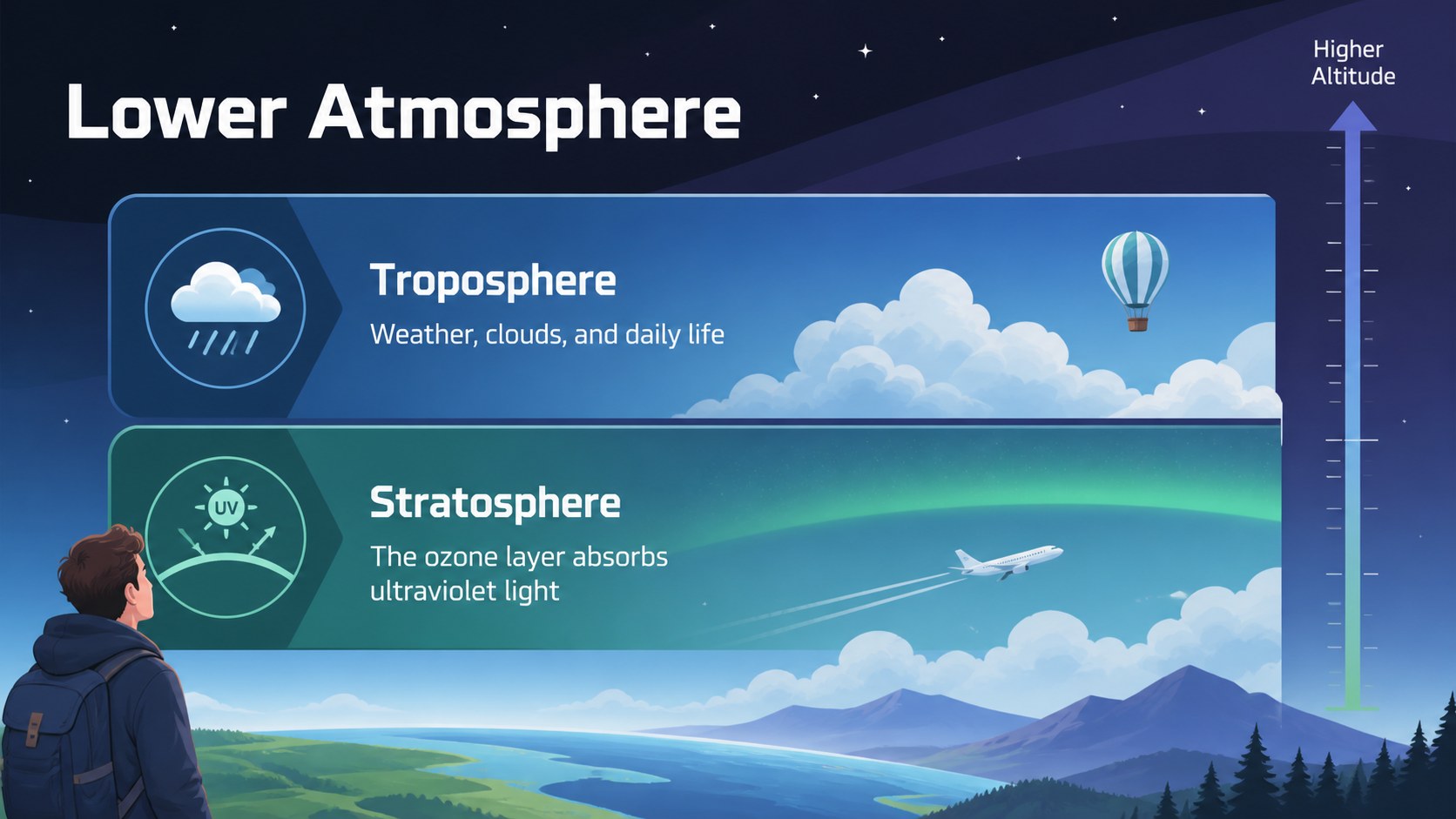
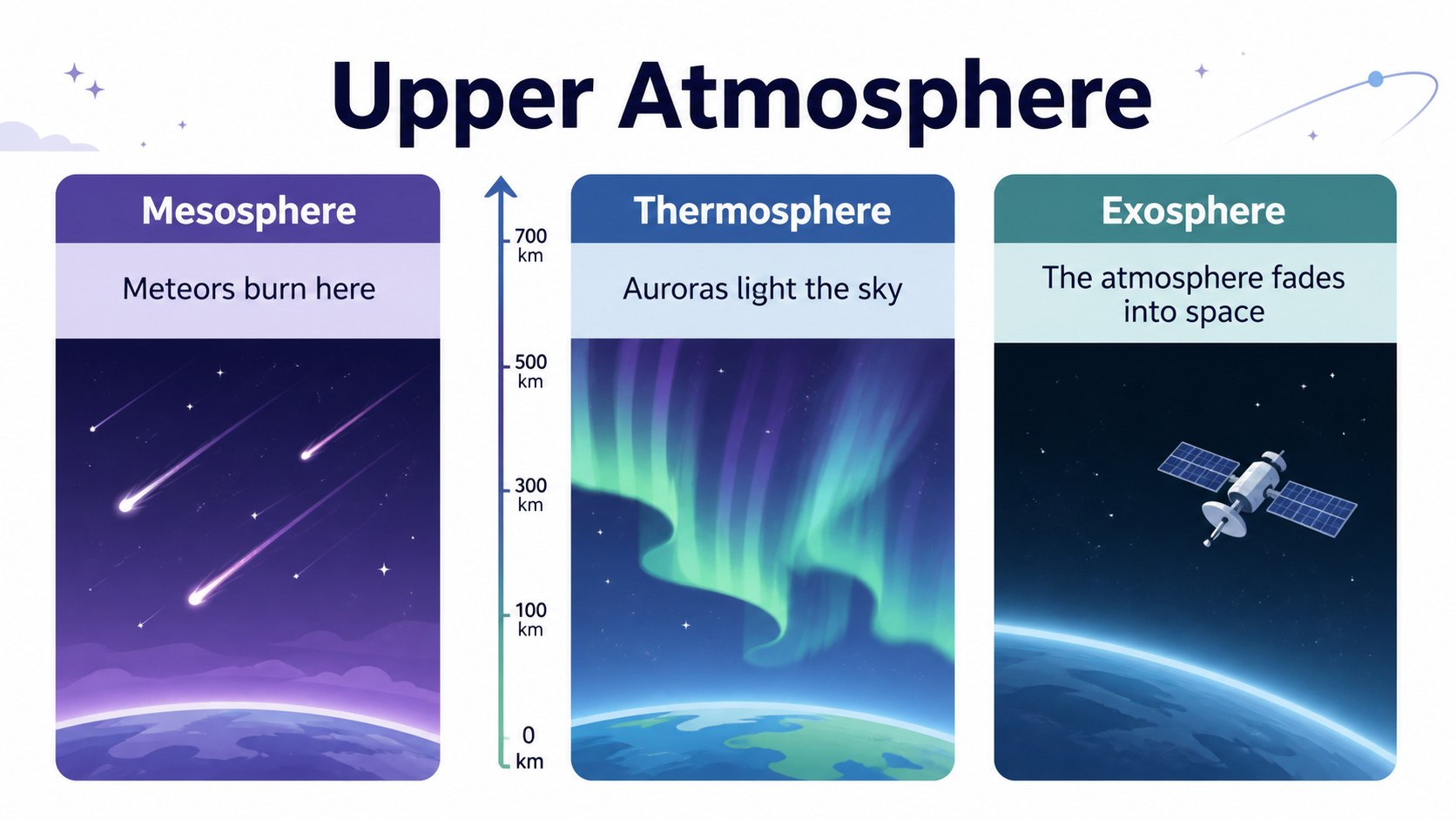
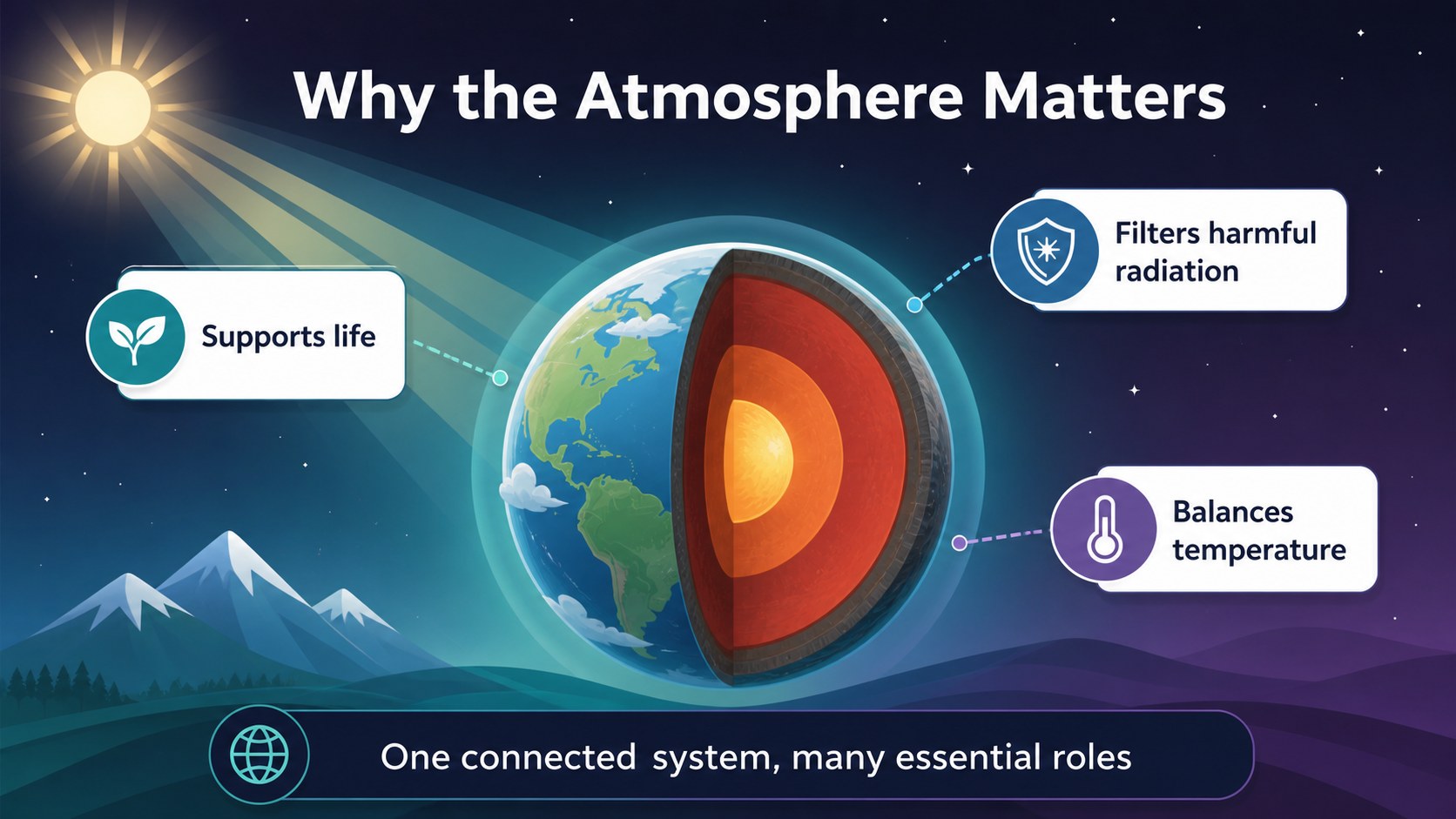
What’s inside includes five editable 16:9 slides with clean diagrams, labeled altitude bands, concise explanations, and space for examples or teacher notes. The sequence introduces the atmosphere, moves through the troposphere, stratosphere, mesosphere, thermosphere, and exosphere, and finishes with a compact comparison view. Chakra Petch provides a consistent display style across the deck.
This earth science teaching aid is designed for elementary and middle school teachers, homeschool educators, science clubs, and presenters preparing an environmental studies unit. Adjust the labels, examples, colors, and supporting text in PowerPoint or Google Slides. The layouts can also be exported for classroom display or adapted into a printable atmosphere diagram for handouts and science stations.
Perfect for: elementary atmosphere lesson; middle school Earth science unit; homeschool space science activity; classroom wall display; science fair explanation; environmental studies review.
Frequently asked questions
Can I edit this earth atmosphere science wall chart in PowerPoint? Yes. The layouts, text, colors, shapes, and diagrams can be adjusted in PowerPoint. Replace the sample explanations with grade-specific vocabulary or add your own teaching notes.
Practical details
Yes. The layouts, text, colors, shapes, and diagrams can be adjusted in PowerPoint. Replace the sample explanations with grade-specific vocabulary or add your own teaching notes.
Yes, the presentation can be opened and edited in Google Slides. You can update labels, rearrange content, and collaborate with other teachers from a shared Drive file.
You can customize the layer names, altitude ranges, descriptions, examples, and visual emphasis. The modular diagram structure makes it easy to simplify the content for younger students or add more detail for advanced learners.
The deck is designed as a 16:9 presentation, but individual slides can be exported as images or PDFs for display and handouts. Check the print preview and adjust page scaling before producing physical copies.
Keep exploring
15Build an engaging World UFO Day session with this flying saucer history lesson deck, featuring retro green-and-brown slides for PowerPoint and Google Slides.
 15
15Plan a lively animal-learning journey with this jungle zoo adventure lesson deck, ready to customize in PowerPoint and Google Slides for young learners.
 16
16Turn environmental research into a clear story with a Watercolor Ecology Presentation Theme for PowerPoint and Google Slides in calming green and blue.
 16
16Build focused fashion, literature, and humanities presentations with the Red Triangle Editorial Theme, editable in PowerPoint and Google Slides.
 15
15Turn streaming stats, favorite tracks, and concert highlights into a bold annual listening recap slide deck for PowerPoint and Google Slides.
 15
15Turn highlights, milestones, and favorite moments into a colorful year in review slide deck with bold 3D graphics for PowerPoint and Google Slides.
 3
3Build a credible endorsement with Standout Colleague Recommendation Letter Slides, featuring colorful prompts for skills, achievements, and team impact.
 4
4Build clear beginner sessions with an ice hockey fundamentals training deck for coaches, PE teachers, and clubs, ready for PowerPoint and Google Slides.