
 15
15presentation
Flying Saucer History Lesson Deck
Build an engaging World UFO Day session with this flying saucer history lesson deck, featuring retro green-and-brown slides for PowerPoint and Google Slides.
Google SlidesPowerPoint
presentation · English
Build clearer biology lessons with a DNA structure infographic presentation for explaining the double helix in PowerPoint and Google Slides.
Design notes
Make molecular biology easier to understand with a DNA structure infographic presentation created for clear, visual instruction. Its vivid purple palette, flat illustrations, and organized information hierarchy help audiences connect the shape of the double helix with the molecules and bonds that hold it together. Use the deck as a complete classroom resource or select individual layouts for a focused explanation.
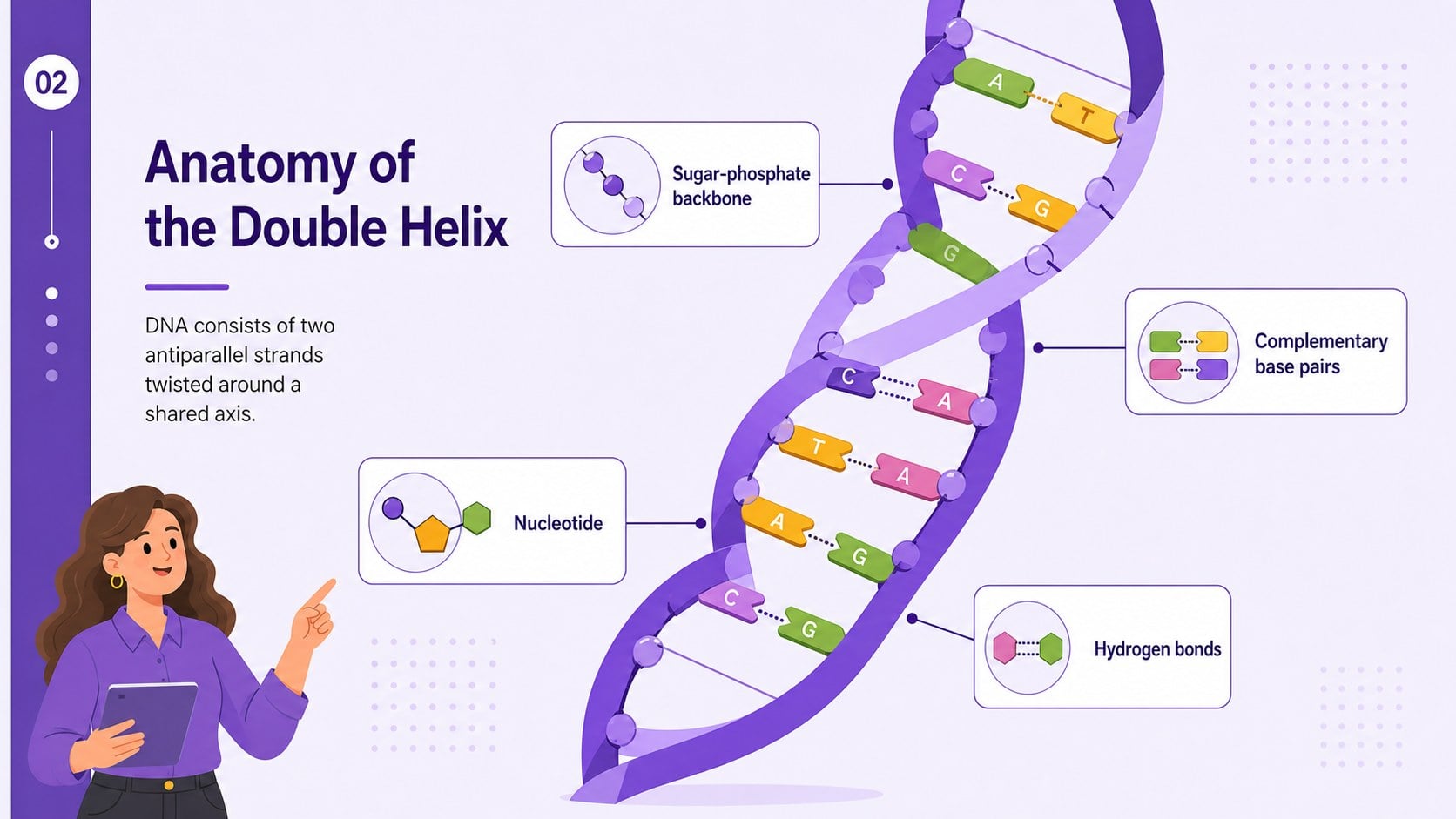
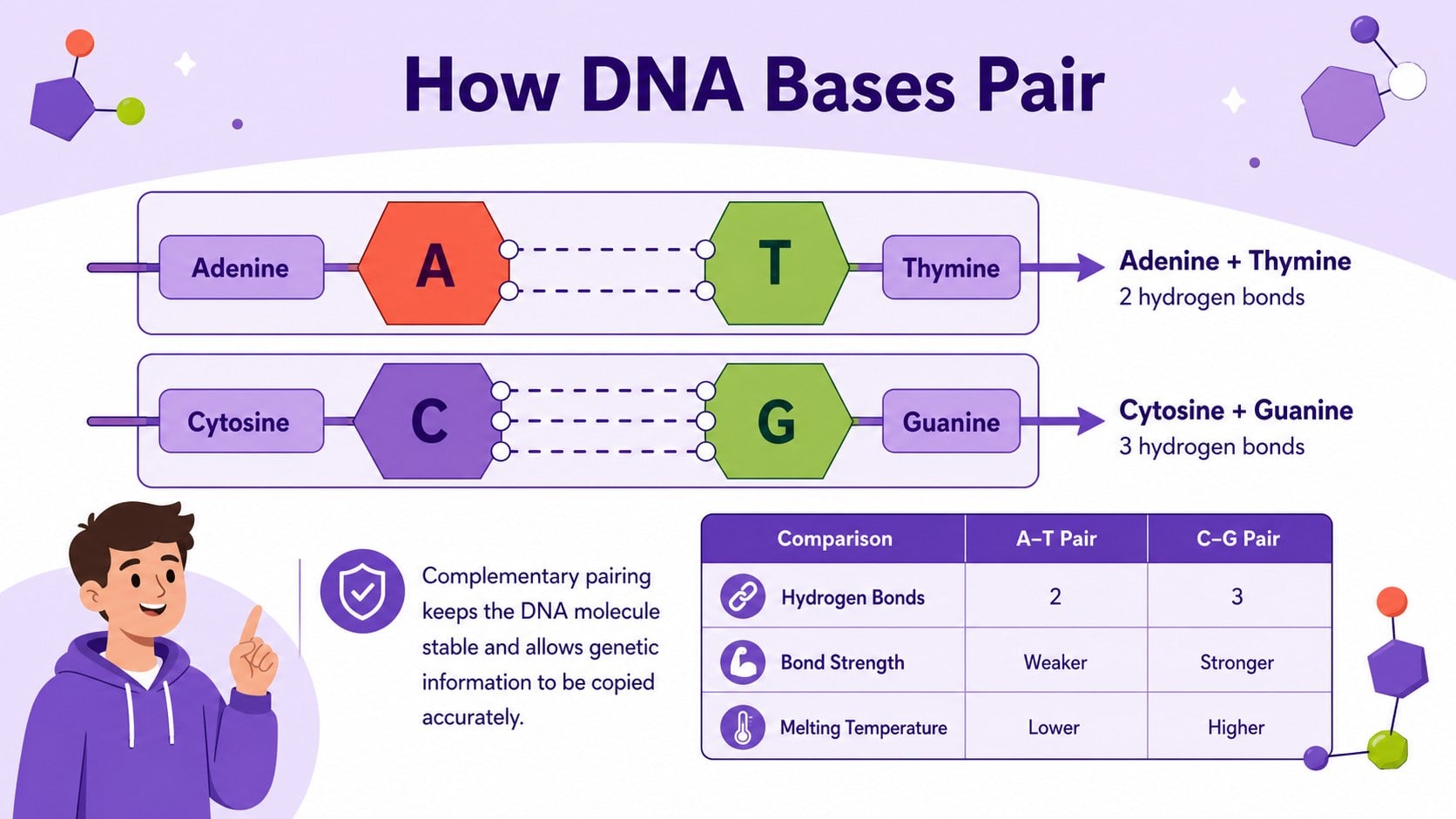
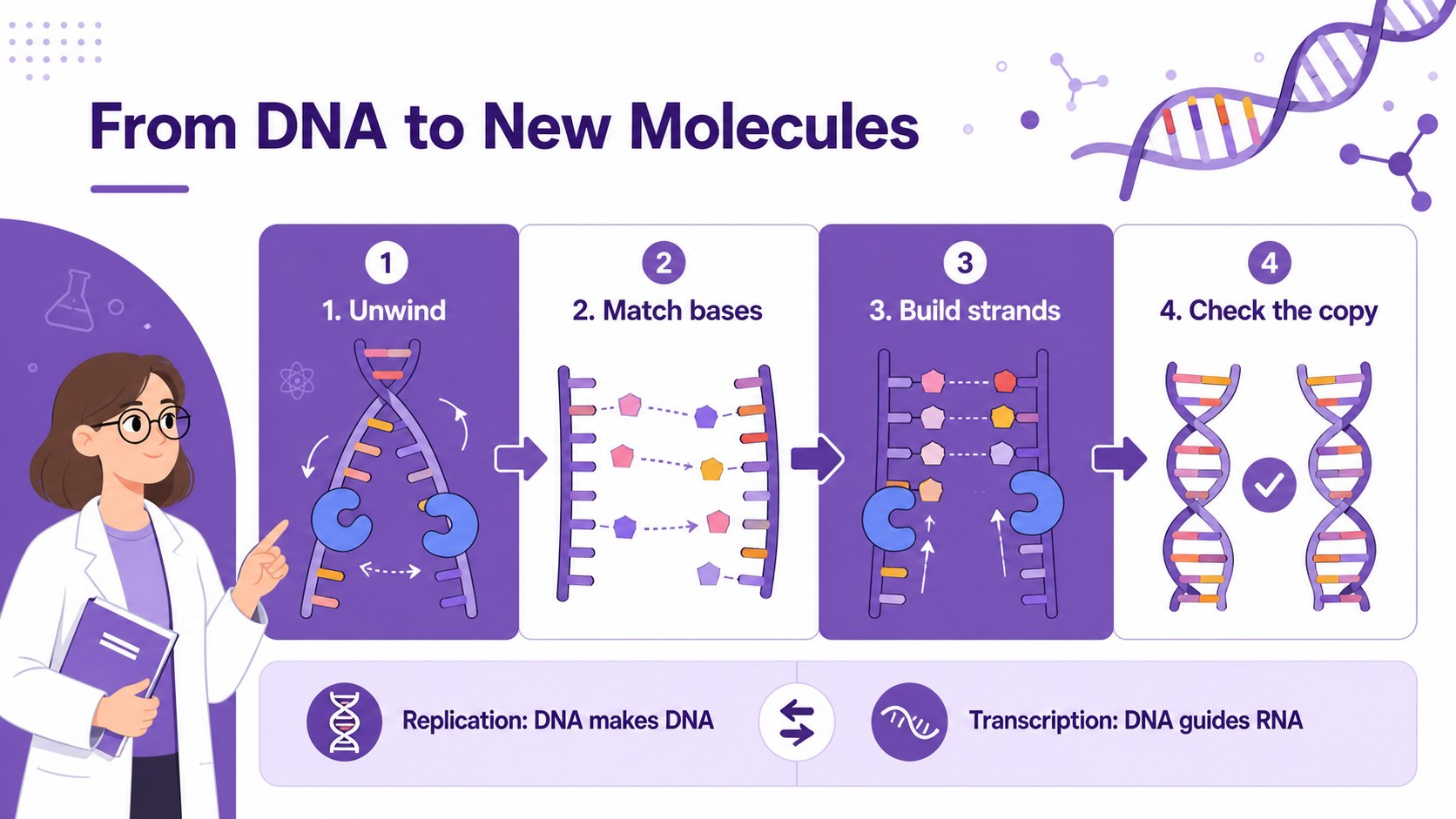
The presentation includes a visual DNA overview, a nucleotide base pairing diagram, labeled structural components, and a step-by-step comparison of replication and transcription. These DNA double helix teaching slides provide space for concise definitions, process arrows, supporting facts, and custom diagrams. Every element can be adapted to match your course level, lesson objectives, or scientific terminology without losing the coherent infographic style.
Designed for biology teachers, students, tutors, and science communicators, this genetics infographic for students works well for classroom lessons, revision materials, laboratory introductions, science fair displays, and digital assignments. Change the text, labels, colors, and illustrations in PowerPoint or Google Slides, then add your own research, images, or assessment prompts. The 16:9 layouts are suitable for projection, online teaching, and exported study handouts, giving you a flexible starting point for explaining DNA in a memorable and academically useful format.
Perfect for: high school biology lesson; genetics study guide; science fair presentation; DNA replication review; molecular biology tutoring; classroom research project.
Frequently asked questions
Can I edit the DNA labels and scientific terminology? Yes. You can replace labels, definitions, process descriptions, and supporting facts to suit introductory or advanced biology courses. Diagram colors and visual elements can also be adjusted.
Practical details
Yes. You can replace labels, definitions, process descriptions, and supporting facts to suit introductory or advanced biology courses. Diagram colors and visual elements can also be adjusted.
The template is designed for PowerPoint and Google Slides. Both platforms support editing the text, shapes, colors, illustrations, and layout.
Yes. Export selected slides as PDF files or images for study sheets, classroom displays, and project handouts. Review the print scaling first because the original layouts use a 16:9 screen format.
Reduce the amount of text, use shorter definitions, and focus on the double helix, nucleotides, and base pairs. You can also enlarge key diagrams and replace advanced process details with simple visual steps.
Keep exploring
15Build an engaging World UFO Day session with this flying saucer history lesson deck, featuring retro green-and-brown slides for PowerPoint and Google Slides.
 15
15Plan a lively animal-learning journey with this jungle zoo adventure lesson deck, ready to customize in PowerPoint and Google Slides for young learners.
 16
16Turn environmental research into a clear story with a Watercolor Ecology Presentation Theme for PowerPoint and Google Slides in calming green and blue.
 16
16Build focused fashion, literature, and humanities presentations with the Red Triangle Editorial Theme, editable in PowerPoint and Google Slides.
 15
15Turn streaming stats, favorite tracks, and concert highlights into a bold annual listening recap slide deck for PowerPoint and Google Slides.
 15
15Turn highlights, milestones, and favorite moments into a colorful year in review slide deck with bold 3D graphics for PowerPoint and Google Slides.
 3
3Build a credible endorsement with Standout Colleague Recommendation Letter Slides, featuring colorful prompts for skills, achievements, and team impact.
 4
4Build clear beginner sessions with an ice hockey fundamentals training deck for coaches, PE teachers, and clubs, ready for PowerPoint and Google Slides.