
 15
15presentation
Flying Saucer History Lesson Deck
Build an engaging World UFO Day session with this flying saucer history lesson deck, featuring retro green-and-brown slides for PowerPoint and Google Slides.
Google SlidesPowerPoint
presentation · English
Turn research into action with a customer lifecycle mapping toolkit for visualizing needs, friction points, channels, and opportunities in green minimal…
Design notes
Turn scattered customer research into a shared view of the entire relationship. This customer lifecycle mapping toolkit helps teams connect audience goals, emotions, channels, friction points, and improvement ideas across each stage. Its restrained green palette and minimal visual system keep attention on evidence, decisions, and next steps rather than unnecessary decoration.
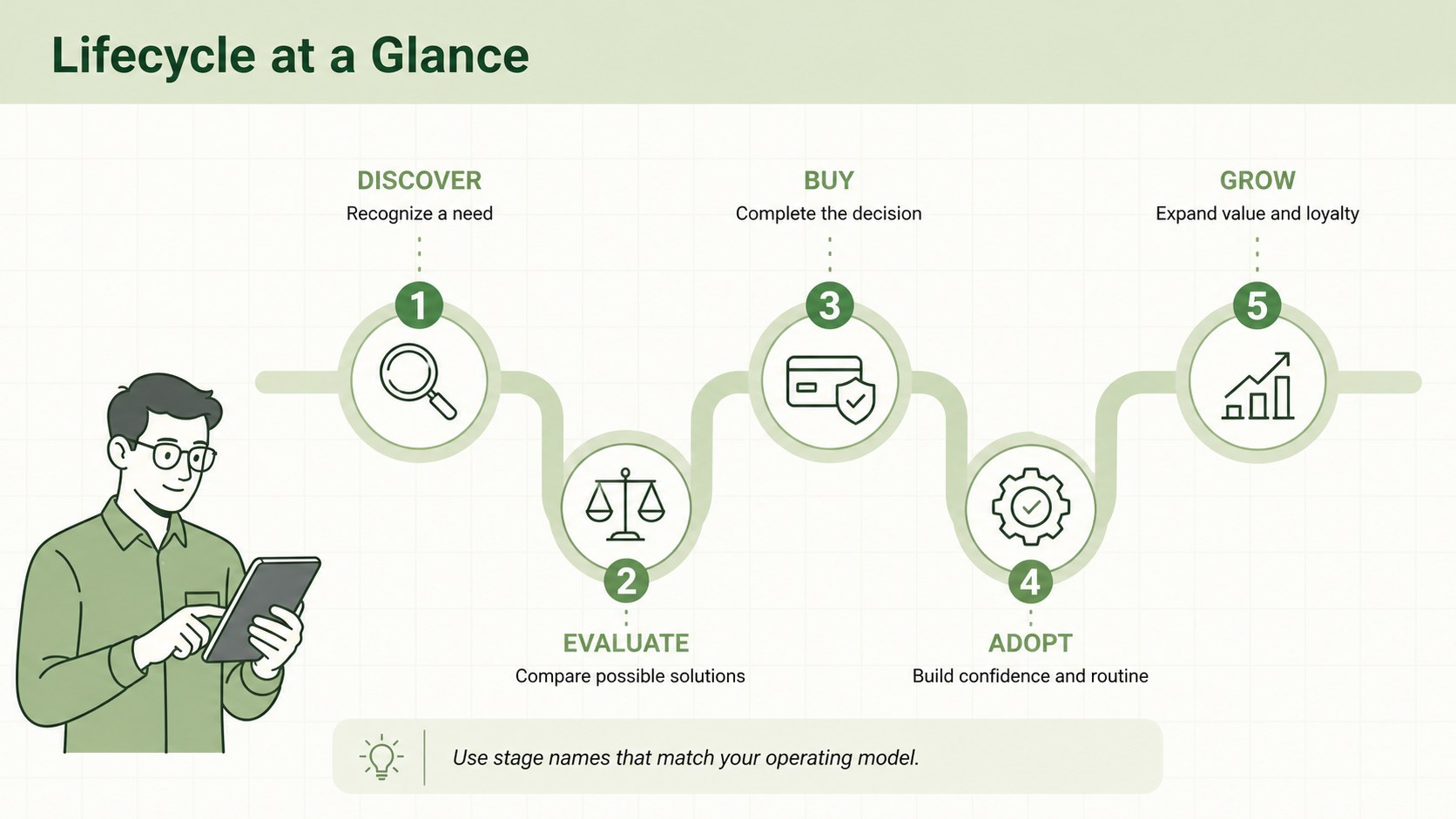
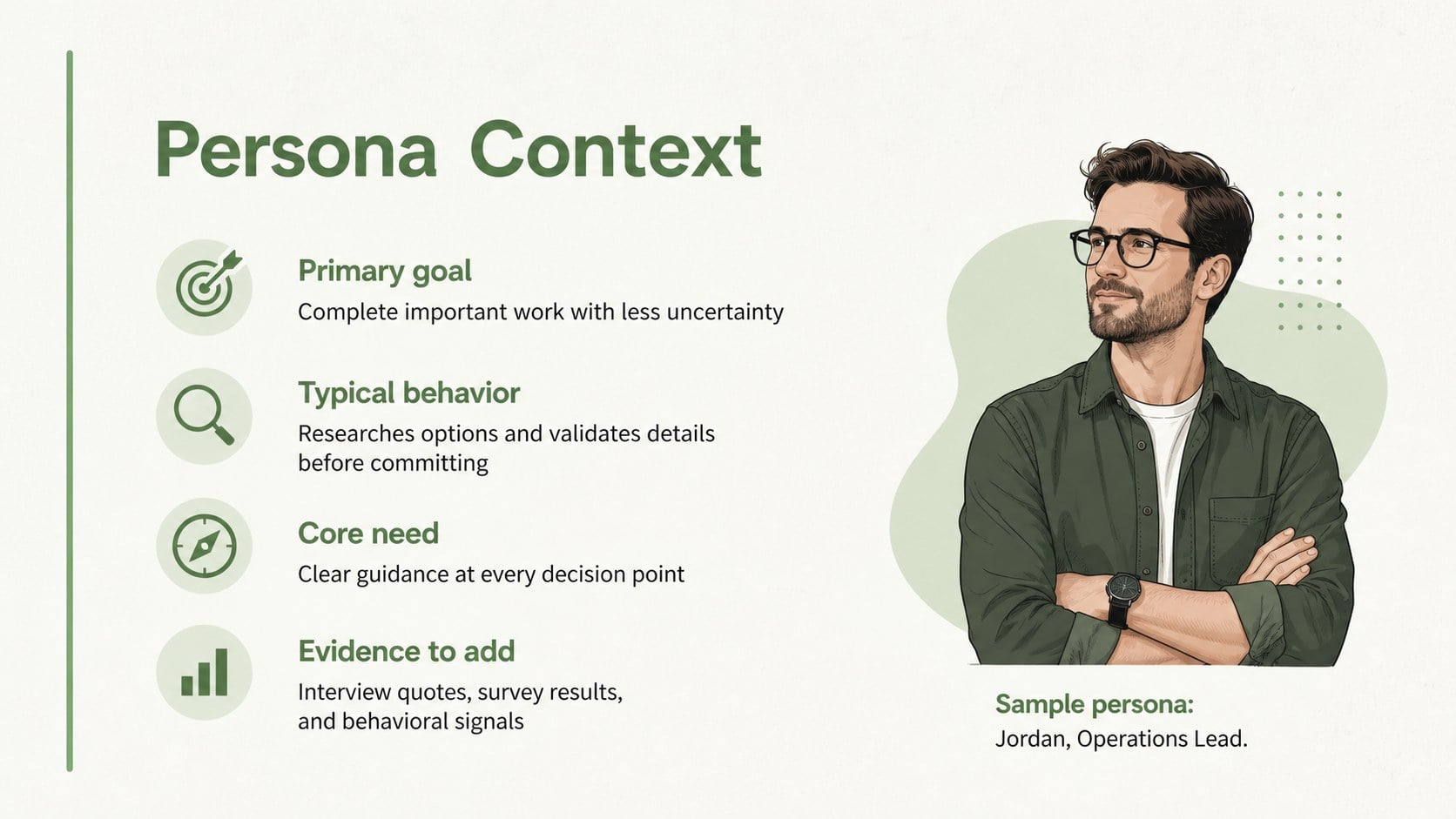
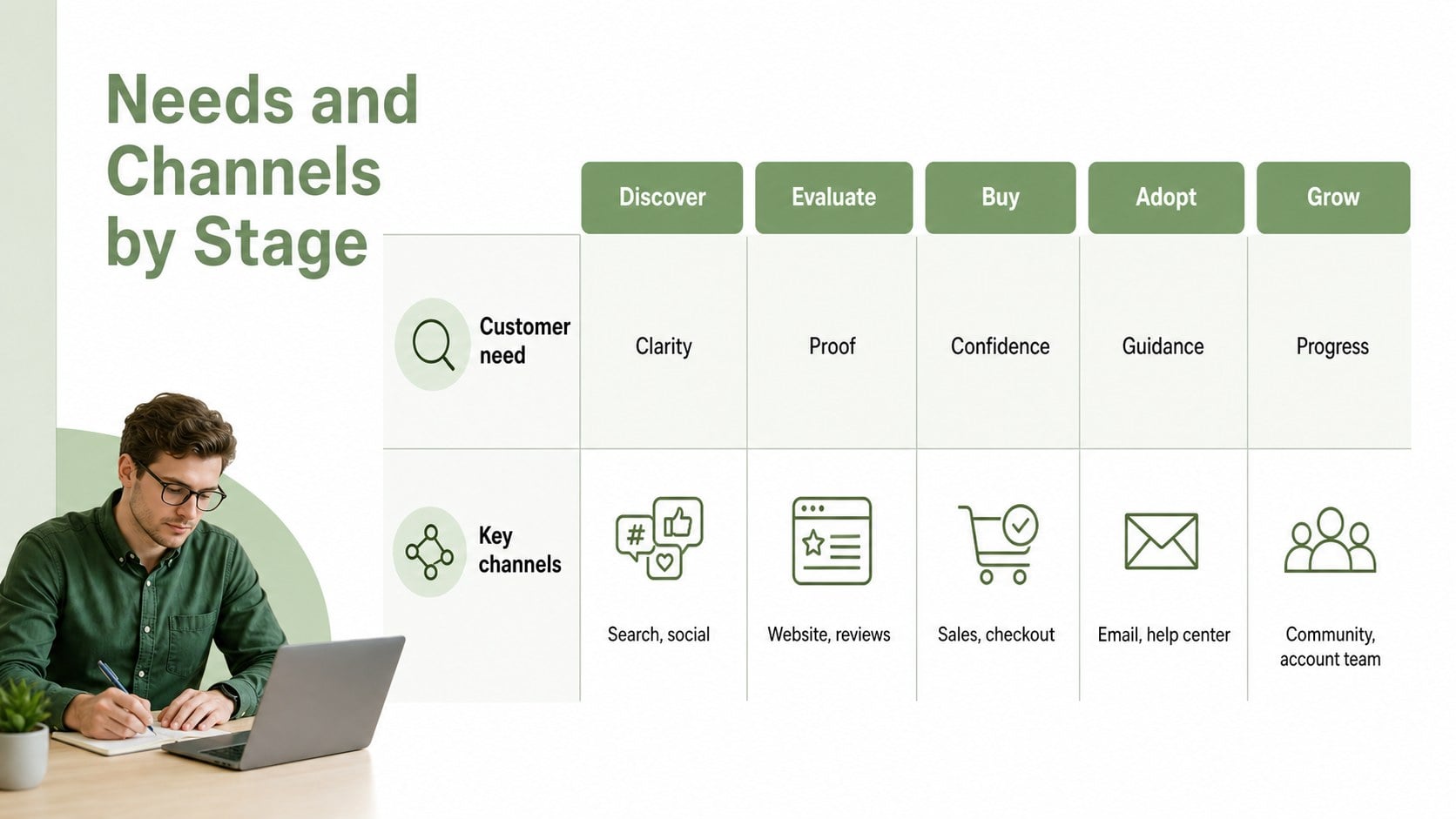
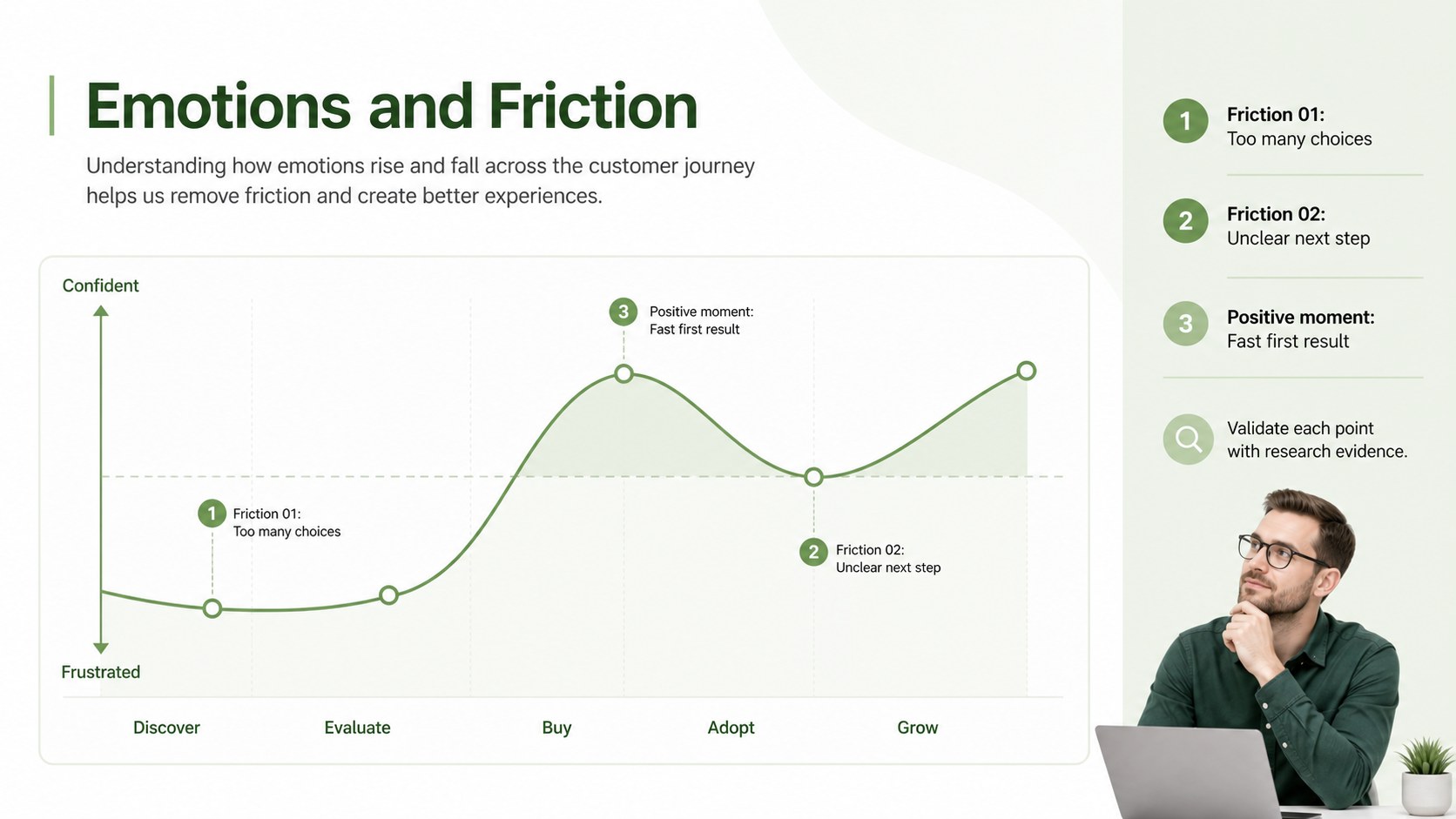
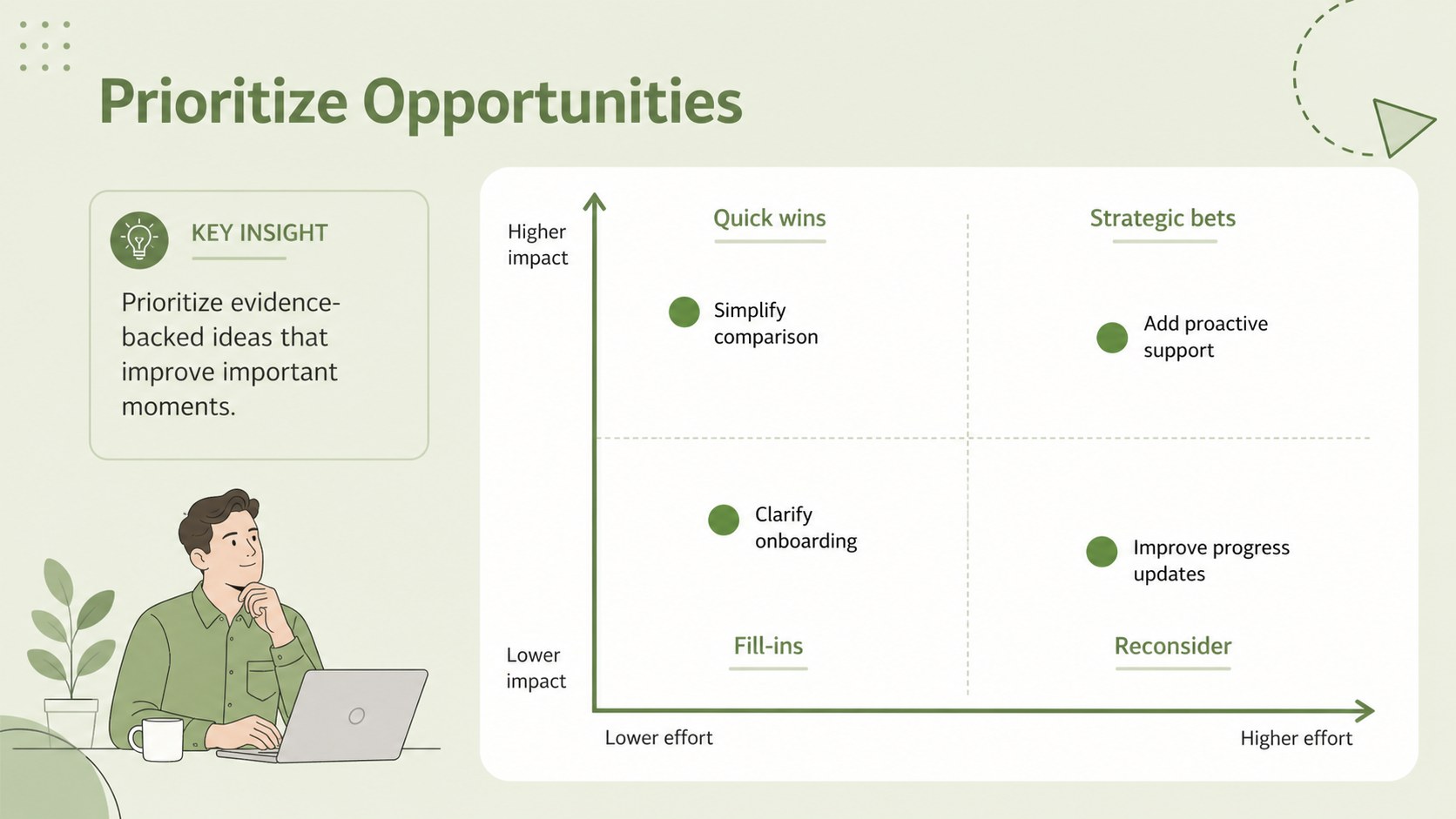
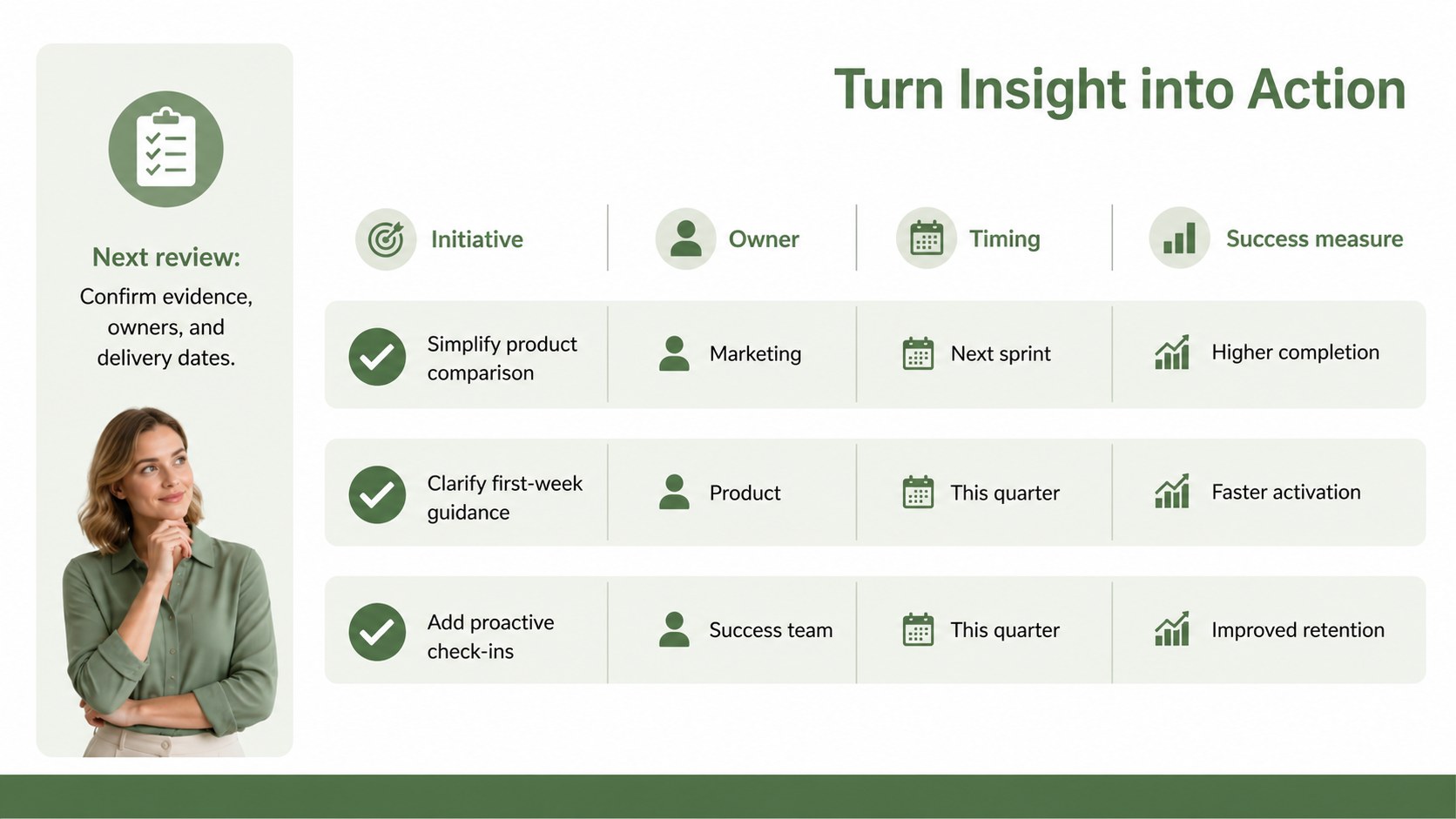
Inside are seven editable 16:9 layouts covering a lifecycle overview, persona context, stage-by-stage needs, channel interactions, emotional highs and lows, opportunity prioritization, and an action plan. Use the customer experience workshop slides to organize interviews, survey findings, support trends, and behavioral data. The deck also works as a customer persona journey presentation when stakeholders need a concise narrative linking customer expectations with business activity. Charts, labels, shapes, and text areas can be adjusted to match your research and terminology.
The toolkit is designed for customer experience teams, product managers, service designers, marketers, consultants, and operations leaders. It supports discovery workshops, quarterly planning, onboarding reviews, retention programs, and cross-functional strategy sessions. Build a customer friction analysis with clear evidence, assign ownership for proposed improvements, and define practical success measures. Every layout can be edited in PowerPoint or Google Slides, making it straightforward to adapt the framework for different audiences, lifecycle models, or presentation settings.
Perfect for: customer experience workshop; product onboarding review; service improvement planning; retention strategy meeting; customer research presentation; cross-functional lifecycle audit.
Frequently asked questions
Can I edit every part of the lifecycle diagrams? Yes. Stage names, labels, shapes, colors, charts, and text areas are editable, so you can match the deck to your research model and customer segments.
Practical details
Yes. Stage names, labels, shapes, colors, charts, and text areas are editable, so you can match the deck to your research model and customer segments.
The toolkit is designed for PowerPoint and Google Slides. Layouts use a widescreen 16:9 format suitable for meetings, workshops, and shared presentations.
Yes. Duplicate, remove, or reposition stage elements to reflect your organization’s lifecycle framework. Keep labels concise to preserve the clean visual hierarchy.
Gather customer goals, common behaviors, key channels, research evidence, recurring friction points, and potential improvements. Adding owners and success measures will make the final action plan more useful.
Keep exploring
15Build an engaging World UFO Day session with this flying saucer history lesson deck, featuring retro green-and-brown slides for PowerPoint and Google Slides.
 15
15Plan a lively animal-learning journey with this jungle zoo adventure lesson deck, ready to customize in PowerPoint and Google Slides for young learners.
 16
16Turn environmental research into a clear story with a Watercolor Ecology Presentation Theme for PowerPoint and Google Slides in calming green and blue.
 16
16Build focused fashion, literature, and humanities presentations with the Red Triangle Editorial Theme, editable in PowerPoint and Google Slides.
 15
15Turn streaming stats, favorite tracks, and concert highlights into a bold annual listening recap slide deck for PowerPoint and Google Slides.
 15
15Turn highlights, milestones, and favorite moments into a colorful year in review slide deck with bold 3D graphics for PowerPoint and Google Slides.
 3
3Build a credible endorsement with Standout Colleague Recommendation Letter Slides, featuring colorful prompts for skills, achievements, and team impact.
 4
4Build clear beginner sessions with an ice hockey fundamentals training deck for coaches, PE teachers, and clubs, ready for PowerPoint and Google Slides.